
What you can do with Pomelo.

Understand your traffic, spot the actions that matter and see your site’s problems. Here is, by use, what is available today and where it stops.

No measurement cookieReliable numbersData hosted in Europe

Three questions, clear answers

Analytics grew on excess: collect everything, show everything, then hunt for the useful number. Pomelo does the opposite: it answers a team’s questions, and answers them well.

Understand your traffic

Visits, pages, provenance, devices and countries, compared with the previous period. Statistics for the whole site are exact. In a filtered view, in the hourly view, and for cities and referring domains, a value of 1 to 9 visits is not broken down.
Spot the actions that matter

Clicks, downloads, forms and goals: see what your visitors do without tracking them individually.

See your site’s problems

JavaScript errors, pages not found, load times and Web Vitals: the Health view shows where the site is degrading.

Six uses, one product

Every audience measurement report is in every plan. Plans differ by scale: sites, events, members, history and API.

Audience

  • visits, pageviews and trends
  • comparison with the previous period
  • direct visits, named sources and referring sites
  • devices, country, region and city
  • exact statistics; in a filtered view, in the hourly view, and for cities and referring domains, a value of 1 to 9 visits is not broken down

Content

  • best entry pages and exit pages
  • engagement: time spent and scrolling
  • pages rising or declining
  • URL parameters are removed

Actions and goals

  • clicks, outbound links and downloads
  • form submissions, mailto: and tel: links
  • simple goals on a page or an action
  • visitors are never tracked individually
  • conversions by source: with the Campaigns option, and your visitors’ consent

Site health

  • JavaScript errors by page and browser
  • pages not found
  • load times and Web Vitals
  • collection health
  • a detail row appears from 10 visits

Collaboration and sharing

  • all your sites in one workspace
  • invited members, access set site by site
  • read-only viewing link
  • client folders to group sites: Starter and Pro
  • a client folder organises sites: it is neither a portal nor per-client billing

Setup and integrations

  • a script to add to your site, with its identifier
  • single-page applications supported
  • CSV export of report tables
  • read API, depending on your plan
  • the API reads statistics; it does not install collection

See quotas and prices by plan

Features in pictures

The current product views: audience, provenance, content and actions.

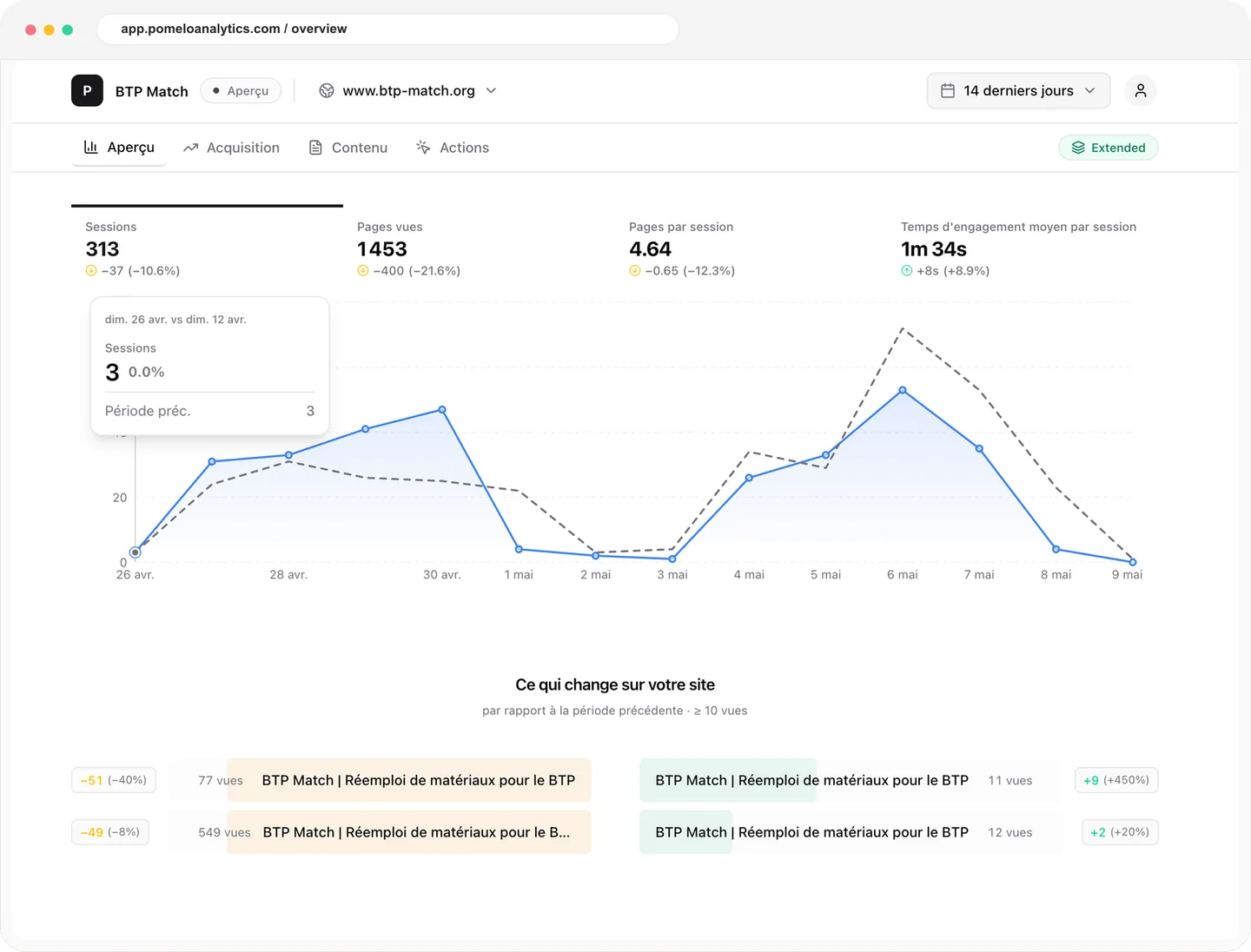
Pomelo product screenshot with key indicators, visit trend and content going up or down.

Your activity at a glance

Immediately spot trends, differences with the previous period, and pages that are gaining or losing audience.

  • Key indicators
  • Previous-period comparison
  • Pages rising or declining
  • Easy-to-read trends
See the three views

See what brings your audience

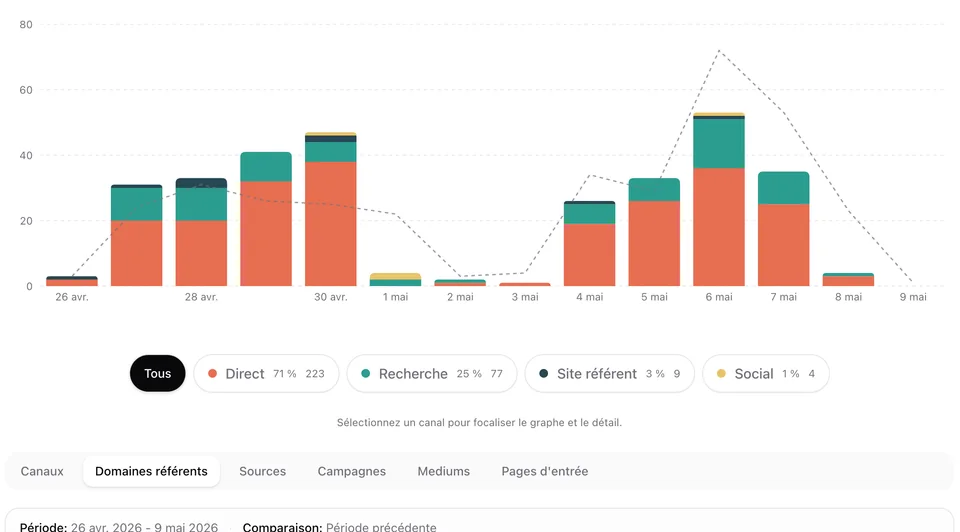
Direct visits, named sources, types of site and referring domains; with the Campaigns option, channels and campaigns on top: identify the sources that actually contribute to your traffic.

Pomelo Acquisition view with referring site types and a referring domain excerpt.

Understand your content

Spot your entry pages, engagement and exits.

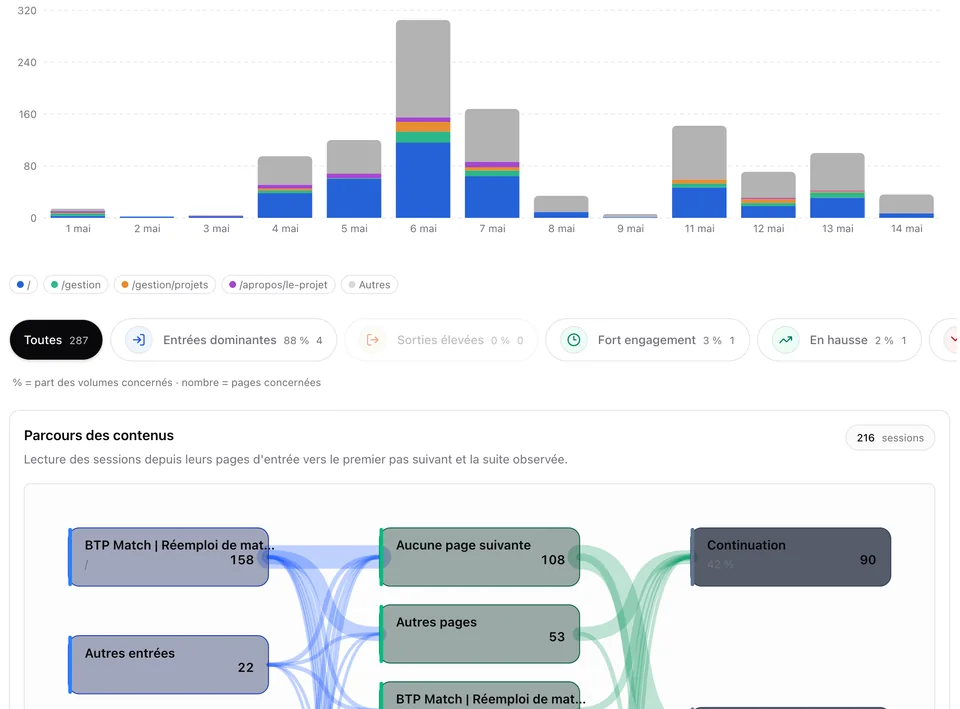
Pomelo content view with page trends, entry pages, engagement, exits and first performance signals.

Track the actions that matter

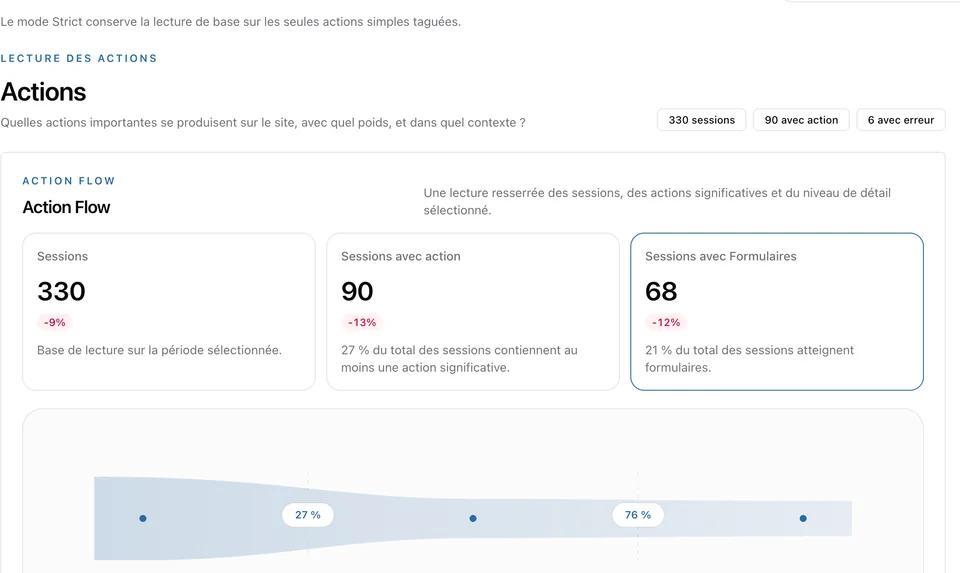
Forms, outbound clicks, downloads and goals: measure useful actions without tracking visitors individually.

Pomelo actions view with KPI cards and Action Flow visualization.

No measurement cookie

No measurement cookie; the only possible cookie remembers a visitor’s objection; the IP address is not kept in measurement data.

All your websites in one place

Group domains and invite your team from one shared space.

Accessible data

Export it as CSV or query it through the API depending on your plan.

A Health view

JavaScript errors, pages not found and Web Vitals, by page.

See the live demo

For agencies and multi-site teams

Pomelo organises several sites in one workspace, without multiplying accounts.

Abstract illustration of several sites grouped in one workspace.

Agencies and multi-site teams

Group your clients’ sites and share the right access. A client folder groups sites; each member’s access is set site by site, and folders share the workspace’s quotas and billing.

  • Client folders
  • Site-by-site access
  • Available on Starter and Pro

Pricing

Every statistic in every plan

You choose by number of sites, measured volume and team size. The reports are the same in every plan.

Compare all plans in detail
PlanFreeStarterPro
Price ex VAT€0€7 / month or €70 / year€24 / month or €240 / year
Sites51050
Events per month (pageviews and actions), across the whole workspace100,000500,0003,000,000
Beyond the volume, if this billing is shown before orderingNothing is charged€20 per million€12 per million
Members13, then €3 / month per member, if this billing is shown before orderingUnlimited
History60 days24 months24 months
Reports and hourly viewAllAllAll
Weekly email reportYesYesYes
Export CSVCSV exportCSV exportCSV export
APINot includedStandard quotaModerate quota
Sites grouped by clientNot includedYesYes
SupportDocumentationStandardPriority

See pricing, quotas and options

Questions about features

What changes with the plan?+

The scale: number of sites, events, members, history length and API access. No plan removes a report from audience measurement. Exact figures are in the pricing.

Is a client folder a portal for my clients?+

No. A client folder groups sites in your workspace. It grants no access by itself, creates no subscription or quota, and gives your clients no portal.

How do I install Pomelo?+

You add a script to your site, with the site identifier created in the dashboard. Collection starts as soon as the script is in place.

What does the Campaigns option require?+

With Campaigns, you also measure your marketing actions: channels, UTM parameters and conversions by source. This measurement requires your visitors’ consent. It is off by default.

Just the right measure, for all your websites.

Pomelo is opening gradually. Join the first teams measuring right and help shape what comes next.