Tag: Checklist
All blog posts with this tag.
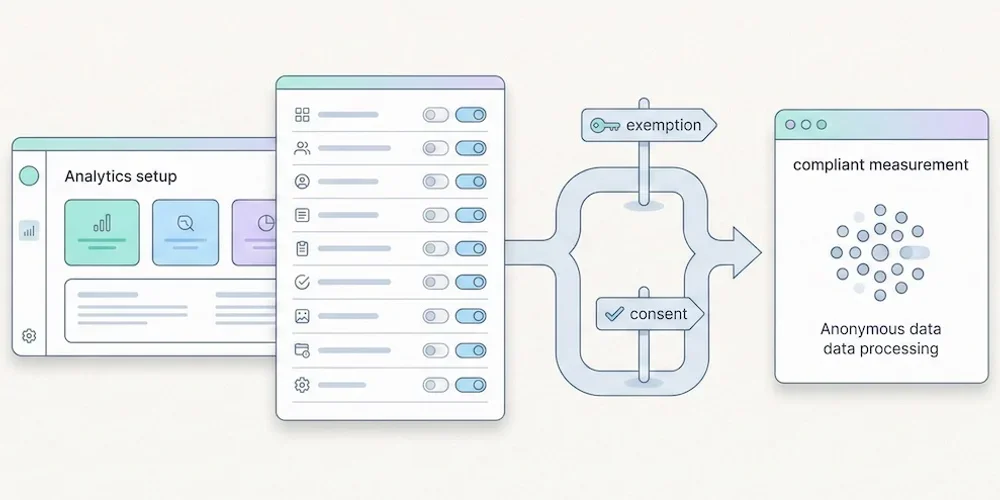
- 09 Mar, 2026
GDPR analytics checklist: 10 compliance checks before installing any tracking tool
You just installed an analytics tool on your website. The script is live, data is flowing, the dashboard is coming to life. Everything looks fine. Except nobody on the team checked whether this setup complies with European data protection law. And this is not a minor oversight: in 2025, France's data protection authority (CNIL) imposed a record 487 million euros in fines, with 21 sanctions specifically targeting cookies and trackers. Cookies were the single largest enforcement category, ahead of data security and employee surveillance. The problem is rarely the tool itself. It is how the tool is configured, documented, and used. A tool that is compliant "on paper" can become non-compliant in three clicks if the default settings are left untouched. This checklist gives you ten concrete points to verify the GDPR compliance of your analytics setup, whether you use Google Analytics 4, Matomo, Plausible, or any other tool. It is written for website owners, marketing leads, and DPOs who want to make sure their audience measurement does not create an avoidable legal risk.1. Is the purpose strictly limited to audience measurement? This is the foundation of any analytics compliance assessment. Article 5(1)(b) of the GDPR requires that personal data be collected for specified, explicit, and legitimate purposes. For an analytics tool, this means data must be used exclusively to understand how visitors interact with the site: pages viewed, traffic sources, load times, navigation errors. Nothing else. In practice, scope creep is common. Many analytics tools let you enable remarketing, ad targeting, or CRM cross-referencing. The moment any of these features is activated, you leave the territory of strict audience measurement. You lose eligibility for the consent exemption (more on this in point 2) and must deploy a full cookie consent banner. What to verify: Document the exact purpose in your Record of Processing Activities (Article 30 GDPR). If the stated purpose reads "audience measurement and marketing optimization," it is too broad. The wording should be limited to producing anonymous statistics for the exclusive benefit of the site publisher. If you use analytics alongside an advertising tool (Meta Pixel, Google Ads), both processing activities must be listed separately in your records, with distinct legal bases.2. Is the legal basis correctly identified? The GDPR provides six possible legal bases for processing personal data (Article 6). For analytics, two scenarios dominate. Scenario A: consent exemption. If your tool is configured to meet the strict criteria set by your national data protection authority (in France, the CNIL), you may rely on legitimate interest (Article 6(1)(f)) combined with the exemption under Article 5(3) of the ePrivacy Directive (transposed in each EU member state). In this case, no cookie banner is needed for analytics. This is the most favorable scenario, which we detail in our guide to the CNIL consent exemption. Scenario B: consent. If your tool collects data for purposes beyond strict measurement (profiling, advertising, third-party sharing), user consent is mandatory before any tracker is placed. This consent must be freely given, informed, specific, and unambiguous under Article 7 GDPR. In practice, this requires a compliant cookie banner with a "Reject" button as prominent as the "Accept" button. The CNIL regularly sanctions non-compliant consent mechanisms: in 2025, fines of 325 million and 150 million euros were imposed for cookie-related violations. What to verify: Determine which scenario applies to you. If you are unsure, it is almost certainly Scenario B. And if you claim the exemption, be prepared to demonstrate it in writing. Since January 2026, the CNIL no longer publishes an official list of "approved" tools. Each publisher must now prove their own compliance, notably through the self-assessment framework published by the CNIL. Other EU data protection authorities (such as the ICO in the UK, the DSB in Austria, and the AEPD in Spain) apply similar principles under the ePrivacy Directive, though specific criteria may vary.3. What cookies and trackers are actually being placed? Many sites claim to use "cookieless" analytics while their configuration actually deposits trackers in the browser. The reverse also happens: a properly configured tool paired with a CMP (Consent Management Platform) that triggers undeclared third-party scripts on its own. The only way to know what is really happening is to check for yourself. What to verify: Open your site in a private browsing window. Open the developer tools (F12 in Chrome or Firefox), go to the "Application" tab, then "Cookies." Note every cookie deposited before any interaction with a consent banner. Also check the "Network" tab to identify requests sent to third-party domains. If cookies are placed before consent and they do not correspond to a tracker strictly necessary for the site to function, that is a violation. If your analytics tool is supposed to work without cookies but you see a persistent identifier in localStorage or sessionStorage, this may still constitute a tracker under the ePrivacy Directive. For a more thorough audit, tools like Cookiebot Scanner or browser extensions such as Ghostery can automatically scan the trackers deployed by your site.4. Does the tracker lifespan comply with regulatory limits? The CNIL is explicit: the lifespan of an audience measurement tracker must not exceed 13 months. And this duration must not be automatically renewed on subsequent visits. This rule is one of the most frequently ignored. Google Analytics 4, for example, renews the duration of its cookies by default on every visit. This behavior is incompatible with the consent exemption. Matomo offers a similar option that must be manually disabled. Other EU authorities apply comparable limits. The general principle across the EU is that tracker lifespans must be proportionate and limited to what is necessary for meaningful audience comparison over time. What to verify: Check your tool's documentation for the default cookie duration. Confirm that the active configuration does not extend trackers beyond the applicable limit. If your tool allows it, set a shorter duration (some privacy-first tools use 24-hour or 30-day windows, which are compliant by design). Tools that operate without persistent cookies, such as the cookieless solutions described in our comparison, bypass this constraint entirely since there is no tracker to expire.5. Is data retention within the authorized limits? Tracker lifespan (point 4) and data retention are two separate topics. The CNIL recommends that information collected through analytics trackers be retained for a maximum of 25 months. Beyond that period, raw data (individual events, session identifiers) must be deleted or irreversibly aggregated. Aggregated statistics (total visits per month, top pages) can be kept longer, as they no longer contain personal data. What to verify: Check the data retention settings in your analytics tool. Google Analytics 4 offers configurable durations (2 months or 14 months for user-level data). Matomo allows automatic deletion of raw logs. If your tool does not offer automatic purging, set up a documented manual procedure. The regulatory recommendation of periodic review means you must also be able to justify why you retain data for the duration you have chosen. If 6 months meets your needs, do not configure 25 months "just in case." The principle of data minimization applies to duration, not just volume.6. Is data hosted within the European Economic Area? This is the question that triggered a wave of enforcement actions across Europe in 2022, when several data protection authorities (including the CNIL, the Austrian DSB, and the Italian Garante) ruled that using Google Analytics resulted in data transfers to the United States that were incompatible with the GDPR, following the invalidation of the EU-US Privacy Shield. Since July 2023, the EU-US Data Privacy Framework (DPF) has restored a legal basis for transfers. But this framework faces legal challenges (NOYB announced a challenge before the CJEU upon its adoption), and there is no guarantee it will survive, given that its two predecessors (Safe Harbor and Privacy Shield) were both struck down. What to verify: Identify where the data collected by your analytics tool is physically hosted. If the provider is US-based, check whether it is certified under the DPF and document this verification. For maximum legal certainty, choose a provider with exclusively European hosting, which makes the transfer question moot. The CNIL notes that when using a tool involving transfers, a server-side proxy can serve as a supplementary measure, provided it is correctly configured to prevent any identifiable data from reaching the provider's servers. As we explain in our article on the 5 essential analytics KPIs, the question is not purely legal: European hosting also reduces latency and improves dashboard performance.7. Is the data processor governed by a compliant contract? Article 28 of the GDPR requires that any processing carried out by a processor on behalf of a controller be governed by a specific contract or legal act. This is commonly known as a DPA (Data Processing Agreement). For analytics, the processor is your tool provider (Google, Matomo Cloud, Plausible, Fathom, etc.). The DPA must specify the processing purposes, the nature of the data processed, security measures, sub-processors, and breach notification obligations. What to verify: Have you signed (or accepted online) a DPA with your analytics provider? If so, read it. Pay particular attention to three sensitive points. First: does the provider commit to not reusing the data for its own purposes? This is a disqualifying criterion for the consent exemption. The CNIL explicitly cites the privacy policies of several major analytics offerings that indicate data reuse for their own services. Second: is the list of sub-processors accessible and up to date? You need to know who processes your data downstream. Third: are the data breach notification clauses compliant with Article 33 GDPR (notification within 72 hours)?8. Is user information complete and accessible? Even if you benefit from the consent exemption, you are not exempt from informing your visitors. The CNIL recommends that users be informed about the deployment of these trackers, for example through the site's privacy policy. Article 13 of the GDPR lists the mandatory information: identity of the controller, purposes, legal basis, recipients, retention periods, data subject rights (access, rectification, erasure, objection). For analytics, you should also specify the tool name, the nature of data collected (pages viewed, visit duration, device type, approximate geolocation, etc.), and the DPO contact details if applicable. What to verify: Reread your "Privacy Policy" or "Legal Notice" page. Is analytics mentioned? Is the information current (correct tool, correct purposes, correct retention periods)? If your privacy policy is a generic template mentioning Google Analytics when you switched to Matomo two years ago, that is a breach of the information obligation. A practical tip: add a dedicated "Audience measurement" section to your privacy policy, specifying the tool name, the legal basis, tracker duration, and data retention period. This level of clarity is what separates a compliant site from one that merely displays a banner.9. Is data cross-referencing excluded? This is one of the strictest criteria for the consent exemption: data collected by the analytics tool must not be cross-referenced with other processing activities, nor shared with third parties. This concretely prohibits several common practices: matching analytics data with a CRM to identify users, sharing identifiers with an advertising platform, using the same cookie for analytics and retargeting, or sending data to a social network to build lookalike audiences. It also prohibits cross-site tracking: the same identifier cannot be used to measure navigation across different domains. If you manage multiple sites, each property must be isolated with independent trackers. What to verify: Review the active integrations in your analytics tool. Have you enabled the link between GA4 and Google Ads? Between GA4 and BigQuery with CRM data? These connections, even if not actively exploited, are enough to disqualify the exemption. If you use UTM parameters or campaign tags in your URLs, verify that this information stays within the analytics perimeter and is not shared with third-party tools. The principle is simple: what goes into analytics must stay in analytics. For practical guidance on measuring campaign performance without cross-referencing data, see our article on SEO without Google Analytics.10. Is the configuration documented and auditable? This is the point everyone forgets. GDPR compliance is not a fixed state. It is an ongoing process that must be documented, auditable, and periodically reviewed. Since January 2026, the CNIL's shift in approach is clear: it no longer validates tools. It is up to each publisher, with support from its provider if needed, to demonstrate that the deployed configuration is compliant. The self-assessment tool published by the CNIL in July 2025 is now the central mechanism for verifying exemption eligibility. What to verify: Maintain an internal document (even a simple one) describing your analytics configuration: tool name, version, active settings, purposes, legal basis, retention periods, hosting location, processors. Date it. Update it with every change. If the regulator ever asks, or if a user exercises their right of access, you need to be able to respond within minutes. Schedule an annual audit of your analytics configuration. Verify that settings have not changed after a tool update, that third-party integrations have not been enabled by a team member, and that your retention periods are still being respected. Finally, if you use an external agency to manage your analytics, make sure that compliance responsibility is clearly assigned in your contract. The data controller is you, not your agency.Quick verification grid Here are the 10 points condensed. If you can answer "yes" to each question, your analytics setup is solid. Every "no" or "I don't know" identifies a risk to address.Is the purpose strictly limited to audience measurement? Is the legal basis identified and documented? Do you know exactly which cookies and trackers are being placed? Does the tracker lifespan comply with the 13-month limit? Is raw data retained for 25 months or less? Is data hosted in the EEA, or is the transfer legally covered? Is a DPA signed with your provider, with no data reuse? Does your privacy policy mention analytics? Is no cross-referencing performed with other processing activities? Is the configuration documented and regularly audited?Two common mistakes to avoid "My tool is compliant, so my site is compliant." No. A tool can be compliant in one configuration and non-compliant in another. Compliance depends on your settings, not on the logo on the box. Matomo can be compliant or not depending on its configuration. Google Analytics can be used with supplementary measures (proxy, restrictive settings) or triggered only after consent. It is the configuration that matters. As we discuss in our analysis of data obesity, the instinct to "collect everything by default" is precisely what the GDPR was designed to counter. "I'm too small to be audited." The CNIL's simplified procedure, operational since 2022, allows for rapid handling of straightforward cases, including against very small businesses. Fines are capped at 20,000 euros under this procedure, but they do happen: in 2025, the CNIL issued 67 decisions through this track. The risk is not proportional to your size. It is proportional to your visibility and the number of complaints received.Conclusion: compliance as an advantage, not a burden Verifying these ten points takes a few hours, not a few weeks. And the payoff goes well beyond legal compliance. A site with properly configured analytics inspires greater trust. The data collected is more reliable, because it is not polluted by unnecessary scripts or phantom trackers. The technical footprint is lighter. And if you meet the conditions for the consent exemption, you eliminate the cookie banner for analytics, which directly improves user experience and data completeness, as we explain in our guide to the consent exemption. Compliance is not an obstacle to measurement. It is the foundation on which trustworthy audience measurement is built.FAQ Does my personal site or blog need this checklist? Yes, as soon as you collect browsing data through any analytics tool, even a free or self-hosted one. The GDPR applies to anyone processing personal data of European residents, regardless of the organization's size. That said, if your tool places no cookies, collects no IP addresses, and enables no identification (even indirect), the practical risk is very low. Can Google Analytics 4 be GDPR-compliant? Technically, it is possible to configure GA4 in ways that significantly reduce risk: IP anonymization, disabling Google signals, no link to Google Ads, consent obtained before the script fires. However, GA4 is not eligible for the consent exemption in its standard configuration, because Google states that it reuses data for its own services. You will therefore need a cookie banner and will only collect data from visitors who accept. What is the difference between anonymization and pseudonymization? Pseudonymization replaces a direct identifier (name, email) with an indirect one (hash, token). The data remain personal data because re-identification is theoretically possible. Anonymization renders re-identification impossible and irreversible, even through cross-referencing. Only truly anonymized data fall outside the scope of the GDPR. This distinction is critical for analytics: pseudonymized data remain subject to the GDPR and must comply with retention limits. How do I know if my tool qualifies for the consent exemption? Since January 2026, the CNIL no longer publishes a list of validated tools. Your solution provider can perform a self-assessment using the framework published by the CNIL in July 2025 and provide you with a compliance attestation. It is then your responsibility as the publisher to verify that your actual configuration matches that assessment. Other EU authorities apply similar principles; check with your national DPA for specific guidance. When in doubt, the safest approach is to obtain consent. How often should I re-audit my analytics configuration? At minimum once a year, or whenever a significant change occurs: tool update, new third-party integration, change of provider, change of purpose. The CNIL recommends periodic review of retention periods, which implies at least an annual documented review.SourcesSource: CNIL, "Cookies: solutions pour les outils de mesure d'audience," deliberation of July 4, 2025 (https://www.cnil.fr/fr/cookies-solutions-pour-les-outils-de-mesure-daudience) Source: CNIL, "Mesurer la fréquentation de vos sites web et de vos applications" (https://www.cnil.fr/fr/mesurer-la-frequentation-de-vos-sites-web-et-de-vos-applications) Source: CNIL, Self-assessment tool for audience measurement solutions, July 2025 (https://www.cnil.fr/sites/default/files/2025-07/outil_d_auto-evaluation_mesure_d_audience.pdf) Source: CNIL, "Mesure d'audience et transferts de données: comment mettre son outil en conformité avec le RGPD" (https://www.cnil.fr/fr/mesure-daudience-et-transferts-de-donnees-comment-mettre-son-outil-de-mesure-daudience-en-conformite) Source: L'Usine Digitale, "Avec 487 millions d'euros d'amendes en 2025, la CNIL sanctionne moins mais frappe beaucoup plus fort," February 9, 2026 (https://www.usine-digitale.fr/reglementation/gdpr-rgpd/avec-487-millions-deuros-damendes-en-2025-la-cnil-sanctionne-moins-mais-frappe-beaucoup-plus-fort) Source: Optimal Ways, "Nouvelles règles CNIL sur les solutions de mesure d'audience," December 2025 (https://www.optimalways.com/fr/2025/09/cnil-consentement-mesure-audience/)