Tag: Web analytics
All blog posts with this tag.
- 06 Apr, 2026
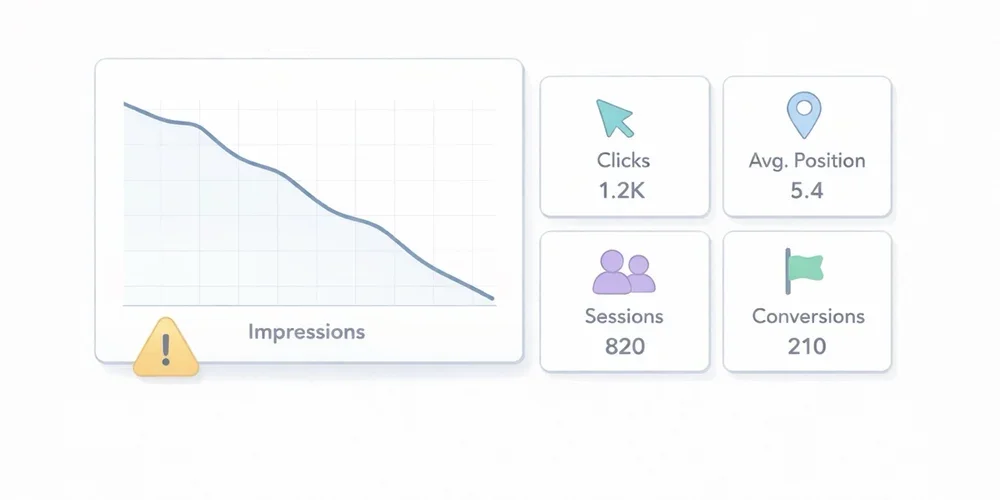
Why your Search Console impressions may drop in April 2026 without your SEO getting worse
In April 2026, Google added and then updated an official note on the Search Console data anomalies page. The message is simple, but its consequences can create a lot of false alarms in SEO dashboards: a logging issue prevented Search Console from accurately reporting impressions from May 13, 2025 until April 27, 2026. Google now says the issue has been resolved. In practice, many teams will see impressions drop in Search Console without seeing an equivalent drop in real-world search visibility. And because the interface also shows average CTR and average position, correcting impression counts can move several metrics at once even when actual SEO performance has not materially changed. For a small or midsize business, a marketing team, or an agency, this is exactly the kind of moment when bad diagnosis becomes expensive. You think you are seeing a ranking problem, you trigger an emergency review, you rewrite pages that were fine, and only later realize the original signal was partly a measurement artifact. This article has a simple goal: explain what Google actually announced, clarify which metrics deserve more trust after this correction, and give you a more resilient way to read your SEO data. What Google actually said The note Google published on April 3, 2026 highlights four important points. First, this is a logging issue in Search Console. Google is not saying that a ranking change or search delivery issue affected the live search results. It is saying that impression reporting inside the tool was not being recorded accurately. Second, Google dates the start of the issue to May 13, 2025. That matters because it means recent historical reporting for many properties may have been affected for almost a year. Third, Google now says the issue has been resolved. The operational reading is therefore to compare periods before and after April 27, 2026 carefully, rather than looking for an immediate SEO cause behind every impression break. Fourth, Google states that only impressions and related metrics, such as CTR and average position, were affected. Clicks were not affected by the error. This is probably the most useful operational takeaway. If clicks remain the most reliable signal, then the correct response to falling impressions is not panic. It is a change in analytical priorities. Why lower impressions do not automatically mean worse SEO In Search Console, an impression reflects that your property was shown in Google Search according to the tool’s reporting rules. The Performance report also includes clicks, average CTR, and average position. The key point is this: if impressions were overstated or logged incorrectly and are now being corrected, a visible drop in the chart may simply reflect a return to more accurate measurement. It does not automatically mean your pages are being shown less often in Google Search. That is especially true if, at the same time:clicks remain stable; average position shows no break confirmed by clicks; organic Google traffic in your analytics tool does not break down; SEO-driven conversions do not show a clear structural drop.In other words, you need to separate measurement correction from performance deterioration. That distinction matters because many teams have learned to treat impressions as a universal leading indicator. In this case, Google explicitly says the issue affected impression logging, not clicks. If your reporting logic is built around impressions without context, you can easily mistake a reporting fix for an SEO problem. The average CTR trap Average CTR deserves extra caution. In Search Console, CTR is calculated from clicks and impressions. If Google corrects impressions downward while clicks remain unchanged, CTR can rise mechanically. That means a higher CTR will not necessarily signal better snippets, stronger intent alignment, or better SEO execution. It may simply reflect the corrected denominator. This is where automated dashboards can tell a very persuasive but very false story:impressions are down; CTR is up; therefore traffic must be more qualified.That conclusion may be completely wrong. Around the resolution period, CTR should be treated as a derived metric that needs context, not as immediate proof of improvement or decline. Which metrics to trust first When one metric becomes unstable, the right move is to anchor analysis in the most robust signals. In this situation, here is the reading order I recommend. 1. Search Console clicks Because Google says clicks were not affected, they become the primary anchor. Review them at several levels:whole property; strategic directories; key pages; comparable groups of pages.You are not looking for one odd day. You are looking for a real break in trend. 2. Average position, with nuance Google says average position is one of the impression-related metrics that was affected. Do not treat it as a perfectly stable independent signal. It is still useful context, but it should be read alongside clicks, pages, and queries. Operationally, use it to answer a simple question: are you seeing a real decline confirmed by clicks and critical pages, or only an impression change tied to the reporting correction? 3. Google organic traffic in your analytics tool Search Console measures what happens before the click in Google Search. Your analytics tool measures what happens after the visit reaches your site. Those are different views, which is exactly why they are complementary. If Search Console shows lower impressions while your Google organic traffic remains stable in analytics, that is a strong argument against the idea of a real SEO drop. For most marketing teams, this is the most useful cross-check. A reporting correction upstream does not necessarily create any business impact downstream. 4. Organic conversions For many businesses, this is the real red line. If forms, trials, demo requests, downloads, or revenue attributed to organic search remain stable, you should avoid overreacting to a single impression series. Conversely, if clicks, organic traffic, and conversions all decline together, you probably do have a real issue worth investigating. The right way to read after the resolution Here is a simple process that is strong enough for an SMB or an agency. Step 1: freeze fast conclusions about impressions Around the corrected period, avoid statements like:“Our visibility is collapsing” “Google is showing us less” “The content we published in January is underperforming” “The redesign broke SEO”Those conclusions may turn out to be true, but impressions alone are no longer enough to support them cleanly. Step 2: extend comparison windows A 7-day versus 7-day comparison becomes more fragile when a metric has just been corrected. Prefer:28 days versus 28 days; rolling 8-week views; calendar months if your volume supports it.The goal is to reduce noise and avoid reacting to a purely technical movement. Step 3: segment before you interpret Review separate views for:business-critical pages; blog content; documentation; branded versus non-branded traffic; important countries or devices if volume is large enough.A broad measurement issue does not always appear identically across every segment. And a real SEO issue often leaves a more localized signature. Step 4: reconcile Search Console and analytics Build a simple cross-check:Search Console clicks Google organic sessions Organic conversions Average position on critical page setsIf the four lines tell the same story, you can act with confidence. If only the impression line diverges, caution is warranted. Step 5: document the anomaly in reports If you work with teammates or clients, add a note to dashboards and monthly reports. One sentence is enough:In April 2026, Google reported a logging issue affecting Search Console impressions from May 13, 2025 until April 27, 2026. According to Google, only impressions and related metrics such as CTR and average position were affected; clicks were not. Impression changes around this period should be interpreted carefully.This small note can prevent a surprising amount of confusion. What not to do When data moves, the classic mistake is to act too fast. These are the reflexes to avoid. Do not rewrite titles and meta descriptions at scale after the first drop in impressions Yes, snippets can influence CTR. But in the current context, if the drop comes from a reporting correction, you may be changing pages that were never the problem. Do not launch an emergency technical audit without converging evidence A technical audit makes sense if several signals deteriorate together, or if you also see indexing, coverage, crawl, or site quality issues. An isolated impression drop is not enough. Do not over-interpret short-term winners and losers During a correction period, weekly top gainers and losers can become misleading. A page that “lost” impressions may not have lost actual search visibility. Do not confuse reporting trend with business trend This is probably the most important point. To manage a website, you need to separate:a metric that describes potential exposure; a metric that describes actual visits; a metric that describes useful action.Impressions matter, but they do not fill a sales pipeline on their own. What this news reminds us about SEO measurement This story is useful beyond the Google announcement itself. It highlights three broader principles. 1. No reporting tool is raw reality Search Console is extremely valuable, but it is still a reporting system with its own rules, aggregations, limits, and occasional anomalies. Numbers always need context. 2. Good reporting should survive an anomaly in a single tool If your whole SEO diagnosis depends on one impression chart, your reading is too fragile. A resilient setup should at least cross-check visibility, traffic, and business outcomes. 3. Teams should favor metrics that support decisions This is simple but often forgotten: out of all the available metrics, which ones actually help you decide what to do next? In this case, clicks, organic sessions, and conversions are often more decision-useful than raw impressions. What I recommend to teams, agencies, and SMBs right now Here is the short version. After this resolution, keep using Search Console, but do not treat impressions as the only alert metric for the affected periods. Move clicks to the top of the stack, keep average position as context, and always validate the diagnosis with analytics and conversions. For an SMB, the best posture is not to ignore Search Console. It is to put Search Console back in its proper place inside a simpler measurement system. Search Console tells you how Google exposes your pages. Your analytics tool tells you what visitors actually do after the click. Both matter, but they do not answer the same question. If you want a more stable acquisition view, this is also a good moment to review your SEO dashboards and limit executive reporting to the metrics that clearly support decisions. For a broader take on choosing a readable analytics setup, you can also read our guide: Google Analytics, Matomo or privacy-first analytics? The complete guide for 2026. Conclusion The impression drop many sites will notice in April 2026 should not be read automatically as an SEO decline. Google itself reported a logging issue affecting Search Console impressions from May 13, 2025 until April 27, 2026, now marked as resolved. In that context, the right response is not panic. It is a more disciplined reading model:clicks first; average position as context; organic traffic and conversions to validate real impact.In SEO, as in analytics, the biggest risk is not always poor performance. Sometimes it is poor diagnosis. FAQ Why are my Search Console impressions suddenly dropping in April 2026? Because Google reported in April 2026 that a logging issue had affected impression reporting from May 13, 2025 until April 27, 2026. Its resolution can produce a visible drop in impressions without reflecting a real SEO decline. Are Search Console clicks reliable during this correction? According to Google, yes. The official note says clicks were not affected by the error. That makes clicks the most useful metric to prioritize during this period. My CTR is increasing while impressions are falling. Is that good news? Not necessarily. Because CTR is calculated from clicks and impressions, a lower impression count with stable clicks can increase CTR mechanically. That is not automatic evidence of improvement. Should I change my SEO pages right away? Not based on impressions alone. Before making changes, also review clicks, average position, organic traffic in your analytics tool, and SEO-driven conversions. What is the best way to track real business impact? Cross-check Search Console with your analytics setup. If clicks, Google organic sessions, and conversions remain stable, you are more likely looking at a reporting correction than a real SEO problem. Sources Sources checked on May 10, 2026.Google Search Console Help, Data anomalies in Search Console Google Search Console Help, What are impressions, position, and clicks? Google Search Console Help, Performance report (Search results) Google Search Central, Using Search Console and Google Analytics Data for SEO
- 23 Mar, 2026
GDPR analytics checklist: 10 checks before installing a tracking tool
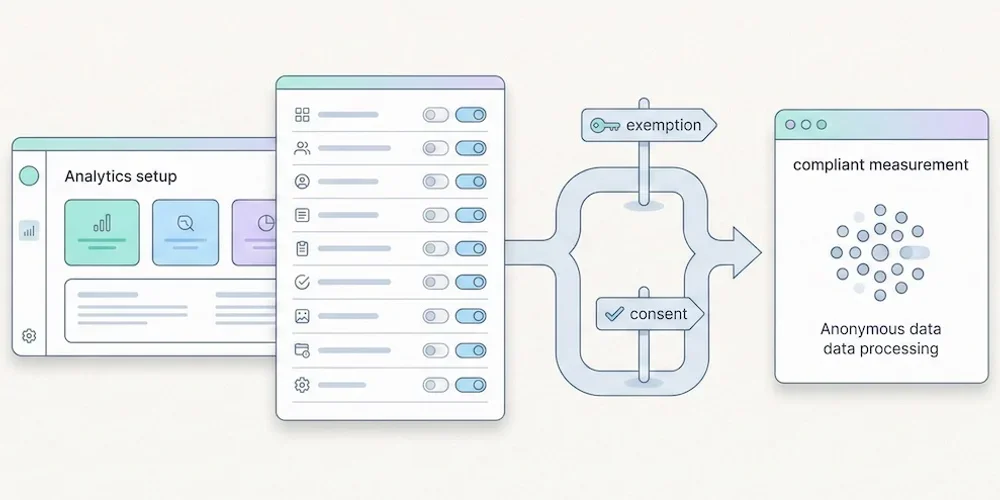
Installing analytics is easy. Governing analytics is harder. A script can be live in five minutes, but the team still needs to know what it collects, why it collects it, how long the data stays available and which choices are presented to visitors. Use this checklist before adding or changing a measurement tool. It is not legal advice. It is a practical review framework for product, marketing, engineering and privacy stakeholders. 1. Define the purpose Write the purpose in one sentence. "Understand audience and site performance" is not the same as advertising attribution, retargeting, product behavior analysis or CRM enrichment. Separate the purposes before discussing tools. 2. Split baseline and enriched collection Define what belongs in minimal audience reporting and what belongs in enriched tracking. Campaign parameters, detailed events, goals, technical context and multi-site segmentation should be deliberate configuration choices. 3. List the fields collected Review the payload, not only the dashboard. Check URL, referrer, user agent, language, screen data, campaign parameters, identifiers, events and custom properties. Remove fields that do not serve the stated purpose. 4. Check tracker timing Use a clean browser profile and inspect which scripts fire before any visitor choice is recorded. Do this on the homepage, landing pages, forms, checkout or signup flows and authenticated areas. 5. Set retention rules Define retention for raw events, aggregated reports, exports and backups. Long retention should be justified by a real operational need, not by a vendor default. 6. Review provider terms Confirm the provider role, hosting location, sub-processors, transfers, support access and reuse clauses. Keep the current data-processing agreement with the launch record. 7. Update public information Your privacy policy should name the tool, describe the purpose, list the main data categories, explain retention and point to the relevant choice or objection mechanism. 8. Test Strict and Extended behavior If your product separates Strict and Extended collection, verify both modes in the browser and in storage. Strict should not persist enriched fields. Extended should be explicit and documented. 9. Control access and exports Analytics data often spreads through CSV exports, screenshots and shared dashboards. Restrict access to people who need it and define how exports are handled. 10. Keep evidence Save the browser test, payload review, provider links, privacy-policy update and release owner in your launch checklist. Evidence matters when decisions are challenged later. Pomelo launch reading For Pomelo, this checklist translates into a simple doctrine: Strict by default, Extended by configuration, no profile mutation from reports, and clear dashboard explanations when data availability changes with collection mode. SourcesCNIL, Cookies and other trackers: https://www.cnil.fr/fr/cookies-et-autres-traceurs CNIL, Cookies and audience measurement solutions: https://www.cnil.fr/fr/cookies-solutions-pour-les-outils-de-mesure-daudience EDPB, Guidelines 05/2020 on consent under Regulation 2016/679: https://www.edpb.europa.eu/our-work-tools/our-documents/guidelines/guidelines-052020-consent-under-regulation-2016679_en EDPB, Guidelines 07/2020 on controller and processor concepts: https://www.edpb.europa.eu/our-work-tools/our-documents/guidelines/guidelines-072020-concepts-controller-and-processor-gdpr_en