A submit click is not a lead: reliable B2B form conversions
- 12 Oct, 2026
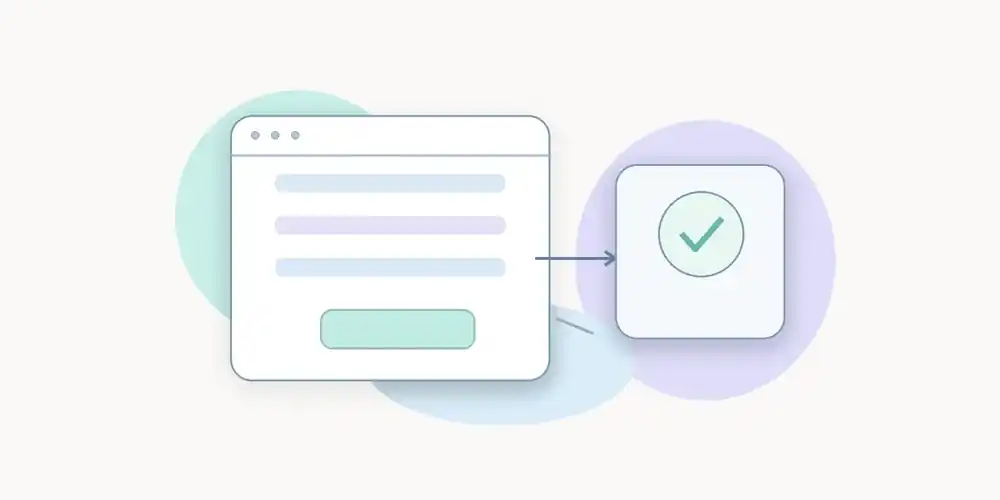
A contact page reports twenty clicks on “Submit”. The analytics dashboard calls them twenty conversions. The CRM contains only twelve inquiries. Which number is correct? Without a documented trigger, the question cannot be answered.
Many B2B websites track an interaction because it is easy, then name it after a business outcome that has not yet occurred. A click, submission attempt, server-side acceptance and qualified lead are different states. Conflating them weakens decisions even when the charts themselves look flawless.
A lean measurement plan does not require more personal data. It requires a precise definition of success and a repeatable test.
Four stages, four distinct claims
Intent: the click
A primary button click shows an interaction with an offer, such as requesting a demo or quotation. The visitor may stop there, discover an error or abandon an unfinished form. Calling that event a received lead overstates the outcome.
Clicks remain valuable for a design question: can people find and use the action? They do not establish how many inquiries the business has received.
Attempt: the form submission
A form event can be emitted by browser code before a final server confirmation, depending on the implementation. Validation may fail or the request may never reach its destination.
Google Analytics documents the automatic “form_submit” event, while recommending that teams define an event for the specific form they intend to treat as important. This is useful guidance, not a guarantee that any submission event proves a successful lead.
Confirmed request: accepted by the application
For many B2B use cases, the strongest web conversion signal is a confirmed operation, such as the backend acknowledging that a request has been stored or queued for processing.
That is still a technical milestone. It does not guarantee that a sales representative has reviewed the request or that the prospect is suitable. But it is a more defensible web conversion than a click.
Qualification: a commercial decision
A qualified lead usually belongs to a CRM process. It may require verified contact information, account fit, genuine demand and a subsequent conversation. That classification can happen hours or days after the web event.
Google’s recommended event taxonomy separates lead generation, qualification and downstream conversion. The underlying lesson is independent of the vendor: web analytics and commercial operations have different evidence standards.
Define the event before adding instrumentation
Ask marketing and engineering to finish one sentence together: “A demo request has succeeded when…” Fill in an observable condition, for example, “the server confirms acceptance using the application’s documented success response.”
Define an event through four fields: stable name, precise trigger, success condition and exclusions. Counting a completed request rarely requires sending the visitor’s name, email address or free-form message to an analytics provider.
| Signal | Suggested trigger | Safe interpretation |
|---|---|---|
| Form opened | Explicit display or interaction | Initial interest |
| Submission attempted | Form action initiated | Possible friction |
| Request accepted | Verified application confirmation | Web conversion |
| Lead qualified | CRM state transition | Commercial intermediate outcome |
| Contract signed | Commercial system confirmation | Acquired customer |
Not every signal should be collected. Start with the event that supports a real decision. Adding all five is not evidence of better measurement.
Five scenarios that corrupt conversion dashboards
Invalid form data
A missing required field, validation error or rejected challenge is not a successful request. Aggregate error categories can help diagnose design problems, but sending raw field values to analytics is unnecessary for counting completed forms.
The network fails
A click can trigger a request that times out. If the conversion event fires before a positive response, the report records a success that never occurred. Deliberately test failed requests and broken connectivity.
A visitor tries again
Two clicks can represent one request. Two submissions can also create two separate backend records. Applications may use an internal idempotency mechanism to prevent duplicates. That mechanism need not become a persistent cross-site analytics identifier.
A confirmation page is reloaded
Counting every view of a thank-you URL can duplicate conversions on reload or history navigation. Test those cases. A confirmation event tied to a successful operation may be more reliable than the mere presence of a URL.
The form is hosted by another service
Embeds, booking flows and redirects may prevent the original site from observing completion. Inspect the integration contract and available callbacks. Where confirmation is unavailable, document that limit instead of relabelling an intent click as a completed lead.
Run a small but demanding acceptance test
Use fictional test values and a test environment whenever possible. The negative paths are as important as the positive path.
| Scenario | Expected conversion outcome |
|---|---|
| Click then abandon | No completed conversion |
| Client-side validation failure | No completed conversion |
| Server error or timeout | No completed conversion |
| Accepted request | One completed conversion |
| Double click on one request | One conversion if the app de-duplicates |
| Confirmation page refreshed | No extra conversion |
| Back and forward navigation | No extra conversion without a new request |
| Third-party form without confirmation | Limitation documented |
For each case, record the action, application response, emitted event and appearance in the report. Allow for the reporting delay documented by the vendor. Repeat this test after important changes to forms, frameworks or tags.
A good reporting system can only be trusted to the extent that its events represent known application behaviour.
Measure less, but define it more precisely
It may be tempting to enrich each event with an email, company name, message, declared budget and persistent user identifier. Those details are not generally required to count requests by form type or website section.
Avoid transmitting field contents to analytics without a demonstrable need. Review query parameters for tokens and identifiers. Keep narrowly scoped audience measurement separate from marketing, advertising profiling and CRM identity matching.
Our guide to URL parameter filtering explains why seemingly ordinary URLs can expose sensitive information. The CNIL also stresses that any exemption from consent for audience-measurement tools depends on specific conditions. Adding marketing purposes changes the analysis.
Data minimisation and legal basis are related but distinct topics. A smaller payload is not a blanket compliance certificate.
Interpret conversion rates with their denominators
A rate has meaning only when the numerator and denominator are defined. “Accepted requests / visits to the contact page” is not the same measure as “accepted requests / campaign visitors.” State the population, period, exclusions and successful event.
With small counts, display absolute numbers alongside rates. Going from four to six inquiries is a 50% arithmetic increase, but it does not prove a durable business effect. Traffic mix, campaign seasonality and changes in measurement can all alter the outcome.
Likewise, do not force marketing and documentation sites to use identical conversion goals. A support article may succeed by solving a problem without producing a sales request.
How Pomelo relates to this approach
Pomelo’s editorial and product philosophy emphasises essential actions and limited collection. When evaluating it, test the capabilities actually available at that time: supported events, form behaviours, configuration and reporting limitations.
Do not assume universal compatibility with every form framework, built-in deduplication or automated CRM qualification unless those features are independently demonstrated. Vendor claims should remain separate from measured outcomes.
A reconciliation step between website and CRM
Even with a confirmed web event, a small reconciliation exercise is useful. Compare a bounded period of accepted application requests with the corresponding CRM intake count. Numbers may diverge because the CRM rejects duplicates, applies validation, delays an import or receives requests from other channels.
The comparison should be based on controlled operational counts, not on sending personal identifiers into analytics merely to join every record. If matching is necessary for troubleshooting, keep it within appropriately governed business systems and retain only the aggregate conclusion in the analytics review.
A monthly review asks whether definitions changed, whether a form update caused failures and whether an automation in the receiving system was interrupted. It also checks the reverse discrepancy: CRM inquiries without a tracked web event. These may originate through direct contact, offline activity or a missing integration.
This prevents the marketing team from making product changes to fix a sales-intake problem, or changing CRM rules to compensate for flawed browser instrumentation.
Conclusion: define proof of success
Before changing a dashboard, agree on what successful completion means. Then implement the event and exercise the failure cases. Reliable conversions usually come from tighter definitions and better acceptance tests, not from capturing more data.
The next useful question is not “how many people clicked?” but “how many requests actually passed the stage we intended to measure?”
FAQ
Can a button click count as a goal?
Yes, when the objective is interaction with an action. It should not be labelled “lead received” if later steps can fail.
Do analytics need the individual form field values?
Usually not to count completed requests. Raw values add unnecessary exposure; a confirmation state and non-identifying categories are often sufficient.
How do we prevent double counting?
Choose one confirmation trigger, test double clicks and reloads, and verify the application’s handling of repeated requests. Analytics cannot fix a backend that creates duplicate leads.
Are cookieless conversion events always exempt from consent?
No. An implementation can be cookieless without satisfying every legal condition. Purposes and configuration still require review.