Tag: Gdpr
All blog posts with this tag.
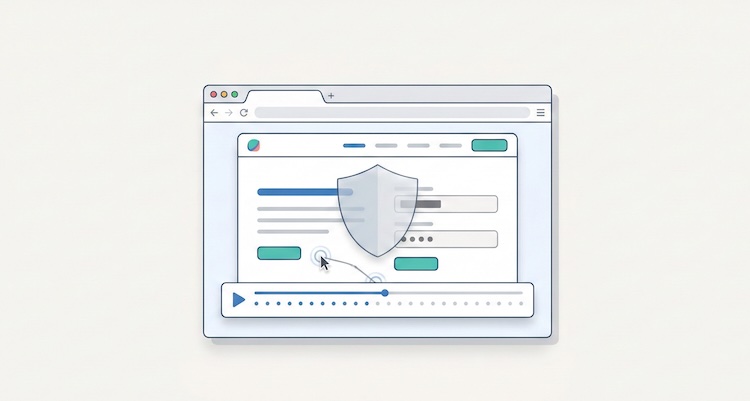
- 02 Mar, 2026
Session Replay (Hotjar, Clarity): France's Privacy Watchdog Opens Pandora's Box
You might be using Hotjar, Microsoft Clarity, or Fullstory to understand how visitors navigate your website. These "session replay" tools show you their clicks, mouse movements, and hesitations. It's convenient for fixing bugs or improving user experience. The problem? You're probably recording far more than you think. And France's data protection authority just put the practice under the microscope. On February 25, 2026, the CNIL (Commission Nationale de l'Informatique et des Libertés) opened a public consultation on session replay tools. It's the first regulatory initiative of its kind in Europe. The consultation runs until April 22, 2026, with a final recommendation to follow. For website operators, agencies, and solution providers, the message is clear: the free-for-all is over. The numbers speak volumes. In 2025, the CNIL issued €487 million in fines, including 21 sanctions specifically targeting cookies and tracking technologies. Google paid €325 million, Shein €150 million. Session replay, far more intrusive than a simple analytics cookie, is now in the crosshairs. This consultation isn't theoretical: it's the prelude to enforcement actions and potential penalties. This article explains what session replay actually is, why it's riskier than standard analytics tools, what the CNIL's draft recommendation says, and how to achieve compliance before the final text becomes binding. Waiting for the final version to act means scrambling to fix everything under time pressure. What Session Replay Is and Why It's Different From Google Analytics The Difference Between Audience Measurement and Full Recording When you install Google Analytics, Matomo, or a privacy-first analytics tool, you collect aggregated metrics: visit counts, page views, bounce rates, traffic sources. You know 1,000 people visited your product page, but you don't see how each person navigated, pixel by pixel. Session replay is the opposite. It records a user's entire browsing journey, as if filming their screen. Mouse movements, clicks, scrolling, touch interactions on mobile, and sometimes even form inputs. This data is then replayed as a video. You see the user hesitate, go back, click three times on a button that doesn't work. This is extremely useful for identifying bugs invisible in standard statistics. A form that crashes on Safari iOS 14, a poorly positioned payment button, an incomprehensible error message: everything becomes visible. But this granularity has a price: you're collecting personal data at a level of detail far beyond what standard analytics tools permit. What These Tools Actually Record Most session replay solutions capture by default:Cursor movements and positions (or finger touches on mobile). All clicks and double-clicks. Page scrolling. "Rage clicks" (repeated clicks on the same spot, indicating frustration). Prolonged hovers over certain elements. Tab or window changes (sometimes). Form inputs, unless explicitly masked.This last point is critical. By default, some tools record what users type in form fields. Name, email, address, phone number, and even sensitive data like banking coordinates or health information if your site collects it. Most solutions offer automatic masking, but you need to activate it correctly. Result: you can end up with recordings showing a user filling out a medical form, correcting a typo in their credit card number, or deleting and rewriting a message in a "cancellation reason" field. See the problem? The Tools Involved The three market leaders are:Hotjar: The most popular solution for SMEs and agencies. Simple interface, integrated heatmaps, free up to 35 sessions/day. Microsoft Clarity: Completely free, easy integration with Azure and Google Tag Manager, widely adopted since 2023. Fullstory: Enterprise-focused, with automatic behavior analysis and AI-driven anomaly detection.But dozens of others exist: Lucky Orange, Smartlook, Mouseflow, SessionCam, Inspectlet, etc. The CNIL isn't targeting a specific solution -- it's regulating the entire category. What the CNIL Says in Its Draft Recommendation Acceptable Uses According to the Authority The CNIL doesn't say session replay should be banned. It sets a strict framework. According to the draft recommendation published on February 25, 2026, three uses are considered legitimate:Detection and understanding of technical errors: Identifying bugs, crashes, broken forms, elements not displaying properly on certain browsers or devices.User experience (UX) improvement: Spotting friction points, confusing paths, poorly placed elements. For example, discovering that 80% of users click a "Submit" button three times before understanding they first need to check a box.Customer support and assistance: Replaying a user's session when they encounter a problem to better understand their case and help resolve it.These three uses share a common trait: they're technical or support-oriented. They're not marketing uses. What's Excluded: Marketing and Retargeting The CNIL is crystal clear on this. Session replay must not be used for:Advertising retargeting (showing targeted ads to a user who hesitated on a product page). Advanced marketing segmentation (creating audiences based on fine-grained behavior). Aggressive commercial optimization (identifying "hesitant buyers" to send them promotions).Why this exclusion? Because these uses violate the data minimization principle. If your goal is to sell, you don't need to see every mouse movement. Aggregated statistics suffice. Session replay is disproportionate for these purposes. If you're using Hotjar or Clarity to "better understand your customers" from a conversion marketing angle, you're out of bounds. And during a CNIL audit, that won't go well. Mandatory Consent: No Exemption Possible The draft recommendation is unambiguous: session replay requires prior and explicit consent from users. It cannot benefit from the cookie consent exemption for audience measurement. Why? Because the exemption, governed by Article 5(3) of the ePrivacy Directive (implemented through national laws like France's Article 82 of the Data Protection Act), only covers trackers strictly necessary for service provision or exclusively dedicated to audience measurement in a very limited framework. Session replay fits neither category. It's a detailed behavioral analysis tool, not anonymized statistical measurement. Concretely, this means:You must display a consent banner (via a CMP, Consent Management Platform). Session replay must appear as a distinct choice in the banner, with a clear description. Users must be able to refuse without affecting site access. If users refuse or withdraw consent, recording must stop immediately and already-collected data must be deleted (or irreversibly anonymized).Minimization and Masking: Precise Technical Requirements The CNIL emphasizes the minimization principle under GDPR Article 5(1)(c). You must only collect what's strictly necessary for your objective. In practice, this requires:Automatic masking of all sensitive form fields: passwords, banking details, health data, social security numbers, etc. Default masking of input fields, unless you can justify that recording is indispensable (for example, to reproduce a bug that only occurs with specific input). Sampling: Recording only a percentage of sessions, not 100%. If you have 10,000 daily visits, recording all 10,000 sessions is disproportionate. Sampling 5% or 10% is more than sufficient to identify bugs. Short retention period: Sessions should be deleted as soon as the objective is achieved. A session recorded to fix a bug doesn't need to be kept for 12 months "just in case."The CNIL also recommends documenting your configurations. During an audit, you'll need to prove you activated masking, configured sampling, and limited retention periods. Responsibilities: Who Does What? Provider vs. Website Operator The CNIL recommendation distinguishes two actors:The solution provider (Hotjar, Microsoft, Fullstory, etc.): They design the tool, define default settings, offer (or don't offer) masking and minimization options. They can be considered data controllers for their own uses (improving their product, for example) or processors if they only host data on behalf of the website operator.The website or mobile app operator: That's you, if you install Hotjar on your site. You're the data controller for your use of session replay. You must obtain consent, configure masking, define retention periods.In some cases, the CNIL mentions joint controllership (GDPR Article 26): if the provider and operator pursue common purposes (for example, if Hotjar uses your data to improve its anomaly detection algorithm), they must sign a joint controller agreement. Web Agencies: Beware the Contractual Trap If you're a web agency installing Hotjar or Clarity for clients, the responsibility question gets complicated. Who must obtain consent? Who configures masking? Who gets sanctioned for non-compliance? By default, it's the client (the website operator) who remains responsible as the controller. But if you haven't informed them of obligations, haven't properly configured the tool, or haven't documented settings, you can be held liable. European data protection authorities have already sanctioned technical service providers for failing their processor obligations under GDPR Article 28. Our advice: Add a clause to your contracts now specifying:Who is responsible for session replay GDPR compliance. Who configures masking and sampling. Who updates the consent banner. Who maintains compliance documentation.And bill for compliance work. It's not included in a standard "Hotjar installation" package. Alternatives and Best Practices for Staying Compliant Option 1: Strictly Configure Session Replay If you want to continue using Hotjar, Clarity, or equivalent, here are the steps:Activate automatic masking of all form fields. Most tools offer a "strict" mode that masks everything by default.Reduce sampling to 5-10% of sessions. You don't need to record 100% of traffic to detect bugs.Limit retention to 30 days maximum. If you haven't fixed the bug in 30 days, it wasn't urgent.Update your CMP (OneTrust, Axeptio, Cookiebot, Didomi, etc.) to add a specific "Behavioral Analysis" or "Session Replay" option, distinct from "Audience Measurement."Document everything: Screenshots of settings, spreadsheet listing masked fields, purpose justification.Option 2: Replace with Heatmaps or Privacy-First Analytics Session replay is often used for needs that don't require full recording. Some alternatives:Heatmaps: They show where users click most, without recording individual paths. Much less intrusive. Event-based analytics: Configure specific events in Google Analytics, Matomo, or a privacy-first tool to measure clicks on certain buttons, form errors, cart abandonments. A/B testing: Test two versions of a page rather than trying to "understand" why the current version doesn't work.These approaches give you 80% of useful information with 10% of legal risk. Option 3: Session Replay Strictly on User Request An emerging practice is activating session replay only when users explicitly request it. For example:A user contacts support saying "I have a problem with the form." Support sends them a unique link that temporarily activates recording of their session, with explicit consent. The session is recorded, analyzed, then immediately deleted after problem resolution.This is the most compliant method, but requires slightly more complex technical infrastructure. What Happens After the Consultation Timeline and Next Steps The public consultation ends on April 22, 2026. Then the CNIL will:Analyze contributions received (professionals, trade associations, consumer groups, NGOs). Revise the draft recommendation if necessary. Adopt the final version, probably during the second half of 2026. Publish the recommendation on its website, with a transition period (typically 6 to 12 months).During the transition period, the CNIL won't sanction immediately, but expects gradual compliance. After this deadline, enforcement will begin. Risks of Non-Compliance If you continue using session replay without consent or with non-compliant configurations, you risk:A formal notice from the CNIL or other European DPA (first step, public or not). A financial penalty up to €20 million or 4% of global annual turnover (GDPR Article 83). Publication of the sanction, with reputational impact.In 2025, 67 out of 83 CNIL sanctions were issued via simplified procedure, with fines capped at €20,000 for "minor" violations. But for serious cases (massive collection, complete absence of consent, exposed sensitive data), amounts can be much higher. Shein took €150 million for cookies, and session replay is objectively more intrusive than a cookie. Domino Effect Across Europe France isn't alone. Other European authorities are watching closely. If the CNIL adopts a strict recommendation, it's likely that:The EDPB (European Data Protection Board) will use it as inspiration for an opinion or guidelines at the European level. German (DSB), Italian (Garante), Spanish (AEPD), or Irish (DPC) authorities will follow with their own texts.In other words, if you operate in Europe, complying with CNIL rules will be necessary anyway in the short term, even if you don't have French traffic. Conclusion: Act Now, Not in April 2027 The CNIL consultation on session replay is a warning signal, not a surprise. Tools that record complete user journeys have been in regulators' sights for years. What's changing in 2026 is that the CNIL is moving from awareness-raising to formal regulation. If you use Hotjar, Clarity, or any other session replay tool, you have two options. Either configure the tool strictly right now: masking, sampling, consent, documentation. Or consider less intrusive alternatives: heatmaps, privacy-first analytics, A/B testing. Inaction is no longer a viable strategy. SMEs and web agencies have until the end of 2026 to comply without immediate risk. But the longer you wait, the more costly and rushed compliance will be. And given the fine amounts issued in 2025 (€487 million total), the risk is no longer theoretical. For those seeking a simpler approach, there are audience measurement solutions that respect minimization and transparency principles by design. If this approach resonates with you, you can join Pomelo's waitlist to be informed of the launch. FAQ Can I continue using Hotjar or Clarity after the CNIL recommendation? Yes, provided you meet the requirements: obtain explicit consent via a CMP banner, activate masking of all sensitive fields, limit sampling (5-10% of sessions maximum), reduce retention to 30 days, and document all your configurations. If you meet these conditions, you can continue using these tools for technical purposes (bug detection, UX improvement, customer support). However, marketing uses (retargeting, advanced segmentation) are excluded. Is session replay covered by the consent exemption for audience measurement? No. The consent exemption under Article 5(3) of the ePrivacy Directive only applies to audience measurement tools strictly limited to aggregated and anonymous statistics. Session replay, which records detailed individual paths, cannot benefit from it. You must therefore obtain user consent before activating recording, even if your objective is purely technical. If I'm a web agency, who's responsible for compliance: me or my client? By default, the website operator (your client) is the data controller for data collected via session replay. But you, as an agency, are responsible as a processor for proper technical configuration of the tool under GDPR Article 28. If you install Hotjar without activating masking, configuring sampling, or adding a consent banner option, you can be held liable. It's essential to clarify this responsibility allocation in a written contract and bill GDPR compliance work as a separate service. What sanctions apply if I don't follow the CNIL recommendation? The CNIL recommendation doesn't have force of law, but it clarifies how to apply GDPR and ePrivacy rules. Not respecting it exposes you to a formal notice, then a financial sanction up to €20 million or 4% of global turnover under GDPR Article 83. In practice, for SMEs, fines via simplified procedure are capped at €20,000 for less serious violations. But for massive collection without consent or exposed sensitive data, amounts can be much higher, as illustrated by 2025 sanctions (Google €325M, Shein €150M). Are there less risky alternatives to session replay for improving UX? Yes, several alternatives provide UX insights without recording complete individual paths. Heatmaps show most-clicked areas without identifying users. Event-based analytics measure specific actions (button clicks, form errors) with tools like Google Analytics, Matomo, or privacy-first solutions. A/B testing compares two page versions to identify the best performer. User surveys (post-purchase or exit-intent) provide direct qualitative feedback. These approaches provide 80% of useful information with much lower legal risks. SourcesCNIL, "Session replay: the CNIL launches a public consultation on its draft recommendation", February 25, 2026 (https://www.cnil.fr/en/session-replay-cnil-launches-public-consultation-its-draft-recommendation) CNIL, "Sanctions and corrective measures: CNIL's actions in 2025", February 9, 2026 (https://www.cnil.fr/en/investigation-powers-cnil/sanctions-issued-cnil) CNIL, "Cookies and advertisements inserted between emails: GOOGLE fined 325 million euros by the CNIL", September 1, 2025 (https://www.cnil.fr/en/cookies-and-advertisements-inserted-between-emails-google-fined-325-million-euros-cnil) Nomos, "Session replay: the CNIL's draft recommendation", February 27, 2026 (https://www.nomosparis.com/en/session-replay-the-cnils-draft-recommendation/) PPC Land, "France's CNIL puts session replay tools under the privacy microscope", February 26, 2026 (https://ppc.land/frances-cnil-puts-session-replay-tools-under-the-privacy-microscope/) Solutions Numériques, "Rejeu de session : la CNIL ouvre une consultation publique pour encadrer ces outils de suivi", February 25, 2026 (https://www.solutions-numeriques.com/rejeu-de-session-la-cnil-ouvre-une-consultation-publique-pour-encadrer-ces-outils-de-suivi/) August Debouzy, "Cookies et autres traceurs, une action de régulation ciblée au niveau national", February 2026 (https://www.august-debouzy.com/fr/blog/2281-cookies-et-autres-traceurs-une-action-de-regulation-ciblee-au-niveau-national)
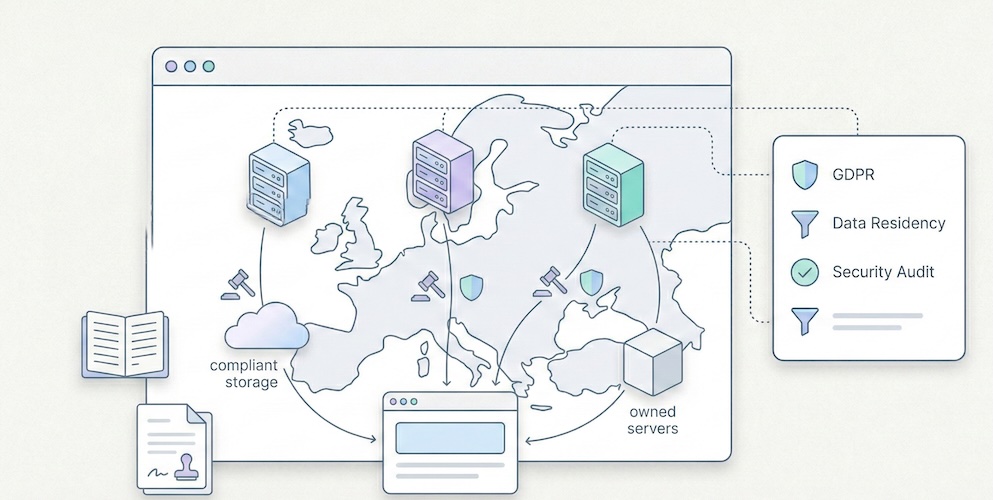
- 07 Feb, 2026
Plausible vs Fathom vs Simple Analytics: the 2026 privacy-first analytics comparison
You have decided to leave Google Analytics behind. You understand that "free" comes at a real cost, that GA4's complexity exceeds your actual needs, and that GDPR compliance deserves more than a poorly configured cookie banner. Good. You are part of a fast-growing movement. Now comes the hard part: among the privacy-first alternatives, which one actually fits your situation? Three names keep coming up: Plausible, Fathom and Simple Analytics. They are the most cited, most mature and most credible options in the "frugal analytics" segment. But their differences, often invisible in marketing copy, have very real consequences on your bill, your compliance posture and your daily workflow. This comparison does not aim to crown a universal winner. It provides the factual elements you need to make an informed choice. We verified pricing on official pages, documented actual features, and added two outsiders often overlooked in these discussions: Pirsch and Umami. What these three solutions share Before diving into differences, let us establish common ground. Plausible, Fathom and Simple Analytics share a foundation that radically separates them from Google Analytics: None of them use cookies by default. They do not build advertising profiles. Their scripts weigh less than 5 KB (compared to roughly 45 KB for GA4, according to HTTP Archive measurements). They display all essential metrics on a single page, with no nested menus and no training required. On the legal front, all three claim GDPR compliance without a cookie banner. In practice, the strength of that claim varies, and that is one of the points we will detail below. Finally, all three are independent companies with no major venture capital, funded by their subscriptions. That is a strong signal of long-term sustainability. Real pricing, compared side by side The entry price does not tell the full story. What matters is the cost at comparable volume. Here are the rates verified on each solution's official page as of February 2026. Monthly pricing grid (USD, monthly billing)Monthly volume Plausible (Starter) Fathom Simple Analytics (Simple)10,000 pageviews $9 $15 $15100,000 pageviews $9 (same tier) $15 ~$19200,000 pageviews $14 (Growth) $25 ~$29500,000 pageviews ~$19 (Business) $45 ~$491,000,000 pageviews Custom $60 CustomSources: plausible.io/pricing, usefathom.com/pricing, simpleanalytics.com/pricing. Rates verified February 2026. Key takeaways: Plausible is the cheapest option at low volume ($9/month for 10k pageviews). But pricing rises quickly: the Growth plan at $14 and the Business plan at $19 unlock additional features (more sites, team access, funnels). Fathom offers a single feature set across all tiers, with pricing based solely on pageview volume, starting at $15/month. No free plan. No discounts. Their stated philosophy: the same price for everyone, no promotions ever. Simple Analytics offers a free plan (limited to 30 days of history) and a Simple plan at $15/month. The Team plan ($40/month) adds collaboration and API access. Their billing adjusts automatically based on the three-month rolling average of your traffic. Two outsiders worth knowing Pirsch (based in Germany) offers one of the lowest entry prices on the market: $6/month for 10,000 pageviews, $10/month for 100,000 pageviews. It includes white-labelling and up to 50 domains. Source: pirsch.io/pricing. Umami is open source and fully self-hostable at no cost. It is the only solution in this comparison with zero licensing fees, provided you manage hosting yourself. For those who prefer a managed service, Umami Cloud starts at $9/month. Source: umami.is. Data hosting and location This is the critical point for GDPR compliance. The question is not just "where are the servers?" but "who operates the infrastructure and under which jurisdiction?"Solution Data location Infrastructure Legal entityPlausible European Union (Hetzner, Germany) Owned by European companies Plausible Insights OÜ (Estonia)Fathom Servers in Germany (via AWS EU) Amazon Web Services Conva Ventures Inc. (Canada)Simple Analytics Netherlands European-owned servers Simple Analytics B.V. (Netherlands)Pirsch Germany German servers Emvi Software GmbH (Germany)Umami (Cloud) Variable by plan Vercel/Cloud Umami Software Inc. (USA)Plausible emphasises that its entire infrastructure is operated by European companies. As of early 2026, they report over 16,000 paying subscribers, including 600+ enterprise accounts. Source: plausible.io/enterprise-web-analytics. Fathom uses AWS in the EU region (Frankfurt), but the legal entity is Canadian. Canada benefits from an adequacy decision by the European Commission, which simplifies data transfers. However, for organisations with strict data sovereignty requirements, this is not equivalent to a fully European entity. Simple Analytics is the most explicit about data location: data exclusively in the Netherlands, proprietary servers, no US-based subprocessors. This is the strongest argument for organisations subject to strict sovereignty policies. Pirsch, based and hosted in Germany, offers a comparable alternative in terms of European data localisation. The privacy question All three solutions call themselves "privacy-first". But the technical details matter. Plausible uses a hash of the visitor's IP address combined with the User-Agent and a daily salt to identify unique visitors. The raw IP address is never stored. The hash is renewed daily, which prevents long-term tracking. This is a form of pseudonymisation. Fathom uses a similar hashing approach but adds a routing layer through what they call "unique signatures". Like Plausible, the raw IP is not retained. Simple Analytics stands apart by claiming to collect no personal data whatsoever, including in hashed form. No IP hash, no User-Agent recorded. Their unique visitor counting relies on a different mechanism based on referrers and URLs. This is the most radical approach to data minimisation. This difference has a direct consequence: Simple Analytics can legitimately claim not to process personal data within the meaning of the GDPR, which strengthens the case for consent exemption. For Plausible and Fathom, the question is more nuanced: a hashed IP, even if non-reversible, could be considered pseudonymised data. In practice, data protection authorities (including the CNIL in France and the ICO in the UK) tend to accept these approaches if they meet exemption criteria (no cross-referencing, limited retention, strictly statistical purpose). For more on consent exemption conditions, see our dedicated article: Audience measurement, GDPR and cookie banner exemption. Features: what each one does (and does not do) All these solutions have chosen simplicity. But "simple" does not mean identical. Here are the differences that matter in daily use. Feature comparison tableFeature Plausible Fathom Simple AnalyticsSingle-page dashboard Yes Yes YesCustom events Yes Yes YesGoals / Conversions Yes (advanced funnels) Yes YesMulti-step funnels Yes (Business plan) No NoGoogle Search Console integration Yes No NoE-commerce tracking (revenue) Yes (Business plan) Yes NoGA4 data import Yes Yes NoExport API Yes Yes Yes (Team plan)Email reports Yes Yes YesDashboard sharing Yes (public/private link) Yes (shareable link) YesMulti-site 1 (Starter) / 3+ (Growth) 50 included 5 (Free) / 10+ (Simple)Team members 1 (Starter) / 3 (Growth) 1 (base plan) 1 (Simple) / 2+ (Team)Data retention 3-5 years by plan Unlimited 30 days (Free) / 3-5 yearsOpen source Yes (Community Edition) No NoSelf-hosting Yes (CE, reduced features) No NoWhite-label No (except Enterprise) No NoKey highlights: Plausible is the most feature-rich of the three. The Google Search Console integration is a significant advantage for SEO: it lets you see search queries directly in the analytics dashboard, without switching tools. Multi-step funnels (Business plan) bring it closer to more advanced tools. And being open source reassures organisations that want to audit the code. Fathom stands out with its unlimited data retention policy and the inclusion of 50 sites from the base plan. For a freelancer or agency managing many low-traffic sites, this is a real economic advantage. Their infrastructure is built for scale: they claim to handle sites with one billion pageviews per month. Simple Analytics bets everything on simplicity and absolute privacy. Their "Mini Websites" feature lets you see the exact pages that referred your site (for example, a specific tweet), which other solutions do not offer. Their built-in AI tool lets you query your analytics in natural language. Script weight and performance impact For a website, every kilobyte of JavaScript affects loading time and Core Web Vitals. This is a criterion that should not be overlooked, especially if SEO is a priority.Solution Script weight Estimated impactPlausible < 1 KB NegligibleFathom ~2 KB NegligibleSimple Analytics ~6 KB Very lowPirsch < 1 KB (or server-side) Negligible to zeroGoogle Analytics (GA4) ~45 KB Measurable (LCP, FID)All solutions in this comparison have a negligible performance impact, especially compared to GA4. The advantage goes to Plausible and Pirsch, whose scripts are lightest. Pirsch also offers server-side integration (via API or SDK), which eliminates client-side JavaScript entirely. To understand in detail why analytics script weight matters for SEO, see our article: Myth: you need Google Analytics for SEO. Which tool for which profile? Rather than declaring a winner, here is a decision guide by real-world situation. You are an indie developer or maker with a SaaS You manage one or two projects, traffic is moderate (< 100k pageviews/month), and you want a tool that installs in 30 seconds. Best pick: Plausible (Starter at $9/month) for the best value at the first tier, open source, and Search Console integration. Alternative: Pirsch ($6/month) if budget is very tight, or Umami (free) if you are comfortable with self-hosting. You are a freelancer or agency managing 10-30 client sites Volume per site is low, but the number of sites is high. You need separate dashboards and simple reporting. Best pick: Fathom ($15/month, 50 sites included). No competitor includes as many sites in the base plan. Unlimited data retention means you never lose client history. Alternative: Pirsch, which also offers 50 domains from the first plan. You are an SME with strict compliance obligations (DPO, processing register) The question is not price but demonstrating compliance to your DPO or supervisory authority. Best pick: Simple Analytics, for the "zero personal data" argument. This is the easiest position to defend in a data processing register. Alternative: Plausible, whose 100% European hosting on European-owned infrastructure (not AWS) strengthens the sovereignty case. You are an organisation that needs funnels, e-commerce tracking or advanced analysis You have outgrown a minimalist dashboard. You need multi-step conversion tracking. Best pick: Plausible (Business plan). It is the only solution in this comparison that offers advanced funnels and e-commerce revenue tracking while staying within the privacy-first paradigm. For a broader view including GA4 and Matomo, see our general comparison: Google Analytics, Matomo and frugal analytics: a 2026 guide to choosing. Total cost: beyond the sticker price The monthly fee is only part of the equation. Here are the hidden costs (or avoided costs) to factor into your calculation. Costs avoided compared to GA4: no training required (GA4 often requires days of training), no consultant for configuration, no Consent Management Platform to maintain if you qualify for the consent exemption, no legal risk from data transfers to the United States. Migration cost: Plausible and Fathom let you import Google Analytics history. Simple Analytics does not. If historical continuity matters to you, this is a consideration. Self-hosting cost (Plausible CE, Umami): free in licensing, but factor in maintenance time, updates, and server cost (roughly $5 to $20/month for a VPS depending on volume). And Plausible Community Edition does not include all cloud features (funnels, e-commerce, Sites API). To go deeper on the real cost of analytics, our article on data obesity explains the economic consequences of over-collection: Data obesity: why your SME does not need Big Data. Final summary tableCriterion Plausible Fathom Simple Analytics PirschEntry price $9/month $15/month Free (limited) $6/monthEntry volume 10k pvs 100k pvs Unlimited (Free) 10k pvsSites included 1-10+ 50 5-20+ 50Data location EU (Hetzner) EU (AWS Frankfurt) Netherlands GermanyLegal entity Estonia (EU) Canada Netherlands (EU) Germany (EU)IP hash Yes (daily) Yes No YesOpen source Yes (CE) No No Yes (partial)Retention 3-5 years Unlimited 30d - 5 years UnspecifiedGA4 import Yes Yes No YesFunnels Yes (Business) No No Yes (basic)GSC integration Yes No No YesScript < 1 KB ~2 KB ~6 KB < 1 KBFAQ Plausible, Fathom or Simple Analytics: which is cheapest? It depends on volume. For under 10,000 pageviews per month, Pirsch is cheapest ($6/month). Among the three main solutions, Plausible is most affordable at low volume ($9/month for 10k pvs). At 100,000 pageviews, Plausible and Fathom converge around $15/month. Beyond that, Plausible generally remains cheaper, but its features are spread across multiple plans (Starter, Growth, Business). Is Plausible truly GDPR compliant without a cookie banner? Plausible is designed to work without cookies. Their identification method uses a daily-rotated IP hash, with no raw address stored. Under the criteria set by the CNIL for consent exemption (and similar guidance from the ICO and other European DPAs), this approach is accepted when strictly limited to audience measurement with no cross-referencing with other processing. However, the "personal data" status of an IP hash is subject to ongoing legal debate. The prudent approach is to consult your DPO and document your analysis in your processing register. Is Fathom a good fit for agencies managing many client sites? Yes, this is one of its strongest points. Fathom includes up to 50 sites in every plan, with separate dashboards. Unlimited data retention and automated email reports make it well suited for multi-client management. However, Fathom does not offer white-labelling or per-user permission management on the standard plan. What is the difference between Plausible Cloud and Plausible Community Edition? Plausible Cloud is the hosted, managed service run by the Plausible team (from $9/month). Plausible Community Edition (CE) is the open-source version, self-hostable for free. But CE does not include all cloud features: marketing funnels, e-commerce revenue tracking and the Sites API are excluded. CE is suited for developers who want basic analytics on their own server. Are there solutions even cheaper than these three? Yes. Umami is entirely free to self-host (open source, MIT licence). Pirsch starts at $6/month. And for very small sites, Simple Analytics offers a free plan with 30 days of retention. Beyond these options, it is also worth considering that "cheapest" is not always most economical: ease of installation, infrastructure reliability and company sustainability have real value. A tool that disappears or locks your dashboard when you exceed your quota costs more than a slightly higher subscription.Last updated: February 2026. Pricing and features verified on official solution websites. This article will be updated at minimum every six months.

- 07 Dec, 2025
Analytics Without Consent: How to Track Visitors Without Cookie Banners (Legally)
It has become the web's most annoying ritual. You arrive on a site, and before you can even read the headline, a window pops up: "We value your privacy… Do you accept our 85 partners?" For the user, it's a nuisance (the now-famous consent fatigue). For the site owner, it's a dilemma: display this banner and lose a chunk of your data, or skip it and risk a fine from the regulator. Yet a third path exists. A lesser-known path that is 100% legal and far more respectful: the consent exemption. In short:The banner is not automatic: it's only mandatory if you track visitors for advertising or profiling purposes. The consent exemption: it's possible to measure your audience without asking for consent, provided you follow strict data frugality rules. The double win: by removing the banner, you improve user experience and recover the statistics of visitors who were refusing tracking.1. Why Cookie Banners Destroy Your Data Why do we see these banners everywhere? Because most traditional analytics tools (like the default configuration of Google Analytics) collect personal data and often share it with advertising services. The GDPR is clear: for that, you need explicit consent. The problem is that internet users are fed up. According to the latest Eurobarometer, 72% of European citizens say they are worried about how their data is processed online. → Source: Eurobarometer – Digital Rights and Principles The consequence is immediate: when given a choice, many refuse. Data from European regulators shows that cookie refusal rates have risen significantly since enforcement began. It's estimated today that a site using a classic cookie banner loses between 30% and 50% of its actual data. → Source: CNIL – Cookie action plan impact evaluation Your dashboard is lying to you: it only shows you a fraction of your real audience. As we explain in our article on data obesity, this is the paradox: the more you collect, the less you see.2. Understanding the Consent Exemption The Principle The CNIL (France's Data Protection Authority) is one of the most pragmatic regulators in Europe on this topic. It has established a clear doctrine: audience measurement is essential to the proper functioning of a web service. Consequently, certain measurement tools can be exempted from consent. In other words: you have the right to use a tracking mechanism for audience measurement without asking the user's permission, and therefore without displaying a banner. This principle has been echoed by other European DPAs and aligns with the ePrivacy Directive's provision for "strictly necessary" cookies and similar technologies. While the specifics vary by country, the underlying logic is the same: if the measurement is truly frugal and serves only the site owner, exemption is possible. But it's not a free pass. It's a strict framework that rewards what we call frugal analytics. Checklist: Criteria for Qualifying To benefit from the exemption, your tool and its configuration must meet these conditions. The list below is a synthesis of the CNIL's official guidelines, which are among the most detailed in Europe:Strictly limited purpose: data must only be used for audience measurement for the exclusive benefit of the site publisher. No retargeting, no ad profiling, no data resale.No data cross-referencing: collected data must not be merged with other databases (CRM, customer files) or cross-referenced with data from other sites or applications.IP anonymization or pseudonymization: the IP address must not allow geolocation more precise than the city level. In practice, the last octets of the IP address must be deleted or hashed before any storage.Limited tracker lifespan: if a cookie is used, its lifetime must not exceed 13 months. Raw collected data must not be retained beyond 25 months.User information: even without consent, users must be informed of the tracker's existence and their right to opt out. This information typically appears in the site's privacy policy.No uncontrolled transfers outside the EU: data must not be transferred to third countries without the safeguards required by the GDPR (standard contractual clauses, adequacy decisions, etc.).→ Official source: CNIL – Audience measurement solutions Which Tools Qualify? The CNIL has evaluated several solutions and published a (non-exhaustive) list of audience measurement tools that can qualify for exemption when properly configured. This list includes tools like Matomo (in a specific configuration), as well as several tools from the frugal new wave. To check whether your current tool is eligible, verify each point of the checklist above against the vendor's documentation. When in doubt, the CNIL's official page is the reference.3. Why Go Privacy-First? Adopting a consent-exempt analytics solution isn't just a legal hack. It's a competitive advantage on three fronts. 3.1 You Recover 100% of Your Visibility Since you no longer need to wait for the user to click "Accept," the measurement script loads the moment they arrive on the site. You go from a partial view (the 50 to 60% who accept) to a near-total view of your traffic. For an SMB making decisions based on its stats — which page works, which channel to invest in — the difference between "seeing 60%" and "seeing 100%" is enormous. The 5 essential KPIs finally become reliable. 3.2 You Improve Your Brand Image A site without an aggressive pop-up is a site that inspires trust. You send a strong signal to visitors: "Here, we don't spy on you — we just look at aggregate statistics to improve the service." This is particularly powerful if you're in a sector where trust matters (healthcare, finance, legal, education). But even for a small retailer or e-commerce store, a banner-free site delivers a better first impression. 3.3 You Simplify Your Compliance No more updating complex CMPs (Consent Management Platforms) or worrying about a formal notice because a button is misplaced or the banner's visual hierarchy subtly favors acceptance. By collecting less data (data minimization), you mechanically reduce your legal risk. Less data to protect, fewer flows to document, fewer awkward questions during an audit. 3.4 You Improve Your Site's Performance Exempt tools are generally much lighter than their traditional counterparts. We detail the impact on Core Web Vitals in our article on SEO without Google Analytics: switching from a 45 KB script to a 1-6 KB script has a direct effect on load time — and therefore potentially on search rankings.4. The Limitations to Know The exemption isn't a magic bullet. Here are the important nuances. What You LoseUser-level tracking: individual journeys, user profiles, retargeting. If you need to know that "User X returned 3 times this week and viewed the pricing page," frugal analytics won't answer that (and it's a design choice, not a technical limitation). Demographic data: age, gender, interests. These require profiling that's incompatible with the exemption. Advertising integration: connections to Google Ads, Meta Ads, etc. The exemption is reserved for audience measurement, not ad optimization.What You Keep Everything an SMB actually needs to steer their business, as detailed in our analytics tool comparison: visitors, pages, sources, UTM campaigns, conversions, trends. Aggregated data is not only sufficient but often more readable and more actionable than individual tracking. The Exemption Is Not Automatic This is essential: the exemption depends on the configuration of the tool, not just its name. A tool can be eligible for exemption in one configuration and lose that eligibility if certain options are enabled (data cross-referencing, secondary purposes, uncontrolled transfers).5. How to Check If Your Site Qualifies Here's a quick 4-question diagnostic:Does your analytics tool collect personal data beyond (truncated) IP addresses?If yes → consent required. If no → continue.Is the data cross-referenced with other sources (CRM, customer files, other sites)?If yes → consent required. If no → continue.Is the data used for anything other than audience measurement for your own site? (advertising, resale, profiling)If yes → consent required. If no → continue.Is the data transferred outside the EU without GDPR safeguards?If yes → consent required. If no → exemption likely possible.If your setup passes all 4 tests, consult your local DPA's guidelines to confirm eligibility and mention the tool in your privacy policy.Conclusion: Compliance Through Simplicity For a long time, people believed the GDPR would kill web performance measurement. In reality, it only killed the "bad" kind: the kind that surveils individuals to serve targeted advertising. For SMBs, freelancers, and agencies, the future belongs to lean tools that natively respect these exemption criteria. It's the guarantee of sleeping well at night while having reliable numbers to steer your business. The equation is simple: less collection + more respect = better data + less risk.FAQ: Analytics and Consent Is Google Analytics 4 (GA4) exempt from consent? By default, no. GA4 collects personal data and often transfers it outside the European Union. The CNIL has specified that making GA4 exempt requires complex and costly "server-side proxying" that demands dedicated infrastructure. It's out of reach for most SMBs. In the majority of cases, choosing a natively eligible tool is simpler. If I don't have a cookie banner, am I breaking the law? Not necessarily. If you don't use any advertising trackers (like Meta Pixel, Google Ads tags, or retargeting scripts) and your analytics tool strictly meets consent exemption criteria, you're perfectly legal without a banner. You simply need to mention the tool in your privacy policy and inform users of their right to opt out. What is IP address anonymization? It's a technique that deletes the last portion of a visitor's IP address before recording it. This prevents tracing back to a specific person or household, while still allowing you to know, for example, that the visit came from the "London" or "Paris" region. It's a sine qua non condition for the exemption. Is the 13-month cookie lifetime mandatory? Under the CNIL's guidelines, yes — if a cookie is used, its lifetime must not exceed 13 months. Raw collected data can be retained for up to 25 months. Beyond that, only statistical aggregates (non-personal) may be kept for trend analysis. These are upper limits: retaining for shorter periods is always preferable in a data minimization approach. Do I still need a privacy policy? Yes, always. Consent exemption doesn't exempt you from the obligation to inform users. Your privacy policy must mention the measurement tool used, the data collected, the purposes (audience measurement), the retention period, and the right to object. This is a GDPR obligation independent of the cookie consent question.

- 06 Dec, 2025
Why the Era of 'Data Obesity' Is Paralyzing Small Businesses (And How to Break Free)
We were sold a dream. The "Big Data" dream. For the past decade, the promise made to SMB owners, freelancers, and marketing managers has been the same: "The more data you collect about your visitors, the better you'll sell." The reality in 2025? It's often the opposite. Tools have become bloated, data piles up unread, and decisions are slower than before. This is what we call data obesity: the accumulation of data that doesn't serve decisions, but costs you in time, money, compliance, and performance. In short:Too much data kills decisions: information overload clutters dashboards and paralyzes action. The "Vanity Metrics" trap: you track flattering curves instead of focusing on what actually drives revenue. A triple cost: technical (slower site), legal (GDPR), and trust (visitors refusing tracking). The solution exists: frugal analytics — measure less, decide better.1. The "Dashboard Nobody Looks At" Syndrome Open your current analytics tool. In under 10 seconds, can you tell:whether your week was good? which page generated the most leads? which traffic source is performing best?If the answer is no, you're not alone. You're in the overwhelming majority. Big Data Isn't for SMBs According to Eurostat, only 8% of EU enterprises analyze Big Data. That number drops even further for small businesses. The "Big Data for everyone" promise didn't hold: SMBs don't have the teams, budgets, or time to exploit massive, complex datasets. → Source: Eurostat – Big Data analysis by enterprises Yet these same SMBs end up with tools designed for 20-person data teams. GA4 offers hundreds of reports, dozens of dimensions, customizable explorations. For a 2-person marketing team (or a solo founder), it's like getting an airliner cockpit when all you need is a car dashboard. The Choice That Paralyzes The abundance of options, reports, and dimensions creates user fatigue. This is a well-documented phenomenon in behavioral science: choice overload. The more options you have, the less capable you are of choosing — and the less satisfied you are with your choice when you make one. → Source: The Decision Lab – Choice Overload Bias Applied to analytics: more information ≠ better decisions. On the contrary, too much data leads to inaction. You close the tab and fly blind.2. The Race for "Vanity Metrics" In many small businesses, the metrics sitting at the top of dashboards are also the ones least useful for decision-making:pageviews (without knowing which pages convert), total session count (without distinguishing prospects from bots), bounce rate (an ambiguous metric, often misinterpreted), visitors by country (rarely actionable for a local business).These metrics flatter the ego — "we had 10,000 visits this month!" — but they say nothing about a site's actual performance. The 3-Question Test For a small business, a useful dashboard should answer three questions:How many people are discovering my site? (acquisition) Which pages generate the most inquiries or sales? (performance) What does that represent each week? (results)If your tool can't answer these immediately, it's pulling you away from your main goal: understanding what works so you can grow your business. We've detailed which metrics to keep (and which to ignore) in our guide to The "5 KPIs" Method.3. The Hidden Cost of Complexity Data obesity doesn't just cost time. It has three concrete costs that most businesses underestimate. 3.1 The Technical Cost: A Slower Website Traditional analytics tools often ship heavy scripts that degrade Core Web Vitals — the web performance metrics Google uses as a ranking factor. An independent audit by Bejamas shows that third-party scripts (analytics, chat widgets, marketing pixels) can significantly slow down page loads, with analytics scripts often leading in main-thread blocking time. → Source: Bejamas – How Popular Scripts Slow Down Your Website The GA4 script weighs approximately 45 KB compressed. Frugal alternatives weigh between 1 and 6 KB — 7 to 45 times lighter. As we explain in our article on SEO without Google Analytics, this difference directly impacts Core Web Vitals and therefore potentially your search rankings. Slower sites = fewer conversions = less revenue. 3.2 The Legal Cost: GDPR Risk The more signals you collect — precise geolocation, cross-page navigation, technical fingerprinting, per-page session duration — the higher your legal exposure. Every piece of data collected is a piece of data to protect, to document in your processing registry, and to justify during an audit. European Data Protection Authorities — including the French CNIL — explicitly provide a consent exemption for audience measurement tools that meet strict frugality conditions. Tools that collect the bare minimum can operate without cookie banners, without prior consent, and with a dramatically reduced compliance burden. → Source: CNIL – Audience measurement solutions We've detailed the conditions for this exemption in our dedicated guide. This is probably the most underappreciated argument for frugal analytics: by collecting less, you mechanically simplify your compliance. 3.3 The Trust Cost: Visitors Who Refuse Another side effect of traditional analytics: cookie banners. According to data from European regulators, cookie refusal rates have risen significantly since enforcement began in earnest. Estimates suggest that a site using a classic cookie banner loses between 30% and 50% of its actual data. → Source: CNIL – Cookie action plan impact evaluation In some sectors, ad blockers and script blockers amplify the loss further. Result: your dashboard is lying to you. It only shows a fraction of your real audience — sometimes only 50 to 60%. A cookieless tool, by design, doesn't depend on consent. It measures 100% of visits from the moment of arrival. That's a business argument, not just a legal one.4. The Solution: Frugal Analytics Frugal analytics isn't about measuring less out of laziness or ideology. It's about measuring better, by focusing on what:concretely helps you make decisions, respects visitor privacy, doesn't slow down your site, doesn't create legal friction.What It Changes in PracticeBefore (Data Obesity) After (Frugal Analytics)200+ metrics available 5-7 actionable KPIsDashboard opened once a month (and closed immediately) Dashboard checked weekly, understood in 30 secondsMandatory cookie banner, 40% data loss Cookieless, 100% of visits measured45 KB script, Core Web Vitals impact 1-6 KB script, negligible impactComplex GDPR compliance (CMP, registry, proxying) Consent exemption, simplified compliance40-page monthly report 10-line results-oriented reportFrugal analytics is the equivalent of seasonal cooking: fewer ingredients, better chosen, better prepared. The result is superior to accumulation. The Core PrinciplesCollect only what drives decisions. If a data point wouldn't change your actions, don't collect it. Simplify to democratize. A dashboard the founder understands is worth more than a report only the data analyst can interpret. Respect by design. Compliance shouldn't be a bolt-on ("let's proxy GA4 to get compliant") but a prerequisite ("let's choose a tool that's compliant natively"). Measure performance, not people. Aggregated trends (popular pages, traffic sources, conversion rates) are more useful and less risky than individual-level tracking.5. Where to Start If you're convinced your current analytics is too complex, here are the first three steps. Step 1: Identify your 5 KPIs. Use the 5 KPIs method to define the only metrics that matter for your business. If an indicator doesn't pass the test "would I change how I work if this number moved?", remove it. Step 2: Evaluate your current tool. Compare it honestly against the alternatives. Our analytics tool comparison details the strengths, weaknesses, and pricing of each family (GA4, Matomo, frugal). Step 3: Test. Most frugal solutions install in 2 minutes (one script to paste) and offer a free trial. Run both tools in parallel for a month. Compare: which one gives you an answer faster?Conclusion: Put Your Analytics on a Diet The era of collecting data "just in case" is behind us. Regulation, web performance, and common sense all converge on the same conclusion: less data, better chosen, is better for everyone — for the business, for visitors, and for the web. For 2026, the best strategy for an SMB isn't adding dashboards — it's removing them. Less noise. Less friction. More concrete decisions. Frugal analytics means putting data in service of the business, not the other way around.FAQ: Understanding Frugal Analytics What is frugal analytics? An approach to audience measurement that limits collection to the strict minimum needed to make business decisions. It's built on three principles: collect only what drives action, prefer aggregated data over individual profiles, and choose tools that are compliant by design (no cookies, no user profiles). Which metrics should I absolutely keep? Unique visitors, traffic sources, top pages, key events (CTA clicks, form submissions), and conversions. These 5 metrics are enough to steer a brochure site, a blog, or a small e-commerce store. Everything else is bonus — or noise. Can you do frugal analytics with GA4? Technically yes, but it requires advanced expertise: disabling granular collection, configuring consent mode, proxying data for GDPR compliance, and building custom reports limited to essential KPIs. For most SMBs, it's simpler and lower-risk to choose a natively frugal tool. Is frugal analytics enough for e-commerce? For a small e-commerce site (under 1,000 orders/month), yes. The 5 essential KPIs cover acquisition, engagement, and conversion. For e-commerce with multi-channel attribution, retargeting, or advanced segmentation needs, a more comprehensive tool (Matomo, GA4) will be necessary — but the frugality principle still applies: start with the essentials, and add complexity only if it's justified. How many businesses actually use Big Data? According to Eurostat, only 8% of EU enterprises analyze Big Data. For SMBs, the number is even lower. The vast majority of small businesses don't have the teams, tools, or need to collect data massively. Frugal analytics is the approach suited to this reality.