Tag: Gdpr
All blog posts with this tag.
- 21 Sep, 2026
Anonymous, pseudonymised or aggregated data: what the 2026 EDPB guidelines mean for analytics
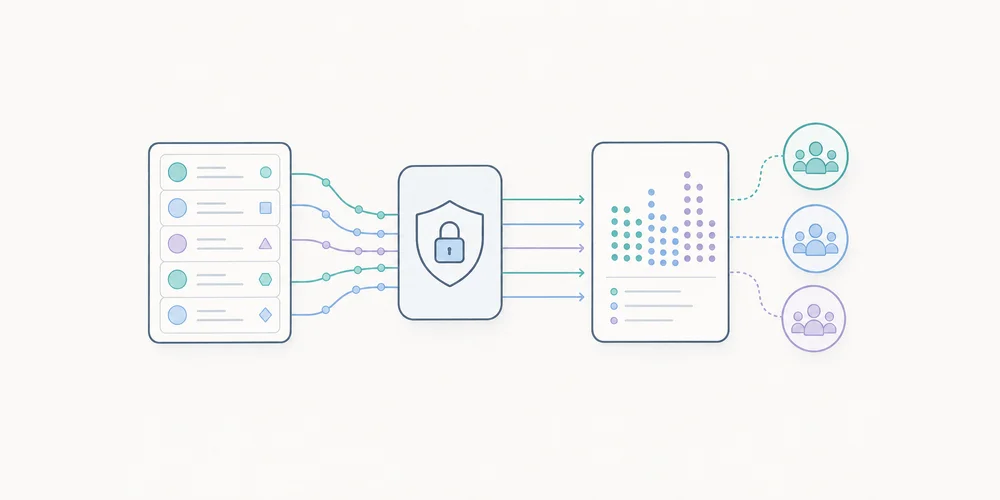
In analytics products, the words “anonymous”, “anonymised”, “pseudonymised”, “aggregated” and “hashed” are often used too quickly. They create a sense of safety, but they do not always describe the same legal or technical reality. The topic is back in focus in 2026. The European Data Protection Board adopted guidelines on anonymisation, open for public consultation until 30 October 2026. The text aims to clarify the notion of anonymous data and takes recent Court of Justice of the European Union case law into account. For analytics teams, this is a good moment to review both product claims and architecture. Data is not anonymous merely because it no longer contains a name. A truncated IP address, a hashed identifier or an aggregated statistic can reduce risk, but they do not automatically move data outside the scope of personal data. Why this matters for analytics An analytics tool rarely collects a single signal. Even when it is privacy-first, it may process URLs, referrers, campaign parameters, timestamps, countries, devices, events, journeys and rare page views. Each signal may look harmless in isolation. Combined, they may sometimes make a person or behaviour recognisable, especially at low volumes: a page visited by only one person, a very specific segment, a rare conversion, a query containing personal data, or a campaign link with an identifier. The question is not only: “Do we collect direct identifiers?” The question is: could an actor with means reasonably likely to be used still relate the information to a person, and would that person then be identifiable, directly or indirectly? Anonymous, pseudonymised and aggregated are not the same Pseudonymised data replaces or masks some identifiers, but a link with a person can still exist. A hash, stable identifier or separate key can remain personal data if linkage is possible. Aggregated data groups several observations. It often reduces risk, but it does not automatically guarantee anonymity. A statistic on a very small segment can still reveal information about a person or a small group. Anonymous data no longer relates to an identified or identifiable person. That is a demanding threshold. It is not enough to remove visible names. Teams must consider reasonably available means, linkage possibilities and the context of the actor holding or receiving the data. For a blog post, product page or privacy notice, the cautious approach is to reserve “anonymous” for situations that have actually been tested. In other cases, terms such as “minimal collection”, “aggregation”, “no persistent identifier” or “reduced re-identification risk” are often more accurate. Three risks to test Anonymisation methods are usually assessed through three families of risk. 1. Isolation Can a record or unique behaviour be singled out in the dataset? Analytics example: a low-traffic internal page receives a single visit from one country during a precise time window. Even without a name, that observation may be distinctive. 2. Linkage Can several records be linked together or matched with another source? Analytics example: a hashed identifier is used in several exports, or a combination of country, device, referrer and URL makes it possible to follow the same visitor across tables. 3. Inference Can new information be inferred about a person or a small group? Analytics example: a segment such as “visitors to the enterprise pricing page from a specific prospect domain” can reveal commercial intent if volumes are too low. These risks are contextual. They depend on granularity, access to raw data, other available information and the people who can view the reports. What this changes in an analytics setup The first change is vocabulary. Teams should avoid calling data “anonymous” simply because it is cookieless or because no direct identifier is present. Cookieless does not automatically mean anonymous. The second change is architectural. Anonymisation is not assessed only at collection time. It must be considered across the pipeline: collection, preprocessing, storage, aggregation, dashboard display, exports, APIs and deletion. The third change is documentation. If an organisation claims that some data is anonymous, it should be able to explain why. Which columns remain? Which combinations were tested? What thresholds prevent small segments? Who can access raw data? How long is it kept? Example: URLs and campaign parameters URLs are a good example of underestimated risk. A visited page can reveal business context. A URL parameter can contain an email address, CRM identifier, confirmation token, campaign key or customer number. Even in a cookieless tool, storing the full URL without filtering can create accidental collection of personal data. Anonymisation will not necessarily fix the problem if sensitive data is stored in clear form before processing. The better approach is to act upstream:filter or remove risky parameters; retain useful attribution parameters in a controlled way; document filtering rules; avoid unnecessary raw exports; apply display thresholds to low-volume segments.Example: multi-site reporting Multi-site dashboards add another risk. They often consolidate data from several domains, brands, countries or entities. That is useful for governance, but it can also make some behaviours more recognisable when volumes are low. A global manager does not always need every combination of site, page, country, device and hour. A mature dashboard adapts granularity to the role: summary for leadership, operational detail for the team, restricted access to sensitive data. Anonymisation is therefore not only a technical process. It is also a question of access rights and reporting design. Audit checklist To audit analytics claims and architecture, check:is raw data still accessible? are full URLs stored? are risky URL parameters filtered before storage? are stable identifiers used, even if hashed? are small segments hidden or grouped? do exports contain more detail than dashboards? are retention periods justified? are access rights aligned with real need? does marketing use the right vocabulary? can the team explain why a dataset would be considered anonymous?How to use the consultation window The EDPB consultation is open until 30 October 2026. Not every team will submit feedback, but every team can use the deadline as an audit trigger. A useful exercise is to build a data collection summary: data collected, purposes, transformations, granularity levels, retention, access, exports and public wording. The objective is not to prove that everything is anonymous. The objective is to be accurate. A product can be privacy-first without claiming that every dataset is anonymous at every stage. Conclusion The 2026 EDPB guidelines reinforce a simple idea: anonymisation is not a magic word. It is a result to demonstrate in a specific context. For analytics, this clarification is healthy. It pushes teams to collect less, reduce granularity, filter accidental data, control exports and choose more precise wording. Privacy credibility does not come from maximalist vocabulary. It comes from coherent architecture and honest documentation. FAQ Is hashed data anonymous? Not by default. Hashing can be useful, but it does not automatically remove identifiability if the value can be linked back, guessed or combined with other data. Are aggregated analytics reports always anonymous? No. Aggregation reduces risk, but small segments, rare events or unusual combinations can still reveal information about a person or organisation. The relevant question is whether re-identification remains reasonably possible in context. Why does the consultation matter for web analytics? Because analytics vendors and customers often rely on the words anonymous, pseudonymised and aggregated. The EDPB draft gives teams a better checklist for testing those claims. SourcesEDPB - Guidelines 02/2026 on Anonymisation, public consultation EDPB - EDPB sheds light on anonymisation and web scraping for generative AI EDPB - Public consultations
- 06 Jul, 2026
Analytics data retention: what to keep, for how long, and why
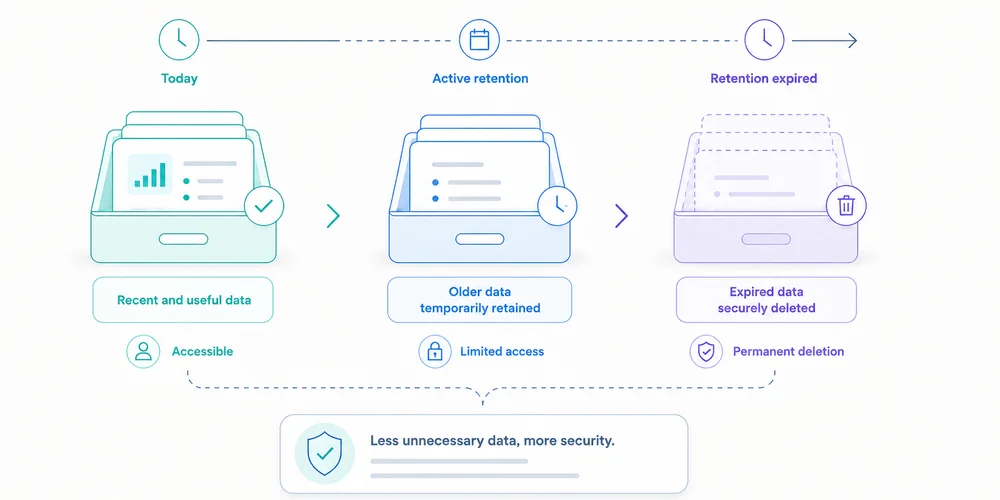
“We retain analytics data for twenty-five months.” The statement sounds precise but does not say whether it covers raw events or reports, whether visitor identifiers expire at the same time, whether collector logs follow another period, whether backups are purged, whether CSV exports remain on laptops, whether new activity resets the clock, or whether truly anonymous statistics remain longer. A useful retention policy is not one number. It describes the lifecycle of each data layer and connects every period to a purpose. The CNIL states that personal data cannot be kept indefinitely and that controllers should determine retention from the collection purpose. It distinguishes active use, intermediate archiving and, in particular cases, permanent archiving. Web analytics teams usually need a well-limited active dataset, effective deletion and possibly sufficiently aggregated long-term trends. Begin with purpose, not available settings A platform may offer 2, 14, 25 or 50 months. Those options do not determine the right period. Ask:For how long does this individual-level data remain necessary for the defined decision?Examples:seasonal comparison may require more than twelve months of trends; diagnosing collection failures may require only weeks of logs; a long B2B campaign may need several months; retaining a visitor identifier for years “just in case” is harder to justify; an aggregate monthly total may remain useful longer than detailed events.Retention should be proportionate to granularity and risk. Map seven retention layers 1. Terminal trackers and identifiers This includes cookies, local-storage IDs, session identifiers and other persistent mechanisms. Document initial duration, renewal, domain scope, cross-site use, withdrawal deletion and consent expiry. For certain audience-measurement trackers that may meet the French exemption conditions, the CNIL recommends a lifetime allowing meaningful comparison, such as thirteen months, without automatic extension at every visit. That does not make thirteen months correct for every identifier. It is a benchmark tied to the specific framework and conditions. 2. Raw events Events contain the most detail: timestamp, page, source, device, event properties, identifiers and technical metadata. They support diagnostics, funnels and report reconstruction. Their granularity increases singling-out risk and governance cost. Ask whether raw events are needed beyond the analysis cycle, whether they can be aggregated after 30, 90 or 180 days, which fields can disappear earlier, whether invalid events are stored, and whether schema deletion affects history. 3. Pseudonymised data A replaced, hashed or rotating identifier is not automatically anonymous. If events can still be linked, treat this layer cautiously. Define method, re-identification possibility, table separation, access, rotation, mapping-table deletion and the real need for continuity. Rotation helps only when old periods cannot be reconnected without a justified process. 4. Aggregate statistics Daily or monthly reports can sometimes remain longer, especially when they no longer single out a person. Examples: monthly visits by site monthly conversions by channel weekly page views by content category quarterly conversion rate“Aggregate” is not magic. A cell with one conversion in a small region may still reveal information. Set thresholds, reduce dimensions and test sparsity. If data are truly anonymous, GDPR personal-data rules no longer apply. That conclusion requires evidence. 5. Technical logs Collectors, CDNs, reverse proxies and applications may keep IP addresses, full URLs, user-agents, errors, rejected payloads and request IDs. Logs are frequently missed because they do not appear in the analytics dashboard. They serve separate security, availability and diagnostic purposes. Give them a separate period, restricted access and sensitive-field filtering. 6. Backups A backup is not a permanent deletion exception. Document frequency, rotation, encryption, access, restoration, treatment of previously deleted data, purge timeline and offline snapshots. Immediate editing of every backup may be impractical. In that case, limit access and duration, and prevent restored expired data from returning to active use. 7. Exports and secondary systems Exports create parallel retention:emailed CSV files; spreadsheets; warehouses; BI systems; agency storage; presentations; support tickets; local backups.The vendor's setting does not erase these copies. Every export needs an owner, purpose, approved location, period, access rule and deletion method. Reducing exports is often simpler than governing many copies. Build a retention matrix An illustrative SaaS matrix:Layer Purpose Proposed period Trigger Deletion OwnerLimited visit identifier Trend measurement Up to 13 months under the assessed framework Creation, no automatic renewal Expiry Analytics ownerRaw events Analysis and diagnostics 6 months Event date Automated job DataAggregate monthly reports Historical steering 36 months Month end Aggregate then purge Finance/GrowthCollector logs Security and errors 30 days Receipt Rotation EngineeringBackups Recovery 60 days Snapshot creation Rotation InfrastructureOne-off exports Defined analysis 90 days Export date Owner deletion AnalystConsent evidence Demonstrate choice Defined from risk and limitation periods Choice Dedicated policy PrivacyValues are illustrative unless a specific framework is cited. Another organisation can reach different periods after assessment. Define the trigger. Six months from collection differs from six months after last visit, campaign close or contract termination. Understand platform settings GA4: explorations versus aggregate reports GA4 documentation says retention controls apply to user-level and event-level data. Standard properties document options including 2 or 14 months for user and event data. Google also says the setting does not affect standard aggregate reports and applies to surfaces such as Explorations and funnel reporting. A team can therefore believe it reduced all retention while aggregate reporting remains available. “Reset on new activity” can extend certain user-data expiry with each event. Check whether that matches policy. Other vendors Privacy-first SaaS, self-hosted platforms and cloud tools differ in fixed or configurable periods, raw-event availability, aggregate retention, provider backups, site deletion, APIs and contract-end deletion. Do not copy a period from a comparison article. Verify current documentation and contract terms. The CNIL twenty-five-month recommendation For audience-measurement trackers under the French exemption framework it describes, the CNIL recommends a maximum of twenty-five months for collected information, with periodic review. Three cautions:maximum is not the default: less may be sufficient; the framework is conditional: purpose, anonymous statistics, no combining and other conditions still matter; layers remain separate: logs, exports and identifiers need their own assessment.A policy can therefore keep detailed events for six months and aggregate reports for twenty-four, when justified. It should not copy twenty-five months into every database. Test deletion An untested policy is an intention. Test 1: expired data Use test events or a short-period environment. Verify disappearance from storage, APIs and affected reports. Test 2: identifiers Check cookie or identifier expiry, renewal and withdrawal behaviour. Test 3: exports Track a file from creation to deletion, including copies, attachments and recycle bins. Test 4: restored backups Restore into an isolated environment and verify that deletion rules are reapplied or expired data are blocked from use. Test 5: contract termination Ask the vendor about export windows, deletion date, backups, confirmation, legally retained data and subprocessors. Avoid silent extensions Retention can be prolonged by cookie renewal, user-row updates, warehouse imports, sparse aggregates, never-rotated backups, shared-folder copies, reused test accounts and changes applying only to future data. Document whether a change acts retroactively. Retention across multiple sites One policy may not fit a corporate site, authenticated app and help centre. Purposes, data, risks and countries differ. Use a common baseline with approved exceptions. The multi-site dashboard can show collection health, while administration tracks the retention mode and review date of every property. Do not share a cross-site identifier merely to simplify retention. Who validates the period? Business owners explain need. Analytics describes granularity. Engineering confirms deletion. Security owns logs. Privacy reviews the framework. Infrastructure covers backups. Procurement checks contracts. Name a final owner. “Data team” is not enough. The data collection summary and analytics privacy notice should show consistent periods at different levels of detail. A quarterly ten-question reviewHave purposes changed? Are detailed data still used? Can long-term reports be more aggregated? Do identifiers renew? Did deletion jobs succeed? Are there new exports? Are backups rotating? Did vendor policy change? Are public documents aligned? Can an inactive property be deleted?Removing an unused site, export or event is often the strongest risk reduction. Conclusion Retention is not a number in a policy. It is a system connecting purpose, granularity, access, trigger and deletion. A sound policy:separates identifiers, events, aggregates, logs, backups and exports; justifies each period; avoids silent renewal; tests purge operations; documents exceptions; aligns tools, contracts and public information.Begin with the most detailed data. Ask how long it remains useful, then aggregate or delete. Long-term history should not require indefinite individual-level collection. FAQ Does the CNIL always require twenty-five months? No. It recommends a twenty-five-month maximum for collected information under the conditional framework for certain audience-measurement trackers. A shorter period may be sufficient or necessary. Can aggregate statistics be kept indefinitely? Only when they are truly anonymous or another framework justifies retention. Sparse or highly segmented aggregates can still single out people. Does GA4 retention remove all reports? No. Google states that user and event retention settings do not affect standard aggregate reports. Understand which data and surfaces are covered. Must backup data be deleted immediately? It depends on architecture and risk. Backups need limited rotation, controlled access and procedures preventing expired data from returning to use after restoration. When does the retention clock begin? Define the trigger: collection, last activity, campaign close, aggregation or contract termination. Avoid automatic renewal where the framework or policy does not allow it. SourcesCNIL, Data retention periods CNIL, Audience-measurement cookies and consent conditions Regulation (EU) 2016/679, Article 5(1)(e) Google Analytics, Data retention Plausible, Data policy CNIL, Practical guide to retention periods
- 22 Jun, 2026
Analytics privacy notice: useful wording and claims to avoid
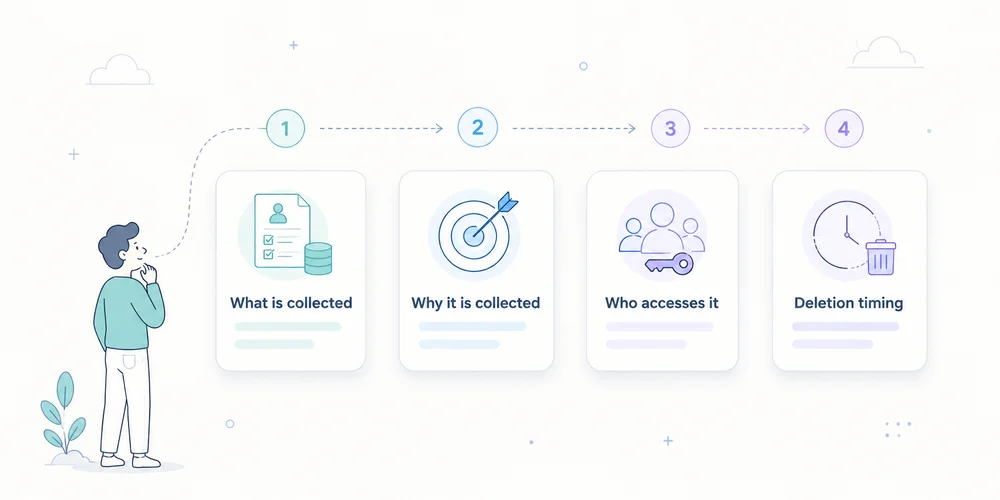
A privacy notice can be legally dense and technically wrong. A common example says “we only use anonymous data” while the site sends full URLs, campaign identifiers and IP addresses to several providers. At the other extreme, some notices list twenty abstract categories without helping readers understand what analytics actually does. Quality comes from alignment between:deployed collection; purposes; roles; consent or another applicable framework; retention; rights; the words used.The GDPR requires information to be concise, transparent, intelligible and easily accessible. Articles 12, 13 and 14 govern much of the content. A useful analytics notice should remain readable while describing important facts with enough precision. This is an editorial and operational method, not a universal clause or legal opinion. Start with reality, not a downloaded template Collect four internal sources before writing:the tracker inventory; the data collection summary; contracts, DPAs and subprocessor lists; consent and retention configuration.The notice is the public view of verified facts. It should not be used to guess how the site works. A legal template can structure headings. It cannot know whether you collect a full URL, store IP addresses, create a visitor identifier, allow vendor reuse, send free text, activate extended analytics after consent, export to a warehouse, or share identifiers across sites. Those answers must come from the audit. Use layered information One ten-page policy is not always the best entry point. Layer 1: information at the relevant moment Near the choice or collection, state the essentials:purpose; controller; required or optional nature; link to details; means to accept, refuse or withdraw where consent applies.For strictly limited measurement assessed as not requiring consent, a short notice can link to the analytics section. Layer 2: dedicated analytics section Explain:what is measured; why; how data are reduced; which provider is involved; how long information remains; how to exercise rights or ask questions; which capabilities depend on consent.Layer 3: detailed documentation A technical page or collection sheet can explain fields and transformations. It does not replace GDPR information, but it gives interested readers detail without overloading the first layer. Every layer must tell the same story. Sections to cover 1. Controller identity Name the entity that determines purposes and means, with contact details. In a group, the visible brand is not necessarily the legal controller. Include DPO details where applicable, or a clearly identifiable privacy contact. Useful wording:The controller for audience-measurement data on this site is [entity], available at [address or form]. For data-protection questions, contact [DPO or privacy contact].Avoid:We respect your privacy.It states an intention but identifies nobody. 2. Specific purposes Separate purposes instead of using “improve your experience” for everything. Examples include:measuring visits and viewed pages; detecting navigation errors; understanding acquisition sources; measuring demo requests; producing aggregate statistics; personalising content; measuring advertising campaigns.These do not necessarily share one legal framework. If minimal analytics runs by default and extended analytics starts after consent, say so. Useful wording:We use limited audience measurement to understand visit volume, viewed pages and main traffic sources. Enriched attribution and [other capability] are enabled only after your choice when consent is required.Avoid:We collect data to improve our services and offers.It is too broad. 3. Data categories and signals The notice need not reproduce every technical key, but it should be concrete. Depending on the setup:page path; visit time; referrer domain; approved campaign parameters; reduced device and browser class; approximate country or region; conversion event; optional pseudonymous identifier; temporarily received IP address; consent choice.Distinguish stored data from data used transiently to produce an aggregate result. Useful wording:For each visit, we record the page path, time, referrer domain when transmitted, device category and approved campaign parameters. The IP address is [describe exact handling]. Form contents are not sent to analytics.Avoid:We collect no personal data.An IP address, identifier or combination of signals may be personal data depending on the processing. 4. Legal basis and tracker framework Do not merge:storing or accessing information on the terminal under ePrivacy and national law; the GDPR legal basis for personal-data processing.The analytics consent checklist explains the distinction. Depending on the facts, the notice may refer to consent, legitimate interests after appropriate assessment, limited audience measurement under a conditional national exemption, or strictly necessary functionality. Do not use a legal basis as a marketing badge. Explain how the choice operates or how the assessment is documented. Avoid:Our tool is CNIL compliant, so consent is not needed.The CNIL states that the conditions depend on setup and context, and that providers cannot claim certification or approval based on its self-assessment. 5. Recipients and providers Identify recipient categories and, where it improves transparency, key providers. Explain roles for internal authorised teams, analytics vendor, hosting provider, technical support, agency and data warehouse. “Trusted partners” is not specific enough. Assess whether each provider is a processor, independent controller or another role based on the facts and contract. 6. International transfers Where data are accessible or transferred outside the EEA, explain relevant countries or categories, mechanisms and how to obtain more information. Do not confuse hosting region, vendor headquarters, support access, subprocessors and legal transfer. “Hosted in Europe, therefore no transfer” requires verification of the entire chain. 7. Retention A phrase such as “as long as necessary” needs concrete periods or criteria. Separate:tracker or identifier; raw events; aggregate reports; security logs; backups; exports.Useful wording:Analytics events are retained for [period]. Aggregate statistics remain for [period or criterion]. Technical logs have a separate [period]. Manual exports are deleted under [procedure].For the French CNIL framework, the thirteen-month tracker-lifetime and twenty-five-month collected-information recommendations are reference points to assess, not values to copy blindly. 8. Rights Explain applicable rights and provide a simple contact method. Depending on basis and processing, rights may include access, rectification, deletion, restriction, objection or portability. Truly anonymous analytics may not permit identification for an individual request. Explain this precisely rather than using anonymity as a blanket exception. Include the right to lodge a complaint with the competent supervisory authority. 9. Withdrawal or objection Where consent applies, provide an accessible way to withdraw it according to applicable rules. Where another basis applies and a right to object exists, explain the process. A “manage cookies” link must work on mobile, remain visible and change actual tag behaviour. 10. Date and changes Add a last-updated date and a process for material changes. Review the notice when the team adds a tool, purpose, identifier, retention period, export, provider, country or consent change. A concise change history can help returning readers. A short section to adapt This is an editorial skeleton, not a publication-ready clause.Audience measurement We use [tool] to measure visits, viewed pages and main traffic sources. This helps us detect navigation problems and evaluate content usefulness. Depending on our configuration, processed data include [concrete list]. [Describe IP and identifier handling]. Form contents and unapproved URL parameters are not sent. [Provider] acts as [role] and processes data in [relevant locations and transfers]. Data are retained for [periods by layer]. [Explain the ePrivacy framework and GDPR legal basis, including consent operation where applicable]. You may exercise your rights or ask a question at [contact]. You may [withdraw consent / object] through [method].Every bracket requires a verified answer. Wording that weakens credibility “Completely anonymous data” Use this only when the method supports the claim and the information can no longer reasonably identify or single out a person. Otherwise use precise descriptions such as aggregate data, identifiers removed, pseudonymised data, reduced granularity or IP address not retained in events. These terms are not interchangeable. “No data are shared” When a provider hosts or processes collection, it receives data as part of the processing. “Data are not sold” or “not used for advertising” may be accurate, but “no sharing” is often not. “GDPR compliant” Compliance depends on the controller, purpose, setup, contract and operations. Describe measures instead of issuing a universal verdict. “Necessary cookies” Explain necessary for what. A marketing team finding a tracker useful does not make it technically necessary. “We may change this policy at any time” This does not explain material-change handling. Add a date and an appropriate notification process where required. Align the notice with product delivery Policies are often reviewed annually while stacks change weekly. Add a release control:every new tag request states purpose, data and provider; the privacy or analytics owner assesses impact; the collection summary is updated; the notice and CMP change where necessary; deployment is tested; evidence is retained.For URLs, apply the parameter allowlist before the notice promises reduced collection. A twelve-question editorial audit Ask:Is the controller identifiable? Are purposes separated? Are data described concretely? Is temporary receipt distinguished from storage? Is the GDPR legal basis stated? Is the tracker regime explained without shortcuts? Are providers and roles clear? Were transfers verified? Are retention periods concrete? Are rights and contact accessible? Does withdrawal or objection work? Does the text match the current network and configuration?A negative answer triggers a correction to the stack, the text, or both. Conclusion A good analytics privacy notice does not reassure through adjectives. It provides understandable facts. It explains who measures, why, with which signals, for how long, through which providers, under which framework and with which controls for individuals. Start from the technical inventory, write in layers, validate necessary legal qualifications and connect every stack change to documentation updates. Transparency is not separate from the product. It is the public description of its governance. FAQ Should the analytics vendor be named? The GDPR requires information about recipients or recipient categories. Naming the main provider often improves clarity, although the precise form depends on the processing and notice structure. Can the notice say data are anonymous? Only when anonymisation is demonstrated. Pseudonymised, aggregated or IP-free data are not automatically anonymous. Does the notice replace a consent banner? No. The notice provides detail. Where prior consent is required, a valid choice must occur before covered trackers start. Must every analytics event be listed? Not necessarily in the first layer. Use concrete categories and provide deeper documentation where useful. Sensitive or unexpected events require explicit assessment. What if a vendor changes subprocessors? Assess recipients, transfers, contracts and risk, then update documentation and information where necessary. SourcesRegulation (EU) 2016/679, Articles 12, 13 and 14 CNIL, Examples of privacy information notices CNIL, Informing individuals CNIL, Audience-measurement cookies and consent conditions EDPB, Guidelines on transparency under Regulation 2016/679
- 18 May, 2026
Data collection summary: document what your analytics actually collects
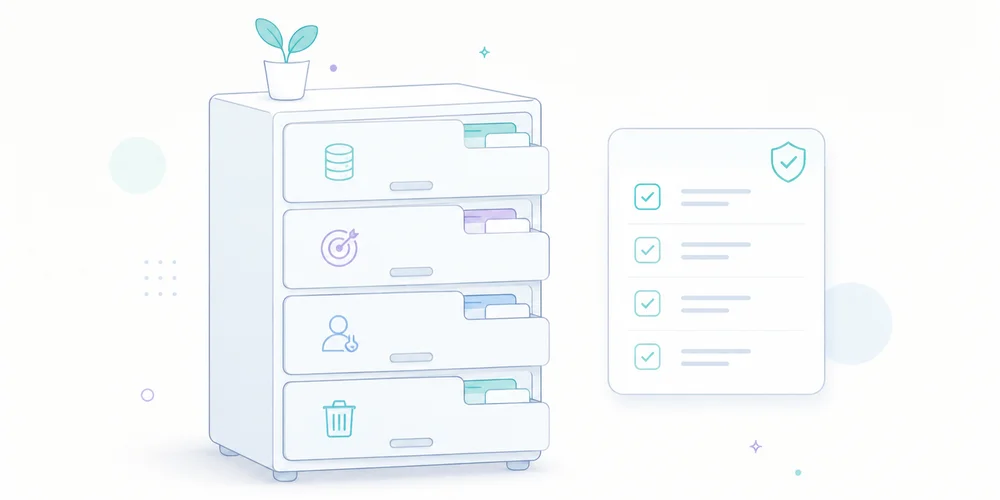
Installing analytics can take minutes. Explaining exactly what it collects often takes much longer. The problem is not only volume. Information is scattered across the tracking plan, vendor documentation, consent manager, source code and cloud configuration. When somebody asks, “Do we transmit the full URL?”, “Is the IP address stored?” or “How long do we keep raw events?”, no single person may have a complete answer. A data collection summary is a short operational document that brings those answers together. It describes the collection that is actually deployed, not the collection implied by a marketing page. It is not legal advice, a replacement for a record of processing activities, or a privacy notice. It is the technical layer that helps keep those documents accurate. What a data collection summary is for The document answers one question:For every data point or signal, do we know where it comes from, why it is collected, where it goes, how long it remains and who can access it?Product teams can use it to challenge new events. Marketing teams can see which dimensions genuinely exist. Engineering teams gain a reference for filtering and transformations. A DPO or legal adviser can compare technical reality with compliance records. Management can see the operational debt behind audience measurement. GDPR principles include purpose limitation, data minimisation, transparency and storage limitation. The Regulation also requires information for individuals and, where applicable, records of processing activities. A data collection summary does not create or replace these duties. It makes the underlying facts easier to establish. It is not the record of processing activities The distinction matters. A record of processing activities describes processing at a governance level: purposes, categories of people and data, recipients, transfers, retention and security measures. A data collection summary goes closer to implementation. It may state that:the page URL is stored without its query string; an IP address is used briefly for a technical operation and not retained; a user-agent is reduced to a browser family; only utm_source, utm_medium and utm_campaign are retained; a form event is emitted only after validation; raw events and aggregate reports have different retention periods.A privacy notice translates the relevant facts into language for visitors. It should not become a copy of the technical inventory, but it cannot be accurate without one.Document Main audience Detail level PurposeRecord of processing Internal compliance Processing and categories Govern and demonstrate complianceData collection summary Product and engineering Fields, flows and controls Describe the deployed collectionPrivacy notice Visitors and users Clear public information Explain relevant processingTracking plan Product, marketing and engineering Events and rules Define what should be measuredThese documents complement one another. They should not contradict one another. The ten columns that make the document useful A spreadsheet is enough. The value comes from the columns and the update discipline. 1. Data point or signal Use concrete names: page path, referrer domain, device class, form event, site ID, UTM parameter, derived country or temporary IP address. Avoid broad labels such as “technical data”. They hide design choices. 2. Example value An example removes ambiguity: /pricing/, newsletter or demo_requested. Use synthetic examples, never real personal data. 3. Source State where the signal originates: browser, server, form, CMS, CDN, analytics script or imported system. This reveals indirect collection. A platform may receive a URL or HTTP header before your tracking code transforms it. 4. Operational purpose Connect the field to a decision. “Identify entry pages that lead to a demo request” is more useful than “marketing analysis”. If a field supposedly serves every purpose, the need has probably not been defined well enough. 5. Transformation before storage Document what is removed, truncated, aggregated or derived:stripping unapproved query parameters; normalising paths; reducing the user-agent; deriving coarse geography and discarding the IP address; hashing an identifier, while recognising that hashing is not automatically anonymisation; daily or monthly aggregation.This separates what the system receives from what it keeps. 6. Destination and processors List every relevant destination: collection endpoint, raw storage, aggregate database, BI tool, export, cloud provider and analytics vendor. Record hosting regions and relevant transfers when they are documented. Do not infer a legal location from a cloud region label alone. 7. Retention Separate the layers:technical logs; raw events; pseudonymised records; aggregate statistics; backups; manual exports.A single global period is often misleading. The CNIL notes that retention should follow the purpose and remain limited to what is necessary. For audience-measurement trackers that may fall within the French consent-exemption framework, it recommends a tracker lifetime of thirteen months and a maximum of twenty-five months for collected information. Those benchmarks do not replace an assessment of the actual setup. 8. Access Describe roles rather than only names: administrators, analysts, agency, support or hosting provider. Specify whether access covers aggregate reports, raw events or exports. “Marketing has access” is not enough when a shared account can download the entire dataset. 9. Consent or configuration dependency Keep this factual:collected only after a consent signal; disabled in strict measurement mode; enabled for defined campaigns only; subject to local ePrivacy assessment; used for limited audience measurement, provided every applicable condition is met.Do not write “exempt” without documenting scope, conditions and configuration. 10. Deletion and owner Explain how the field disappears: automated deletion, scheduled job, vendor purge, manual procedure, contract termination or export deletion. Add an internal owner and a last-review date. Without ownership, the summary starts ageing at the next deployment. A minimal SaaS exampleSignal Purpose Before storage Retention AccessPage path Understand content usage Query string removed, path normalised 25 months for reports Product, marketingReferrer domain Understand visit sources Origin only when transmitted 25 months Marketingutm_source Identify a declared campaign Values normalised to a taxonomy 25 months Marketingdemo_requested Measure a B2B conversion No form content transmitted 25 months Product, aggregate sales viewIP address Security and coarse geolocation Used temporarily, not stored in the event Documented technical period Restricted operationsUser-agent Technical distribution Reduced to browser and device categories 25 months ProductThe table proves nothing by itself. It must match the observed network traffic, source code and vendor settings. Start with a real tracker audit and compare the results with your minimal tracking plan. A five-step method Step 1: start with network traffic Open browser developer tools, reload representative pages and inspect requests. Test before and after each consent choice, across several journeys and devices. Record domains, payloads, URL parameters and events. The network panel shows what leaves the browser. It may not expose every server-side transformation, but it gives you a verifiable starting point. Step 2: inspect code and configuration Review the collector, tag manager, CMP rules, environment variables and filters. Generic vendor documentation does not tell you which options your site enabled. Check adjacent capabilities too: session replay, advertising enrichment, CRM connections, user identifiers and exports. Step 3: ask vendors closed questions Request testable answers:Is the full URL received and stored? Can query parameters be removed before storage? Is the IP address logged outside the event dataset? Which backups still contain data after deletion? Does the vendor reuse data for its own purposes? Which subprocessors and transfers apply? Do exports follow the same retention policy?“Privacy-friendly” fills no column. Step 4: reconcile the documents Compare the summary with the processing record, data-processing agreement, privacy notice and consent interface. Contradictions matter more than the writing quality of each document in isolation. A common example is a notice saying that only aggregate statistics are collected while the tag manager sends a user identifier to a third party. Step 5: tie review to change Review the summary whenever you add or change:a tool; an event; a collection domain; an export; a retention period; consent behaviour; a processor; a site or property.A light quarterly review can detect silent drift. Mistakes that make the summary unreliable Copying vendor marketing Vendor documents describe a possible product. Your summary must describe your instance and configuration. Treating pseudonymisation as anonymisation A hashed or rotating identifier may still be personal data if it can distinguish or reconnect a person. Use precise terms and document re-identification risk. Forgetting URLs Full URLs can expose email addresses, order IDs, internal search terms or tokens. Even a minimal analytics tool can receive excessive data when the website places it in the address. Documenting only the dashboard The visible report is only one surface. Logs, raw events, backups, exports and integrations count too. Leaving the document ownerless An accurate but unmaintained inventory can become more dangerous than no inventory because it creates misplaced confidence. Validation checklist Before approval, verify that:every field has a specific purpose; received and stored data are distinguished; URL parameters and free-text fields were audited; retention is defined by layer; recipients and access roles are named; consent and configuration dependencies are explicit; deletion can be tested; the summary matches public and contractual documents; an owner and review date are recorded; every anonymisation claim has technical evidence.Conclusion A data collection summary is not another document for a compliance folder. It is a shared interface between product, marketing, engineering and legal work. Its value comes from precision. A team that knows exactly what it collects can remove unnecessary fields, explain the useful ones, configure tools correctly and answer questions faster. Start with one web property and its ten most important signals. Verify them in the network and code, then expand only when the deployed collection justifies it. FAQ Is a data collection summary legally required? This exact format is not prescribed by the GDPR. It can support documents and processes that are required or necessary, including processing records and transparent information for individuals. Should it be public? Not necessarily. It often contains internal technical details. Relevant information for individuals should be expressed clearly in the privacy notice or another appropriate notice. Should a non-stored IP address be listed? Yes, if it is received or used even briefly. Distinguish receipt, temporary processing, transformation and storage. Can one summary cover multiple sites? Only when their flows and configuration are genuinely identical. For multi-site operations, maintain a common baseline and document property-specific differences. How often should it be reviewed? At every material collection or destination change, plus a periodic review. Quarterly review is a practical operating rhythm for a small team, not a universal legal rule. SourcesRegulation (EU) 2016/679, including Articles 5, 13, 25 and 30 CNIL, Record of processing activities CNIL, Audience-measurement cookies and consent conditions EDPB, Guidelines 4/2019 on data protection by design and by default Chrome for Developers, Network features reference OWASP, Information exposure through query strings in URL

Website tracker audit: a practical checklist for small teams
A tracker audit is not a cookie-counting exercise followed by a screenshot. Its purpose is more practical: to understand which components communicate with which services, when they do so, why they exist and what data they transmit. That distinction matters. A site can set no HTTP cookie and still send information to third parties. Conversely, a cookie may be strictly necessary to deliver a feature requested by the visitor. The word “cookie” does not determine purpose, risk or the applicable legal rule. For a small business, B2B SaaS team or multi-site operator, the useful output is not a fifty-page report. It is a reproducible inventory connected to owners, decisions and remediation work. Keep one boundary clear from the start: a technical audit is not a legal opinion. It provides the facts needed to document the setup and support a qualified assessment. What the audit should answer By the end of the exercise, the team should be able to answer eight questions:Which scripts, pixels, SDKs and third-party resources load? Which cookies, local storage entries or identifiers are created? Which requests fire before the visitor makes a choice? What data appears in URLs, headers and request bodies? Which provider receives each data point? Which operational purpose justifies each component? How long are identifiers and collected data retained? Who can access, export or reconfigure the data?This prevents a common failure mode: reviewing the banner while never testing what the website actually does. European regulators use a technology-neutral understanding of trackers. It can include cookies, pixels, local storage and fingerprinting techniques. An empty cookie list is therefore not sufficient evidence that no tracking occurs. Build a representative test scope Testing the home page alone rarely gives a useful result. Components differ by template, journey and consent state. Your sample should cover at least:the home page; a content page; a product or service page; a pricing page; a form; a confirmation page; an authenticated area, where applicable; a page embedding video, maps, chat or booking tools; a campaign URL with UTM parameters; major language versions or domains in a multi-site setup.Test several states as well:first visit with no stored choice; reject all optional trackers; selective acceptance; accept all; returning visit with a saved choice; private browsing or a clean browser profile.Add a dedicated scenario for sensitive areas. A customer portal, healthcare form, HR page or admin interface should not be treated like an ordinary editorial page. A seven-step tracker audit 1. Start with a clean browser Use a fresh browser profile without extensions that block or rewrite requests. Open developer tools before loading the page and preserve the network log. Record:tested URL; date; browser and version; consent scenario; production or staging environment; person running the test.This makes the audit reproducible and allows a reliable before-and-after comparison. 2. Inventory loaded components In the Network panel, inspect scripts, images, fetch calls, XHR and documents. Record third-party domains and first-party-hosted files supplied by external vendors. A script served from your domain is not necessarily operated by your team. Proxies, tag managers and CDNs can obscure the functional source. For every component, capture:Field QuestionComponent Which script or service loads?Owner Which team requested it?Provider Who operates it?Purpose Measurement, support, security, advertising or media?Trigger Before choice, after acceptance or after an action?Observed data URL, referrer, IP, identifier or event?Destination Which domain and known processing region?Decision Keep, configure, defer or remove?Do not stop at the vendor name. The same company may provide products with very different data practices. 3. Inspect browser storage Review:first-party and third-party cookies; localStorage; sessionStorage; IndexedDB; service workers; application caches where relevant.For every entry, record its name, domain, lifetime, attributes and creation time. Secure, HttpOnly and SameSite are valuable security attributes, but they do not determine purpose or consent requirements by themselves. Clear site data between scenarios. Otherwise, an identifier created during the “accept” test can contaminate the “reject” test. 4. Compare behaviour before and after a choice Reload the same page in each state and compare:contacted domains; request count; created cookies; sent events; deferred scripts; calls triggered by interaction.A tag may stay silent at first load and fire after scrolling, clicking or opening a widget. Test the important interactions, not only the initial page request. For session replay, chat and personalisation tools, review masking and excluded areas. A minimal tracking plan is a useful reference point: collection should remain tied to a decision rather than the technical ability to record everything. 5. Inspect the transmitted payload Open representative requests and examine:full URL; query parameters; request body; headers; referrer; persistent identifiers; event properties.Look specifically for data that should not enter an analytics URL:email address; telephone number; name; customer ID; password-reset token; session token; free-form text; sensitive search query; case or account reference.URLs are routinely copied into logs, browser history, observability systems and support tools. Data placed in a query string can spread far beyond the analytics product. 6. Connect technical findings to governance The Network panel cannot answer every question. Review the vendor documentation and account settings:retention; hosting and subprocessors; international transfers; vendor reuse of data; sharing options; roles and access; exports; deletion; audit logs; multi-site configuration.Where a team is considering a limited audience-measurement exemption, the actual configuration matters. Under the CNIL framework, the purpose must be strictly limited to audience measurement for the publisher, and the result must be anonymous statistics without cross-site tracking or data combination. The national rules and implementation need to be assessed for the relevant country. 7. Turn the inventory into work Use four simple severity levels:Critical: sensitive data or tokens exposed, marketing tags firing after refusal, session identifiers in URLs. High: unknown provider, no internal owner, session replay on sensitive areas, uncontrolled retention. Medium: excessive lifetime, duplicate tags, unnecessary parameters, incomplete documentation. Low: naming cleanup, stale test tags, missing comments or weak evidence.Every action needs an owner, due date and validation test. “Review later” is not a workable remediation item. A 90-minute first pass A small site can complete an effective initial review in one short workshop. 20 minutes: map the scope List critical templates, expected tools and consent states. 30 minutes: observe Inspect network and storage on three to five pages in the initial, reject and accept states. 20 minutes: reconcile Compare observed domains with the consent interface, privacy notice, tag manager and vendor contracts. 20 minutes: decide Remove ownerless components, open high-priority tickets and schedule deeper tests. This does not replace a full assessment, but it often finds the most expensive issues: forgotten scripts, duplicate tags, personal data in URLs and premature firing. Common audit mistakes Treating a scanner as a conclusion Automated tools help discover domains and cookies. They cannot always determine purpose, event context or contractual configuration. Their findings need manual verification. Testing only “accept all” The reject state is often the most informative test because it shows whether the visitor’s choice is actually enforced. Ignoring first-party requests A request sent to your own domain may still be proxied elsewhere or contain data that should not be collected. Auditing production once A new tag-manager rule, CMS plugin or marketing integration can change collection without a visible interface change. Lightweight quarterly reviews and pre-launch checks are more useful than one large annual exercise. Producing a table with no owner An inventory without decisions, owners or dates becomes stale quickly. Governance turns the audit into actual risk reduction. The minimum evidence package Keep four items:the component inventory; key evidence, such as screenshots or network exports; a decision log with rationale; remediation tasks and retest results.Version the document. For multi-site teams, add a “web property” column and distinguish global components from local exceptions. Conclusion The goal is not to declare the site perfect. It is to explain what was observed at a given date, why each component exists and how gaps are being resolved. FAQ Does a cookieless site still need a tracker audit? Yes. Pixels, network calls, local storage and identification techniques can operate without HTTP cookies. The audit must focus on data flows and purposes, not only cookies. Are automated scanning tools enough? No. They accelerate discovery but do not replace manual checks of trigger conditions, payloads, account settings and internal ownership. Must every page be tested? Not necessarily. Select a representative sample of templates, integrations, journeys and consent states, then test sensitive areas more deeply. How often should the audit be repeated? After material stack changes, before sensitive launches and on a cadence that matches the rate of change. For a small team, a lightweight quarterly review is often more realistic than a large yearly audit. Does a technical audit prove GDPR compliance? No. It documents technical facts. Compliance also depends on purposes, legal bases, contracts, transparency, individual rights and applicable national ePrivacy rules. Sources Sources checked on June 21, 2026.CNIL, Cookies and trackers: what does the law say? CNIL, Cookies and audience measurement solutions CNIL, public consultation on session replay, February 25, 2026 EDPB, Guidelines 2/2023 on the technical scope of Article 5(3) of the ePrivacy Directive Chrome for Developers, Network panel reference OWASP, Information exposure through query strings in URL
- 04 May, 2026
Session replay and CNIL: what teams should verify after the 2026 consultation
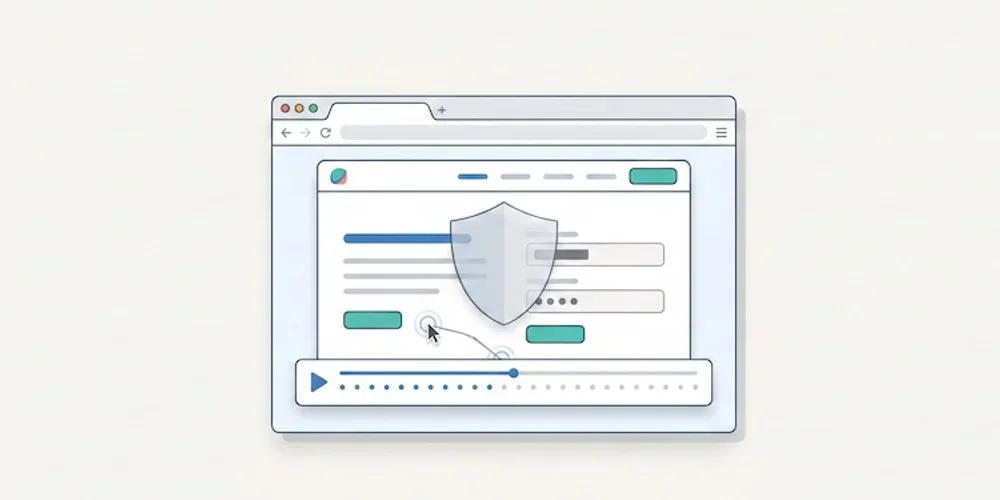
On February 25, 2026, the CNIL opened a public consultation on a draft recommendation for session replay tools. The consultation period ended on April 22, 2026. As of this article's publication date, teams should treat the draft as a strong warning signal while monitoring the final recommendation. Session replay tools are not ordinary audience-measurement tools. They can record detailed interactions: scrolling, clicks, form behavior, interface hesitations and sometimes typed content if masking is incomplete. That level of detail creates a different risk profile from aggregated traffic statistics. The practical consequence is simple: product, marketing and support teams should not activate session replay as a casual dashboard add-on. It needs a documented purpose, minimization settings, masking, access control, retention limits and a clear decision on when recording is allowed. What makes session replay sensitive Session replay can help diagnose UX issues, broken forms or confusing flows. But the same recording can reveal personal data, sensitive fields, account context or unexpected behavior. A misconfigured tool can collect more than the team intended. That is why the CNIL draft focuses on proportionality and safeguards. The useful question is not whether a vendor is popular. It is whether your configuration actually limits what is captured, who can view it and how long it remains available. A launch checklist for teams Before enabling session replay, review these points:define the exact purpose: UX debugging, support investigation, quality assurance or another documented need; disable recording by default on sensitive pages and authenticated areas unless there is a validated reason; mask form fields, free-text inputs, account data and any field that can contain personal or sensitive information; limit the share of sessions recorded instead of recording every visit; restrict access to named roles and audit who can view recordings; set a short retention period and delete recordings after the operational need ends; document the tool, provider, transfers and retention in your privacy materials; verify that the recording state follows your consent and preference-management setup; keep a rollback procedure to disable recording quickly if a leak or spike is detected.How this differs from Pomelo's core analytics Pomelo's launch positioning is deliberately different. The default analytics model is cookieless, minimal and report-oriented. It is designed to answer operational questions with aggregate data, not to replay individual user journeys. That distinction matters. Session replay can be useful in a narrow debugging workflow, but it should not be confused with privacy-first audience measurement. For most SME, SaaS and multi-site teams, the baseline analytics stack should remain lighter than a recording tool. What to do now If you already use Hotjar, Microsoft Clarity, FullStory or a similar tool, run a short audit before launch:list every page where recording is active; inspect the last 20 recordings for accidental personal data capture; review masking rules with a non-technical stakeholder; confirm retention and access controls; decide whether the tool is still needed permanently or only during limited research windows.If the team cannot explain why recordings are necessary, it is safer to disable them until the purpose and safeguards are documented. Sources Sources checked on May 9, 2026.CNIL, Session replay consultation, February 25, 2026 CNIL, Cookies and audience measurement solutions Hotjar, Privacy and security Microsoft Clarity, Privacy overview
- 13 Apr, 2026
GDPR audience measurement: the CNIL framework to understand before choosing a tool
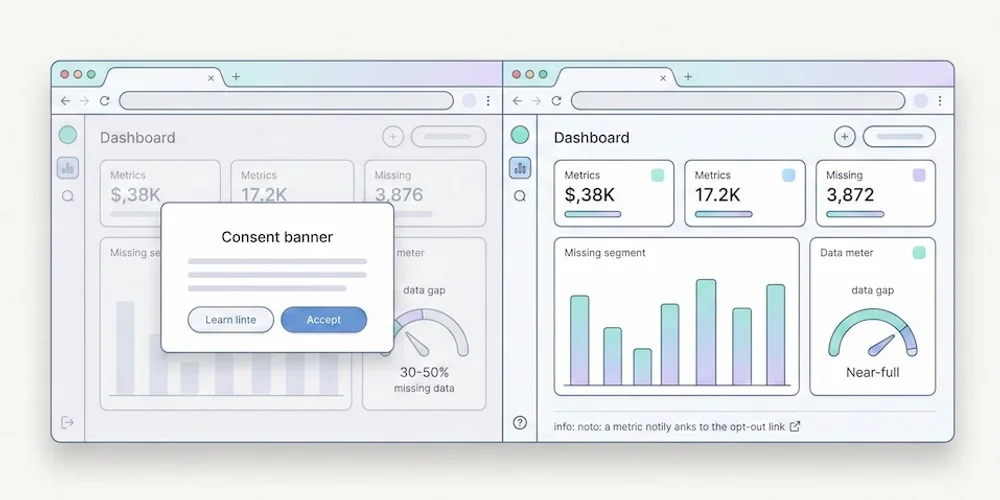
Audience measurement is no longer just a tooling decision. It is a governance decision. An SMB may legitimately want to understand pages, sources and simple conversions without turning its website into a heavy marketing stack. That is a reasonable goal. The mistake is to turn a privacy-first product choice into a blanket legal promise. The CNIL framework is more specific. It describes conditions under which strictly limited audience measurement can, in some cases, be implemented with a lighter consent burden. That position depends on the real purpose, configuration, retention period, absence of cross-use, provider role and visitor information. The useful question is therefore not "which tool removes all legal work?". The useful question is: does my actual setup remain within a documented, minimal and verifiable audience-measurement perimeter? What the CNIL framework says The CNIL explains that traffic and performance statistics can be necessary for operating a website or application. It therefore describes a limited perimeter for audience-measurement trackers, provided the purpose stays strictly focused on the site or app audience and is carried out for the publisher's exclusive account. The framework excludes uses that combine the data with other processing, send non-anonymous data to third parties, or follow a person globally across several websites or applications. The CNIL also recommends informing users, limiting tracker lifetime, capping retention for collected information and periodically reviewing those periods. It provides a self-assessment tool to help vendors document their analysis. That nuance matters. Self-assessment is not certification, and it does not prejudge what the CNIL could conclude during an investigation. Site publishers still need a cautious, documented reading of their setup. The criteria that should guide the choice Before choosing an analytics solution, check these points first. 1. Strictly limited purpose Collection should help understand traffic, performance, content viewed or navigation issues. If the same tool is used for retargeting, advertising activation, profiling or CRM enrichment, the setup no longer fits a minimal audience-measurement perimeter. 2. No vendor reuse The provider should process data for your account. Reuse for the provider's own services, advertising, global benchmarks or loosely governed product improvement increases risk. 3. No cross-site tracking An identifier shared across several publishers or domains to follow global browsing behavior is incompatible with minimal audience measurement. 4. Statistical data and limited retention The logic should remain aggregated and proportionate. Retention periods should be limited and reviewed. Raw or pseudonymized records should not become a permanent marketing archive. 5. Clear visitor information Even when a lighter collection setup is possible, visitors still need clear information. The privacy policy should explain what is collected, why, for how long, by whom and how rights can be exercised. Strict and Extended: a useful product separation For privacy-first analytics, separating a minimal mode from an enriched mode is clearer than offering one vague switch. Strict should cover the core needs: page views, readable sources when available without enrichment, volumes, trends and simple conversions. It should minimize fields and avoid data that is not necessary for the stated purpose. Extended should be explicit. It can support richer needs: detailed UTM campaigns, advanced events, goals, technical context, segmentation or multi-site analysis. Those uses can be legitimate, but they should be treated as configuration choices, not as the silent default. This distinction helps product teams, DPOs, marketers and clients talk about the same operational reality. The checklist before publishing Before presenting your analytics setup as launch-ready, document at least:the exact measurement purpose; the fields collected in Strict; the fields added in Extended; retention periods; absence of cross-use with other processing; potential transfers and contractual basis; the updated privacy policy; the internal or vendor analysis based on CNIL sources; the profile-change procedure; the owner who approves collection changes.This documentation does not replace legal review, but it prevents marketing copy from becoming operational debt. What Pomelo should promise publicly The strongest position is not an absolute claim. It is a controlled product promise:cookieless by default; minimal collection; clear documentation of collected fields; explicit Extended configuration when teams need richer detail.That is more durable than a slogan. European SMBs, B2B SaaS teams and multi-site digital teams need analytics that is readable, governable and stable over time. Sources Sources checked on May 9, 2026.CNIL, Cookies and audience measurement solutions CNIL, audience-measurement self-assessment tool, July 2025 Article 82 of the French Data Protection Act
- 30 Mar, 2026
CNIL sanctions: what analytics teams should learn before launch
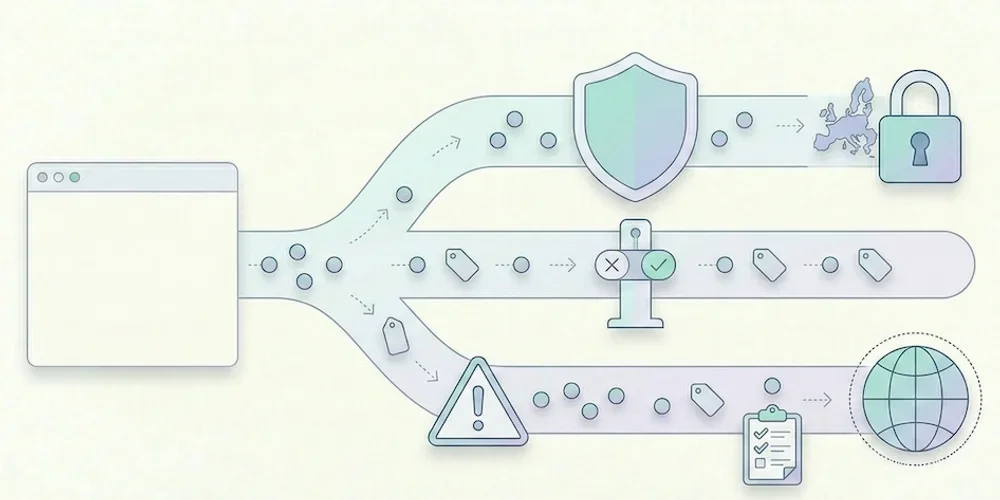
CNIL sanction decisions are useful because they show patterns, not just headline amounts. For analytics teams, the lesson is clear: risk rarely comes from measuring traffic in itself. It comes from unclear purposes, tracking before a valid choice, excessive collection, weak information, poor retention and provider relationships that nobody has reviewed. This article does not try to predict a fine. It gives product, marketing and legal teams a launch checklist grounded in the CNIL's public sanction list and cookie guidance. The recurring analytics risks 1. Tracking starts too early If advertising, personalization or advanced tracking fires before the visitor's valid choice is recorded, the compliance issue is immediate. Teams should verify scripts in the browser, not only in a tag manager diagram. 2. The purpose is too broad "Analytics" can hide several purposes: audience measurement, ad attribution, retargeting, product analytics, support, personalization and CRM enrichment. These purposes do not carry the same risk or consent analysis. They must be separated in configuration and documentation. 3. Data is kept too long Retention is a recurring sanction theme across CNIL decisions. Analytics teams should define retention for raw events, derived reports, exports and backups. The answer cannot be "as long as the tool allows". 4. Provider roles are unclear The site publisher remains responsible for understanding what the provider does. Review data-processing terms, hosting, transfers, sub-processors and reuse clauses before launch. 5. The public explanation is vague A privacy policy that only says "we use cookies to improve the experience" is not enough for a modern analytics stack. Explain the tool, purpose, data categories, retention and choice mechanism in concrete terms. How to reduce risk before launch Run this practical check:open a clean browser profile and inspect which scripts fire before any choice; map each tag to a purpose and owner; remove tags nobody can justify; separate minimal audience reporting from richer marketing tracking; document retention and export rules; review provider terms and transfer mechanisms; update privacy copy with actual tool names; keep evidence of the test in the release checklist.For Pomelo, this means keeping the public promise conservative: cookieless by default, minimal collection, clear documentation, Strict first and Extended by explicit configuration. Why this matters for SMEs SMEs often assume enforcement only targets large platforms. The CNIL sanction list shows that smaller organizations can also be sanctioned, including through simplified procedures. The amounts differ, but the operational lesson is the same: a small team still needs traceability, minimization and a clean release process. Good analytics governance is not bureaucracy. It prevents last-minute launches from becoming privacy incidents. Sources Sources checked on May 9, 2026.CNIL, public list of sanctions, updated April 14, 2026 CNIL, Cookies and other trackers CNIL, Cookies and audience measurement solutions
- 23 Mar, 2026
GDPR analytics checklist: 10 checks before installing a tracking tool
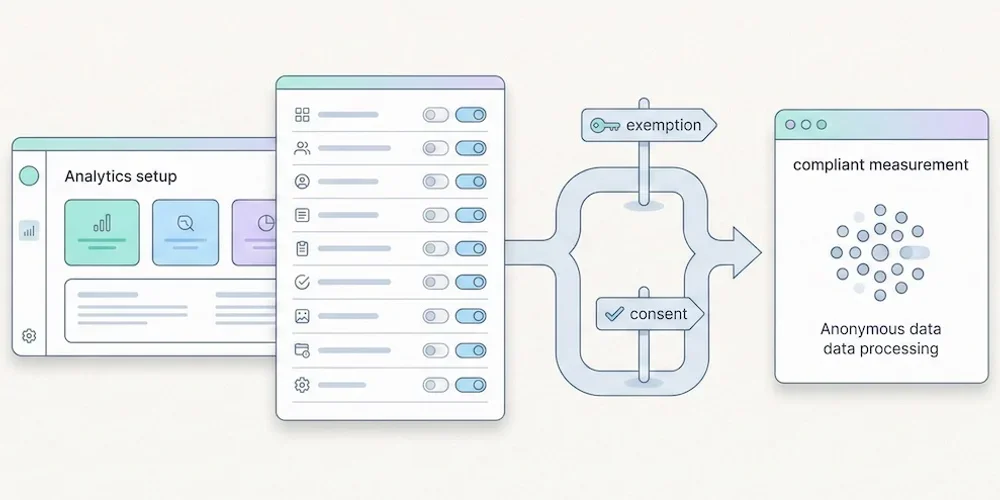
Installing analytics is easy. Governing analytics is harder. A script can be live in five minutes, but the team still needs to know what it collects, why it collects it, how long the data stays available and which choices are presented to visitors. Use this checklist before adding or changing a measurement tool. It is not legal advice. It is a practical review framework for product, marketing, engineering and privacy stakeholders. 1. Define the purpose Write the purpose in one sentence. "Understand audience and site performance" is not the same as advertising attribution, retargeting, product behavior analysis or CRM enrichment. Separate the purposes before discussing tools. 2. Split baseline and enriched collection Define what belongs in minimal audience reporting and what belongs in enriched tracking. Campaign parameters, detailed events, goals, technical context and multi-site segmentation should be deliberate configuration choices. 3. List the fields collected Review the payload, not only the dashboard. Check URL, referrer, user agent, language, screen data, campaign parameters, identifiers, events and custom properties. Remove fields that do not serve the stated purpose. 4. Check tracker timing Use a clean browser profile and inspect which scripts fire before any visitor choice is recorded. Do this on the homepage, landing pages, forms, checkout or signup flows and authenticated areas. 5. Set retention rules Define retention for raw events, aggregated reports, exports and backups. Long retention should be justified by a real operational need, not by a vendor default. 6. Review provider terms Confirm the provider role, hosting location, sub-processors, transfers, support access and reuse clauses. Keep the current data-processing agreement with the launch record. 7. Update public information Your privacy policy should name the tool, describe the purpose, list the main data categories, explain retention and point to the relevant choice or objection mechanism. 8. Test Strict and Extended behavior If your product separates Strict and Extended collection, verify both modes in the browser and in storage. Strict should not persist enriched fields. Extended should be explicit and documented. 9. Control access and exports Analytics data often spreads through CSV exports, screenshots and shared dashboards. Restrict access to people who need it and define how exports are handled. 10. Keep evidence Save the browser test, payload review, provider links, privacy-policy update and release owner in your launch checklist. Evidence matters when decisions are challenged later. Pomelo launch reading For Pomelo, this checklist translates into a simple doctrine: Strict by default, Extended by configuration, no profile mutation from reports, and clear dashboard explanations when data availability changes with collection mode. SourcesCNIL, Cookies and other trackers: https://www.cnil.fr/fr/cookies-et-autres-traceurs CNIL, Cookies and audience measurement solutions: https://www.cnil.fr/fr/cookies-solutions-pour-les-outils-de-mesure-daudience EDPB, Guidelines 05/2020 on consent under Regulation 2016/679: https://www.edpb.europa.eu/our-work-tools/our-documents/guidelines/guidelines-052020-consent-under-regulation-2016679_en EDPB, Guidelines 07/2020 on controller and processor concepts: https://www.edpb.europa.eu/our-work-tools/our-documents/guidelines/guidelines-072020-concepts-controller-and-processor-gdpr_en
- 16 Mar, 2026
Piwik PRO pricing change: what former Core users should verify next
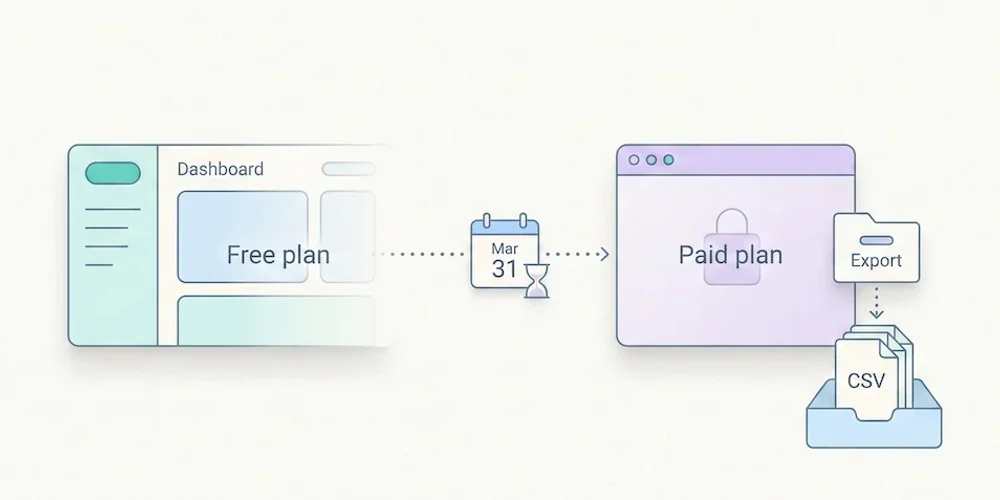
According to Piwik PRO's July 2025 announcement, the economics of the Core offer changed and Business and Enterprise became the paid routes highlighted for hosted professional use. For teams that adopted Core because it was free, the right response is not panic. It is a structured migration review. As of May 9, 2026, buyers should verify current pricing and terms on Piwik PRO's official pages before making a decision. Vendor pricing changes quickly, and analytics migrations are expensive when they are rushed. The decision is about ownership, not only price The repositioning of a generous free analytics tier forces a useful question: what are you actually paying for? If Piwik PRO remains the right product, the budget may be justified by governance, support, hosted infrastructure, retention and enterprise controls. If the team mainly needs readable traffic reporting, a lighter privacy-first SaaS or a self-hosted tool may be a better fit. The mistake is to compare only monthly list prices. The real cost includes setup, data retention, access management, documentation, legal review, reporting adoption and the effort required to explain the dashboard to non-specialists. Migration checklist Before changing tools, export and document:current sites, domains and tracking snippets; retention settings and historical data that must be preserved; dashboards or reports used by leadership, clients or marketing; goals, events and campaign parameters that are still useful; data-processing agreements and provider roles; access rights and users who must be migrated; privacy-policy wording and internal records of processing; the date when old and new tools will run in parallel.Run both tools side by side for a short period when possible. This gives the team a bridge for trend comparison and avoids treating a tool migration as a sudden drop in traffic. How to compare alternatives For a European SME, B2B SaaS or multi-site digital team, use five criteria:Does the tool answer the questions the team actually asks every week? Does the collection model separate minimal analytics from enriched tracking? Are pricing, retention and user limits easy to understand? Can non-specialists read the reports without training? Is the privacy documentation specific enough for your legal review?Plausible, Fathom, Simple Analytics, Matomo and Pomelo can all be reasonable depending on the answer. The best choice is the one that matches your operating model, not the one with the loudest comparison table. Where Pomelo fits Pomelo's intended launch position is narrower and clearer: cookieless by default, Strict first, Extended by explicit configuration, and dashboards designed for teams that need actionable reporting rather than analytics administration. That does not make it a universal replacement for Piwik PRO. It makes it a good candidate when the team wants minimal collection, multi-site readability and a product that documents the difference between baseline and enriched data. Sources Sources checked on May 9, 2026.Piwik PRO, Introducing the new Piwik PRO Core and updated pricing, July 3, 2025 Piwik PRO, Business plan Piwik PRO, Pricing Matomo, Pricing Plausible, subscription plans
- 02 Mar, 2026
Plausible vs Fathom vs Simple Analytics: a practical 2026 comparison
Plausible, Fathom and Simple Analytics sit in the same broad category: lightweight, privacy-first web analytics for teams that do not want the complexity of GA4 or an enterprise analytics suite. They are not interchangeable, though. The right choice depends on your traffic volume, team model, reporting needs, hosting expectations and internal privacy review. Prices and packaging change often. This comparison is based on public vendor pages checked on May 9, 2026. Always verify the current vendor page before buying. The short version Choose Plausible if you want an established open-source product, a clean dashboard, a self-hosting route and detailed documentation around subscription tiers. Choose Fathom if you want a simple paid SaaS with a deliberately small feature surface and straightforward multi-site pricing. Choose Simple Analytics if you want a Netherlands-based product with a clearly documented privacy posture, simple reports and a free entry point within the vendor's published limits. Choose Pomelo if your priority is multi-site reporting for European SMEs, B2B SaaS teams and agencies, with Strict collection by default and Extended collection only when explicitly configured. Comparison tableCriterion Plausible Fathom Simple AnalyticsMain fit Teams wanting open-source credibility and simple reports Teams wanting a compact paid SaaS Teams prioritizing documented privacy posturePricing model Subscription tiers by usage Subscription tiers by pageviews Free or paid plans depending on usage limitsSelf-hosting Community Edition available Not the core model Not the core modelMulti-site use Supported Supported Supported by planReporting style Minimal dashboard, events, goals, campaigns Minimal dashboard, events, campaigns Minimal dashboard, goals, referrersBuyer risk to verify Plan limits, self-hosting maintenance, imported history Plan fit and feature depth Plan limits and event/view countingPrivacy posture is a configuration question All three vendors position themselves around privacy-first analytics, but a vendor promise is not the same as your live setup. Your team still needs to document:what the script collects; whether events or campaign parameters add personal or sensitive context; retention periods; provider role and data-processing terms; transfers and hosting location; whether other trackers on the same site change the consent analysis.This is where Pomelo's Strict/Extended split is useful as a product model. Strict should cover baseline audience reporting. Extended should be a deliberate setting for richer campaign, event, goal or technical context. The dashboard should explain the effect of that setting instead of hiding it inside marketing copy. Pricing should be compared at your real volume Do not compare only entry prices. Model the cost at your actual monthly pageviews, number of sites, number of users, retention needs and export/API expectations. For example, a tool that is cheaper at 10,000 monthly pageviews may be more expensive at 500,000. A self-hosted option may reduce subscription fees but add infrastructure, backup and maintenance cost. A plan with generous site limits may be cheaper for an agency than a plan priced per site. Reporting quality matters more than feature count The best analytics tool is the one the team actually reads. Before buying, ask the person who will use the dashboard every week to answer three questions from a trial account:Which acquisition sources are working? Which content or pages deserve action? Which conversions changed materially since last period?If the tool cannot answer those questions quickly, more reports will not fix the problem. Sources Sources checked on May 9, 2026.Plausible, subscription plans Plausible, data policy Fathom, pricing Fathom, features Simple Analytics, pricing Simple Analytics, what we collect
- 05 Jan, 2026
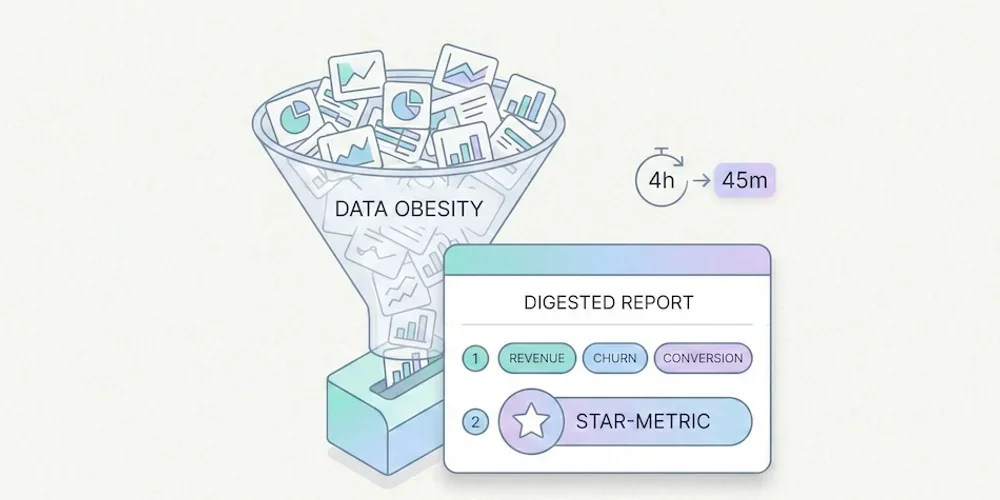
Why the Era of 'Data Obesity' Is Paralyzing Small Businesses (And How to Break Free)
We were sold a dream. The "Big Data" dream. For the past decade, the promise made to SMB owners, SaaS teams, and marketing managers has been the same: "The more data you collect about your visitors, the better you'll sell." The reality in 2025? It's often the opposite. Tools have become bloated, data piles up unread, and decisions are slower than before. This is what we call data obesity: the accumulation of data that doesn't serve decisions, but costs you in time, money, compliance, and performance. In short:Too much data kills decisions: information overload clutters dashboards and paralyzes action. The "Vanity Metrics" trap: you track flattering curves instead of focusing on what actually drives revenue. A triple cost: technical (slower site), legal (GDPR), and trust (visitors refusing tracking). The solution exists: frugal analytics — measure less, decide better.1. The "Dashboard Nobody Looks At" Syndrome Open your current analytics tool. In under 10 seconds, can you tell:whether your week was good? which page generated the most leads? which traffic source is performing best?If the answer is no, you're not alone. You're in the overwhelming majority. Big Data Isn't for SMBs Eurostat's Digitalisation in Europe publication frames advanced digital adoption as a 2030 objective: 75% of EU companies should use cloud computing, perform big data analysis, or use artificial intelligence. The same source shows the gap by company size: in 2022, 98% of large businesses reached a basic level of digital intensity, versus 69% of SMEs. → Source: Eurostat – Digitalisation in Europe, technology uptake in businesses Yet these same SMBs end up with tools designed for 20-person data teams. GA4 offers hundreds of reports, dozens of dimensions, customizable explorations. For a 2-person marketing team, it's like getting an airliner cockpit when all you need is a car dashboard. The Choice That Paralyzes The abundance of options, reports, and dimensions creates user fatigue. This is a well-documented phenomenon in behavioral science: choice overload. The more options you have, the less capable you are of choosing — and the less satisfied you are with your choice when you make one. → Source: The Decision Lab – Choice Overload Bias Applied to analytics: more information ≠ better decisions. On the contrary, too much data leads to inaction. You close the tab and fly blind.2. The Race for "Vanity Metrics" In many small businesses, the metrics sitting at the top of dashboards are also the ones least useful for decision-making:pageviews (without knowing which pages convert), total session count (without distinguishing prospects from bots), bounce rate (an ambiguous metric, often misinterpreted), visitors by country (rarely actionable for a local business).These metrics flatter the ego — "we had 10,000 visits this month!" — but they say nothing about a site's actual performance. The 3-Question Test For a small business, a useful dashboard should answer three questions:How many people are discovering my site? (acquisition) Which pages generate the most inquiries or sales? (performance) What does that represent each week? (results)If your tool can't answer these immediately, it's pulling you away from your main goal: understanding what works so you can grow your business. We've detailed which metrics to keep (and which to ignore) in our guide to The "5 KPIs" Method.3. The Hidden Cost of Complexity Data obesity doesn't just cost time. It has three concrete costs that most businesses underestimate. 3.1 The Technical Cost: A Slower Website Traditional analytics tools often ship heavy scripts that degrade Core Web Vitals — the web performance metrics Google uses as a ranking factor. An independent audit by Bejamas shows that third-party scripts (analytics, chat widgets, marketing pixels) can significantly slow down page loads, with analytics scripts often leading in main-thread blocking time. → Source: Bejamas – How Popular Scripts Slow Down Your Website The GA4 script weighs approximately 45 KB compressed in the cited measurements. Frugal alternatives often sit between 1 and 6 KB. As we explain in our article on SEO without Google Analytics, lighter third-party scripts can contribute to better Core Web Vitals, even though the result always depends on the full page. Slower sites = fewer conversions = less revenue. 3.2 The Legal Cost: GDPR Risk The more signals you collect — precise geolocation, cross-page navigation, technical fingerprinting, per-page session duration — the higher your legal exposure. Every piece of data collected is a piece of data to protect, to document in your processing registry, and to justify during an audit. European Data Protection Authorities — including the French CNIL — describe a narrow path for audience measurement tools that meet strict conditions. The practical lesson is not "no banner by default"; it is that minimal collection, clear documentation, and a correctly configured tool reduce compliance burden. → Source: CNIL – Audience measurement solutions This is probably the most underappreciated argument for frugal analytics: collecting less reduces the surface you need to document and can simplify review. It does not remove the need to assess purposes, visitor information, possible consent requirements, or the other trackers on the same site. For the formal criteria, use the CNIL page and document your own configuration. 3.3 The Trust Cost: Visitors Who Refuse Another side effect of traditional analytics: cookie banners. According to data from European regulators, cookie refusal rates have risen significantly since enforcement began in earnest. Depending on consent rates, browsers, blockers, geography and the broader tracker stack, a classic cookie-banner setup can materially reduce measured traffic. → Source: CNIL – Cookie action plan impact evaluation In some sectors, ad blockers and script blockers amplify the gap further. Result: your dashboard can under-represent part of the measurable audience. The size of that gap is context-specific. A cookieless-by-default tool reduces dependence on acceptance rates for the audience-measurement layer. Your final consent UI still depends on the full tracker stack, including advertising pixels, personalization, or session replay.4. The Solution: Frugal Analytics Frugal analytics isn't about measuring less out of laziness or ideology. It's about measuring better, by focusing on what:concretely helps you make decisions, respects visitor privacy, doesn't slow down your site, limits some legal-review friction.What It Changes in PracticeBefore (Data Obesity) After (Frugal Analytics)200+ metrics available 5-7 actionable KPIsDashboard opened once a month (and closed immediately) Dashboard checked weekly, understood in 30 secondsConsent UI driven by broad tracker stack Cookieless-by-default audience baselineHeavy script, possible Core Web Vitals impact Lighter script, impact to measure in contextComplex GDPR compliance (CMP, registry, proxying) Minimal collection and more readable review40-page monthly report 10-line results-oriented reportFrugal analytics is the equivalent of seasonal cooking: fewer ingredients, better chosen, better prepared. The result is superior to accumulation. The Core PrinciplesCollect only what drives decisions. If a data point wouldn't change your actions, don't collect it. Simplify to democratize. A dashboard the founder understands is worth more than a report only the data analyst can interpret. Respect by design. Compliance shouldn't be a bolt-on ("let's proxy GA4 to reduce risk") but a prerequisite: choose collection boundaries that are clear, minimal and documentable. Measure performance, not people. Aggregated trends (popular pages, traffic sources, conversion rates) are more useful and less risky than individual-level tracking.5. Where to Start If you're convinced your current analytics is too complex, here are the first three steps. Step 1: Identify your 5 KPIs. Use the 5 KPIs method to define the only metrics that matter for your business. If an indicator doesn't pass the test "would I change how I work if this number moved?", remove it. Step 2: Evaluate your current tool. Compare it honestly against the alternatives. Our analytics tool comparison details the strengths, weaknesses, and pricing of each family (GA4, Matomo, frugal). Step 3: Test. Most frugal solutions install quickly with a short script and offer a free trial. Run both tools in parallel for a month. Compare: which one gives you an answer faster?Conclusion: Put Your Analytics on a Diet The era of collecting data "just in case" is behind us. Regulation, web performance, and common sense all converge on the same conclusion: less data, better chosen, is better for everyone — for the business, for visitors, and for the web. For 2026, the best strategy for an SMB isn't adding dashboards — it's removing them. Less noise. Less friction. More concrete decisions. Frugal analytics means putting data in service of the business, not the other way around.FAQ: Understanding Frugal Analytics What is frugal analytics? An approach to audience measurement that limits collection to the strict minimum needed to make business decisions. It's built on three principles: collect only what drives action, prefer aggregated data over individual profiles, and choose tools with clear collection boundaries (no measurement cookies, no user profiles). Which metrics should I absolutely keep? Unique visitors, traffic sources, top pages, key events (CTA clicks, form submissions), and conversions. These 5 metrics are enough to steer a brochure site, a blog, or a small e-commerce store. Everything else is bonus — or noise. Can you do frugal analytics with GA4? Technically yes, but it requires advanced expertise: disabling granular collection, configuring consent mode, reducing some transfer or collection risks, and building custom reports limited to essential KPIs. For most SMBs, it is simpler to choose a natively frugal tool and then document the actual setup. Is frugal analytics enough for e-commerce? For a small e-commerce site (under 1,000 orders/month), yes. The 5 essential KPIs cover acquisition, engagement, and conversion. For e-commerce with multi-channel attribution, retargeting, or advanced segmentation needs, a more comprehensive tool (Matomo, GA4) will be necessary — but the frugality principle still applies: start with the essentials, and add complexity only if it's justified. How many businesses actually use Big Data? Eurostat's Digitalisation in Europe data shows a persistent size gap in digital intensity: in 2022, 98% of large businesses reached a basic level, versus 69% of SMEs. Most small teams do not have the people, tools, or need to exploit massive datasets. Frugal analytics is the approach suited to this reality. SourcesEurostat, Digitalisation in Europe: technology uptake in businesses CNIL, Cookies: audience measurement solutions CNIL, Cookie action plan impact evaluation Google Search Central, Core Web Vitals and Google Search results