Tag: Analytics
All blog posts with this tag.
- 21 Sep, 2026
Anonymous, pseudonymised or aggregated data: what the 2026 EDPB guidelines mean for analytics
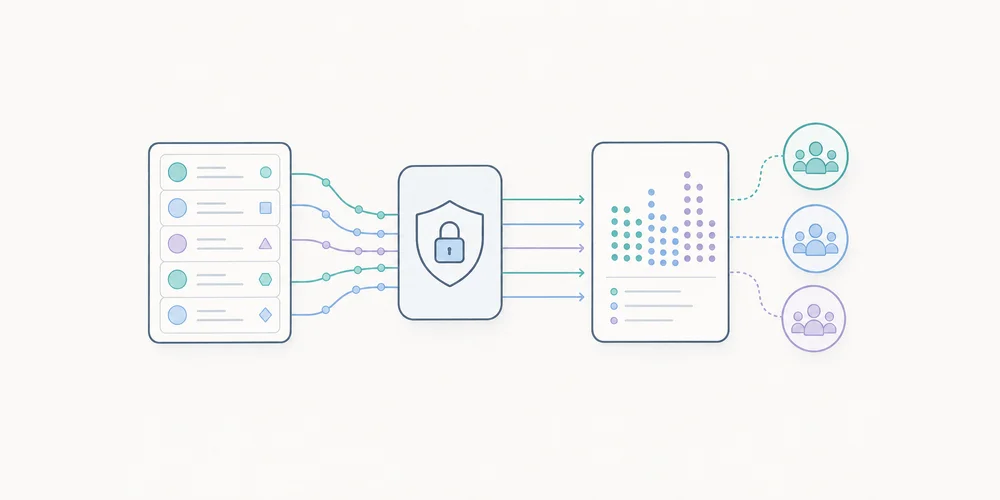
In analytics products, the words “anonymous”, “anonymised”, “pseudonymised”, “aggregated” and “hashed” are often used too quickly. They create a sense of safety, but they do not always describe the same legal or technical reality. The topic is back in focus in 2026. The European Data Protection Board adopted guidelines on anonymisation, open for public consultation until 30 October 2026. The text aims to clarify the notion of anonymous data and takes recent Court of Justice of the European Union case law into account. For analytics teams, this is a good moment to review both product claims and architecture. Data is not anonymous merely because it no longer contains a name. A truncated IP address, a hashed identifier or an aggregated statistic can reduce risk, but they do not automatically move data outside the scope of personal data. Why this matters for analytics An analytics tool rarely collects a single signal. Even when it is privacy-first, it may process URLs, referrers, campaign parameters, timestamps, countries, devices, events, journeys and rare page views. Each signal may look harmless in isolation. Combined, they may sometimes make a person or behaviour recognisable, especially at low volumes: a page visited by only one person, a very specific segment, a rare conversion, a query containing personal data, or a campaign link with an identifier. The question is not only: “Do we collect direct identifiers?” The question is: could an actor with means reasonably likely to be used still relate the information to a person, and would that person then be identifiable, directly or indirectly? Anonymous, pseudonymised and aggregated are not the same Pseudonymised data replaces or masks some identifiers, but a link with a person can still exist. A hash, stable identifier or separate key can remain personal data if linkage is possible. Aggregated data groups several observations. It often reduces risk, but it does not automatically guarantee anonymity. A statistic on a very small segment can still reveal information about a person or a small group. Anonymous data no longer relates to an identified or identifiable person. That is a demanding threshold. It is not enough to remove visible names. Teams must consider reasonably available means, linkage possibilities and the context of the actor holding or receiving the data. For a blog post, product page or privacy notice, the cautious approach is to reserve “anonymous” for situations that have actually been tested. In other cases, terms such as “minimal collection”, “aggregation”, “no persistent identifier” or “reduced re-identification risk” are often more accurate. Three risks to test Anonymisation methods are usually assessed through three families of risk. 1. Isolation Can a record or unique behaviour be singled out in the dataset? Analytics example: a low-traffic internal page receives a single visit from one country during a precise time window. Even without a name, that observation may be distinctive. 2. Linkage Can several records be linked together or matched with another source? Analytics example: a hashed identifier is used in several exports, or a combination of country, device, referrer and URL makes it possible to follow the same visitor across tables. 3. Inference Can new information be inferred about a person or a small group? Analytics example: a segment such as “visitors to the enterprise pricing page from a specific prospect domain” can reveal commercial intent if volumes are too low. These risks are contextual. They depend on granularity, access to raw data, other available information and the people who can view the reports. What this changes in an analytics setup The first change is vocabulary. Teams should avoid calling data “anonymous” simply because it is cookieless or because no direct identifier is present. Cookieless does not automatically mean anonymous. The second change is architectural. Anonymisation is not assessed only at collection time. It must be considered across the pipeline: collection, preprocessing, storage, aggregation, dashboard display, exports, APIs and deletion. The third change is documentation. If an organisation claims that some data is anonymous, it should be able to explain why. Which columns remain? Which combinations were tested? What thresholds prevent small segments? Who can access raw data? How long is it kept? Example: URLs and campaign parameters URLs are a good example of underestimated risk. A visited page can reveal business context. A URL parameter can contain an email address, CRM identifier, confirmation token, campaign key or customer number. Even in a cookieless tool, storing the full URL without filtering can create accidental collection of personal data. Anonymisation will not necessarily fix the problem if sensitive data is stored in clear form before processing. The better approach is to act upstream:filter or remove risky parameters; retain useful attribution parameters in a controlled way; document filtering rules; avoid unnecessary raw exports; apply display thresholds to low-volume segments.Example: multi-site reporting Multi-site dashboards add another risk. They often consolidate data from several domains, brands, countries or entities. That is useful for governance, but it can also make some behaviours more recognisable when volumes are low. A global manager does not always need every combination of site, page, country, device and hour. A mature dashboard adapts granularity to the role: summary for leadership, operational detail for the team, restricted access to sensitive data. Anonymisation is therefore not only a technical process. It is also a question of access rights and reporting design. Audit checklist To audit analytics claims and architecture, check:is raw data still accessible? are full URLs stored? are risky URL parameters filtered before storage? are stable identifiers used, even if hashed? are small segments hidden or grouped? do exports contain more detail than dashboards? are retention periods justified? are access rights aligned with real need? does marketing use the right vocabulary? can the team explain why a dataset would be considered anonymous?How to use the consultation window The EDPB consultation is open until 30 October 2026. Not every team will submit feedback, but every team can use the deadline as an audit trigger. A useful exercise is to build a data collection summary: data collected, purposes, transformations, granularity levels, retention, access, exports and public wording. The objective is not to prove that everything is anonymous. The objective is to be accurate. A product can be privacy-first without claiming that every dataset is anonymous at every stage. Conclusion The 2026 EDPB guidelines reinforce a simple idea: anonymisation is not a magic word. It is a result to demonstrate in a specific context. For analytics, this clarification is healthy. It pushes teams to collect less, reduce granularity, filter accidental data, control exports and choose more precise wording. Privacy credibility does not come from maximalist vocabulary. It comes from coherent architecture and honest documentation. FAQ Is hashed data anonymous? Not by default. Hashing can be useful, but it does not automatically remove identifiability if the value can be linked back, guessed or combined with other data. Are aggregated analytics reports always anonymous? No. Aggregation reduces risk, but small segments, rare events or unusual combinations can still reveal information about a person or organisation. The relevant question is whether re-identification remains reasonably possible in context. Why does the consultation matter for web analytics? Because analytics vendors and customers often rely on the words anonymous, pseudonymised and aggregated. The EDPB draft gives teams a better checklist for testing those claims. SourcesEDPB - Guidelines 02/2026 on Anonymisation, public consultation EDPB - EDPB sheds light on anonymisation and web scraping for generative AI EDPB - Public consultations
- 14 Sep, 2026
AI Act and analytics: when should an AI feature in a dashboard be disclosed?
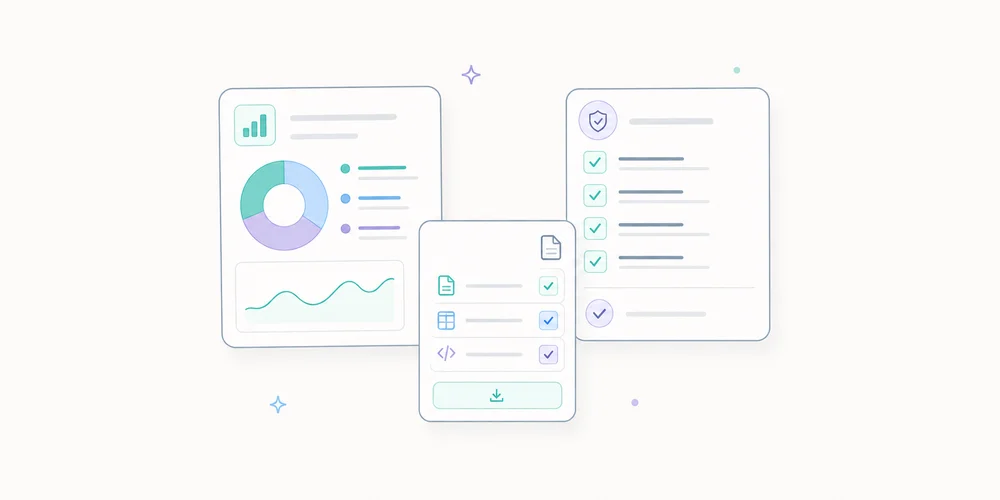
Analytics products increasingly include AI-assisted features: automatic monthly traffic summaries, anomaly detection, generated reporting comments, conversational dashboard assistants and optimisation suggestions. Since 2 August 2026, part of the AI Act’s transparency obligations has applied. This is no longer only a topic for public chatbots, large platforms or general-purpose AI models. It can also concern software publishers adding AI interfaces to professional products, depending on the system and use case. The useful question is not: “Does every AI-powered feature need a warning?” The useful question is: is the person directly interacting with an AI system, or being exposed to AI-generated or manipulated content in a context covered by Article 50? This article gives product, marketing, analytics and compliance teams a practical way to reason about the issue. What started to apply on 2 August 2026 The European Commission published guidelines on 20 July 2026 to help providers and deployers comply with transparency obligations for certain AI systems. These obligations started applying on 2 August 2026. They are meant to help people recognise when they are interacting with an AI system or when content has been generated or modified by AI. Broadly speaking, providers must design certain systems so people are informed when they directly interact with AI, and must add machine-readable marks to enable detection of certain AI-generated or manipulated content. Deployers also have information duties in some cases, including deepfakes, certain public-interest content without human review, and some emotion recognition or biometric categorisation systems. For a professional analytics product, not every automated feature falls into the same bucket. A statistical calculation, a rule-based alert or a background anomaly model is not the same as a visible conversational assistant. Case 1: a conversational assistant in the dashboard This is the clearest case. If a user can ask a dashboard assistant a question such as “why did traffic drop this week?”, the user is directly interacting with AI. Where the Article 50 conditions are met and the AI character is not obvious, the interface must inform the user clearly, distinctly and accessibly at the start of the first interaction that they are dealing with an AI system, not a human analyst or a purely deterministic rule. A concise label is usually enough:AI assistant: responses are generated automatically from the data available in this workspace. Verify important conclusions before making decisions.Transparency should not become a frightening legal wall. It should be clear, accessible and proportionate. Case 2: an automatically generated analytics report summary An automatic summary can have several forms. If it remains internal and helps a team prepare its monthly analysis, the main issue is governance: who can generate it, which data it uses, whether it is reviewed, and how the system avoids inventing causes that are not supported by the data. If the summary is sent to clients, a board, investors or the public, the analysis changes. The text may become information generated by an AI system. In some cases, especially where it concerns matters of public interest without human review or editorial control, Article 50 requires specific information. For a B2B analytics vendor, a simple operational rule can help:an internal AI-generated draft should be identified as such in the interface; an automatically generated external report should keep a generation trace; reports that influence important decisions should not be published without real human review; for information published to inform the public on matters of public interest, any human review invoked for the Article 50 exception should be genuine and documented.The key word is genuine. A superficial approval step should not be described as editorial control. Case 3: anomaly detection A system that flags an unusual traffic variation is not always a direct AI interaction. It may be a statistical model, a threshold rule or a background automated process. That does not mean there are no obligations. If personal data is involved, GDPR, minimisation, documentation and governance remain relevant. But Article 50 transparency is not triggered simply because an algorithm exists. The product should name the feature honestly. “Anomaly detected” may be more accurate than “AI discovered a problem”. If an explanation is generated by a model, separate the measured signal from the generated interpretation. Example:Measured signal: organic sessions fell by 34% over seven days. Generated hypothesis: the drop may be related to three acquisition pages. Status: hypothesis to verify, not an automatic conclusion.This distinction reduces analytical hallucination. Case 4: automatic recommendations AI recommendations are attractive: “improve this page”, “reduce this channel”, “increase this budget”. They are also risky if they hide data limitations. In analytics, a recommendation should show:the data used; the period analysed; known exclusions; confidence level or at least uncertainty; the difference between observation, hypothesis and recommendation.The AI Act raises the transparency question for individuals. Analytics credibility adds another one: does the user understand why the recommendation exists? Good design does not only say “AI-generated”. It gives enough context to verify or challenge the recommendation. Provider or deployer: why the distinction matters The Commission distinguishes providers, who develop or place an AI system on the market, from deployers, who use an AI system under their authority in a professional or organisational context. A SaaS publisher integrating an AI feature into its product may be the provider of that feature for its customers. A company enabling that feature for its employees may be a deployer. In some scenarios, both roles coexist. This matters for product teams. It is not enough to assume that the provider of the underlying model carries all responsibility. The software publisher designing the experience, choosing the data, displaying the output and defining the use case should document its own choices. Checklist for an AI feature in analytics Before launching an AI feature, check:does the feature involve direct interaction between the user and an AI system? could the user think they are interacting with a person or a human-authored analysis? can the generated content be exported, shared or published? is real human review planned before external publication? does the interface clearly indicate what is generated automatically? does the output separate measured data, hypotheses and recommendations? are the necessary prompts, model versions and data sources logged, with personal data filtered, controlled access and a defined retention period? are known limits understandable by a business user? can support teams explain the feature at a high level? are related personal-data processing operations documented separately?What to avoid Avoid labels that make AI invisible. “Automatic analysis” may be too vague if the user is actually interacting with a generative system. Avoid the opposite excess too. A heavy legal banner on every chart can make the interface less readable without improving user understanding. Most importantly, avoid unsupported causal claims. A model can detect a correlation or propose a hypothesis, but it should not invent a business cause without evidence. In an analytics dashboard, transparency is not only about legal disclosure. It should help the user make better decisions. Conclusion The AI Act does not mean that every algorithmic feature in an analytics product needs a permanent warning. It does require serious treatment of situations where users directly interact with AI or receive generated content in a context covered by Article 50. For SaaS publishers, the right response is not only legal. It is product discipline: name AI when it is used, explain its limits, log the relevant context, and separate measured facts from generated interpretation. It is also a credibility opportunity. Useful analytics should not merely generate more commentary. It should generate commentary that can be checked. FAQ Are all automated analytics features covered? No. A statistical rule, a trend calculation or a threshold alert is not automatically covered by the AI Act transparency obligations. The first step is to qualify the system and determine whether it directly interacts with a person or generates content that must be disclosed. Do AI summaries need a banner every time? Not necessarily. The information should be clear, understandable and visible at the right point in the workflow. A stable notice attached to the summary module may be more useful than a repeated intrusive alert. Does human review remove all labelling questions? It depends on the context, the use of the report and the actual level of editorial review. The safer approach is to document the validation chain rather than assume that any human review removes every obligation. SourcesEuropean Commission - Guidelines on transparency obligations for providers and deployers of AI systems European Commission - Transparency obligations under Article 50 of the AI Act European Commission - Guidelines published on 20 July 2026
- 06 Jul, 2026
Analytics data retention: what to keep, for how long, and why
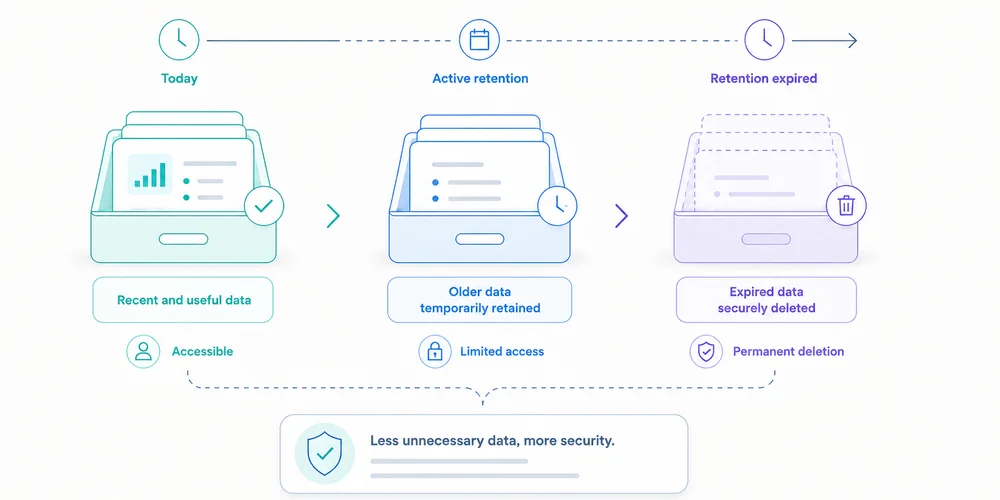
“We retain analytics data for twenty-five months.” The statement sounds precise but does not say whether it covers raw events or reports, whether visitor identifiers expire at the same time, whether collector logs follow another period, whether backups are purged, whether CSV exports remain on laptops, whether new activity resets the clock, or whether truly anonymous statistics remain longer. A useful retention policy is not one number. It describes the lifecycle of each data layer and connects every period to a purpose. The CNIL states that personal data cannot be kept indefinitely and that controllers should determine retention from the collection purpose. It distinguishes active use, intermediate archiving and, in particular cases, permanent archiving. Web analytics teams usually need a well-limited active dataset, effective deletion and possibly sufficiently aggregated long-term trends. Begin with purpose, not available settings A platform may offer 2, 14, 25 or 50 months. Those options do not determine the right period. Ask:For how long does this individual-level data remain necessary for the defined decision?Examples:seasonal comparison may require more than twelve months of trends; diagnosing collection failures may require only weeks of logs; a long B2B campaign may need several months; retaining a visitor identifier for years “just in case” is harder to justify; an aggregate monthly total may remain useful longer than detailed events.Retention should be proportionate to granularity and risk. Map seven retention layers 1. Terminal trackers and identifiers This includes cookies, local-storage IDs, session identifiers and other persistent mechanisms. Document initial duration, renewal, domain scope, cross-site use, withdrawal deletion and consent expiry. For certain audience-measurement trackers that may meet the French exemption conditions, the CNIL recommends a lifetime allowing meaningful comparison, such as thirteen months, without automatic extension at every visit. That does not make thirteen months correct for every identifier. It is a benchmark tied to the specific framework and conditions. 2. Raw events Events contain the most detail: timestamp, page, source, device, event properties, identifiers and technical metadata. They support diagnostics, funnels and report reconstruction. Their granularity increases singling-out risk and governance cost. Ask whether raw events are needed beyond the analysis cycle, whether they can be aggregated after 30, 90 or 180 days, which fields can disappear earlier, whether invalid events are stored, and whether schema deletion affects history. 3. Pseudonymised data A replaced, hashed or rotating identifier is not automatically anonymous. If events can still be linked, treat this layer cautiously. Define method, re-identification possibility, table separation, access, rotation, mapping-table deletion and the real need for continuity. Rotation helps only when old periods cannot be reconnected without a justified process. 4. Aggregate statistics Daily or monthly reports can sometimes remain longer, especially when they no longer single out a person. Examples: monthly visits by site monthly conversions by channel weekly page views by content category quarterly conversion rate“Aggregate” is not magic. A cell with one conversion in a small region may still reveal information. Set thresholds, reduce dimensions and test sparsity. If data are truly anonymous, GDPR personal-data rules no longer apply. That conclusion requires evidence. 5. Technical logs Collectors, CDNs, reverse proxies and applications may keep IP addresses, full URLs, user-agents, errors, rejected payloads and request IDs. Logs are frequently missed because they do not appear in the analytics dashboard. They serve separate security, availability and diagnostic purposes. Give them a separate period, restricted access and sensitive-field filtering. 6. Backups A backup is not a permanent deletion exception. Document frequency, rotation, encryption, access, restoration, treatment of previously deleted data, purge timeline and offline snapshots. Immediate editing of every backup may be impractical. In that case, limit access and duration, and prevent restored expired data from returning to active use. 7. Exports and secondary systems Exports create parallel retention:emailed CSV files; spreadsheets; warehouses; BI systems; agency storage; presentations; support tickets; local backups.The vendor's setting does not erase these copies. Every export needs an owner, purpose, approved location, period, access rule and deletion method. Reducing exports is often simpler than governing many copies. Build a retention matrix An illustrative SaaS matrix:Layer Purpose Proposed period Trigger Deletion OwnerLimited visit identifier Trend measurement Up to 13 months under the assessed framework Creation, no automatic renewal Expiry Analytics ownerRaw events Analysis and diagnostics 6 months Event date Automated job DataAggregate monthly reports Historical steering 36 months Month end Aggregate then purge Finance/GrowthCollector logs Security and errors 30 days Receipt Rotation EngineeringBackups Recovery 60 days Snapshot creation Rotation InfrastructureOne-off exports Defined analysis 90 days Export date Owner deletion AnalystConsent evidence Demonstrate choice Defined from risk and limitation periods Choice Dedicated policy PrivacyValues are illustrative unless a specific framework is cited. Another organisation can reach different periods after assessment. Define the trigger. Six months from collection differs from six months after last visit, campaign close or contract termination. Understand platform settings GA4: explorations versus aggregate reports GA4 documentation says retention controls apply to user-level and event-level data. Standard properties document options including 2 or 14 months for user and event data. Google also says the setting does not affect standard aggregate reports and applies to surfaces such as Explorations and funnel reporting. A team can therefore believe it reduced all retention while aggregate reporting remains available. “Reset on new activity” can extend certain user-data expiry with each event. Check whether that matches policy. Other vendors Privacy-first SaaS, self-hosted platforms and cloud tools differ in fixed or configurable periods, raw-event availability, aggregate retention, provider backups, site deletion, APIs and contract-end deletion. Do not copy a period from a comparison article. Verify current documentation and contract terms. The CNIL twenty-five-month recommendation For audience-measurement trackers under the French exemption framework it describes, the CNIL recommends a maximum of twenty-five months for collected information, with periodic review. Three cautions:maximum is not the default: less may be sufficient; the framework is conditional: purpose, anonymous statistics, no combining and other conditions still matter; layers remain separate: logs, exports and identifiers need their own assessment.A policy can therefore keep detailed events for six months and aggregate reports for twenty-four, when justified. It should not copy twenty-five months into every database. Test deletion An untested policy is an intention. Test 1: expired data Use test events or a short-period environment. Verify disappearance from storage, APIs and affected reports. Test 2: identifiers Check cookie or identifier expiry, renewal and withdrawal behaviour. Test 3: exports Track a file from creation to deletion, including copies, attachments and recycle bins. Test 4: restored backups Restore into an isolated environment and verify that deletion rules are reapplied or expired data are blocked from use. Test 5: contract termination Ask the vendor about export windows, deletion date, backups, confirmation, legally retained data and subprocessors. Avoid silent extensions Retention can be prolonged by cookie renewal, user-row updates, warehouse imports, sparse aggregates, never-rotated backups, shared-folder copies, reused test accounts and changes applying only to future data. Document whether a change acts retroactively. Retention across multiple sites One policy may not fit a corporate site, authenticated app and help centre. Purposes, data, risks and countries differ. Use a common baseline with approved exceptions. The multi-site dashboard can show collection health, while administration tracks the retention mode and review date of every property. Do not share a cross-site identifier merely to simplify retention. Who validates the period? Business owners explain need. Analytics describes granularity. Engineering confirms deletion. Security owns logs. Privacy reviews the framework. Infrastructure covers backups. Procurement checks contracts. Name a final owner. “Data team” is not enough. The data collection summary and analytics privacy notice should show consistent periods at different levels of detail. A quarterly ten-question reviewHave purposes changed? Are detailed data still used? Can long-term reports be more aggregated? Do identifiers renew? Did deletion jobs succeed? Are there new exports? Are backups rotating? Did vendor policy change? Are public documents aligned? Can an inactive property be deleted?Removing an unused site, export or event is often the strongest risk reduction. Conclusion Retention is not a number in a policy. It is a system connecting purpose, granularity, access, trigger and deletion. A sound policy:separates identifiers, events, aggregates, logs, backups and exports; justifies each period; avoids silent renewal; tests purge operations; documents exceptions; aligns tools, contracts and public information.Begin with the most detailed data. Ask how long it remains useful, then aggregate or delete. Long-term history should not require indefinite individual-level collection. FAQ Does the CNIL always require twenty-five months? No. It recommends a twenty-five-month maximum for collected information under the conditional framework for certain audience-measurement trackers. A shorter period may be sufficient or necessary. Can aggregate statistics be kept indefinitely? Only when they are truly anonymous or another framework justifies retention. Sparse or highly segmented aggregates can still single out people. Does GA4 retention remove all reports? No. Google states that user and event retention settings do not affect standard aggregate reports. Understand which data and surfaces are covered. Must backup data be deleted immediately? It depends on architecture and risk. Backups need limited rotation, controlled access and procedures preventing expired data from returning to use after restoration. When does the retention clock begin? Define the trigger: collection, last activity, campaign close, aggregation or contract termination. Avoid automatic renewal where the framework or policy does not allow it. SourcesCNIL, Data retention periods CNIL, Audience-measurement cookies and consent conditions Regulation (EU) 2016/679, Article 5(1)(e) Google Analytics, Data retention Plausible, Data policy CNIL, Practical guide to retention periods
- 22 Jun, 2026
Analytics privacy notice: useful wording and claims to avoid
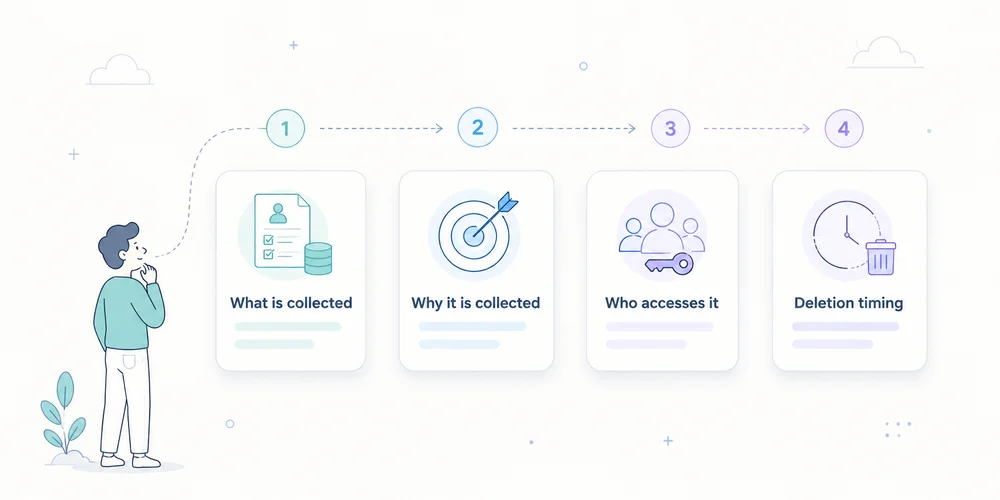
A privacy notice can be legally dense and technically wrong. A common example says “we only use anonymous data” while the site sends full URLs, campaign identifiers and IP addresses to several providers. At the other extreme, some notices list twenty abstract categories without helping readers understand what analytics actually does. Quality comes from alignment between:deployed collection; purposes; roles; consent or another applicable framework; retention; rights; the words used.The GDPR requires information to be concise, transparent, intelligible and easily accessible. Articles 12, 13 and 14 govern much of the content. A useful analytics notice should remain readable while describing important facts with enough precision. This is an editorial and operational method, not a universal clause or legal opinion. Start with reality, not a downloaded template Collect four internal sources before writing:the tracker inventory; the data collection summary; contracts, DPAs and subprocessor lists; consent and retention configuration.The notice is the public view of verified facts. It should not be used to guess how the site works. A legal template can structure headings. It cannot know whether you collect a full URL, store IP addresses, create a visitor identifier, allow vendor reuse, send free text, activate extended analytics after consent, export to a warehouse, or share identifiers across sites. Those answers must come from the audit. Use layered information One ten-page policy is not always the best entry point. Layer 1: information at the relevant moment Near the choice or collection, state the essentials:purpose; controller; required or optional nature; link to details; means to accept, refuse or withdraw where consent applies.For strictly limited measurement assessed as not requiring consent, a short notice can link to the analytics section. Layer 2: dedicated analytics section Explain:what is measured; why; how data are reduced; which provider is involved; how long information remains; how to exercise rights or ask questions; which capabilities depend on consent.Layer 3: detailed documentation A technical page or collection sheet can explain fields and transformations. It does not replace GDPR information, but it gives interested readers detail without overloading the first layer. Every layer must tell the same story. Sections to cover 1. Controller identity Name the entity that determines purposes and means, with contact details. In a group, the visible brand is not necessarily the legal controller. Include DPO details where applicable, or a clearly identifiable privacy contact. Useful wording:The controller for audience-measurement data on this site is [entity], available at [address or form]. For data-protection questions, contact [DPO or privacy contact].Avoid:We respect your privacy.It states an intention but identifies nobody. 2. Specific purposes Separate purposes instead of using “improve your experience” for everything. Examples include:measuring visits and viewed pages; detecting navigation errors; understanding acquisition sources; measuring demo requests; producing aggregate statistics; personalising content; measuring advertising campaigns.These do not necessarily share one legal framework. If minimal analytics runs by default and extended analytics starts after consent, say so. Useful wording:We use limited audience measurement to understand visit volume, viewed pages and main traffic sources. Enriched attribution and [other capability] are enabled only after your choice when consent is required.Avoid:We collect data to improve our services and offers.It is too broad. 3. Data categories and signals The notice need not reproduce every technical key, but it should be concrete. Depending on the setup:page path; visit time; referrer domain; approved campaign parameters; reduced device and browser class; approximate country or region; conversion event; optional pseudonymous identifier; temporarily received IP address; consent choice.Distinguish stored data from data used transiently to produce an aggregate result. Useful wording:For each visit, we record the page path, time, referrer domain when transmitted, device category and approved campaign parameters. The IP address is [describe exact handling]. Form contents are not sent to analytics.Avoid:We collect no personal data.An IP address, identifier or combination of signals may be personal data depending on the processing. 4. Legal basis and tracker framework Do not merge:storing or accessing information on the terminal under ePrivacy and national law; the GDPR legal basis for personal-data processing.The analytics consent checklist explains the distinction. Depending on the facts, the notice may refer to consent, legitimate interests after appropriate assessment, limited audience measurement under a conditional national exemption, or strictly necessary functionality. Do not use a legal basis as a marketing badge. Explain how the choice operates or how the assessment is documented. Avoid:Our tool is CNIL compliant, so consent is not needed.The CNIL states that the conditions depend on setup and context, and that providers cannot claim certification or approval based on its self-assessment. 5. Recipients and providers Identify recipient categories and, where it improves transparency, key providers. Explain roles for internal authorised teams, analytics vendor, hosting provider, technical support, agency and data warehouse. “Trusted partners” is not specific enough. Assess whether each provider is a processor, independent controller or another role based on the facts and contract. 6. International transfers Where data are accessible or transferred outside the EEA, explain relevant countries or categories, mechanisms and how to obtain more information. Do not confuse hosting region, vendor headquarters, support access, subprocessors and legal transfer. “Hosted in Europe, therefore no transfer” requires verification of the entire chain. 7. Retention A phrase such as “as long as necessary” needs concrete periods or criteria. Separate:tracker or identifier; raw events; aggregate reports; security logs; backups; exports.Useful wording:Analytics events are retained for [period]. Aggregate statistics remain for [period or criterion]. Technical logs have a separate [period]. Manual exports are deleted under [procedure].For the French CNIL framework, the thirteen-month tracker-lifetime and twenty-five-month collected-information recommendations are reference points to assess, not values to copy blindly. 8. Rights Explain applicable rights and provide a simple contact method. Depending on basis and processing, rights may include access, rectification, deletion, restriction, objection or portability. Truly anonymous analytics may not permit identification for an individual request. Explain this precisely rather than using anonymity as a blanket exception. Include the right to lodge a complaint with the competent supervisory authority. 9. Withdrawal or objection Where consent applies, provide an accessible way to withdraw it according to applicable rules. Where another basis applies and a right to object exists, explain the process. A “manage cookies” link must work on mobile, remain visible and change actual tag behaviour. 10. Date and changes Add a last-updated date and a process for material changes. Review the notice when the team adds a tool, purpose, identifier, retention period, export, provider, country or consent change. A concise change history can help returning readers. A short section to adapt This is an editorial skeleton, not a publication-ready clause.Audience measurement We use [tool] to measure visits, viewed pages and main traffic sources. This helps us detect navigation problems and evaluate content usefulness. Depending on our configuration, processed data include [concrete list]. [Describe IP and identifier handling]. Form contents and unapproved URL parameters are not sent. [Provider] acts as [role] and processes data in [relevant locations and transfers]. Data are retained for [periods by layer]. [Explain the ePrivacy framework and GDPR legal basis, including consent operation where applicable]. You may exercise your rights or ask a question at [contact]. You may [withdraw consent / object] through [method].Every bracket requires a verified answer. Wording that weakens credibility “Completely anonymous data” Use this only when the method supports the claim and the information can no longer reasonably identify or single out a person. Otherwise use precise descriptions such as aggregate data, identifiers removed, pseudonymised data, reduced granularity or IP address not retained in events. These terms are not interchangeable. “No data are shared” When a provider hosts or processes collection, it receives data as part of the processing. “Data are not sold” or “not used for advertising” may be accurate, but “no sharing” is often not. “GDPR compliant” Compliance depends on the controller, purpose, setup, contract and operations. Describe measures instead of issuing a universal verdict. “Necessary cookies” Explain necessary for what. A marketing team finding a tracker useful does not make it technically necessary. “We may change this policy at any time” This does not explain material-change handling. Add a date and an appropriate notification process where required. Align the notice with product delivery Policies are often reviewed annually while stacks change weekly. Add a release control:every new tag request states purpose, data and provider; the privacy or analytics owner assesses impact; the collection summary is updated; the notice and CMP change where necessary; deployment is tested; evidence is retained.For URLs, apply the parameter allowlist before the notice promises reduced collection. A twelve-question editorial audit Ask:Is the controller identifiable? Are purposes separated? Are data described concretely? Is temporary receipt distinguished from storage? Is the GDPR legal basis stated? Is the tracker regime explained without shortcuts? Are providers and roles clear? Were transfers verified? Are retention periods concrete? Are rights and contact accessible? Does withdrawal or objection work? Does the text match the current network and configuration?A negative answer triggers a correction to the stack, the text, or both. Conclusion A good analytics privacy notice does not reassure through adjectives. It provides understandable facts. It explains who measures, why, with which signals, for how long, through which providers, under which framework and with which controls for individuals. Start from the technical inventory, write in layers, validate necessary legal qualifications and connect every stack change to documentation updates. Transparency is not separate from the product. It is the public description of its governance. FAQ Should the analytics vendor be named? The GDPR requires information about recipients or recipient categories. Naming the main provider often improves clarity, although the precise form depends on the processing and notice structure. Can the notice say data are anonymous? Only when anonymisation is demonstrated. Pseudonymised, aggregated or IP-free data are not automatically anonymous. Does the notice replace a consent banner? No. The notice provides detail. Where prior consent is required, a valid choice must occur before covered trackers start. Must every analytics event be listed? Not necessarily in the first layer. Use concrete categories and provide deeper documentation where useful. Sensitive or unexpected events require explicit assessment. What if a vendor changes subprocessors? Assess recipients, transfers, contracts and risk, then update documentation and information where necessary. SourcesRegulation (EU) 2016/679, Articles 12, 13 and 14 CNIL, Examples of privacy information notices CNIL, Informing individuals CNIL, Audience-measurement cookies and consent conditions EDPB, Guidelines on transparency under Regulation 2016/679

Website tracker audit: a practical checklist for small teams
A tracker audit is not a cookie-counting exercise followed by a screenshot. Its purpose is more practical: to understand which components communicate with which services, when they do so, why they exist and what data they transmit. That distinction matters. A site can set no HTTP cookie and still send information to third parties. Conversely, a cookie may be strictly necessary to deliver a feature requested by the visitor. The word “cookie” does not determine purpose, risk or the applicable legal rule. For a small business, B2B SaaS team or multi-site operator, the useful output is not a fifty-page report. It is a reproducible inventory connected to owners, decisions and remediation work. Keep one boundary clear from the start: a technical audit is not a legal opinion. It provides the facts needed to document the setup and support a qualified assessment. What the audit should answer By the end of the exercise, the team should be able to answer eight questions:Which scripts, pixels, SDKs and third-party resources load? Which cookies, local storage entries or identifiers are created? Which requests fire before the visitor makes a choice? What data appears in URLs, headers and request bodies? Which provider receives each data point? Which operational purpose justifies each component? How long are identifiers and collected data retained? Who can access, export or reconfigure the data?This prevents a common failure mode: reviewing the banner while never testing what the website actually does. European regulators use a technology-neutral understanding of trackers. It can include cookies, pixels, local storage and fingerprinting techniques. An empty cookie list is therefore not sufficient evidence that no tracking occurs. Build a representative test scope Testing the home page alone rarely gives a useful result. Components differ by template, journey and consent state. Your sample should cover at least:the home page; a content page; a product or service page; a pricing page; a form; a confirmation page; an authenticated area, where applicable; a page embedding video, maps, chat or booking tools; a campaign URL with UTM parameters; major language versions or domains in a multi-site setup.Test several states as well:first visit with no stored choice; reject all optional trackers; selective acceptance; accept all; returning visit with a saved choice; private browsing or a clean browser profile.Add a dedicated scenario for sensitive areas. A customer portal, healthcare form, HR page or admin interface should not be treated like an ordinary editorial page. A seven-step tracker audit 1. Start with a clean browser Use a fresh browser profile without extensions that block or rewrite requests. Open developer tools before loading the page and preserve the network log. Record:tested URL; date; browser and version; consent scenario; production or staging environment; person running the test.This makes the audit reproducible and allows a reliable before-and-after comparison. 2. Inventory loaded components In the Network panel, inspect scripts, images, fetch calls, XHR and documents. Record third-party domains and first-party-hosted files supplied by external vendors. A script served from your domain is not necessarily operated by your team. Proxies, tag managers and CDNs can obscure the functional source. For every component, capture:Field QuestionComponent Which script or service loads?Owner Which team requested it?Provider Who operates it?Purpose Measurement, support, security, advertising or media?Trigger Before choice, after acceptance or after an action?Observed data URL, referrer, IP, identifier or event?Destination Which domain and known processing region?Decision Keep, configure, defer or remove?Do not stop at the vendor name. The same company may provide products with very different data practices. 3. Inspect browser storage Review:first-party and third-party cookies; localStorage; sessionStorage; IndexedDB; service workers; application caches where relevant.For every entry, record its name, domain, lifetime, attributes and creation time. Secure, HttpOnly and SameSite are valuable security attributes, but they do not determine purpose or consent requirements by themselves. Clear site data between scenarios. Otherwise, an identifier created during the “accept” test can contaminate the “reject” test. 4. Compare behaviour before and after a choice Reload the same page in each state and compare:contacted domains; request count; created cookies; sent events; deferred scripts; calls triggered by interaction.A tag may stay silent at first load and fire after scrolling, clicking or opening a widget. Test the important interactions, not only the initial page request. For session replay, chat and personalisation tools, review masking and excluded areas. A minimal tracking plan is a useful reference point: collection should remain tied to a decision rather than the technical ability to record everything. 5. Inspect the transmitted payload Open representative requests and examine:full URL; query parameters; request body; headers; referrer; persistent identifiers; event properties.Look specifically for data that should not enter an analytics URL:email address; telephone number; name; customer ID; password-reset token; session token; free-form text; sensitive search query; case or account reference.URLs are routinely copied into logs, browser history, observability systems and support tools. Data placed in a query string can spread far beyond the analytics product. 6. Connect technical findings to governance The Network panel cannot answer every question. Review the vendor documentation and account settings:retention; hosting and subprocessors; international transfers; vendor reuse of data; sharing options; roles and access; exports; deletion; audit logs; multi-site configuration.Where a team is considering a limited audience-measurement exemption, the actual configuration matters. Under the CNIL framework, the purpose must be strictly limited to audience measurement for the publisher, and the result must be anonymous statistics without cross-site tracking or data combination. The national rules and implementation need to be assessed for the relevant country. 7. Turn the inventory into work Use four simple severity levels:Critical: sensitive data or tokens exposed, marketing tags firing after refusal, session identifiers in URLs. High: unknown provider, no internal owner, session replay on sensitive areas, uncontrolled retention. Medium: excessive lifetime, duplicate tags, unnecessary parameters, incomplete documentation. Low: naming cleanup, stale test tags, missing comments or weak evidence.Every action needs an owner, due date and validation test. “Review later” is not a workable remediation item. A 90-minute first pass A small site can complete an effective initial review in one short workshop. 20 minutes: map the scope List critical templates, expected tools and consent states. 30 minutes: observe Inspect network and storage on three to five pages in the initial, reject and accept states. 20 minutes: reconcile Compare observed domains with the consent interface, privacy notice, tag manager and vendor contracts. 20 minutes: decide Remove ownerless components, open high-priority tickets and schedule deeper tests. This does not replace a full assessment, but it often finds the most expensive issues: forgotten scripts, duplicate tags, personal data in URLs and premature firing. Common audit mistakes Treating a scanner as a conclusion Automated tools help discover domains and cookies. They cannot always determine purpose, event context or contractual configuration. Their findings need manual verification. Testing only “accept all” The reject state is often the most informative test because it shows whether the visitor’s choice is actually enforced. Ignoring first-party requests A request sent to your own domain may still be proxied elsewhere or contain data that should not be collected. Auditing production once A new tag-manager rule, CMS plugin or marketing integration can change collection without a visible interface change. Lightweight quarterly reviews and pre-launch checks are more useful than one large annual exercise. Producing a table with no owner An inventory without decisions, owners or dates becomes stale quickly. Governance turns the audit into actual risk reduction. The minimum evidence package Keep four items:the component inventory; key evidence, such as screenshots or network exports; a decision log with rationale; remediation tasks and retest results.Version the document. For multi-site teams, add a “web property” column and distinguish global components from local exceptions. Conclusion The goal is not to declare the site perfect. It is to explain what was observed at a given date, why each component exists and how gaps are being resolved. FAQ Does a cookieless site still need a tracker audit? Yes. Pixels, network calls, local storage and identification techniques can operate without HTTP cookies. The audit must focus on data flows and purposes, not only cookies. Are automated scanning tools enough? No. They accelerate discovery but do not replace manual checks of trigger conditions, payloads, account settings and internal ownership. Must every page be tested? Not necessarily. Select a representative sample of templates, integrations, journeys and consent states, then test sensitive areas more deeply. How often should the audit be repeated? After material stack changes, before sensitive launches and on a cadence that matches the rate of change. For a small team, a lightweight quarterly review is often more realistic than a large yearly audit. Does a technical audit prove GDPR compliance? No. It documents technical facts. Compliance also depends on purposes, legal bases, contracts, transparency, individual rights and applicable national ePrivacy rules. Sources Sources checked on June 21, 2026.CNIL, Cookies and trackers: what does the law say? CNIL, Cookies and audience measurement solutions CNIL, public consultation on session replay, February 25, 2026 EDPB, Guidelines 2/2023 on the technical scope of Article 5(3) of the ePrivacy Directive Chrome for Developers, Network panel reference OWASP, Information exposure through query strings in URL
- 04 May, 2026
Session replay and CNIL: what teams should verify after the 2026 consultation
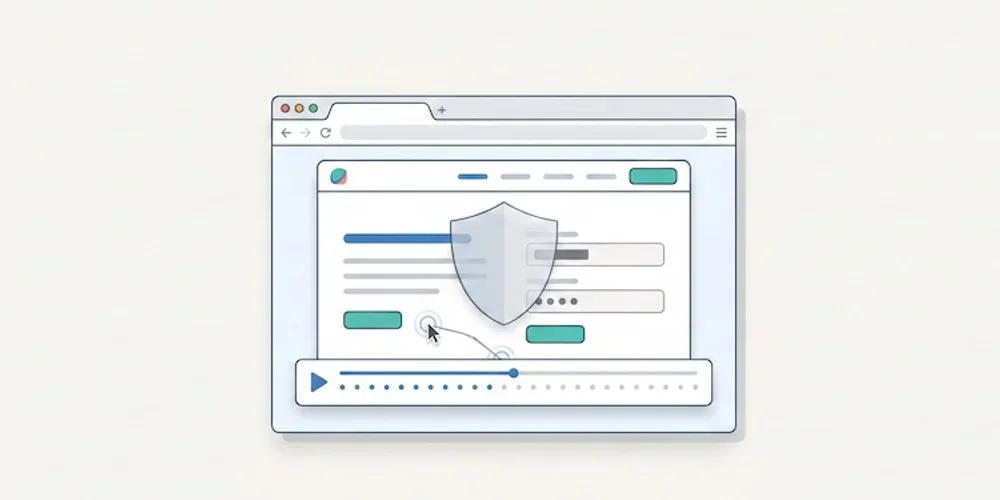
On February 25, 2026, the CNIL opened a public consultation on a draft recommendation for session replay tools. The consultation period ended on April 22, 2026. As of this article's publication date, teams should treat the draft as a strong warning signal while monitoring the final recommendation. Session replay tools are not ordinary audience-measurement tools. They can record detailed interactions: scrolling, clicks, form behavior, interface hesitations and sometimes typed content if masking is incomplete. That level of detail creates a different risk profile from aggregated traffic statistics. The practical consequence is simple: product, marketing and support teams should not activate session replay as a casual dashboard add-on. It needs a documented purpose, minimization settings, masking, access control, retention limits and a clear decision on when recording is allowed. What makes session replay sensitive Session replay can help diagnose UX issues, broken forms or confusing flows. But the same recording can reveal personal data, sensitive fields, account context or unexpected behavior. A misconfigured tool can collect more than the team intended. That is why the CNIL draft focuses on proportionality and safeguards. The useful question is not whether a vendor is popular. It is whether your configuration actually limits what is captured, who can view it and how long it remains available. A launch checklist for teams Before enabling session replay, review these points:define the exact purpose: UX debugging, support investigation, quality assurance or another documented need; disable recording by default on sensitive pages and authenticated areas unless there is a validated reason; mask form fields, free-text inputs, account data and any field that can contain personal or sensitive information; limit the share of sessions recorded instead of recording every visit; restrict access to named roles and audit who can view recordings; set a short retention period and delete recordings after the operational need ends; document the tool, provider, transfers and retention in your privacy materials; verify that the recording state follows your consent and preference-management setup; keep a rollback procedure to disable recording quickly if a leak or spike is detected.How this differs from Pomelo's core analytics Pomelo's launch positioning is deliberately different. The default analytics model is cookieless, minimal and report-oriented. It is designed to answer operational questions with aggregate data, not to replay individual user journeys. That distinction matters. Session replay can be useful in a narrow debugging workflow, but it should not be confused with privacy-first audience measurement. For most SME, SaaS and multi-site teams, the baseline analytics stack should remain lighter than a recording tool. What to do now If you already use Hotjar, Microsoft Clarity, FullStory or a similar tool, run a short audit before launch:list every page where recording is active; inspect the last 20 recordings for accidental personal data capture; review masking rules with a non-technical stakeholder; confirm retention and access controls; decide whether the tool is still needed permanently or only during limited research windows.If the team cannot explain why recordings are necessary, it is safer to disable them until the purpose and safeguards are documented. Sources Sources checked on May 9, 2026.CNIL, Session replay consultation, February 25, 2026 CNIL, Cookies and audience measurement solutions Hotjar, Privacy and security Microsoft Clarity, Privacy overview
- 27 Apr, 2026
AI assistant traffic is not just direct traffic: how to measure ChatGPT, Perplexity, and Claude without fooling yourself
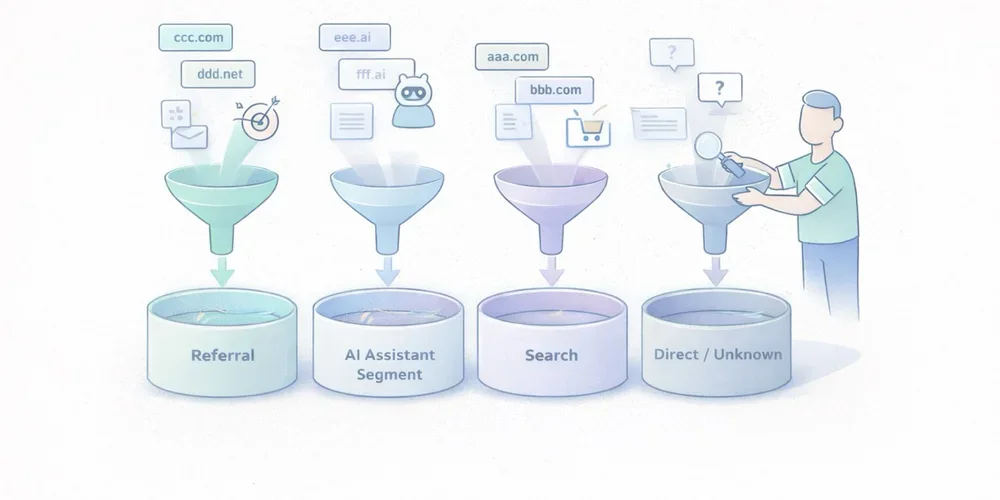
Over the last few months, more marketing teams have started asking the same question: “Are we getting AI traffic now?” The question is fair. ChatGPT, Perplexity, Claude, and other interfaces now show links to websites more often. Some teams can already see those visits in their dashboards. Others notice direct traffic going up and jump to the conclusion that “AI tools are sending direct traffic.” That reading mixes together several very different realities. Some traffic from AI assistants is measurable as normal referral traffic. Some of it ends up in direct or unknown because no usable referrer is passed along. Another part never appears in your analytics at all because there was no click. And when Google blends AI experiences into Search, the line gets even blurrier. In other words, AI traffic is neither a perfectly clean new channel nor a pure illusion. It is a mixed set of behaviors that needs to be read carefully. The goal is not to measure everything perfectly. The goal is simpler and more useful: separate what is truly attributable, document the gray area, and avoid building a story on top of fragile numbers. AI traffic is not one technical source The first thing to clarify is simple: “AI traffic” is not a single analytics category. In practice, teams usually mix together at least four different cases. 1. Assistants that send a real referrer Some ChatGPT, Perplexity, or Claude experiences show links to web sources. When a user clicks from an interface that passes usable source information, your analytics tool may see a referring domain. This is the easiest part to measure. It behaves like regular referral traffic:a visit arrives with an identifiable source domain; a landing page is viewed; the visitor may convert, bounce, or continue browsing.This case alone is enough to justify a dedicated segment. Plausible, for example, documented a strong increase in referral traffic from ChatGPT, Perplexity, Claude, and Phind in 2024. That is not a universal benchmark, but it is a useful signal: AI assistants can send visible, usable traffic. 2. Assistants or apps that do not pass clean source data Not every click is passed through cleanly. Fathom’s documentation explicitly notes that “Direct/unknown” traffic can come from direct visits, email, apps, or any situation where no referrer was passed, and that no analytics platform can control this. This is where many teams get the story wrong. A rise in direct traffic does not prove that AI assistants caused it. But the reverse is also true: some traffic from AI assistants may get absorbed into direct or unknown if the technical context does not pass usable source information. 3. AI answers that cite you without sending a click This is a critical point. Your content can be cited, summarized, or used as a source in an assistant answer without producing a visit to your site. When that happens, your web analytics sees nothing. You may have gained visibility. You did not gain a session. Treating those two things as the same will quickly distort your analysis. 4. AI experiences embedded inside traditional search Google is a special case. Google presents AI Overviews and AI Mode as Search features that can show links to websites and that do not require separate SEO tactics beyond the usual fundamentals. For measurement, that means something straightforward: anything driven by AI will not necessarily appear as a cleanly separated channel, especially when the experience remains embedded in an existing search environment. So avoid overly binary logic such as:“standalone assistant = AI traffic”; “search engine = standard SEO traffic.”In reality, the line is becoming more porous. What you can actually measure today The good news is that you can already measure several useful things without building an oversized setup. Visible referring domains This is the foundation. If your analytics tool exposes referrers or sources, you can identify visits attributed to domains tied to AI assistants. Depending on your stack, that may happen through:a Referrers report; a Sources report; a custom segment; a dedicated channel group.Google Analytics 4 even includes an explicit example of a custom channel group called “AI assistants,” with matching rules for assistants such as ChatGPT, Gemini, Copilot, Claude, and Perplexity. That matters. It shows that in 2026, even Google Analytics treats this as a real analysis use case, not a niche curiosity. Landing pages that capture those visits Volume alone is rarely helpful. The more useful question is: which pages attract this traffic? If three articles, two product pages, and one comparison page capture most visits from AI assistants, you already have a practical reading:which assets are being cited or surfaced; which topics are emerging; which pages function as entry points; which pages deserve improvement.That is often more useful than a single session count. Conversions and intent signals If your tool tracks goals or events, you can go further:demo requests; newsletter signups; meetings booked; trial starts; purchases; clicks on pricing or strategic CTAs.At that point, you are no longer just measuring curiosity. You are measuring traffic quality. That is where an “AI assistants” segment becomes valuable. Not because it sounds trendy, but because it lets you compare:volume; engagement rate; visit depth; conversion.UTM campaigns when you control distribution yourself There is also a simpler case: links that you distribute. If you publish something in a newsletter, a document, a partnership page, or a directory, and you want to observe how your own distribution performs, UTM parameters remain useful. But do not assume AI assistants will preserve your tracking conventions in every context. UTM tags are excellent for measuring links you intentionally distribute. They are much less reliable for mapping every citation or click generated by third-party AI systems. What you will not measure cleanly This is often the most important part of the conversation. Good measurement also means accepting limits. You will not see mentions without clicks If an assistant summarizes your content, uses your ideas, or cites your page without sending a visit, your web analytics will remain silent. That does not mean your content had no role. It just means web session data is not the right sensor for that kind of visibility. You will not always separate AI traffic from direct traffic When a visit arrives without a usable referrer, you enter a gray zone. That gray zone may include:real direct traffic; email traffic; messaging apps; app traffic; browsers or contexts that strip source data; potentially some traffic originating from AI assistants.The only serious posture is to treat that as uncertainty, not as a hidden truth waiting to be renamed. You will not perfectly isolate AI-powered search experiences When an AI experience remains embedded inside an existing search environment, isolated attribution becomes harder. Google explains its AI features in Search as part of the broader web search experience, with the same core SEO fundamentals still applying. For marketing teams, the practical implication is simple: not every visit influenced by AI will appear as a distinct AI source in your reports. You should not confuse citation, visit, and revenue Being cited in an assistant, receiving a click, getting an engaged session, and generating a conversion are four different things. A useful dashboard needs to keep those levels separate. Otherwise, it becomes very easy to move from a modest observation, “we are seeing some visits from ChatGPT and Perplexity,” to a much bigger story, “AI is becoming our next major acquisition channel.” The cleanest way to measure this traffic The goal is not to build a perfect system. The goal is to create a simple, stable, reusable reading framework. 1. Create a dedicated AI assistant segment or channel Start with a short list of sources you can actually observe. For example:ChatGPT / OpenAI; Perplexity; Claude / Anthropic; optionally Copilot or Gemini if they are already visible in your data.Be conservative. Do not add ten hypothetical domains that never show up. 2. Analyze landing pages first Before commenting on volume, look at:which pages receive those visits; whether those pages are old or recent; whether they answer comparative, practical, or explanatory queries; whether they work well as entry pages.This is often where the useful insight lives. 3. Compare traffic quality, not just traffic size Low-volume but high-intent traffic can matter much more than a visible but shallow spike. At a minimum, compare:whatever engagement metric your tool provides; visit depth; key conversions; CTA clicks; exit pages.4. Keep an eye on direct or unknown as a separate gray zone You should not merge direct traffic into AI traffic. But ignoring it completely would also be naive. The better approach is to document it as a possible gray zone. If visible AI referrers increase and direct traffic rises on the same landing pages, that may support a hypothesis. It is still not proof. 5. Document your reading rules This small step makes a big difference in teams. Write down:which domains are included in the AI segment; what is not measured; what falls into direct or unknown; which conversions are tracked; how often the segment is reviewed.A good dashboard is not enough on its own. You also need an interpretation rulebook. The most common mistakes Calling every direct traffic increase “AI traffic” This is probably the most common mistake. Direct traffic is an imperfect bucket. It can contain many things. Assigning it a single cause without evidence weakens the entire analysis. Creating an overly broad AI channel from day one If you group together any domain that vaguely sounds AI-related, you create a noisy segment. A narrower but cleaner segment is usually more useful than a wide and doubtful one. Focusing on volume before conversion Getting 500 weak visits from an AI interface matters less than getting 30 visits to a comparison page that converts. Mixing classic SEO, AI assistants, and branded traffic without a method The right move is not to force a false opposition. It is to separate what is observable, what is comparable, and what remains hypothetical. What to remember Traffic from AI assistants is real. It is not imaginary. But it also does not arrive as a single, clean, perfectly attributable source. Some of it appears as visible referral traffic. Some of it gets lost in direct or unknown. Some of it never generates a session because no click happens. And some of it lives inside search environments where AI and classic search are harder to separate. The best working approach comes down to four simple rules:isolate the referrers you can actually see; measure landing pages and conversions, not just sessions; treat direct as a gray zone, not as hidden certainty; clearly document what your AI segment includes, and what it does not.That framework is less dramatic than a promise of total attribution. It is also much more useful. FAQ Should traffic from ChatGPT always be classified as direct traffic? No. When a usable referrer is passed, it can be measured as referral traffic or grouped into a dedicated segment. But some visits may still end up as direct or unknown depending on the technical context. Can I measure citations without clicks from AI assistants? Not with standard web analytics. Without a session or a click, your audience analytics tool sees nothing. Should I create a separate AI channel in GA4? Yes, if you are starting to see referring domains tied to AI assistants. GA4 documentation explicitly includes this use case in its custom channel group guidance. Should AI traffic be treated as a major new acquisition channel right away? Not automatically. First look at landing pages, traffic quality, and conversions before making that leap. Can I perfectly separate classic Google Search from Google’s AI experiences? Not always. When AI is embedded inside a broader search experience, isolated attribution becomes harder. SourcesOpenAI Help Center, ChatGPT search : https://help.openai.com/en/articles/9237897-chatgpt-search Claude Help Center, Using Research on Claude : https://support.claude.com/en/articles/11088861-using-research-on-claude Perplexity Help Center, How does Perplexity work? : https://www.perplexity.ai/help-center/en/articles/10352895-how-does-perplexity-work Google Analytics Help, Custom channel groups : https://support.google.com/analytics/answer/13051316 Google Search Central, AI features and your website : https://developers.google.com/search/docs/appearance/ai-features Fathom Analytics Docs, Dashboard explained : https://usefathom.com/docs/start/dashboard Plausible Analytics, Breaking down our AI traffic surge : https://plausible.io/blog/ai-referral-traffic-and-optimization
- 30 Mar, 2026
CNIL sanctions: what analytics teams should learn before launch
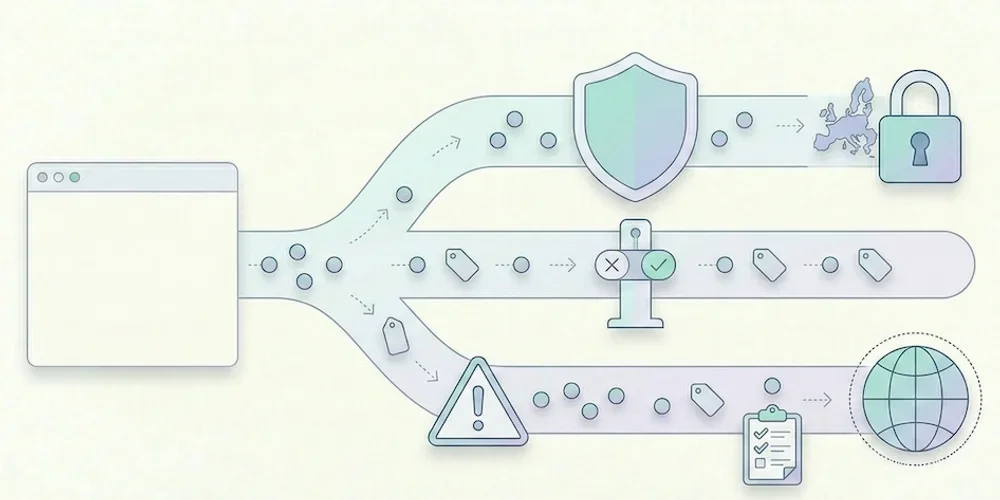
CNIL sanction decisions are useful because they show patterns, not just headline amounts. For analytics teams, the lesson is clear: risk rarely comes from measuring traffic in itself. It comes from unclear purposes, tracking before a valid choice, excessive collection, weak information, poor retention and provider relationships that nobody has reviewed. This article does not try to predict a fine. It gives product, marketing and legal teams a launch checklist grounded in the CNIL's public sanction list and cookie guidance. The recurring analytics risks 1. Tracking starts too early If advertising, personalization or advanced tracking fires before the visitor's valid choice is recorded, the compliance issue is immediate. Teams should verify scripts in the browser, not only in a tag manager diagram. 2. The purpose is too broad "Analytics" can hide several purposes: audience measurement, ad attribution, retargeting, product analytics, support, personalization and CRM enrichment. These purposes do not carry the same risk or consent analysis. They must be separated in configuration and documentation. 3. Data is kept too long Retention is a recurring sanction theme across CNIL decisions. Analytics teams should define retention for raw events, derived reports, exports and backups. The answer cannot be "as long as the tool allows". 4. Provider roles are unclear The site publisher remains responsible for understanding what the provider does. Review data-processing terms, hosting, transfers, sub-processors and reuse clauses before launch. 5. The public explanation is vague A privacy policy that only says "we use cookies to improve the experience" is not enough for a modern analytics stack. Explain the tool, purpose, data categories, retention and choice mechanism in concrete terms. How to reduce risk before launch Run this practical check:open a clean browser profile and inspect which scripts fire before any choice; map each tag to a purpose and owner; remove tags nobody can justify; separate minimal audience reporting from richer marketing tracking; document retention and export rules; review provider terms and transfer mechanisms; update privacy copy with actual tool names; keep evidence of the test in the release checklist.For Pomelo, this means keeping the public promise conservative: cookieless by default, minimal collection, clear documentation, Strict first and Extended by explicit configuration. Why this matters for SMEs SMEs often assume enforcement only targets large platforms. The CNIL sanction list shows that smaller organizations can also be sanctioned, including through simplified procedures. The amounts differ, but the operational lesson is the same: a small team still needs traceability, minimization and a clean release process. Good analytics governance is not bureaucracy. It prevents last-minute launches from becoming privacy incidents. Sources Sources checked on May 9, 2026.CNIL, public list of sanctions, updated April 14, 2026 CNIL, Cookies and other trackers CNIL, Cookies and audience measurement solutions
- 23 Mar, 2026
GDPR analytics checklist: 10 checks before installing a tracking tool
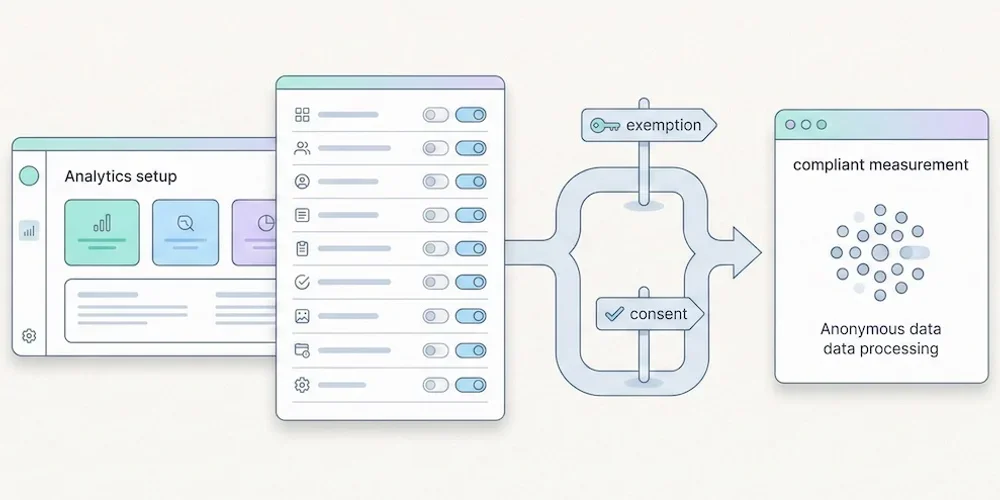
Installing analytics is easy. Governing analytics is harder. A script can be live in five minutes, but the team still needs to know what it collects, why it collects it, how long the data stays available and which choices are presented to visitors. Use this checklist before adding or changing a measurement tool. It is not legal advice. It is a practical review framework for product, marketing, engineering and privacy stakeholders. 1. Define the purpose Write the purpose in one sentence. "Understand audience and site performance" is not the same as advertising attribution, retargeting, product behavior analysis or CRM enrichment. Separate the purposes before discussing tools. 2. Split baseline and enriched collection Define what belongs in minimal audience reporting and what belongs in enriched tracking. Campaign parameters, detailed events, goals, technical context and multi-site segmentation should be deliberate configuration choices. 3. List the fields collected Review the payload, not only the dashboard. Check URL, referrer, user agent, language, screen data, campaign parameters, identifiers, events and custom properties. Remove fields that do not serve the stated purpose. 4. Check tracker timing Use a clean browser profile and inspect which scripts fire before any visitor choice is recorded. Do this on the homepage, landing pages, forms, checkout or signup flows and authenticated areas. 5. Set retention rules Define retention for raw events, aggregated reports, exports and backups. Long retention should be justified by a real operational need, not by a vendor default. 6. Review provider terms Confirm the provider role, hosting location, sub-processors, transfers, support access and reuse clauses. Keep the current data-processing agreement with the launch record. 7. Update public information Your privacy policy should name the tool, describe the purpose, list the main data categories, explain retention and point to the relevant choice or objection mechanism. 8. Test Strict and Extended behavior If your product separates Strict and Extended collection, verify both modes in the browser and in storage. Strict should not persist enriched fields. Extended should be explicit and documented. 9. Control access and exports Analytics data often spreads through CSV exports, screenshots and shared dashboards. Restrict access to people who need it and define how exports are handled. 10. Keep evidence Save the browser test, payload review, provider links, privacy-policy update and release owner in your launch checklist. Evidence matters when decisions are challenged later. Pomelo launch reading For Pomelo, this checklist translates into a simple doctrine: Strict by default, Extended by configuration, no profile mutation from reports, and clear dashboard explanations when data availability changes with collection mode. SourcesCNIL, Cookies and other trackers: https://www.cnil.fr/fr/cookies-et-autres-traceurs CNIL, Cookies and audience measurement solutions: https://www.cnil.fr/fr/cookies-solutions-pour-les-outils-de-mesure-daudience EDPB, Guidelines 05/2020 on consent under Regulation 2016/679: https://www.edpb.europa.eu/our-work-tools/our-documents/guidelines/guidelines-052020-consent-under-regulation-2016679_en EDPB, Guidelines 07/2020 on controller and processor concepts: https://www.edpb.europa.eu/our-work-tools/our-documents/guidelines/guidelines-072020-concepts-controller-and-processor-gdpr_en
- 16 Feb, 2026
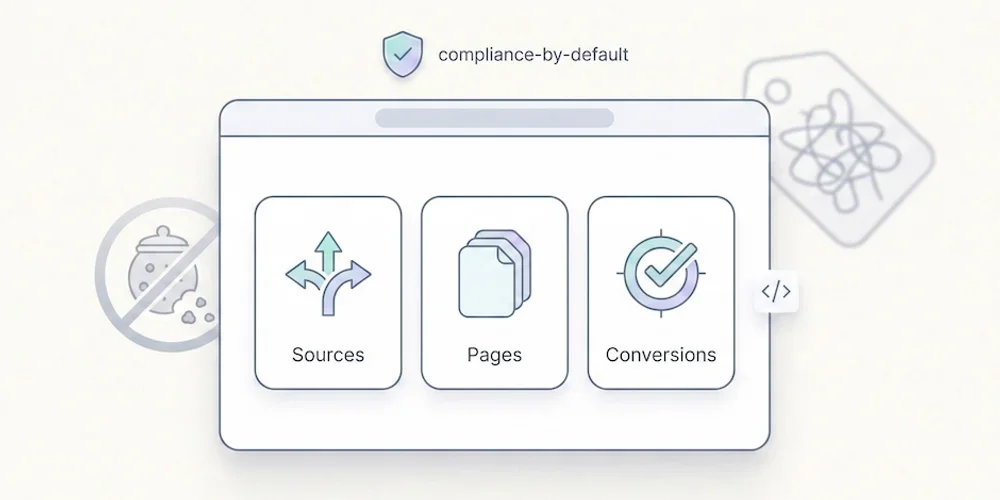
Cookieless 2026: why SMEs can move faster when analytics stays small
Large organizations often need months to change analytics tools. They have tag managers, consent platforms, data warehouses, agency workflows, advertising pixels, dashboards and historical reporting commitments. SMEs usually have less legacy. That can be an advantage if they keep the migration disciplined. Cookieless analytics is not magic. It is a product and governance choice: collect less, document more clearly, and focus on reports the team actually reads. Why SMEs can move faster SMEs usually have fewer stakeholders, fewer custom tags and fewer legacy dashboards. A small team can audit its measurement stack in a day, remove unnecessary scripts and agree on a simpler reporting model. The advantage is not size by itself. The advantage is decision speed. A founder, marketing lead, product manager and developer can sit together and decide what is genuinely needed for launch. The practical playbook Start with four questions:Which decisions will analytics support each week? Which fields are necessary for those decisions? Which fields belong only in enriched collection? Who owns future changes to the tracking plan?Then implement the simplest baseline possible. Page views, sources, top content, key actions and trend comparison are enough for many SME sites. Campaign details, advanced goals, technical slices and multi-site segmentation should be added deliberately when they create real value. What to avoid Avoid rebuilding the complexity you were trying to escape:installing multiple analytics scripts for the same question; keeping old pixels "just in case"; collecting campaign parameters nobody reviews; adding custom events before the team has defined success; presenting privacy posture as a generic guarantee instead of documenting the setup.Where Pomelo fits Pomelo's launch doctrine is Strict by default and Extended by configuration. That fits SMEs that want useful reporting without expanding the tracking stack unnecessarily; compliance still depends on the site's documented configuration. Strict should answer the baseline questions. Extended should be reserved for richer acquisition, events, goals and technical context. The setting belongs in site collection settings, not inside reports. Sources Sources checked on May 9, 2026.CNIL, Cookies and audience measurement solutions CNIL, Cookies and other trackers Google, Consent Mode overview Pomelo, GDPR audience measurement framework article