Tag: Google analytics

All blog posts with this tag.
Cookieless 2026: Why SMEs Have a Head Start on Large Enterprises

Cookieless 2026: Why SMEs Have a Head Start on Large Enterprises

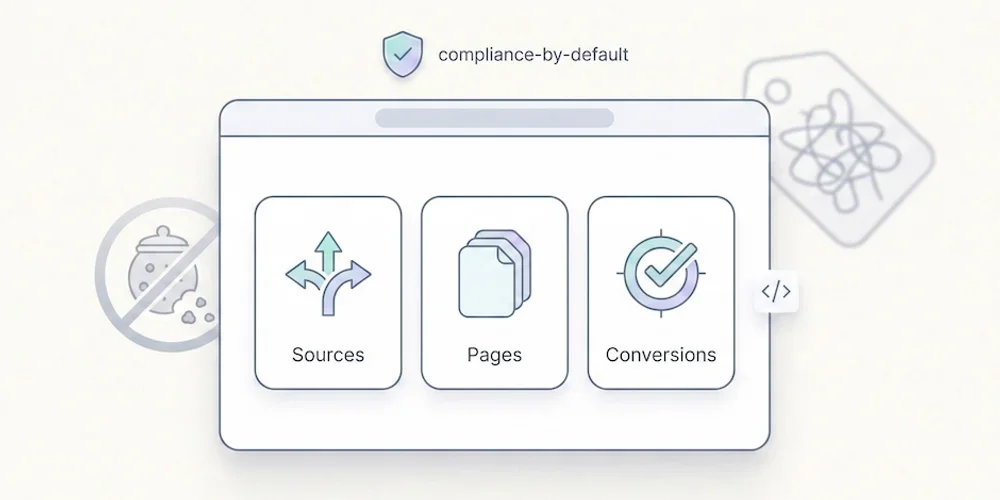
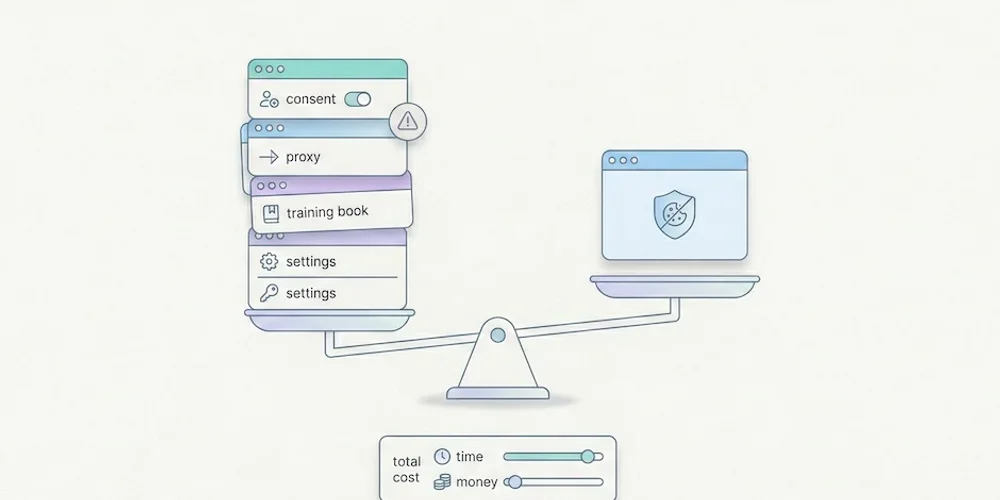
You run an SME. You installed Google Analytics three years ago "because you need to measure something." You now receive worrying emails about cookies, consent, data transfers. You look at large companies with their data teams, consultants, six-figure analytics budgets. And you think: "I'm behind." Here's the good news: you're not behind. You're ahead. In 2026, the analytics market is transforming. Third-party cookies are gone. Browsers block more and more trackers. Regulations tighten. GDPR fines explode. And in this context, large enterprises are stuck. They've invested millions in complex analytics infrastructure that no longer works. Migrating to cookieless costs them a fortune and takes 12 to 24 months. You don't have this problem. You can adopt a modern, simple, compliant solution directly. No migration. No technical debt. No drawn-out project. You start with a clean stack, designed for 2026, while your larger competitors are still dismantling their 2019 setup. This article explains why being small has become a competitive advantage in analytics, how SMEs can skip a generation of tools, and which metrics you actually need to run your business. Because measuring less often means deciding better. The Trap Large Enterprises Are Caught In Legacy of Complex Analytics Infrastructure Large enterprises invested massively in analytics systems between 2015 and 2020. Google Analytics 360 (GA paid version), Adobe Analytics, AWS data lakes, data science teams. Hundreds of thousands per year. Dozens of dashboards. Hundreds of audience segments. These infrastructures all rest on the same principle: third-party cookies. Identifiers that track users from one site to another, enabling cross-site journey measurement, advertising retargeting, and feeding machine learning algorithms. Problem: This model is collapsing. Safari and Firefox have blocked third-party cookies for years. Chrome was supposed to remove them in 2024, postponed, then finally introduced a "user choice" system that amounts to the same thing. Result: In 2026, third-party cookies no longer work reliably. For large enterprises, it's an earthquake. All their dashboards show incomplete data. Their attribution models (which campaign gets credit for a sale) are skewed. Their advertising audiences crumble. And worse: they can't simply "stop" their current tools. Too many business processes depend on them. The Server-Side Tracking Mirage The solution sold to large enterprises? Server-side tracking. Instead of having analytics scripts run directly by the browser (client-side), you route events through a server you control. Technically, it's brilliant. It bypasses some browser blocking. It improves accuracy. But concretely, it's a money pit:Infrastructure cost: Hosting a tagging server (Google Tag Manager Server-Side, for example) costs between €500 and €2,000 per month depending on traffic volume. Technical complexity: You need to configure Docker containers, manage proxies, maintain SSL certificates. You need a dedicated DevOps. Long migration: Reconfiguring all tags (Google Analytics, Facebook Pixel, LinkedIn Insight, etc.) in server-side mode takes 6 to 12 months for a large organization. Ongoing maintenance: Every time advertising platforms update, you must adapt server configurations.Result: Large enterprises spend between €50,000 and €200,000 per year just on cookieless infrastructure. Not counting external consultants billing €800 to €1,500 per day. Customer Data Platforms (CDPs): An Overly Complex Machine The other solution proposed to large enterprises: CDPs (Customer Data Platforms). Tools like Segment, mParticle, Tealium that centralize all customer data (website, mobile app, CRM, email, support) to create a "unified profile." The idea is appealing: gather all your first-party data (data collected directly from your customers) in one place, then redistribute it to your analytics, advertising, and CRM tools. The reality is painful:Prohibitive price: CDPs cost between €30,000 and €100,000 per year for an SME, much more for large accounts. Integration complexity: Connecting all your systems (site, app, Salesforce, HubSpot, Mailchimp, etc.) takes 3 to 6 months. Learning curve: Training your marketing teams to use the tool takes another 2 to 3 months. Connection maintenance: Every time a platform changes its API, you must update connectors.Many companies end up with a CDP they use at only 30% capacity, for a five-figure annual cost. It's the overly complex machine syndrome: too many features, not enough adoption. Time Lost: 12 to 24 Months of Migration Add it all up:Existing audit: 1-2 months New architecture selection: 1-2 months Server-side tracking setup: 3-6 months CDP integration: 3-6 months Progressive dashboard migration: 3-6 months Team training: 2-3 monthsYou easily reach 12 to 24 months of project time. Meanwhile, marketing teams navigate blind with partial data. Strategic decisions are made on fragile foundations. And the budget? Between €100,000 and €500,000 depending on company size. Why SMEs Can Skip This Step You Have No Analytics Technical Debt Technical debt is the accumulation of past technology choices that slow you down today. Large enterprises drag:Google Analytics tags installed in 2015, configured by a contractor who has since disappeared. Facebook pixels deployed across 50 different pages, undocumented. Custom events whose logic nobody remembers. Google Data Studio dashboards created by an intern in 2019 that nobody dares touch.You, as an SME, probably have:Google Analytics installed with default code. Maybe a Facebook or LinkedIn pixel. One or two dashboards you check once a month.In other words: you have almost nothing to migrate. You can move directly to a modern tool without dragging 10 years of history and complex configurations. It's like moving from a studio rather than a castle: much simpler. You Can Adopt a Cookieless Solution Directly Cookieless isn't "doing what we did before but without cookies." It's rethinking audience measurement to collect only essentials, compliantly and simply. Tools now exist designed from the start for this model:Matomo (configured in exempt mode): Audience measurement respecting GDPR consent exemption. EU hosting possible. No US transfers. Plausible: Ultra-lightweight (< 1 KB script vs ~45 KB for GA4), natively cookieless, EU hosting. From €9/month. Fathom: Same philosophy, even simpler interface. From $15/month. Pirsch: German solution, GDPR compliance focus. From €5/month.These tools require no complex server infrastructure. You add a script to your site, and you're done. 10-minute installation. No complicated configuration. No DevOps needed. While a large enterprise spends €150,000 and 18 months migrating to cookieless, you spend €100 per year and 2 hours of developer time. 92% of European SMEs Don't Do Big Data (And That's Good) A 2023 Eurostat study reveals 92% of European SMEs don't do Big Data. They don't analyze massive data volumes. They don't have data science teams. They don't do machine learning on their audiences. Large enterprises see this as backwardness. Wrong. It's a form of involuntary wisdom. The truth is most collected data is never used. It clogs servers, complicates systems, creates legal risks, and doesn't improve decisions. Here's a simple test: Open your Google Analytics. Look at all available reports (acquisition, behavior, conversions, audiences, events, etc.). How many of these reports do you actually check each month? Probably 2 or 3. The rest is noise. SMEs that stick to measuring essentials (where visitors come from, which pages they view, how many convert) actually make better decisions than those drowning in 50 incomprehensible dashboards. First-Party Data: You Already Have It First-party data is the big 2026 trend. Every marketing conference talks about it. CDPs sell it to you. But concretely, what is it? It's simple: data your customers give you directly. As opposed to third-party data (data bought from brokers) or third-party cookies (tracking people across the web). First-party data is:Emails collected via your newsletter. Customer account information (name, purchase history). Satisfaction survey responses. Customer support interactions. Behavior on your site (page views, time spent, conversions).An SME with 5,000 customers in its email database and a good CRM already has all the first-party data it needs. You don't need a €50,000/year CDP to "unify" three data sources. A well-maintained Excel file often does the job. The difference with large enterprises? They have so many siloed systems (CRM here, email tool there, mobile app elsewhere) that they actually need a software layer to connect everything. You probably already have your data in the same place, or nearly. The Three Metrics That Actually Matter Metric 1: Where Your Visitors Come From (And How Many) The first question your analytics must answer: where do people arriving at your site come from? Three main categories:Direct traffic: They type your URL or click a bookmark. These are loyal customers, your direct brand awareness. Organic traffic: They find you via Google, Bing, or another search engine. Your SEO working. Referral traffic: They click a link from another site (blog article, forum, social network, directory). Your external visibility.You can refine with:UTM campaigns: If you do advertising or newsletters, use UTM parameters (?utm_source=newsletter&utm_medium=email&utm_campaign=march-promo) to precisely identify each source. Social networks: LinkedIn, Facebook, Instagram, Twitter. Which network brings you qualified traffic?That's it. You don't need 40 analysis dimensions. You need to know: "Is my SEO working? Did my last newsletter generate traffic? Was my LinkedIn post seen?" A simple cookieless tool gives you this at a glance. No cookies. No complexity. Metric 2: What Your Visitors Do (And Why They Leave) The second question: once they arrive, what do people do on your site? Two key metrics:Most viewed pages: What content attracts? Your flagship product page, a blog article, your pricing page? If you notice a blog article attracts 50% of your traffic, you know it's your entry point. You can optimize it, add CTAs, create similar content.Exit pages: Where do people leave your site? If 80% of visitors leave after seeing your pricing page without going further, that's a signal. Either your prices are too high, the page is poorly designed, or information isn't clear.You don't need to know a visitor spent 2 minutes 37 seconds on the page, scrolled to 68%, and hovered over the CTA button without clicking. This level of granularity (offered by session replay tools like Hotjar or Clarity) is often useless and legally risky. What you need: Identify pages that work (create similar content) and those that block (improve or remove them). Metric 3: How Many Convert (And At What Cost) The third question, most important: how many visitors take the action you expect? The action might be:A purchase (e-commerce). A quote request (B2B). Newsletter signup (media, blog). Document download (lead generation). Appointment booking (services).Two metrics suffice:Conversion rate: Out of 100 visitors, how many convert? If you have 5,000 monthly visitors and 50 sales, your conversion rate is 1%. Is that good? Bad? It depends on your sector, but mainly: which direction is it moving? If you go from 0.8% to 1.2% in three months, you're heading in the right direction.Cost per acquisition (CPA): How much do you spend on marketing (SEO, advertising, content) to get a customer? If you spend €1,000 per month and get 50 customers, your CPA is €20. If each customer brings you €100 on average, your model works. Otherwise, you're losing money.With these three metrics (traffic sources, behavior, conversions), you can drive 90% of SME decisions. The rest is decoration. How to Choose Your Analytics Tool in 2026 5 Questions to Ask Before Choosing 1. Is the tool compliant by default? You don't want to spend three months configuring GDPR parameters. The tool must be compliant from installation:No cookies (or cookies strictly limited to audience measurement). No data transfer outside EU (or framed transfers). Possibility of benefiting from GDPR consent exemption.If the tool requires a complicated consent banner, that's already a bad sign. 2. Is the interface understandable in under 5 minutes? Open a demo. If you don't immediately understand where to see your traffic sources, page views, and conversions, move on. Tools like Plausible or Fathom display everything on one page. No endless menu. No report hidden in a sub-sub-menu. Everything visible at a glance. 3. What's the real cost (not just the subscription)? Google Analytics 4 is "free." But the real cost is:Time spent understanding the interface (10 to 20 hours for a beginner). Legal risk (GDPR fines between €5,000 and €20,000 for an SME). External consultants if you want to actually exploit the tool (between €2,000 and €10,000 per year).A paid tool at €15/month (€180/year) that works immediately and without legal risk is cheaper than "free" GA4. 4. Can you export your data? Never remain captive to a tool. Verify you can export your data:As CSV for analysis in Excel or Google Sheets. Via API if you want to connect the tool to your CRM or custom dashboard.A tool that doesn't allow export is a tool that holds you hostage. 5. Do you really need all these features? List the reports you actually check each month in your current tool. Be honest. It's probably:Traffic sources. Page views. Conversions.If a tool provides these three reports clearly, it covers 90% of your needs. The rest (multi-touch attribution, advanced audience segments, AI predictions) is for large enterprises with dedicated data teams. The Real Cost of "Free": The Google Analytics Example Google Analytics 4 is free. But "free" doesn't mean "without cost." Direct costs:Configuration time: Between 10 and 40 hours for proper configuration (goals, events, filters, Google Ads connections). Training: Understanding GA4 requires either hours of YouTube tutorials or paid training (between €500 and €2,000). External consultant: Most SMEs end up calling a consultant to "properly configure" GA4. Cost: between €1,000 and €5,000.Indirect costs:GDPR compliance: GA4 requires explicit consent (CMP banner). Installation and CMP configuration: between €500 and €2,000 per year. Legal risk: If audited by data protection authorities, using GA4 without solid legal basis can cost between €5,000 and €20,000 in fines. Operational complexity: Your marketing teams spend more time trying to understand GA4 reports than acting on insights.Real total over 3 years: Between €5,000 and €15,000 for an SME. Compare with Plausible at €9/month: €324 over 3 years. 10-minute installation. Zero configuration. Compliant by default. Immediately understandable interface. Google's "free" costs you 15 to 45 times more than simple paid. Checklist: Are You Ready for Cookieless? Here's a simple checklist to know if you're ready to go cookieless: Current state audit: I've identified all analytics scripts currently on my site. I know which reports I actually check each month. I've listed features I genuinely need.Compliance: I know if my current tool requires user consent. I've verified if I'm eligible for GDPR consent exemption. I know the legal risks of my current configuration.Tool selection: I've tested at least 2 cookieless alternatives (free demos). I've compared real prices (not just subscriptions). I've verified the tool allows data export.Migration: I have a migration plan over 1 month maximum (not 12 months). I know who will handle technical installation (internal or contractor). I've budgeted the total cost (tool + time + potential contractor).If you check at least 7 of 12 boxes, you're ready. Otherwise, take a half-day for this audit. It's an investment that will save you months. Conclusion: Agility as Lasting Advantage Large enterprises have strength: resources. But they also have weakness: inertia. Changing direction takes time, costs money, requires multiple validations. You, as an SME, have the opposite. Few resources, but much agility. You can decide Monday to change analytics tools and have it deployed Friday. You don't need 15 validation meetings or a steering committee. Cookieless isn't a constraint. It's an opportunity to restart on healthy foundations:Measure essentials, not exhaustive data. Respect your users (and the law) by design, not by obligation. Make decisions on clear data, not incomprehensible dashboards.While your larger competitors spend €150,000 and 18 months migrating to cookieless, you can do it in a week for under €500. That's the competitive advantage of agility. And this advantage doesn't stop at analytics. It's a philosophy applicable to your entire marketing stack: choose simple, ethical, effective tools. Avoid unnecessary complexity. Focus on what produces value. In a world where compliance becomes the norm and digital sobriety takes hold, SMEs adopting this approach now gain 2 to 3 years' head start. Large enterprises will get there eventually, but you're already there. If this approach resonates with you, you can join Pomelo's waitlist to be informed of the launch of a tool designed for SMEs who want to measure essentials, simply and compliantly. FAQ Can I really do without Google Analytics as an SME? Yes, absolutely. Google Analytics isn't mandatory, it's a habit. Tens of thousands of SMEs use alternatives like Matomo, Plausible, or Fathom and effectively run their businesses. The question isn't "can I do without it?" but "which metrics do I actually need?". If you know where your visitors come from, which pages they view, and how many convert, you have 90% of what you need. GA4 offers hundreds of reports you'll never use 95% of. A simple tool giving you the essential 5% clearly is more effective than a complex tool drowning you in unusable data. Does cookieless mean I can no longer measure my advertising campaigns? No, you can still measure your campaigns, but differently. Instead of tracking users individually with cookies, you use UTM parameters in your URLs (utm_source, utm_medium, utm_campaign) that identify traffic source without identifying the person. For example, your Facebook ad link becomes "yoursite.com?utm_source=facebook&utm_campaign=march-promo". Your cookieless analytics tool sees these parameters and tells you how many visitors come from this campaign, how many convert, etc. It's equally precise for your business decisions, but respectful of user privacy. How long does migration to a cookieless tool actually take? For an SME with a standard website (showcase or simple e-commerce), migration takes between 2 hours and 1 day depending on your technical level. The process is simple: create an account on your chosen tool (Plausible, Fathom, Matomo), copy the provided script, paste it into your site code (or via your CMS if using WordPress, Shopify, etc.), verify it works. That's it. No complex configuration, no historical data migration needed (you can keep GA4 in parallel for a few months to compare). If calling your developer or web agency, budget 2 to 4 hours of service maximum. Are cookieless tools less accurate than Google Analytics? No, they're differently accurate. Google Analytics with cookies can track the same user across multiple sessions and devices (if logged in), giving a "user" view. Cookieless tools measure "visits" or "sessions" rather than "unique users". Concretely, if someone visits your site Monday on their phone then Wednesday on their computer, GA4 can (sometimes) recognize it's the same person. A cookieless tool will count 2 visits. For your business decisions (does this content attract traffic? does this campaign convert?), this distinction has no impact. You optimize your actions on trends and volumes, not on exact unique user counting. Is first-party data really enough for effective marketing? Yes, and more and more studies prove it. Cisco Privacy Benchmark 2025 shows companies relying primarily on first-party data have conversion rates 15 to 20% higher than those heavily using third-party data. Why? Because first-party data reflects real engagement: someone who gives you their email, responds to your surveys, buys from you, is infinitely more qualified than an anonymous profile bought from a data broker. Major advertising platforms (Meta, Google Ads) work better and better with enriched first-party data (email lists, customer profiles) rather than third-party audiences that are disappearing. Effective 2026 marketing is direct relationship, not anonymous tracking. SourcesFuture Market Insights, "Audience Analytics Market Set to Explode to USD 8.5 Billion by 2036 as Cookieless Future First-Party Data Revolution", February 2026 (https://www.einpresswire.com/article/895440711/audience-analytics-market-set-to-explode-to-usd-8-5-billion-by-2036-as-cookieless-future-first-party-data-revolution) Eurostat, "Big data analysis by enterprises", 2023 (92% European SMEs statistic) Datenbasiert, "Analytics-Trends 2026: Cookieless, KI-Agenten, Attribution", December 2025 (https://datenbasiert.de/analytics/analytics-trends/) Cometly, "Cookieless Tracking Future Trends: Complete Guide 2026", February 2026 (https://www.cometly.com/post/cookieless-tracking-future-trends) Secure Privacy, "Data Privacy Trends 2026: Essential Guide for Business Leaders", 2026 (https://secureprivacy.ai/blog/data-privacy-trends-2026) HTTP Archive, "Web Almanac 2024 - Performance" (analytics script size comparison) Cisco, "Privacy Benchmark Study 2025" (first-party data ROI and consumer trust data)

€487M in CNIL Fines 2025: What Your Analytics Actually Risks

€487M in CNIL Fines 2025: What Your Analytics Actually Risks

On February 9, 2026, France's CNIL published its 2025 sanctions report. One number tells the story: €487 million in fines issued in a single year. That's nine times more than 2024. And it's no accident -- cookies and audience measurement tools now represent over a quarter of sanctions (21 out of 83). If you use Google Analytics, Hotjar, or any tracking tool on your website, you're potentially affected. Not because you're malicious. Simply because the rules have changed, enforcement has intensified, and "I didn't know" is no longer an acceptable defense. The two largest fines of 2025 target giants: Google (€325 million) and Shein (€150 million). But of the 83 sanctions issued, 67 targeted smaller organizations through simplified procedure. Amounts between €5,000 and €20,000. Less spectacular, but just as real for an SME or e-commerce business. This article decodes the 2025 CNIL report, identifies the three most common grounds for sanctions, and explains concretely what you risk with your current analytics setup. Because waiting for a formal notice to arrive is already too late. The 2025 CNIL Report in Numbers: Record High €487 Million: Nine Times More Than 2024 In 2024, the CNIL issued €55 million in fines. In 2025, that amount multiplied by nine. This explosion is explained by two record sanctions:Google: €325 million for Gmail advertisements without consent and cookies placed during Google account creation, without valid consent from French users. Shein: €150 million for cookies placed without consent on its e-commerce site.These two sanctions alone represent €475 million, or 97.5% of the total. But the remaining €12 million is distributed across 81 other decisions. And it's this "long tail" that directly concerns SMEs, startups, and web agencies. 83 Sanctions Issued, 67 via Simplified Procedure The CNIL rendered 259 decisions in 2025, including 83 effective sanctions. Among these 83 sanctions, 67 were issued via simplified procedure. This procedure, established in 2020, allows quick processing of cases without particular complexity, with fines capped at €20,000. Concretely, this means most sanctions don't target multinationals, but medium-sized actors: e-commerce sites, publishers, agencies, B2B SaaS. Organizations with neither dedicated legal departments nor budgets for specialized law firms. The CNIL's message is clear: compliance isn't negotiable, regardless of your size. The argument "we're too small to be audited" no longer holds. 21 Cookie-Related Sanctions: Over a Quarter of Total Of the 83 sanctions, 21 specifically concern failures to comply with cookie and tracker rules. That's 25% of the total, making it the second most common ground for sanctions after data security (data breaches, insufficient security measures). Analytics cookies -- those you install to measure your audience -- aren't spared. Even if your objective is legitimate (understanding where your traffic comes from, which pages work), the way you collect this data can be sanctioned. The three most commonly sanctioned types of violations are:Cookies placed without consent: Cookies are installed before the user clicks "Accept." Insufficient information: The consent banner doesn't clearly specify which cookies are placed and why. Refusal not respected: The user refuses cookies, but they continue to be read or aren't deleted.The Three Grounds for Sanctions That Affect Your Analytics Ground 1: Cookies Placed Before Consent This is the most frequent violation. You install Google Analytics (or equivalent) on your site. By default, the script loads as soon as the page displays, even before the consent banner appears. Result: cookies are placed and data collected before the user has given consent. Concrete example (American Express sanction, November 2025): Upon arriving at americanexpress.com/fr-fr/, several advertising cookies were placed before any interaction with the consent banner. Fine: €1.5 million. To avoid this trap, you must:Block the analytics script from loading until the user has consented. Use a Consent Management Platform (CMP) that manages this blocking automatically: OneTrust, Axeptio, Cookiebot, Didomi, etc. Verify regularly (at least quarterly) that blocking actually works, especially after each CMS or theme update.Ground 2: Insufficient or Deceptive Consent Banner The CNIL conducted over 40 online audits in 2024 following complaints targeting "deceptive" banners, designed to nudge users toward accepting cookies rather than making an informed choice. Most frequent defects:No visible "Reject" button: Only an "Accept" or "Customize" button is displayed. Refusing requires navigating through multiple sub-menus. Asymmetric buttons: The "Accept" button is large, colored, eye-catching, while the "Reject" button is small, grayed out, discreet. Vague information: The banner says "We use cookies to improve your experience," without specifying which ones, why, for how long. No distinction between cookies: Strictly necessary cookies (cart, login) aren't separated from analytics or advertising cookies.What's expected in 2026:A "Reject all" button as visible as "Accept all," with equivalent size and color. A clear list of purposes: "Audience measurement" (distinct from "Personalized advertising"). Information on cookie retention duration. A link to the privacy policy, accessible and readable.Ground 3: Consent Refusal Not Respected The user clicks "Reject," but cookies continue to be read or aren't deleted from the browser. This is exactly what American Express was sanctioned for: even after refusal, previously placed cookies continued to be read. This violation is particularly serious because it betrays user trust. They explicitly said "no," and you override it. To be compliant:When the user refuses, all non-strictly-necessary cookies must be deleted from the browser (via JavaScript). If the user previously accepted then changes their mind (consent withdrawal), cookies must be deleted immediately and their reading must cease. Modern CMPs handle this automatically, but you need to verify the configuration is correct.What You Actually Risk According to Your Profile SMEs: Between €5,000 and €20,000 via Simplified Procedure If you're a small organization (fewer than 50 employees, annual revenue under €10 million), you probably don't risk a multi-million fine. However, simplified procedure allows the CNIL to sanction quickly with amounts between €5,000 and €20,000. That may seem "reasonable" compared to Google's €325 million. But for an SME with tight cash flow, €15,000 in fines + compliance costs (GDPR consultant, banner redesign, technical audit) is a serious hit. And importantly, the sanction is often published. Your name, activity, identified violations: everything is visible on the CNIL website. The reputational impact can be costlier than the fine itself. E-commerce / SaaS: Risk of Intermediate Sanction (€50,000 to €500,000) If you collect data at scale (several tens of thousands of visitors per month, significant customer database), you're outside simplified procedure scope. The CNIL can then issue "intermediate" sanctions, according to violation severity and number of people affected. 2025 examples:Data transfer to social network (January 2026 sanction): €3.5 million for transmitting data of 10.5 million loyalty program members to a social network, without consent. France Travail: €5 million for data breach (insufficient security).If your e-commerce site uses Facebook, TikTok, or Google Ads pixels without obtaining prior consent, you're in a high-risk zone. Transmitting personal data (email, phone) to advertising platforms without consent is now sanctioned very harshly. Web Agencies / Freelancers: Liability as Processor If you're a developer, integrator, or web agency, you can be sanctioned as a processor under GDPR Article 28. Your liability is engaged if:You install tracking tools without informing your client of their GDPR obligations. You misconfigure a consent banner (script blocking not activated). You don't document implemented security measures.European DPAs have already sanctioned technical service providers. Your contract must specify:Who is responsible for what (client vs. provider). What technical measures you implement (script blocking, form masking, etc.). That you advise the client to consult a DPO or GDPR lawyer for legal aspects.And crucially: bill for compliance work. It's not "included" in a standard web development package. Analytics Tools Specifically in the Crosshairs Google Analytics: The Emblematic Case Google Analytics 4 (GA4) is the world's most-used tool. It's also the one posing the most compliance problems:Data transfers to the United States: Even though Google implemented "supplementary measures" after Privacy Shield invalidation, the CNIL (and other European authorities) consider that the risk of access by US authorities (FISA, CLOUD Act) persists.Data reuse by Google: Google can use data collected via GA4 to improve its own services, including advertising. Even if you disable data sharing, certain processing persists.Very broad default collection: GA4 collects far more data than necessary for simple audience measurement (advertising identifiers, device ID, precise geolocation if authorized).Consequence: Several companies received formal notices for using Google Analytics without valid legal basis. Some were forced to stop GA4 completely, others had to implement strict consent (no exemption possible). If you use GA4, you must:Obtain explicit consent (no exemption possible). Disable all data sharing features with Google. Anonymize IP addresses (GA4 native feature, but verify it's activated). Document your impact assessment (DPIA) concerning transfers outside the EU.Or switch to a European alternative that doesn't pose these structural problems. Hotjar, Clarity, Fullstory: The Next Wave Session replay tools (Hotjar, Microsoft Clarity, Fullstory) are in the CNIL's crosshairs. A public consultation is ongoing until April 22, 2026 to regulate these practices. These tools record the entire user journey: clicks, mouse movements, scrolling, form inputs. It's far more intrusive than a simple analytics cookie. If you use Hotjar without:Obtaining explicit consent. Automatically masking all sensitive form fields (passwords, banking details, health data). Limiting sampling (recording 100% of sessions is disproportionate). Reducing retention period (30 days maximum).You're in clear violation. And given 2025 fines for simple cookies, imagine the amounts for non-compliant session replay. Advertising Pixels (Meta, TikTok, LinkedIn) The Facebook pixel (Meta Pixel), TikTok pixel, LinkedIn Insight tag: these scripts transmit personal data (hashed email address, phone number, browsing behavior) to advertising platforms, often located outside the EU. January 2026 sanction: €3.5 million for transmitting data of 10.5 million loyalty program members to a social network, without consent. "Catch-all" consent ("We use cookies to improve your experience") isn't sufficient. You need specific consent for each advertising platform. If you use these pixels, your consent banner must explicitly mention: "Data sharing with Meta (Facebook, Instagram) for targeted advertising." And users must be able to refuse without affecting their site access. Concrete Solutions to Reduce Risk to Zero (or Nearly) Solution 1: Use a Consent-Exempt Tool The CNIL allows a consent exemption for audience measurement tools that meet 10 strict criteria. In summary:Purpose strictly limited to measurement (no advertising, no data sharing). Anonymized or heavily pseudonymized data. No cross-referencing with other files. Limited retention period (13 months for cookies, 25 months for data). Hosting and processing in Europe.If you use a tool compliant with these criteria (Matomo configured in exempt mode, AT Internet, or a privacy-first solution by design), you don't need a consent banner for analytics. You eliminate 90% of the risk. Warning: Google Analytics 4 cannot benefit from this exemption, even with strict configuration. US transfers and reuse by Google structurally disqualify it. Solution 2: Strictly Configure Your CMP If you must continue with Google Analytics or other tools requiring consent, your CMP must be impeccable:Block all scripts until consent is given. Use a tag management system (Google Tag Manager, OneTrust, Cookiebot) that manages blocking automatically.Display a "Reject all" button as visible as "Accept all," with identical size and color. Since January 2026, this is a quasi-formal obligation (CNIL recommendation on cross-device consent).Clearly separate purposes: Don't mix "Audience measurement," "Personalized advertising," "Social networks," and "Product improvement." Each purpose should be a distinct checkbox.Respect refusal: If the user refuses, delete the cookies (not just "stop reading them"). Test regularly with your browser's developer tools.Document everything: Screenshots of your configuration, purpose justification, impact assessment if you transfer data outside the EU.Solution 3: Audit and Correct Before Inspection The CNIL doesn't warn before an inspection. One day, you receive an email: "The CNIL has decided to conduct an inspection of your website. You have 24 hours to provide us with the following documents." It's too late to correct. If you wait for this moment to achieve compliance, you'll be sanctioned based on the state found at the time of inspection, not what you did afterward. Our advice: Audit your site now. Free tools:Cookie Scanner (Cookiebot, OneTrust): Scan your site to identify all placed cookies. CNIL Cookie Checker: Tool developed by the CNIL itself (available for Chrome). Browser developer tools: "Application" tab > "Cookies." Verify nothing is placed before consent.Correct identified anomalies. If you don't know how, budget €2,000 to €5,000 for a GDPR consultant or specialized agency. It's cheaper than a €15,000 fine. What Changes in 2026 and Beyond End of CNIL's "Validated" Tools List Until December 2025, the CNIL published an indicative list of analytics tools considered compliant with consent exemption (Matomo, AT Internet, etc.). This list was removed in January 2026. Now, it's up to you to self-assess your tool. The CNIL published a self-assessment online tool in July 2025 that guides you through the 10 criteria. You must document this self-assessment and keep it in case of inspection. Consequence: Even if you use Matomo, you must verify your configuration meets the criteria. Installing Matomo isn't enough. You must disable certain features (precise geolocation, cross-site tracking, etc.) to stay within the exemption framework. Intensified Cookie Audits in 2026 The CNIL's cookie action plan, launched in 2019, continues in 2026. Over 40 audits were conducted in 2024, focusing on dark patterns in consent banners. In 2026, the CNIL announced it would continue these audits, particularly on:High-traffic e-commerce sites. Media publishers (heavy reliance on programmatic advertising). B2B SaaS using advertising pixels for acquisition.If your site attracts over 100,000 visitors per month, or you're in a "sensitive" sector (health, finance, media), your chances of being audited increase mechanically. Digital Omnibus: Toward Relaxation? The European Commission proposed a regulatory simplification package called "Digital Omnibus" in November 2025. Among the proposals: a "whitelist" of analytics tools considered "low-risk," which could benefit from simplified consent (opt-out rather than opt-in). But warning: This text is still under discussion in the European Parliament and Council. Adoption likely mid-2026, application 2027 at earliest. Meanwhile, current rules (strict opt-in for everything not exempt) fully apply. Don't bet on hypothetical relaxation to delay your compliance. 2026 audits will be based on 2026 rules, not 2027 ones. Conclusion: 2026 Isn't 2019 In 2019, when the CNIL's cookie action plan launched, many thought: "They'll never audit everyone, we have time." Seven years later, €487 million in fines were issued in a single year. The "time" has run out. If you use Google Analytics, Hotjar, advertising pixels, or any tracking tool, you have two options. Either achieve strict compliance now: consent, CMP, script blocking, documentation. Or switch to tools designed for compliance, freeing you from this permanent mental and legal burden. Inaction costs more than action. A €15,000 fine + sanction publication + emergency compliance costs are far more expensive than a €3,000 preventive audit and migration to a compliant tool. 2025 numbers aren't an accident. They're the new normal. Adapt now, or pay later. For those seeking an analytics approach respecting GDPR minimization and transparency principles by design, you can join Pomelo's waitlist to be informed of the launch. FAQ What's the difference between normal and simplified CNIL procedure? Simplified procedure was introduced in 2020 to quickly process cases without particular complexity. Fines are capped at €20,000 and the procedure is faster (a few months instead of 1-2 years). In 2025, 67 out of 83 sanctions were issued via this procedure, showing it mainly targets SMEs and medium-sized organizations. Normal procedure, longer, is reserved for complex or serious cases, with fines up to €20 million or 4% of global annual turnover. Can I still use Google Analytics 4 in 2026? Yes, technically you can continue using Google Analytics 4, but under strict conditions: you must obtain explicit user consent (no exemption possible), disable all data sharing features with Google, anonymize IP addresses, and document an impact assessment on data transfers to the United States. In practice, many organizations consider these constraints make GA4 less attractive and prefer migrating to European alternatives like Matomo or cookieless solutions to avoid legal and technical complexity. How much does analytics compliance cost for an SME? For a typical SME (showcase site or e-commerce with 10,000 to 100,000 visitors/month), budget between €2,000 and €5,000 for complete compliance: initial cookie and tracker audit (€500-1,000), installation and configuration of professional CMP (€500-1,500), drafting or updating privacy policy (€500-1,000), and possibly migration to compliant analytics tool (€500-2,000 depending on chosen tool). If you have complex needs (multiple advertising pixels, session replay, transfers outside EU), budget can rise to €10,000-15,000. It's an investment, but significantly less than a €15,000 fine + reputational impact. What signals can trigger a CNIL audit? Several factors increase your chances of being audited: high traffic volume (> 100,000 visitors/month), a complaint from a user or association (like NOYB), a sensitive sector (health, finance, media, large-scale e-commerce), presence in the news (funding round, media controversy), or having been previously sanctioned. The CNIL also conducts thematic audits: in 2024-2025, the focus was on cookies and dark patterns in consent banners. In 2026, audits continue on this theme, with particular attention to session replay tools. Does the consent exemption for audience measurement apply to all analytics tools? No, the exemption only applies to tools that strictly meet the 10 criteria defined by the CNIL: purpose limited to audience measurement (no advertising), anonymized or heavily pseudonymized data, no cross-referencing with other files, limited retention period (13 months for cookies, 25 months for logs), hosting in Europe, clear user information, and no transfers outside EU. Google Analytics 4 cannot benefit from this exemption due to transfers to the United States and data reuse by Google. Matomo can benefit if properly configured (exempt mode activated). Since January 2026, there's no longer an official list of validated tools: you must self-assess your tool via the CNIL online tool. SourcesCNIL, "Sanctions and corrective measures: CNIL's actions in 2025", February 9, 2026 (https://www.cnil.fr/en/investigation-powers-cnil/sanctions-issued-cnil) CNIL, "Cookies and advertisements inserted between emails: GOOGLE fined 325 million euros by the CNIL", September 1, 2025 (https://www.cnil.fr/en/cookies-and-advertisements-inserted-between-emails-google-fined-325-million-euros-cnil) CNIL, "Cookies deposited without consent: the CNIL sanctions SHEIN with a fine of 150 million euros", September 2025 CNIL, "Cookies: AMERICAN EXPRESS fined €1.5 million by the CNIL", November 27, 2025 (https://www.cnil.fr/en/cookies-american-express-fined-eu15-million-cnil) CNIL, "Transfer of data to a social network for advertising purposes: the CNIL imposed a fine of €3.5 million", January 22, 2026 (https://www.cnil.fr/en/transfer-data-social-network-advertising-purposes-cnil-imposed-fine-eu35-million) La Cité Apprenante, "Bilan CNIL : Cookies, surveillance des salariés et sécurité des données, principaux sujets des sanctions en 2025", February 2026 (https://www.laciteapprenante.com/bilan-cnil-cookies-surveillance-des-salaries-et-securite-des-donnees-principaux-sujets-des-sanctions-en-2025/) Haas Avocats, "Sanctions CNIL et cookies : comment sont fixées les amendes ?", January 21, 2026 (https://www.haas-avocats.com/protection-des-donnees/sanctions-cnil-et-cookies-comment-sont-fixees-les-amendes/)

The Persistent Myth: Do You Actually Need Google Analytics for SEO?

The Persistent Myth: Do You Actually Need Google Analytics for SEO?

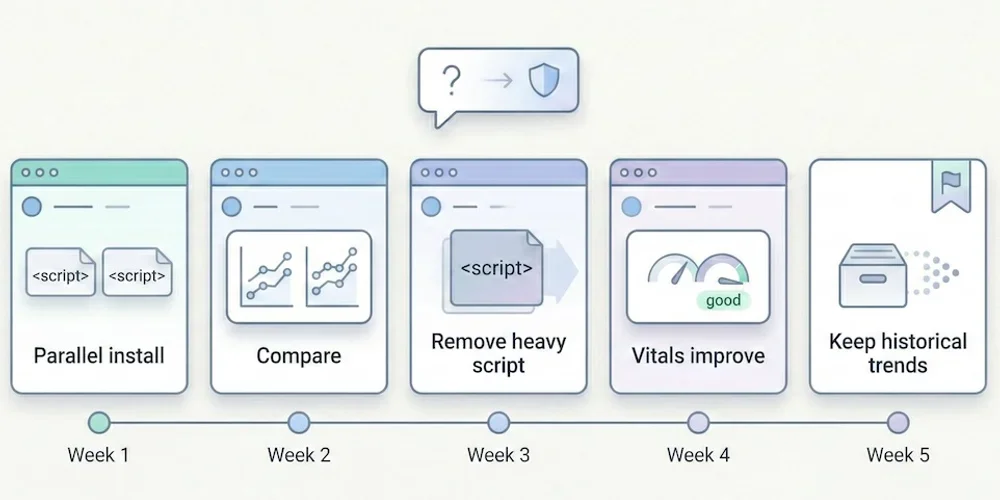
It's the first question we hear whenever we mention alternatives to Google Analytics: "But if I remove the Google script from my site, will Google punish me? Will I lose my rankings?" The short answer is: No. The longer answer is that you're probably confusing two tools with very different roles — and that, paradoxically, removing Google Analytics could actually improve your rankings. Here's why, with sources.1. The Fundamental Confusion: Analytics ≠ Search Console There are two major tools in Google's ecosystem for website owners. Many people confuse them, which keeps the myth alive. Google Search Console (GSC): Your Line to Google This is the tool for communicating with the search engine. It tells you:How Google sees your site (indexing status, crawl errors). Which keywords you rank for. How many clicks and impressions you get. Whether your site has technical issues (mobile, Core Web Vitals).This one is essential for SEO. It's free, lightweight (no script to install on your site), and it's the only reliable source of data on your actual search rankings. Good news: Search Console works independently of Google Analytics. You can use one without the other. Google Analytics (GA4): An On-Site Behavior Observer GA4 watches what visitors do after they arrive on your site. It doesn't help improve your search rankings. Its role is to measure engagement, journeys, and conversions — useful marketing information that has no impact on the search algorithm.2. Google Has Confirmed It: Analytics Is Not a Ranking Factor This isn't speculation. Google has said it explicitly, multiple times. John Mueller, Search Advocate at Google (one of the official spokespeople for the Search team), has clearly stated that using Google Analytics is not a ranking factor. He has addressed this question on Twitter/X and during Google Search Central sessions, confirming that Google Search and Google Analytics are separate products and that one doesn't influence the other. → Source: Google Search Central – How Search ranking works Gary Illyes, also a Google Search analyst, reinforced this point by explaining that the search engine doesn't use Google Analytics data for ranking, notably because not all sites install it and doing so would create an unfair bias. In other words: removing the Google Analytics script from your site sends no "negative signal" to Google. The search engine doesn't know (and doesn't care) which analytics tool you use.3. The Paradox: GA4 Can Actually Hurt Your SEO It's counterintuitive, but the Google Analytics script can actively harm your search rankings. Here's how. 3.1 Script Weight Google (the search engine) favors fast websites. Core Web Vitals — a set of web performance metrics — have been a confirmed ranking factor since 2021. The GA4 script is not lightweight. The gtag.js tag loads multiple JavaScript libraries for advertising tracking, consent management, and advanced data collection. The total weight can reach 45 KB or more (compressed), plus network requests to collection servers. For comparison, here's the typical script weight of competing analytics tools:Solution Script size (compressed) Ratio vs GA4GA4 (gtag.js) ~45 KB BaselineMatomo ~20 KB 2× lighterSimple Analytics ~6 KB 7× lighterFathom ~2 KB 22× lighterPlausible ~1 KB 45× lighterPirsch <1 KB 50× lighterAn independent audit by Bejamas measured the concrete impact of third-party scripts on web performance and showed that analytics scripts are among the heaviest contributors to main-thread blocking time (Total Blocking Time, one of the Core Web Vitals). → Source: Bejamas – How Popular Scripts Slow Down Your Website 3.2 The Concrete Impact on Core Web Vitals When a heavy script loads, it impacts three key metrics:LCP (Largest Contentful Paint): the time before the main content is visible. A heavy script delays rendering. INP (Interaction to Next Paint): responsiveness to clicks. A script that monopolizes the main thread degrades interactivity. CLS (Cumulative Layout Shift): visual stability. Some late-loading scripts cause layout shifts.Switching from a 45 KB script to a 1 KB script won't single-handedly turn a slow site into a fast one. But on an already-optimized site, it's often the kind of detail that tips a Core Web Vitals score from "needs improvement" to "good" — and every millisecond counts when Google evaluates performance. → Source: Google – Core Web Vitals & Page Experience 3.3 Slower Sites = Fewer Conversions Beyond pure SEO, speed directly impacts conversion rates. Google has published data showing that when mobile page load time goes from 1 to 3 seconds, the probability of bounce increases by 32%. Each additional second makes it worse. → Source: Think with Google – Mobile Speed Benchmarks Bottom line: by switching to a lightweight analytics tool, you improve your load time, which is both a confirmed ranking factor for Google and a conversion driver.4. The Winning Duo for SEO in 2026 To run your search strategy effectively without the bloat, here's the ideal setup: Google Search Console (Essential — and Free) This is your source of truth for SEO. Use it to:Monitor your positions and clicks in search results. Identify which keywords bring traffic (and which ones you're gaining on). Detect indexing errors and technical issues. Track your Core Web Vitals over time.No analytics tool, no matter how powerful, can replace this data: only Google knows which keywords you actually rank for. A Frugal Analytics Tool (For Conversion Tracking) Search Console tells you where the traffic comes from, but it doesn't tell you what happens next. To know whether your SEO visitors convert into customers, you need an on-site measurement tool — but it doesn't need to be complex. The 5 essential KPIs are enough: visitors, sources, top pages, key events, conversions. A frugal analytics tool gives you those answers in seconds, without weighing down your site. What You Gain with This DuoBetter technical SEO: a faster site thanks to a lightweight script. Complete SEO data: rankings (via GSC) + conversions (via frugal analytics). Simpler compliance: no cookie banner if your analytics meets consent exemption criteria. Time saved: two simple interfaces instead of one bloated platform.5. Real-World Examples: Who Dropped GA4 and What Happened? Many websites have migrated from Google Analytics to frugal solutions with zero negative impact on their SEO. Plausible Analytics regularly documents testimonials from companies that made this transition. The pattern is always the same: no ranking loss, often improved load times, and simplified privacy compliance. Basecamp (a well-known SaaS company) publicly adopted Plausible as a replacement for Google Analytics. Hugging Face (a major AI platform) did the same. Neither observed any SEO degradation — quite the opposite. The explanation is logical: Google ranks sites based on content quality, authority (backlinks), technical health (speed, mobile-friendliness), and user experience. None of these criteria depend on the brand of your visitor counter.6. How to Switch: A Practical Migration Path If you're ready to make the move, here's a low-risk approach that minimizes disruption. Week 1: Install the new tool alongside GA4 Choose a frugal analytics tool (see our comparison guide for help choosing). Install its tracking script on your site — it's typically a single line of code. Keep GA4 running simultaneously. This gives you a parallel data period to compare. Weeks 2-4: Compare the data Over 3-4 weeks, compare key metrics between GA4 and the new tool. You'll likely notice the frugal tool reports more visitors — because it doesn't depend on cookie consent. Traffic sources and top pages should align closely. Conversions should match if you've configured events properly. Week 5: Remove GA4 Once you're confident the new tool captures everything you need, remove the GA4 script from your site. You'll immediately see a performance improvement (check your Core Web Vitals in Search Console). Keep your GA4 account open for a few months if you want to reference historical data. What about historical data? Some tools (Plausible in particular) offer GA data import for historical continuity. The imported data is limited to aggregated metrics — no individual user profiles, which is consistent with the privacy-first approach. For most SMBs, this is more than enough to maintain trend visibility.Conclusion: Cut the Cord Without Fear Don't be afraid to remove Google Analytics. Your search rankings depend on your content quality and site speed, not on the brand of your measurement tool. In fact, lightening your site by replacing a heavy script with a frugal one is often the best gift you can give your SEO. You gain in performance, in compliance, and in clarity — while keeping the data that truly matters through the Search Console + frugal analytics duo. The real risk isn't leaving GA4. It's continuing to fly blind because your tool is too complicated to actually use.FAQ: SEO and Google Analytics Does Google penalize sites that don't use Google Analytics? No. Google has confirmed multiple times that using Google Analytics is not a ranking factor. The search engine evaluates content quality, technical health (speed, mobile), authority (inbound links), and user experience — not the brand of the analytics tool installed. Is Search Console enough for SEO? For tracking SEO performance (positions, clicks, impressions, technical errors), yes. Search Console is the essential, irreplaceable tool. To go further (measuring conversions, understanding post-arrival behavior), a complementary analytics tool is useful — but it doesn't need to be GA4. What's the real impact of a heavy analytics script on SEO? GA4's script weighs approximately 45 KB compressed. Frugal solutions weigh between 1 and 6 KB. This difference impacts Core Web Vitals (LCP, INP), which have been a confirmed ranking factor since 2021. On an already-optimized site, switching from a heavy to a lightweight script can be enough to push performance scores from "needs improvement" to "good." Can I use Search Console without Google Analytics? Yes, absolutely. The two tools work independently. You can connect Search Console to some frugal solutions (Plausible and Pirsch offer this integration) to see your SEO data directly in your analytics dashboard. If GA4 doesn't help with SEO, what is it for? GA4 is a user behavior measurement and marketing attribution tool. It's designed for teams that need detailed conversion funnels, behavioral cohorts, and integrations with the Google advertising ecosystem (Google Ads). For pure SEO, it adds nothing that Search Console doesn't already provide — and its weight can actually hurt your rankings.

Google Analytics, Matomo, or Frugal? The Complete Guide to Choosing Your Analytics Tool in 2026

Google Analytics, Matomo, or Frugal? The Complete Guide to Choosing Your Analytics Tool in 2026

Since the forced switch to Google Analytics 4 (GA4) and the tightening of privacy regulations worldwide, the web analytics market has exploded. Five years ago, there was no question — everyone used Google. Today, a marketing manager or small business owner faces a jungle of options, and most don't have the time or expertise to compare them properly. Should you stick with the American giant? Switch to open-source? Try the new wave of minimalist tools? And most importantly: what does each option actually cost? To help you decide, we've classified the main solutions into three families, analyzed their real strengths and weaknesses, and compiled a pricing table based on each vendor's public data. The goal isn't to pick a "winner" — it's to give you the information you need to choose the tool that fits your situation.Family 1: The "Data-Centric" Giants (GA4, Adobe Analytics) This is the historical standard. These tools are built to ingest massive amounts of data and produce advanced analysis. Who is this for? Large enterprises, e-commerce businesses with complex multi-channel attribution needs, and teams with a dedicated Data Analyst. If you need custom attribution models, behavioral cohort analysis, or deep integration with advertising platforms, this is your segment. The advantage Raw power. You can segment everything, cross-reference everything, and connect it all to the Google (or Adobe) advertising ecosystem. Native integration with Google Ads, Google Search Console, and BigQuery is a genuine asset for advanced marketing teams. The trap For a small business, it's like driving a Formula 1 car to the grocery store. GA4's interface has been widely criticized for its complexity: navigation via "Explorations," reports you have to build yourself, and the disappearance of simple reports that existed in Universal Analytics have frustrated countless users. Privacy compliance is another pain point. Multiple European Data Protection Authorities (DPAs) — including the French CNIL, the Austrian DSB, and the Italian Garante — have issued decisions finding that Google Analytics transfers to the US did not comply with GDPR. Google has since modified its infrastructure (EU hosting, advanced consent mode), but the configuration required to make GA4 fully compliant remains technical and costly — server-side proxying, advanced consent setup, granular collection controls. For most SMBs, it's out of reach. → Source: CNIL – Google Analytics and US data transfersFamily 2: The "Self-Hosted" (Matomo On-Premise, Umami, PostHog) This is the historical answer to data sovereignty concerns. You install the software on your own server. You own everything. Who is this for? IT departments, public-sector organizations, and teams with in-house technical staff and a strong requirement for total control over hosting. Matomo is particularly widespread in European public institutions and large organizations that need to pass compliance audits. The advantage Absolute sovereignty. Your data never leaves your infrastructure. Matomo On-Premise is free to download and offers a very comprehensive feature set (far richer than most frugal alternatives): funnels, heatmaps (via plugins), A/B testing, e-commerce tracking. Umami and PostHog (in their open-source versions) offer a more modern, lightweight alternative to Matomo for technical teams who want to self-host without Matomo's historical complexity. The trap "Free to install" doesn't mean free to operate. You need to manage security updates, database scaling, backups, and occasional performance issues as traffic grows. For an SMB without a dedicated sysadmin, the real cost (time + hosting + maintenance) often exceeds that of a paid SaaS. Matomo's interface also reproduces the complexity of the previous generation of analytics tools: many menus, many reports, many configuration options. That's a strength for experts, but an obstacle for a business owner who wants an answer in 30 seconds. Matomo also offers a Cloud version (hosted by them) starting at approximately €23/month, which eliminates server maintenance but keeps the interface complexity. → Source: Matomo Cloud PricingFamily 3: The "Frugal" New Wave (European SaaS, Privacy-First) This is the defining trend of 2025-2026. Paid but affordable tools, hosted in Europe, designed from day one for simplicity and native privacy. Their shared promise: a dashboard you can read in 5 minutes, no cookie banners, GDPR-compliant by design. Who is this for? SMBs, web agencies, and freelancers who want reliable stats without managing technical infrastructure or compliance headaches. If your needs boil down to "Where do my visitors come from, what do they look at, and do they contact me?", you're in the right segment. The advantage Peace of mind. No cookie banners needed (thanks to the consent exemption available to tools meeting strict frugality criteria), no complex configuration, and an immediately readable interface. The tracking script is typically 10 to 50 times lighter than GA4's, which improves site performance — and potentially your search rankings. The trade-off Simplicity has a functional cost. If you need 12-step conversion funnels, predictive cohorts, cross-device tracking, or advanced advertising integrations, these tools will be too limited. That's a deliberate design choice: measure what matters rather than measure everything. The main players Here are the most established solutions in this category, with their distinctive characteristics: Plausible Analytics (Estonia, open-source) — The most well-known. Ultra-clean interface, incredibly lightweight script (~1 KB). Open-source, can be self-hosted. Search Console integration. Claims over 16,000 paying customers. Fathom Analytics (Canada, EU hosting available) — Premium positioning, minimalist interface. Strong emphasis on multi-jurisdiction compliance (GDPR, CCPA, PECR). Supports up to 50 websites on standard plans. Simple Analytics (Netherlands) — Data stored exclusively in the Netherlands. Distinctive feature: tracking traffic from individual social media posts (tweets). No personal data collection by design. Pirsch (Germany, open-source) — Beautifully designed interface, hosted in Germany. Open-source. Google Search Console integration. Umami (open-source, cloud or self-hosted) — The lightest option for developers. Free when self-hosted. Cloud version with a generous free tier (100k events/month).Detailed Comparison Table Prices below are from each vendor's public pages at the time of writing (February 2026). They may change — always verify on the vendor's official site.Criteria GA4 Matomo Cloud Plausible Fathom Simple Analytics PirschStarting price Free ~€23/mo ~€9/mo ~$15/mo ~$19/mo ~€5/moIncluded volume Unlimited* Variable (hits) ~10k pageviews 100k pageviews ~100k datapoints 10k pageviewsCookies Yes (default) Configurable No No No NoData hosting US/EU (config.) EU (cloud) EU (Germany) EU (option) EU (Netherlands) EU (Germany)Open-source No Yes Yes No No YesSelf-host option No Yes (free) Yes No No NoAPI Yes Yes Yes Yes Yes (aggregates) YesNumber of sites Unlimited Variable Unlimited Up to 50 10 (Starter) VariableScript size ~45 KB ~20 KB ~1 KB ~2 KB ~6 KB <1 KBData retention 14 months (default) Variable Unlimited Unlimited Unlimited VariableInterface complexity High Medium-High Low Low Low LowSuitable for non-expert SMBs ❌ ⚠️ ✅ ✅ ✅ ✅*GA4 is "free" but the real cost includes setup, training, GDPR compliance, and performance impact. The paid tier (Google Analytics 360) starts at $150,000/year. Pricing note: For a site generating 100,000 pageviews per month, the monthly cost varies significantly. Plausible charges roughly €19/month for that volume. Fathom roughly $15/month. Simple Analytics ~$19/month. Matomo Cloud sits around €35-45/month depending on hits. GA4's "free" hides a cost in time and compliance that every organization should honestly estimate. → Price sources: Plausible Pricing, Matomo Pricing, Simple Analytics PricingThe Decision Checklist Before switching, ask yourself these 5 questions. They're enough to eliminate 80% of the options that don't fit your situation. 1. Do I need detailed demographic data (age, gender, interests)?Yes → Stay with GA4 (with mandatory consent and cookie banner). No → Move to a frugal solution. The 5 essential KPIs are enough for most websites.2. Who will look at the stats regularly?A data expert or dedicated analyst → GA4 or Matomo. The power justifies the complexity. The founder, a marketer, or a freelancer managing multiple clients → Frugal solution. A dashboard you understand in 30 seconds is worth more than a 200-metric report nobody reads.3. What's my real budget (time + money)?GA4 is free to license but costly in time: training (expect several hours to learn the basics), GDPR configuration, consent maintenance. Matomo On-Premise is free to license but costly in server maintenance: updates, security, database management. Matomo Cloud is paid (~€23+/month) and still complex to use. Frugal solutions are paid (€5-19/month) but the total cost of ownership is the lowest: 2-minute setup, zero maintenance, zero training.4. Is data privacy a selling point for my business? If you're an agency, a freelancer, or a company whose clients are privacy-sensitive, displaying the use of a European, tracker-free analytics tool is a concrete commercial advantage. As we explain in our article on data obesity, frugality is a strategic choice, not a limitation. 5. Do I need self-hosting?Yes (regulatory obligation, internal policy) → Matomo On-Premise, Umami, or Plausible (self-hosted). No → European SaaS cloud solutions offer an excellent sovereignty/simplicity trade-off.Our Recommendation Grid by ProfileYour profile Our recommendation WhySmall business / brochure site Frugal solution (Plausible, Pirsch, etc.) Simplicity, compliance, minimal cost.SMB with marketing team Frugal solution or Matomo Cloud Depends on need for advanced features (funnels, A/B testing).Complex e-commerce Matomo or GA4 Need for attribution, detailed e-commerce tracking.Agency / Multi-client freelancer Multi-site frugal solution Time saved on reporting, simplicity for clients.Government / Public sector Matomo On-Premise Requirement for total control and self-hosting.Developer / Side project Umami (self-hosted) or free tier Free, lightweight, open-source.2026 Trends to Watch Two developments deserve close attention. AI traffic. With ChatGPT, Perplexity, Claude, and Google SGE becoming referral traffic sources, the ability of an analytics tool to identify and categorize AI-driven visits is becoming a differentiator. Plausible recently added this feature. It's a topic every vendor should be addressing. The analytics-compliance convergence. The boundary between "analytics tool" and "compliance tool" is blurring. Solutions that build privacy in by default (cookieless, consent exemption, anonymization) have a structural advantage over those that treat compliance as an afterthought.Conclusion The "best" analytics tool is no longer the one with the most features. It's the one that your team actually uses, every week, to make concrete decisions. In 2026, the trend is clear: leave the overcomplicated dashboards behind and return to tools that serve the business, not the other way around. If you find the right information in 30 seconds instead of 30 minutes, you win — regardless of the tool's name. Before choosing, start by identifying the 5 KPIs that truly matter for your business. The tool will follow.FAQ: Choosing Your Analytics in 2026 What's the best cookieless analytics tool for small businesses? There's no universal "best," but for SMBs wanting simplicity and compliance, European frugal solutions (Plausible, Pirsch, Simple Analytics) are the best fit. They work without cookies, meet GDPR consent exemption criteria, and install in 2 minutes. The choice then depends on traffic volume, number of sites, and budget. Is Plausible GDPR-compliant? Plausible is designed for GDPR compliance. It doesn't collect personal data, doesn't use cookies, and hosts data in Germany (Hetzner servers, a European company). Plausible is also listed among the audience measurement tools that can qualify for consent exemption under strict European DPA criteria. How much does Matomo Cloud cost? Matomo Cloud starts at approximately €23/month. The cost increases with hit volume (pageviews + events). For a site with 100,000 monthly hits, expect roughly €35-45/month. The On-Premise version (self-hosted) is free to license, but the real cost includes server hosting and maintenance time. Can I migrate from GA4 to a frugal tool without losing historical data? Some solutions (Plausible in particular) offer Google Analytics historical data import. However, the level of detail imported is limited to aggregated metrics. GA4's "user-level" data (profiles, individual journeys) is not transferable — which is consistent with the privacy-first approach. For a smooth transition, it's common to run both tools in parallel for 1 to 3 months. Is Google Analytics banned in France? No, Google Analytics is not "banned" in France in a strict sense. The CNIL (French DPA) issued formal notices to several websites using GA in 2022 for non-compliant US data transfers. Since then, Google has strengthened its European infrastructure and introduced "Consent Mode v2." However, the configuration required to make GA4 compliant remains complex and requires technical expertise. For most SMBs, European alternatives offer simpler and more robust compliance.