Data collection summary: document what your analytics actually collects
- 18 May, 2026
Installing analytics can take minutes. Explaining exactly what it collects often takes much longer.
The problem is not only volume. Information is scattered across the tracking plan, vendor documentation, consent manager, source code and cloud configuration. When somebody asks, “Do we transmit the full URL?”, “Is the IP address stored?” or “How long do we keep raw events?”, no single person may have a complete answer.
A data collection summary is a short operational document that brings those answers together. It describes the collection that is actually deployed, not the collection implied by a marketing page. It is not legal advice, a replacement for a record of processing activities, or a privacy notice. It is the technical layer that helps keep those documents accurate.
What a data collection summary is for
The document answers one question:
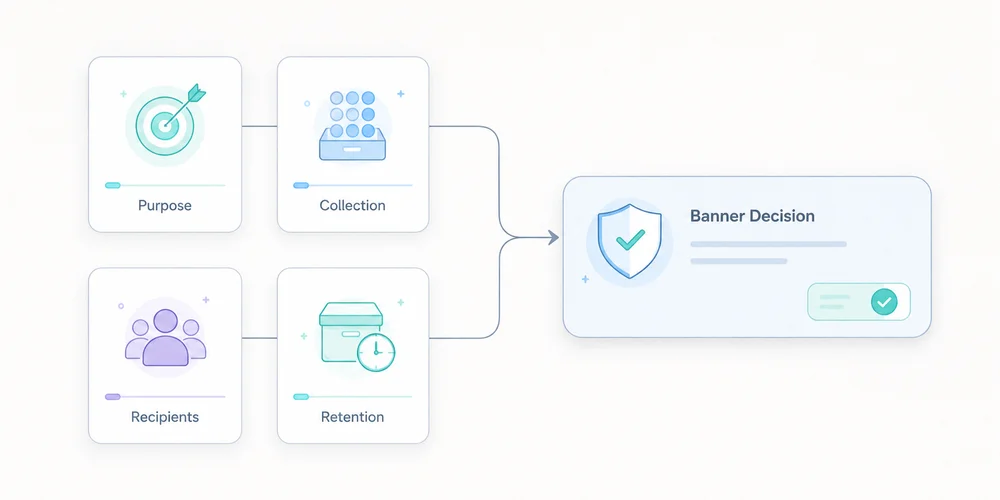
For every data point or signal, do we know where it comes from, why it is collected, where it goes, how long it remains and who can access it?
Product teams can use it to challenge new events. Marketing teams can see which dimensions genuinely exist. Engineering teams gain a reference for filtering and transformations. A DPO or legal adviser can compare technical reality with compliance records. Management can see the operational debt behind audience measurement.
GDPR principles include purpose limitation, data minimisation, transparency and storage limitation. The Regulation also requires information for individuals and, where applicable, records of processing activities. A data collection summary does not create or replace these duties. It makes the underlying facts easier to establish.
It is not the record of processing activities
The distinction matters.
A record of processing activities describes processing at a governance level: purposes, categories of people and data, recipients, transfers, retention and security measures.
A data collection summary goes closer to implementation. It may state that:
- the page URL is stored without its query string;
- an IP address is used briefly for a technical operation and not retained;
- a user-agent is reduced to a browser family;
- only
utm_source,utm_mediumandutm_campaignare retained; - a form event is emitted only after validation;
- raw events and aggregate reports have different retention periods.
A privacy notice translates the relevant facts into language for visitors. It should not become a copy of the technical inventory, but it cannot be accurate without one.
| Document | Main audience | Detail level | Purpose |
|---|---|---|---|
| Record of processing | Internal compliance | Processing and categories | Govern and demonstrate compliance |
| Data collection summary | Product and engineering | Fields, flows and controls | Describe the deployed collection |
| Privacy notice | Visitors and users | Clear public information | Explain relevant processing |
| Tracking plan | Product, marketing and engineering | Events and rules | Define what should be measured |
These documents complement one another. They should not contradict one another.
The ten columns that make the document useful
A spreadsheet is enough. The value comes from the columns and the update discipline.
1. Data point or signal
Use concrete names: page path, referrer domain, device class, form event, site ID, UTM parameter, derived country or temporary IP address.
Avoid broad labels such as “technical data”. They hide design choices.
2. Example value
An example removes ambiguity: /pricing/, newsletter or demo_requested.
Use synthetic examples, never real personal data.
3. Source
State where the signal originates: browser, server, form, CMS, CDN, analytics script or imported system.
This reveals indirect collection. A platform may receive a URL or HTTP header before your tracking code transforms it.
4. Operational purpose
Connect the field to a decision. “Identify entry pages that lead to a demo request” is more useful than “marketing analysis”.
If a field supposedly serves every purpose, the need has probably not been defined well enough.
5. Transformation before storage
Document what is removed, truncated, aggregated or derived:
- stripping unapproved query parameters;
- normalising paths;
- reducing the user-agent;
- deriving coarse geography and discarding the IP address;
- hashing an identifier, while recognising that hashing is not automatically anonymisation;
- daily or monthly aggregation.
This separates what the system receives from what it keeps.
6. Destination and processors
List every relevant destination: collection endpoint, raw storage, aggregate database, BI tool, export, cloud provider and analytics vendor.
Record hosting regions and relevant transfers when they are documented. Do not infer a legal location from a cloud region label alone.
7. Retention
Separate the layers:
- technical logs;
- raw events;
- pseudonymised records;
- aggregate statistics;
- backups;
- manual exports.
A single global period is often misleading. The CNIL notes that retention should follow the purpose and remain limited to what is necessary. For audience-measurement trackers that may fall within the French consent-exemption framework, it recommends a tracker lifetime of thirteen months and a maximum of twenty-five months for collected information. Those benchmarks do not replace an assessment of the actual setup.
8. Access
Describe roles rather than only names: administrators, analysts, agency, support or hosting provider.
Specify whether access covers aggregate reports, raw events or exports. “Marketing has access” is not enough when a shared account can download the entire dataset.
9. Consent or configuration dependency
Keep this factual:
- collected only after a consent signal;
- disabled in strict measurement mode;
- enabled for defined campaigns only;
- subject to local ePrivacy assessment;
- used for limited audience measurement, provided every applicable condition is met.
Do not write “exempt” without documenting scope, conditions and configuration.
10. Deletion and owner
Explain how the field disappears: automated deletion, scheduled job, vendor purge, manual procedure, contract termination or export deletion.
Add an internal owner and a last-review date. Without ownership, the summary starts ageing at the next deployment.
A minimal SaaS example
| Signal | Purpose | Before storage | Retention | Access |
|---|---|---|---|---|
| Page path | Understand content usage | Query string removed, path normalised | 25 months for reports | Product, marketing |
| Referrer domain | Understand visit sources | Origin only when transmitted | 25 months | Marketing |
utm_source | Identify a declared campaign | Values normalised to a taxonomy | 25 months | Marketing |
demo_requested | Measure a B2B conversion | No form content transmitted | 25 months | Product, aggregate sales view |
| IP address | Security and coarse geolocation | Used temporarily, not stored in the event | Documented technical period | Restricted operations |
| User-agent | Technical distribution | Reduced to browser and device categories | 25 months | Product |
The table proves nothing by itself. It must match the observed network traffic, source code and vendor settings. Start with a real tracker audit and compare the results with your minimal tracking plan.
A five-step method
Step 1: start with network traffic
Open browser developer tools, reload representative pages and inspect requests. Test before and after each consent choice, across several journeys and devices.
Record domains, payloads, URL parameters and events. The network panel shows what leaves the browser. It may not expose every server-side transformation, but it gives you a verifiable starting point.
Step 2: inspect code and configuration
Review the collector, tag manager, CMP rules, environment variables and filters. Generic vendor documentation does not tell you which options your site enabled.
Check adjacent capabilities too: session replay, advertising enrichment, CRM connections, user identifiers and exports.
Step 3: ask vendors closed questions
Request testable answers:
- Is the full URL received and stored?
- Can query parameters be removed before storage?
- Is the IP address logged outside the event dataset?
- Which backups still contain data after deletion?
- Does the vendor reuse data for its own purposes?
- Which subprocessors and transfers apply?
- Do exports follow the same retention policy?
“Privacy-friendly” fills no column.
Step 4: reconcile the documents
Compare the summary with the processing record, data-processing agreement, privacy notice and consent interface. Contradictions matter more than the writing quality of each document in isolation.
A common example is a notice saying that only aggregate statistics are collected while the tag manager sends a user identifier to a third party.
Step 5: tie review to change
Review the summary whenever you add or change:
- a tool;
- an event;
- a collection domain;
- an export;
- a retention period;
- consent behaviour;
- a processor;
- a site or property.
A light quarterly review can detect silent drift.
Mistakes that make the summary unreliable
Copying vendor marketing
Vendor documents describe a possible product. Your summary must describe your instance and configuration.
Treating pseudonymisation as anonymisation
A hashed or rotating identifier may still be personal data if it can distinguish or reconnect a person. Use precise terms and document re-identification risk.
Forgetting URLs
Full URLs can expose email addresses, order IDs, internal search terms or tokens. Even a minimal analytics tool can receive excessive data when the website places it in the address.
Documenting only the dashboard
The visible report is only one surface. Logs, raw events, backups, exports and integrations count too.
Leaving the document ownerless
An accurate but unmaintained inventory can become more dangerous than no inventory because it creates misplaced confidence.
Validation checklist
Before approval, verify that:
- every field has a specific purpose;
- received and stored data are distinguished;
- URL parameters and free-text fields were audited;
- retention is defined by layer;
- recipients and access roles are named;
- consent and configuration dependencies are explicit;
- deletion can be tested;
- the summary matches public and contractual documents;
- an owner and review date are recorded;
- every anonymisation claim has technical evidence.
Conclusion
A data collection summary is not another document for a compliance folder. It is a shared interface between product, marketing, engineering and legal work.
Its value comes from precision. A team that knows exactly what it collects can remove unnecessary fields, explain the useful ones, configure tools correctly and answer questions faster.
Start with one web property and its ten most important signals. Verify them in the network and code, then expand only when the deployed collection justifies it.
FAQ
Is a data collection summary legally required?
This exact format is not prescribed by the GDPR. It can support documents and processes that are required or necessary, including processing records and transparent information for individuals.
Should it be public?
Not necessarily. It often contains internal technical details. Relevant information for individuals should be expressed clearly in the privacy notice or another appropriate notice.
Should a non-stored IP address be listed?
Yes, if it is received or used even briefly. Distinguish receipt, temporary processing, transformation and storage.
Can one summary cover multiple sites?
Only when their flows and configuration are genuinely identical. For multi-site operations, maintain a common baseline and document property-specific differences.
How often should it be reviewed?
At every material collection or destination change, plus a periodic review. Quarterly review is a practical operating rhythm for a small team, not a universal legal rule.
Sources
- Regulation (EU) 2016/679, including Articles 5, 13, 25 and 30
- CNIL, Record of processing activities
- CNIL, Audience-measurement cookies and consent conditions
- EDPB, Guidelines 4/2019 on data protection by design and by default
- Chrome for Developers, Network features reference
- OWASP, Information exposure through query strings in URL