Analytics migration: a checklist for changing tools without rebuilding tracking debt
- 27 Jul, 2026
Changing analytics tools can look simple: replace a script, wait a few days and compare the charts.
That is rarely enough.
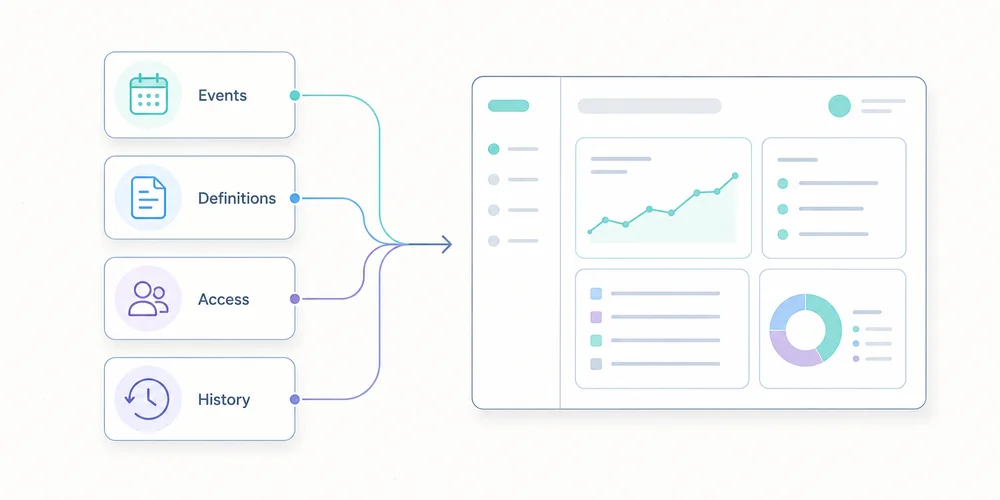
A migration changes several layers at once:
- collected data;
- metric definitions;
- consent behaviour;
- events and conversions;
- website and workspace structure;
- access;
- retention;
- reports;
- decision-making habits.
The main risk is not losing a chart. It is carrying old tracking debt into a new tool, then reading a methodological change as a business change.
This checklist offers a twelve-step migration process for SMEs, B2B SaaS companies and multi-site teams.
1. Define why the migration is happening
Write down the reason for the change.
Examples include:
- reducing collection complexity;
- documenting data more clearly;
- improving readability across teams;
- reducing cost;
- controlling hosting or retention;
- simplifying consent governance;
- managing several sites consistently;
- replacing a discontinued or unsuitable tool.
Turn the reason into acceptance criteria.
| Objective | Verifiable criterion |
|---|---|
| Simplify | The monthly report uses five stable indicators |
| Reduce collection | Every collected field has a documented purpose |
| Govern multiple sites | Access and naming are consistent |
| Control cost | Total cost is known for expected volume |
| Clarify consent | The actual configuration is documented and tested |
| Improve quality | Critical events pass an acceptance test |
Without criteria, the project ends when the script runs. With criteria, it ends when the team can make decisions confidently again.
Use the analytics governance scorecard to formalise this stage.
2. Inventory the current system before removing anything
Create a technical and editorial inventory.
Scripts and collection points
List:
- scripts loaded by the site;
- tag-manager tags;
- advertising pixels;
- server-side collection;
- CMS plugins;
- mobile SDKs;
- backend events;
- CRM, support, payment and email integrations;
- consent settings;
- proxies and collection domains.
Data and reports
List:
- pageviews;
- events;
- conversions;
- custom dimensions;
- audiences;
- segments;
- funnels;
- recurring reports;
- exports;
- alerts;
- dashboards;
- API consumers;
- report recipients.
Responsibilities
For each component, record:
- owner;
- purpose;
- destination;
- collection condition to review;
- retention;
- access;
- dependencies;
- decision: keep, transform or remove.
This inventory becomes the basis of the analytics data collection summary. It often reveals tags that nobody uses.
3. Freeze definitions before rebuilding
Two tools may use the same words for different metrics.
Visitor, user, session, engagement, bounce, conversion and source can depend on:
- time windows;
- identification methods;
- session rules;
- filters;
- consent;
- bot processing;
- time zones;
- attribution;
- received events.
Create a migration dictionary:
| Business concept | Previous definition | New definition | Decision |
|---|---|---|---|
| Visit | Current session rule | New tool’s rule | Compare trends |
| Lead | Form event | Accepted submission | Standardise |
| Source | Calculated channel | Referrer/UTM | Document gap |
| Conversion | Historical list | Priority goals | Reduce |
| Internal traffic | IP filter | New rule | Retest |
Do not force false equivalence. A documented break in the series is safer than artificially aligned numbers.
4. Reduce the tracking plan
A migration is an opportunity to remove, not only copy.
Classify existing events into four groups:
- decision events, required for a KPI or action;
- diagnostic events, useful for explaining a problem;
- operational events, required by an integration;
- orphan events, collected without an identifiable use.
Remove orphans. Consolidate variants that describe the same action. Choose stable names and a clear property set.
A critical event should specify:
- name;
- trigger;
- page or context;
- permitted parameters;
- example;
- owner;
- related KPI;
- success test.
A minimal analytics tracking plan provides a practical baseline.
5. Inspect collection and URLs
Before installing the new tool, review what it will actually receive.
URLs can contain:
- UTM parameters;
- campaign IDs;
- internal search terms;
- email addresses;
- tokens;
- order references;
- customer IDs;
- form values;
- technical fragments.
Define an allowlist or removal strategy. Keep acquisition parameters where necessary, but remove sensitive or purely technical values before storage.
The guide to privacy-first URL parameter filtering explains this control.
Also inspect:
- referrer;
- IP handling;
- headers;
- user agent;
- event properties;
- server-side payloads;
- infrastructure logs;
- exports.
Cookieless describes only one part of collection. The migration must document the full signal set.
6. Review consent, contracts and governance
Changing tools does not automatically make a configuration exempt from consent.
Review:
- purposes;
- trackers or terminal access;
- collected data;
- enrichment;
- third-party disclosure;
- provider reuse;
- transfers outside the EEA;
- subprocessors;
- retention;
- objection mechanisms where relevant;
- user information;
- consent-manager configuration.
The CNIL describes strict conditions for limited audience-measurement configurations. It also states that a solution should not be presented as officially certified or approved by the authority.
Update:
- the processing register;
- privacy notice;
- tracker inventory;
- data-processing agreement;
- access and deletion procedures;
- internal documentation.
The assessment follows the real configuration, not the provider name alone.
7. Build a pilot environment
Avoid replacing every site at once.
Choose:
- a representative site;
- one acquisition page;
- one form;
- a few critical events;
- enough traffic to observe behaviour;
- a period without a major redesign.
Install the new tool as a pilot. A short, controlled parallel-measurement period may be useful, but two active systems can mean two scripts, two collections and two consent configurations.
The goal is not identical totals. It is to verify that:
- expected pages appear;
- events fire once;
- sources are readable;
- filters work;
- conversions correspond to real success;
- time zones and domains are correct;
- access is controlled;
- sensitive data is absent.
8. Use an acceptance-test plan
A compact matrix is enough.
| Test | Expected result | Evidence | Status |
|---|---|---|---|
| Pageview | One occurrence | Network debug | To validate |
| Successful form | One event after success | Test ID | To validate |
| Form error | No conversion | Test evidence | To validate |
| UTM | Readable source/campaign | Test URL | To validate |
| Sensitive parameter | Value absent | Received request | To validate |
| Consent declined | Behaviour matches configuration | CMP test | To validate |
| Internal traffic | Excluded or identified | Controlled session | To validate |
| Cross-domain | Coherent journey | Controlled session | To validate |
| Mobile | CTA and form work | Device tests | To validate |
Test:
- normal and private browsing;
- mobile and desktop;
- accepted and declined consent;
- ad blockers where relevant;
- redirects;
- subdomains;
- languages;
- successful and failed forms;
- test campaigns.
Store evidence with date, version and owner.
9. Decide what to do with history
Historical data does not always need to be imported into the new tool.
There are three options.
Keep the previous tool read-only
This is often simplest where contract, security and cost allow it. Restrict access and set a deletion date.
Export an aggregate history
Keep the indicators needed for future comparison:
- monthly traffic;
- top pages;
- sources;
- conversions;
- objectives;
- campaign notes;
- measurement incidents.
A documented file or controlled warehouse may be sufficient.
Import into the new tool
Some providers offer imports. Plausible, for example, documents a Google Analytics import. GA4 can export event data to BigQuery when the link has been configured.
An import does not guarantee a perfectly comparable series. Verify:
- imported scope;
- missing dimensions;
- granularity;
- definitions;
- time period;
- duplicates;
- time zones;
- consent-related restrictions;
- storage cost;
- deletion policy.
Do not retain everything merely because it exists. Apply the analytics data retention policy to migrated history.
10. Prepare cutover and rollback
The cutover should be reversible.
Write a runbook containing:
- date and time;
- affected sites;
- technical owner;
- business owner;
- scripts to enable;
- scripts to disable;
- CMP configuration;
- immediate checks;
- alert thresholds;
- rollback procedure;
- communication channel;
- final approval.
Avoid cutover:
- immediately before a major launch;
- on Friday evening;
- during a major campaign;
- without people available to fix issues;
- at the same time as a redesign and CRM change.
Monitor critical events daily during the first week.
11. Rebuild reports around decisions
Do not reproduce every dashboard automatically.
Start with:
- objectives;
- five KPIs;
- priority pages;
- sources;
- conversions;
- lead quality;
- incidents;
- actions.
For multiple properties, use shared naming and separate local reporting from consolidated management. The multi-site analytics dashboard guide provides a structure.
Update the monthly web report with a migration note:
- migration date;
- previous and new tools;
- changed definitions;
- non-comparable metrics;
- stabilisation period;
- known anomalies.
This note protects later analysis.
12. Decommission the old tool properly
The migration is not complete while the previous system remains active without a purpose.
Confirm that:
- scripts are removed from code;
- tags are removed from the manager;
- server collection is stopped;
- API keys are revoked;
- users and access are removed;
- webhooks are disabled;
- scheduled exports are stopped;
- collection domains are removed;
- contracts are adjusted;
- data is deleted or archived according to policy;
- the register and privacy notice are updated;
- billing is stopped;
- documentation is closed.
Inspect network traffic after removal. An old tag may survive in a template, plugin, unpublished container or forgotten subdomain.
Differences you should accept
Differences during migration are normal.
They can result from:
- session rules;
- consent;
- blockers;
- bot filtering;
- time zones;
- processing delays;
- duplicated events in the old system;
- user definitions;
- attribution;
- excluded pages;
- server-side collection.
Assess differences by scenario rather than obsessing over totals.
For a critical page or conversion, verify that the trend and operational result make sense. Document structural differences and establish a new baseline after stabilisation.
Final checklist
Before closing the project, confirm that:
- objectives and acceptance criteria are written;
- the old system is inventoried;
- definitions are documented;
- unnecessary events are removed;
- URLs and parameters are filtered;
- consent and contracts are reviewed;
- the pilot is validated;
- critical tests are documented;
- the history strategy is decided;
- cutover has a rollback path;
- reports are rebuilt;
- the old tool is decommissioned;
- a new baseline is communicated.
Conclusion
A good analytics migration does not copy every screen. It preserves useful decisions, clarifies definitions and removes collection that no longer has a purpose.
The safest sequence is:
- inventory;
- define;
- reduce;
- document;
- pilot;
- test;
- cut over;
- decommission.
The expected outcome is not merely a new dashboard. It is a measurement system that is easier to understand and govern.
FAQ
How long should two tools run in parallel?
Only long enough to validate critical scenarios and observe normal operation. The right period depends on traffic and conversion cycles. A long overlap increases complexity, cost and collection.
Should the new tool show identical figures?
No. Definitions, filters, consent and session rules may differ. Compare scenarios, trends and real conversions rather than demanding artificial equality.
Should all historical data be imported?
Not necessarily. Keep only what supports obligations, comparisons or future decisions. A documented aggregate history is often more useful than a full but poorly comparable import.
How can UTM parameters be preserved?
Test redirects, forms and domain changes with controlled campaign URLs. Verify that useful parameters are read before they are removed or normalised.
When should the old tool be deleted?
After the new setup is validated, necessary history is secured, reports are updated and no integration still depends on the previous system.
Sources
Sources checked on June 21, 2026.