- 29 Jun, 2026
How to choose an analytics tool: a 15-question governance scorecard
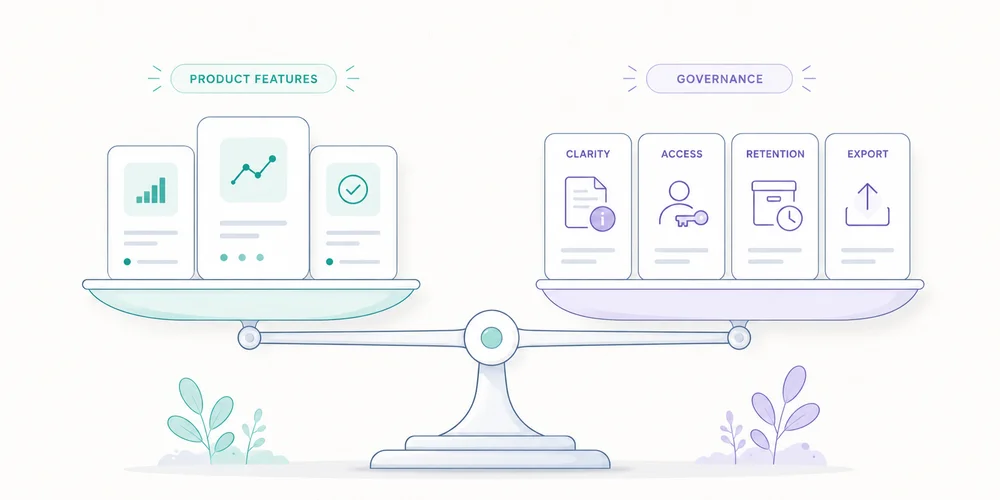
Analytics comparisons often begin with feature lists and end with an overall score that assumes every team wants the same thing. They do not. A B2B small business measuring three sites, sharing reports with an agency and limiting collection has different constraints from an ecommerce group connected to advertising platforms. A technical team willing to operate self-hosted software makes a different trade-off from a marketing team without systems administration. The best tool is not the one with the most features. It is the one whose capabilities, defaults and governance model fit the need. The existing Google Analytics, Matomo and lightweight analytics comparison explains the main families. This scorecard supports an actual procurement decision without relying on a static ranking or prices that will change. Write the problem before scoring tools A serious selection fits on one page before the first demo. Decisions to support List five to ten decisions:Which channels create qualified requests? Which landing pages contribute to conversion? Which content is used? Which sites are growing or declining? Which product events matter? Where did collection break?“Collect all the data” is not a decision. Users Identify marketing, product, management, agency, analyst, engineering, privacy and external-client roles. The key issue is not only user count. It is rights, skills and usage frequency. Constraints Document site count, expected volume, countries, consent requirements, prohibited data, retention, integrations, budget, operating capacity, migration timeline and contractual requirements. This prevents a polished demo from replacing analysis. The 15-question scorecard Score each tool from 0 to 3:0: unavailable or incompatible; 1: possible with a major workaround; 2: covered with acceptable configuration or limits; 3: naturally supported and documented.Apply a weight from 1 to 3 for your organisation. 1. Can it answer business questions without heavy reconstruction? Test five scenarios, such as campaign landing pages, demo requests, three-site comparison, monthly export and traffic-drop diagnosis. A powerful tool that real users cannot operate is expensive. 2. What granularity is genuinely required? Separate aggregate statistics, events, journeys, cohorts, funnels, user identifiers, advertising data and session replay. Each layer adds capability and governance. A team using only pages, sources and conversions should not select primarily for detailed behavioural analysis. 3. What does the default setup collect? Check cookies or identifiers, IP address, full URL, user-agent, geography, advertising IDs, automatic events, query parameters and cross-site signals. Use the URL parameter audit and inspect a test payload. A default aligned with policy scores better because every option to disable is configuration debt. 4. Are strict and extended modes clearly separated? Some teams want minimal measurement by default where the local framework allows it, with extended capabilities after consent. Assess configuration separation, pre-consent behaviour, signal propagation, accidental activation risk, change history and documentation. A vague privacy switch is not enough. 5. Can you explain the data flow? You should be able to state where requests arrive, which transformations occur, where data are stored, which subprocessors participate, whether the vendor reuses data, which support access exists and which transfers apply. Use the data collection summary as the evaluation format. 6. Do location and transfers fit your constraints? Assess hosting region, contracting entity, subprocessors, remote access, transfer mechanisms and self-hosting options separately. “EU hosted” is one fact, not a complete assessment. Self-hosting provides control while transferring operational duties to the team. 7. Can retention, deletion and backups be governed? Ask about available periods, raw versus aggregate data, automatic deletion, property-level deletion, backup purge, exports, contract-end deletion and operational evidence. Unlimited default retention is not neutral. 8. Do multi-site permissions fit? Test per-site roles, groups, agency access, read-only access, exports, admin logs, SSO where needed, offboarding and portfolio views. The multi-site dashboard model turns these into practical scenarios. 9. How does it handle data quality? Review bots, test environments, duplicates, invalid events, unknown parameters, ingestion delay, definition changes, alerts, time zones and cardinality. A simple report without diagnostics may be too shallow. A rich platform with opaque transformations may be hard to audit. 10. Can events and conversions remain governed? Test event creation, change and deprecation. Can schemas be validated? Can fields be forbidden? Are changes versioned? Do historical goals remain understandable? Can an agency change collection without approval? Easy event creation is not always an advantage. Missing guardrails quickly creates an unreadable taxonomy. 11. Is acquisition readable without excessive setup? Test source and medium, UTM campaigns, referrers, direct, landing pages, conversions, custom channels and only the attribution models you genuinely need. Platforms can classify the same journey differently. Ask how rules are defined and changed. 12. Can history be migrated and compared? Check import availability, format, granularity, supported metrics, cost, duration, definition differences, source-data preservation and break-point labelling. An import does not erase differences in sessions, visitors or conversions. 13. Is cost predictable at your scale? Include subscription by volume, overages, sites, users, modules, storage, hosting, maintenance, support, consent management, configuration time, manual reporting, migration and exit. For self-hosting, include updates, backups, monitoring, security and availability. For SaaS, model traffic growth and plan-gated features. Verify prices at decision time. 14. What operating burden can the team sustain? List installation, configuration, tests, maintenance, access, compliance, alerts, backups, support, training and documentation. A free tool can be expensive to operate. A simple tool can be expensive if every useful question requires manual exports. 15. Can you exit cleanly? Evaluate full export, open formats, API, post-cancellation access, deletion, portable configuration, event recovery, definition history and proprietary identifier dependence. A good fit today can still create future debt through lock-in. A weighting example For a multi-site B2B SaaS company:Criterion WeightBusiness questions 3Granularity 2Default collection 3Strict/extended separation 3Data flow 3Location and transfers 2Retention and deletion 3Multi-site access 3Data quality 2Event governance 2Acquisition 2Migration 2Total cost 3Operating burden 3Reversibility 2Calculate: sum(score × weight) / sum(3 × weight)A percentage is convenient, but a two-point difference is not scientific truth. The criteria discussion matters more than the final rank. Add disqualifying criteria Some conditions cannot be offset:unavailable DPA; no deletion; no export; prohibited data collected without control; incompatible multi-site access; unacceptable transfer; cost beyond budget; impossible operating burden; missing essential capability.A tool can score 85% and still fail one critical requirement. Reading the main tool families Rich analytics and advertising suites GA4 integrates deeply with Google's ecosystem and provides broad dimensions, explorations and advertising connections. This can fit trained teams with real attribution and activation needs. It also requires more event governance, configuration and understanding of scopes. Familiarity alone is not a selection criterion. Controllable and self-hostable platforms Matomo offers cloud and self-hosted options with broad functionality. Umami and other open-source projects take more compact approaches. Self-hosting increases infrastructure control, but the organisation owns operations. Decide who patches, restores backups and monitors access. Privacy-first analytics SaaS Plausible, Fathom, Simple Analytics and related tools prioritise readable reporting and often more limited collection. They can reduce setup for essential needs. Simplicity may limit advanced analysis, complex event schemas or some consolidation patterns. Verify actual capabilities, not only philosophy. Emerging products A beta or launch-stage product may align well with governance, but assess maturity, documentation, support, export, stability and demonstrated roadmap. Never score a roadmap promise as an available feature. Run a two-week pilot Day 1: confirm scenarios Select five questions, three roles and two representative properties. Days 2 to 4: deploy a small scope Install each candidate on a test environment or pilot property with the same pages and events. Days 5 to 7: audit collection Compare network requests, documented storage, consent, URL parameters and access. Days 8 to 10: user tests Ask marketing, product and administration users to complete the same tasks without excessive assistance. Days 11 to 12: test export and deletion Export data, revoke access, change retention and review deletion procedures. Days 13 to 14: score and document Complete the scorecard, list disqualifiers and write down accepted compromises. Common selection mistakes Choosing from a demo A demo shows the best workflow, not routine operations. Choosing on privacy alone Privacy is a major design constraint, but the tool must support decisions. An unused solution does not improve governance. Choosing on features alone A feature that expands collection or requires a dedicated team can be a cost rather than value. Comparing prices without future volume Model twelve- and twenty-four-month scenarios. Forgetting people The theoretical best tool fails when nobody understands its reports or maintains its rules. Conclusion A useful comparison does not ask, “Which tool is best?” It asks, “Which tool creates the best compromise for this organisation?” The scorecard makes visible:expected decisions; default collection; governance; access; retention; multi-site needs; total cost; operating burden; exit capability.The result is not a universal score. It is an explainable, reviewable and documented decision. FAQ How many tools should be tested? Three well-chosen candidates are often enough: a rich reference platform, a more controllable option and a simple privacy-first option. Add a fourth only when it represents a genuinely different model. Is self-hosting always more compliant? No. It increases potential control, but compliance still depends on configuration, security, access, purpose, retention and real operations. Can prices be compared once and reused? No. Plans, limits and prices change. Verify them at decision time and model several volumes. How should a roadmap feature be scored? Treat it as unavailable until it can be used and verified. A roadmap can affect risk, but it cannot satisfy a current requirement. What is the difference between a weighted and disqualifying criterion? A weighted weakness can be offset by other strengths. A disqualifying criterion makes the tool incompatible regardless of its total score. SourcesCNIL, Audience-measurement cookies and consent conditions Regulation (EU) 2016/679, data minimisation, transparency and accountability principles Google Analytics, Analytics account structure Google Analytics, Data retention Matomo, Privacy Plausible, Data policy Fathom Analytics, Data policy Umami, Documentation
Read article →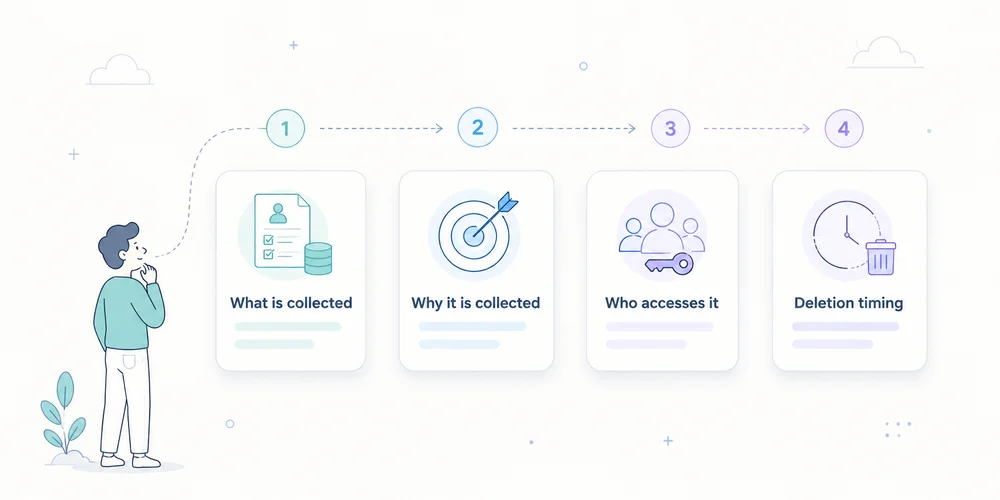
- 22 Jun, 2026
Analytics privacy notice: useful wording and claims to avoid
A privacy notice can be legally dense and technically wrong. A common example says “we only use anonymous data” while the site sends full URLs, campaign identifiers and IP addresses to several providers. At the other extreme, some notices list twenty abstract categories without helping readers understand what analytics actually does. Quality comes from alignment between:deployed collection; purposes; roles; consent or another applicable framework; retention; rights; the words used.The GDPR requires information to be concise, transparent, intelligible and easily accessible. Articles 12, 13 and 14 govern much of the content. A useful analytics notice should remain readable while describing important facts with enough precision. This is an editorial and operational method, not a universal clause or legal opinion. Start with reality, not a downloaded template Collect four internal sources before writing:the tracker inventory; the data collection summary; contracts, DPAs and subprocessor lists; consent and retention configuration.The notice is the public view of verified facts. It should not be used to guess how the site works. A legal template can structure headings. It cannot know whether you collect a full URL, store IP addresses, create a visitor identifier, allow vendor reuse, send free text, activate extended analytics after consent, export to a warehouse, or share identifiers across sites. Those answers must come from the audit. Use layered information One ten-page policy is not always the best entry point. Layer 1: information at the relevant moment Near the choice or collection, state the essentials:purpose; controller; required or optional nature; link to details; means to accept, refuse or withdraw where consent applies.For strictly limited measurement assessed as not requiring consent, a short notice can link to the analytics section. Layer 2: dedicated analytics section Explain:what is measured; why; how data are reduced; which provider is involved; how long information remains; how to exercise rights or ask questions; which capabilities depend on consent.Layer 3: detailed documentation A technical page or collection sheet can explain fields and transformations. It does not replace GDPR information, but it gives interested readers detail without overloading the first layer. Every layer must tell the same story. Sections to cover 1. Controller identity Name the entity that determines purposes and means, with contact details. In a group, the visible brand is not necessarily the legal controller. Include DPO details where applicable, or a clearly identifiable privacy contact. Useful wording:The controller for audience-measurement data on this site is [entity], available at [address or form]. For data-protection questions, contact [DPO or privacy contact].Avoid:We respect your privacy.It states an intention but identifies nobody. 2. Specific purposes Separate purposes instead of using “improve your experience” for everything. Examples include:measuring visits and viewed pages; detecting navigation errors; understanding acquisition sources; measuring demo requests; producing aggregate statistics; personalising content; measuring advertising campaigns.These do not necessarily share one legal framework. If minimal analytics runs by default and extended analytics starts after consent, say so. Useful wording:We use limited audience measurement to understand visit volume, viewed pages and main traffic sources. Enriched attribution and [other capability] are enabled only after your choice when consent is required.Avoid:We collect data to improve our services and offers.It is too broad. 3. Data categories and signals The notice need not reproduce every technical key, but it should be concrete. Depending on the setup:page path; visit time; referrer domain; approved campaign parameters; reduced device and browser class; approximate country or region; conversion event; optional pseudonymous identifier; temporarily received IP address; consent choice.Distinguish stored data from data used transiently to produce an aggregate result. Useful wording:For each visit, we record the page path, time, referrer domain when transmitted, device category and approved campaign parameters. The IP address is [describe exact handling]. Form contents are not sent to analytics.Avoid:We collect no personal data.An IP address, identifier or combination of signals may be personal data depending on the processing. 4. Legal basis and tracker framework Do not merge:storing or accessing information on the terminal under ePrivacy and national law; the GDPR legal basis for personal-data processing.The analytics consent checklist explains the distinction. Depending on the facts, the notice may refer to consent, legitimate interests after appropriate assessment, limited audience measurement under a conditional national exemption, or strictly necessary functionality. Do not use a legal basis as a marketing badge. Explain how the choice operates or how the assessment is documented. Avoid:Our tool is CNIL compliant, so consent is not needed.The CNIL states that the conditions depend on setup and context, and that providers cannot claim certification or approval based on its self-assessment. 5. Recipients and providers Identify recipient categories and, where it improves transparency, key providers. Explain roles for internal authorised teams, analytics vendor, hosting provider, technical support, agency and data warehouse. “Trusted partners” is not specific enough. Assess whether each provider is a processor, independent controller or another role based on the facts and contract. 6. International transfers Where data are accessible or transferred outside the EEA, explain relevant countries or categories, mechanisms and how to obtain more information. Do not confuse hosting region, vendor headquarters, support access, subprocessors and legal transfer. “Hosted in Europe, therefore no transfer” requires verification of the entire chain. 7. Retention A phrase such as “as long as necessary” needs concrete periods or criteria. Separate:tracker or identifier; raw events; aggregate reports; security logs; backups; exports.Useful wording:Analytics events are retained for [period]. Aggregate statistics remain for [period or criterion]. Technical logs have a separate [period]. Manual exports are deleted under [procedure].For the French CNIL framework, the thirteen-month tracker-lifetime and twenty-five-month collected-information recommendations are reference points to assess, not values to copy blindly. 8. Rights Explain applicable rights and provide a simple contact method. Depending on basis and processing, rights may include access, rectification, deletion, restriction, objection or portability. Truly anonymous analytics may not permit identification for an individual request. Explain this precisely rather than using anonymity as a blanket exception. Include the right to lodge a complaint with the competent supervisory authority. 9. Withdrawal or objection Where consent applies, provide an accessible way to withdraw it according to applicable rules. Where another basis applies and a right to object exists, explain the process. A “manage cookies” link must work on mobile, remain visible and change actual tag behaviour. 10. Date and changes Add a last-updated date and a process for material changes. Review the notice when the team adds a tool, purpose, identifier, retention period, export, provider, country or consent change. A concise change history can help returning readers. A short section to adapt This is an editorial skeleton, not a publication-ready clause.Audience measurement We use [tool] to measure visits, viewed pages and main traffic sources. This helps us detect navigation problems and evaluate content usefulness. Depending on our configuration, processed data include [concrete list]. [Describe IP and identifier handling]. Form contents and unapproved URL parameters are not sent. [Provider] acts as [role] and processes data in [relevant locations and transfers]. Data are retained for [periods by layer]. [Explain the ePrivacy framework and GDPR legal basis, including consent operation where applicable]. You may exercise your rights or ask a question at [contact]. You may [withdraw consent / object] through [method].Every bracket requires a verified answer. Wording that weakens credibility “Completely anonymous data” Use this only when the method supports the claim and the information can no longer reasonably identify or single out a person. Otherwise use precise descriptions such as aggregate data, identifiers removed, pseudonymised data, reduced granularity or IP address not retained in events. These terms are not interchangeable. “No data are shared” When a provider hosts or processes collection, it receives data as part of the processing. “Data are not sold” or “not used for advertising” may be accurate, but “no sharing” is often not. “GDPR compliant” Compliance depends on the controller, purpose, setup, contract and operations. Describe measures instead of issuing a universal verdict. “Necessary cookies” Explain necessary for what. A marketing team finding a tracker useful does not make it technically necessary. “We may change this policy at any time” This does not explain material-change handling. Add a date and an appropriate notification process where required. Align the notice with product delivery Policies are often reviewed annually while stacks change weekly. Add a release control:every new tag request states purpose, data and provider; the privacy or analytics owner assesses impact; the collection summary is updated; the notice and CMP change where necessary; deployment is tested; evidence is retained.For URLs, apply the parameter allowlist before the notice promises reduced collection. A twelve-question editorial audit Ask:Is the controller identifiable? Are purposes separated? Are data described concretely? Is temporary receipt distinguished from storage? Is the GDPR legal basis stated? Is the tracker regime explained without shortcuts? Are providers and roles clear? Were transfers verified? Are retention periods concrete? Are rights and contact accessible? Does withdrawal or objection work? Does the text match the current network and configuration?A negative answer triggers a correction to the stack, the text, or both. Conclusion A good analytics privacy notice does not reassure through adjectives. It provides understandable facts. It explains who measures, why, with which signals, for how long, through which providers, under which framework and with which controls for individuals. Start from the technical inventory, write in layers, validate necessary legal qualifications and connect every stack change to documentation updates. Transparency is not separate from the product. It is the public description of its governance. FAQ Should the analytics vendor be named? The GDPR requires information about recipients or recipient categories. Naming the main provider often improves clarity, although the precise form depends on the processing and notice structure. Can the notice say data are anonymous? Only when anonymisation is demonstrated. Pseudonymised, aggregated or IP-free data are not automatically anonymous. Does the notice replace a consent banner? No. The notice provides detail. Where prior consent is required, a valid choice must occur before covered trackers start. Must every analytics event be listed? Not necessarily in the first layer. Use concrete categories and provide deeper documentation where useful. Sensitive or unexpected events require explicit assessment. What if a vendor changes subprocessors? Assess recipients, transfers, contracts and risk, then update documentation and information where necessary. SourcesRegulation (EU) 2016/679, Articles 12, 13 and 14 CNIL, Examples of privacy information notices CNIL, Informing individuals CNIL, Audience-measurement cookies and consent conditions EDPB, Guidelines on transparency under Regulation 2016/679
Analytics consent: what to verify before promising “no cookie banner”
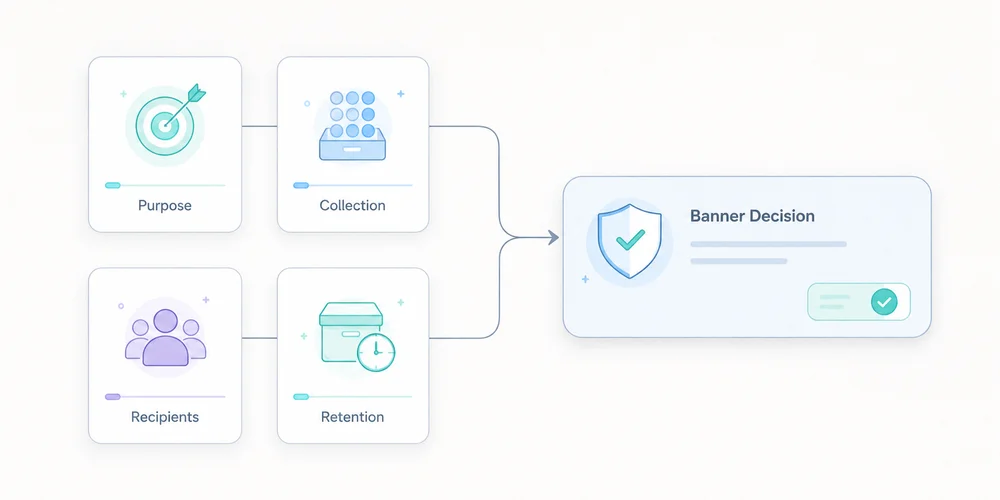
“Cookieless analytics” is often shortened to “consent-free analytics” and then to “no cookie banner”. Those statements are not equivalent. A tool can avoid HTTP cookies while reading or writing information on a device through another mechanism. A product may offer a limited audience-measurement configuration while other modules require a different assessment. And even when analytics fits a strict framework, videos, support widgets, advertising pixels or embedded forms elsewhere on the site may still require consent. The right question is not, “Is the tool cookieless?” It is:Which trackers and processing operations are actually deployed on this site, in this configuration, for which purposes and under which conditions?This is an assessment framework, not legal advice. It must be adapted to the countries, uses and setup involved. Do not confuse three layers 1. Storage or access technology A cookie is one technique. The ePrivacy framework more broadly addresses storing information on a user's terminal or accessing information already stored there, as transposed in national law. Local storage, SDKs, pixels, fingerprinting mechanisms and other terminal access can therefore raise consent questions without a traditional HTTP cookie. Cookieless is a technical characteristic, not a complete legal classification. 2. The ePrivacy tracker regime In France, Article 82 of the Data Protection Act implements the tracker rules. The general principle is prior information and consent for covered operations, with exceptions including operations strictly necessary for a service expressly requested. The CNIL also describes conditions under which certain audience-measurement trackers may fall within an exemption. This is a narrow framework, not a general exemption for all analytics. 3. Personal-data processing under the GDPR Even when a terminal operation does not require ePrivacy consent in a particular configuration, GDPR duties can still apply if personal data are processed. Purposes, legal basis, transparency, minimisation, retention, recipients, transfers, security and rights may still need to be documented. No banner does not mean no processing or no information. The French limited audience-measurement conditions The CNIL states that, to remain strictly necessary for the service and potentially fall within the described exemption, trackers must in particular:be strictly limited to measuring the audience of the site or app; operate exclusively on behalf of the publisher; produce anonymous statistics only; avoid combining the data with other processing; avoid transmitting non-anonymous data to third parties; avoid global tracking across websites or apps.The CNIL also recommends informing users, limiting tracker lifetime, for example to thirteen months without automatic extension, retaining collected information for no more than twenty-five months, and reviewing those periods. Each condition matters. Strictly limited purpose Technical performance, viewed content and navigation problems may fit the described logic. Advertising audiences, CRM enrichment, ad personalisation and cross-service tracking do not share the same purpose. One product interface may offer both. Audit the enabled feature, not only the vendor name. Exclusively for the publisher The provider should not turn the collection into data for its own targeting, profiling or incompatible cross-client measurement. Review the contract, product documentation and subprocessors. A marketing statement is not enough. Anonymous statistics “Anonymous” is a demanding word. Removing a name, truncating an IP address or hashing an identifier does not automatically create anonymity. If a signal still distinguishes or connects a person, use cautious terminology. Ask the vendor to explain transformations and re-identification risk. No global cross-site tracking A shared identifier used to deduplicate people across properties changes the scope. This matters for groups and agencies consolidating audiences. A multi-site dashboard can aggregate indicators without requiring a cross-site person identifier. The checklist before any no-banner promise 1. Inventory the whole site Do not begin and end with analytics. Include:analytics; tag managers; embedded video and maps; support chat; forms; fraud prevention; experimentation; session replay; advertising; social widgets; security and CDN tooling; partner scripts; mobile SDKs where relevant.Run a tracker audit before and after each consent choice, across several pages and journeys. Strict analytics does not neutralise an advertising pixel elsewhere. 2. State real purposes For every component, state what it enables:aggregate audience statistics; campaign analysis; personalisation; advertising; security; interaction recording; support; product experimentation.“Improve the service” is too broad to govern a configuration. 3. Identify terminal operations Document cookies, local storage, session storage, cache identifiers, SDKs, pixels, device characteristics, consent signals and withdrawal. A scanner showing no cookies does not close the assessment. 4. Inspect collected data and transformations The data collection summary should answer:Is the IP address received, used and stored? Is the full URL transmitted? Is the user-agent raw or reduced? Is a visitor identifier created? Is it stable across days or sites? Are UTM parameters retained? Can free-form events contain text? Which data are aggregated? At what point can a record no longer single someone out?An “anonymous mode” that nobody can explain is not evidence. 5. Review vendor use Ask whether the vendor:acts only as a processor for this collection; reuses data for its own purposes; combines data between customers; produces benchmarks from individual-level data; trains another product; sends data to subprocessors; makes international transfers.Benchmarking can sometimes be designed on separated aggregate data. It still needs to be understood. 6. Verify the exact configuration Documentation may say “can be configured to meet the criteria”. That does not mean your default account does. Keep evidence of:configuration export or screenshots; script version; collection parameters; disabled modules; allowed domains; retention; sharing options; verification date; owner.The CNIL tells publishers to request documentation and operating instructions from providers. 7. Review retention Separate tracker or identifier lifetime, raw events, statistics, technical logs, backups and exports. Test automated deletion. A dashboard retention setting may not cover files exported by your team. 8. Inform visitors Even when consent is not required for a strictly framed measurement setup, the CNIL recommends informing users, for example in the privacy notice. Depending on context, explain purpose, relevant data, general operation, duration, provider, recipients, rights, contact and relevant transfers. “We use privacy-friendly analytics” is not enough. 9. Test refusal and withdrawal Where part of the stack relies on consent:covered trackers must not start before the choice; refusal must follow applicable interface requirements; withdrawal must have an effect; the signal must reach all relevant tags; new pages and components must respect the choice.Test behaviour, not only the CMP appearance. 10. Validate and retain the assessment The controller makes the final decision, with DPO or legal support where appropriate. Record:countries; purposes; inventory; criteria reviewed; vendor evidence; configuration; tests; residual risks; date and owners; review triggers.The answer may differ for a French corporate site, an authenticated app and an international property group. Cookieless, consent mode and no banner Cookieless The term can mean no persistent cookie, no cookie in one mode, alternative storage, identifier-free events, server-derived identifiers or simply no advertising cookie. Ask for the technical definition. Consent mode A consent mode communicates user choices to tags and can change their behaviour. Depending on the product and setup, signals may still be sent without advertising cookies. It helps implement a decision. It does not decide whether no-consent collection is legally permitted, and it does not turn advertising into strictly necessary measurement. No banner This statement can only be assessed across the complete site. It may be reasonable when no non-essential component runs before consent and the audience measurement genuinely meets the applicable framework. It is misleading when based only on the absence of an analytics cookie. Claims to avoidabsolute GDPR or legal-compliance claims; blanket consent-exemption claims; claims that cookie-free analytics automatically remove every banner; claims of official CNIL certification; claims of official CNIL approval; “No personal data” “No legal assessment required”The CNIL explicitly states that a solution cannot present itself as certified or approved by the authority merely because of the audience-measurement self-assessment. More accurate wording includes:“cookieless by default”; “designed for minimal collection”; “can be configured for limited audience measurement”; “exemption depends on purposes, configuration and context”; “users remain informed”; “the complete site stack must be audited”.Precision protects credibility as well as compliance. When a banner remains necessary Depending on applicable law and configuration, consent is generally still relevant for:personalised advertising; retargeting; ad-network sharing; cross-site tracking; profile enrichment; some session-replay uses; non-essential personalisation; third-party embeds with non-essential trackers; analytics beyond a limited measurement purpose.The existing guide to session replay and the CNIL consultation explains why detailed behavioural recording should not be treated like aggregate audience statistics. A simple decision process Case A: strictly limited measurement Minimal collection, no cross-site tracking, no vendor reuse, anonymous statistics, controlled retention, information and documentation. Action: assess and document the local framework, then inspect the rest of the site. Case B: enriched analytics after consent The team wants detailed events, advanced attribution or more persistent identifiers. Action: block the relevant capabilities until consent, transmit the choice correctly and document the processing. Case C: mixed stack Minimal measurement runs by default, with extended modules enabled after consent. Action: separate the modes technically, prevent reporting changes from silently expanding collection, and test every transition. Clear separation is more credible than one setting claimed to fit every use. Conclusion A no-banner promise cannot be inferred from “cookieless”. It follows from an assessment of the complete site, purposes, terminal operations and configuration. Before communicating, verify:every component; purposes; terminal access; data and identifiers; vendor use; configuration; retention; transparency; consent behaviour where applicable; the documented decision.The result may be a no-banner strict stack, a consent-based extended stack, or a clearly separated combination. Quality comes from the distinction, not the slogan. FAQ Is cookieless analytics automatically exempt from consent? No. Assess other terminal operations, purposes, data, identifiers and applicable national law. Cookieless is a technical feature, not a legal conclusion. Does the CNIL certify exempt analytics tools? No. The CNIL provides criteria and a self-assessment tool but says providers cannot present that self-assessment as official certification or approval. Can visitors be informed without a banner? Yes, when consent is not required for the relevant collection, information can be provided in a privacy notice or another appropriate location. It must remain clear and accurate. Do UTM tags prevent an exemption? Not automatically, but their use and combination must remain compatible with the limited purpose, minimisation and absence of cross-site tracking. They must never contain personal data. Who decides whether the site can operate without a banner? The controller makes and documents the decision, supported by a DPO or legal adviser where needed. A vendor alone cannot guarantee the answer for every site. SourcesCNIL, Audience-measurement cookies and consent conditions CNIL, What does the law say about cookies and trackers? Directive 2002/58/EC on privacy and electronic communications EDPB, Guidelines 05/2020 on consent EDPB, Guidelines 2/2023 on the technical scope of Article 5(3) ePrivacy
- 08 Jun, 2026
Multi-site analytics dashboard: manage 5, 10 or 30 websites without losing clarity
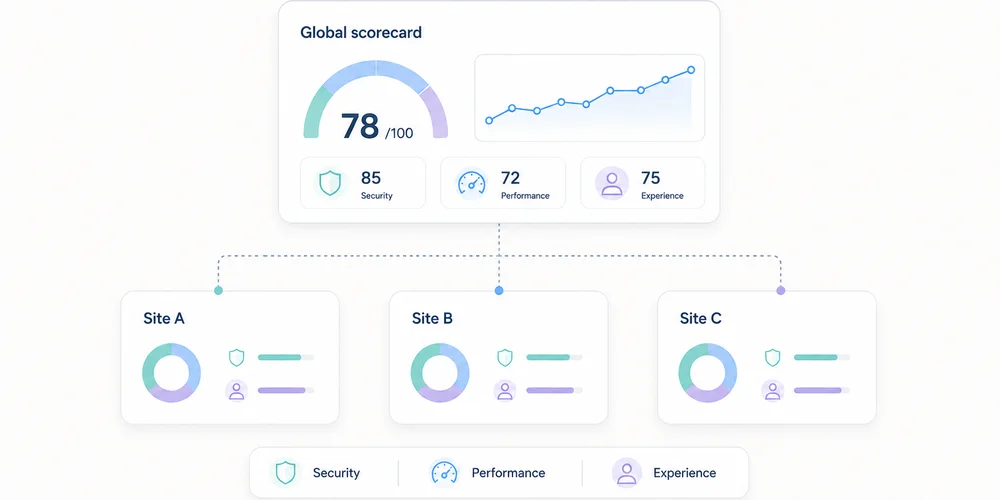
Tracking one website is a measurement problem. Tracking ten becomes a governance problem. Each team initially creates its own analytics property, event names and dashboard. Months later, the group has ten definitions of “conversion”, three time zones, incompatible campaign taxonomies and accounts with unclear ownership. The missing piece is not another chart. It is a shared structure. A useful multi-site dashboard must support two movements:compare properties on a consistent baseline; drill into each site without erasing its business context.Combining everything creates an abstract average. Separating everything hides the portfolio. The right architecture preserves both levels. Start with a property map List every site and its role before choosing metrics.Property Role Main audience Meaningful conversion OwnerCorporate site Trust Prospects, partners Qualified contact CommunicationsProduct A Acquisition SMBs Demo request Growth AProduct B Acquisition Mid-market Meeting booked Growth BHelp centre Support Customers Self-service resolution SupportBlog Discovery B2B audience Signup or product visit ContentSites with different purposes should not be ranked only by traffic. A help centre can perform well by reducing support demand even when it generates no demos. The map should also record:domains and subdomains; production environment; analytics tool and property ID; time zone; currency where relevant; creation date; business owner; technical owner; access list; collection mode; retention; active, migrating or archived status.This becomes the reference inventory. Define a common measurement contract The multi-site baseline is not a dashboard. It is a compact measurement contract applied to every property. Common dimensions Use shared definitions for:page or path; referrer domain; source, medium and campaign; country or region; device class; date and time zone; primary events; conversion status.Apply one URL parameter policy and one UTM taxonomy. Common events A small library is enough: form_submitted demo_requested signup_completed download_completed outbound_clicked search_usedEvery event needs a definition, trigger, allowed properties, owner, test and version. One name must not represent different actions. Conversely, three names for the same contact request prevent comparison. Common quality rules Document:test-environment filtering; bot handling; internal-domain handling; consent and collection modes; path normalisation; time zone; deployment process; alert thresholds.The data collection summary can hold the shared baseline and property-specific exceptions. Separate three reading levels A sound multi-site system does not put every chart on one page. Level 1: portfolio view This answers management questions:Which sites gain or lose useful traffic? Where are conversions moving? Which property has an anomaly? Which team needs investigation? Which site stopped sending data?Keep it short. A table with one row per property is often more useful than twenty small charts.Site Visits Change Useful conversions Rate Main channel Data statusCorporate 24,500 +6% 132 0.54% Organic OKProduct A 18,100 -4% 284 1.57% Paid search ReviewProduct B 9,600 +12% 96 1.00% Partners OKHelp 41,000 +2% n/a n/a Direct OKFigures are illustrative. Data status matters: a fall means something different when collection broke. Level 2: property view Each site retains its business dashboard:acquisition; landing pages; content; conversions; events; trends; data quality.A SaaS property may track trials, while a help centre tracks unsuccessful searches or support escalation. Level 3: diagnostics Analysts and engineers need:events by version; collection errors; unknown parameters; client/server discrepancies; time-series breaks; unexpected domains; test traffic; ingestion delay.Keep diagnostics out of executive reporting, but do not omit them. Otherwise every anomaly becomes a manual investigation. KPIs that can be compared Visits and page views They show scale but naturally favour larger sites. Always include trend and context. Common meaningful conversions A shared conversion group can include demo requests, qualified contacts, verified signups or confirmed purchases. Preserve the conversion mix too. A total can hide a shift toward lower-value actions. Conversion rate Rates compare different property sizes only when the denominator is identical. Document whether it uses visits, visitors, sessions or landing-page entries. Channel share Organic, paid, email, partner, referral and direct shares reveal dependence. This requires one campaign taxonomy. Collection health Add technical KPIs:time of last received event; event-volume change; rejected-event share; unknown parameters; pages missing path or title; abrupt direct-traffic movement.Data reliability is a governance KPI. What not to add naively Unique visitors The same person can visit several domains. Adding each site's unique visitors counts them more than once. A global identifier for deduplication materially changes collection. The CNIL notes that using the same identifier across several sites for global tracking falls outside the French consent-exemption conditions it describes for certain audience-measurement trackers. A lightweight report can instead use:visits by property; a clearly labelled non-deduplicated reach sum; or an aggregate method that does not require a person-level cross-site identifier.Heterogeneous conversions A brochure download is not automatically equal to a sale. Show a common total and its composition. Simple averages An average of ten conversion rates gives equal weight to a site with 100 visits and one with 100,000. Use a weighted overall rate or show the distribution. Unaligned periods Time zones and campaign calendars can move events between days or weeks. Normalise time before comparison. Compare without punishing small sites Multi-site views easily become rankings. That is rarely helpful. Use four axes:current level; change over time; local target; measurement confidence.A niche site can have low volume, healthy growth and high-value outcomes. A large site can hide paid-channel dependence or broken tracking. Trends and comparison bands are more useful than a podium. Structure access Multi-site operations increase excess-access risk. Define roles:portfolio owner: sees all properties and manages standards; site owner: administers one property; analyst: views and exports as needed; contributor: sees reports without changing collection; agency or partner: access limited to contracted properties; technical support: temporary, logged access when required.Avoid shared accounts. Review access quarterly, remove access at contract end and apply least privilege. Establish a governance cycle Weekly: monitor health Automate simple alerts for no data, abnormal shifts, unknown domains, rejected events and sudden direct-traffic changes. Monthly: discuss decisions Ask property owners:What changed? What action follows? Which hypothesis will be tested?Reporting should not become a reading of numbers. Quarterly: review the contract Check common events, UTM naming, inactive properties, access, retention, vendors, configuration differences and business goals. At launch: use a checklist Before adding a site:assign owners; set time zone; apply the collection baseline; configure filters; test events; verify consent behaviour; add it to the portfolio; document exceptions; create alerts; schedule the first review.Choose an architecture One property per site This is usually clearest for access, retention and configuration. It requires a portfolio layer for comparison. One shared property with a site dimension It can simplify some reports but mixes permissions, configurations and collection risks. One mistake affects the full dataset. One property per site plus a consolidated view This is often the best compromise: operational separation with portfolio aggregation. Some vendors provide roll-up or consolidated views. Verify plan requirements, deduplication method, permissions and exactly which data are combined. The key factor is not only the number of sites. It is their independence across teams, brands, purposes, regions, access and privacy settings. A one-page dashboard model Top stripportfolio visits; useful conversions; weighted overall rate; healthy property count; open anomaly count.Central table One row per property with trend, conversion, channel and status. Acquisition block Channel shares by site. Content block Top landing pages and rising pages, filterable by property. Quality block Missing data, rejected events, access reviews and recent deployments. Each block links to a detailed view. The portfolio dashboard signals; it does not explain everything. Conclusion Multi-site measurement works when governance comes before visualisation. You need:a clear property map; a common measurement contract; documented exceptions; three reading levels; comparable indicators; restricted access; a review cycle; consolidation that does not force person-level cross-site tracking.The best dashboard does not make every site identical. It gives them a shared language while preserving their role. FAQ Should every website have its own analytics property? It is often the clearest way to separate access and configuration. A consolidated view can compare them. A shared property can work when purposes and permissions are genuinely shared. Can unique visitors be added across sites? Not as deduplicated reach. One person can appear in several properties. Label the number as non-deduplicated or use an appropriate aggregate approach without introducing a global identifier by default. How many KPIs belong in the portfolio view? Five to eight well-defined columns are usually enough: volume, trend, conversion, rate, main channel and collection health. Details belong in property views. How should different site goals be handled? Keep a small common baseline and add local indicators. Compare each site with its own target and trend, not only with other sites. How often should access be reviewed? Quarterly review is a reasonable practice, with immediate removal when employees or vendors leave. SourcesCNIL, Audience-measurement cookies and consent conditions Google Analytics, Analytics account structure Google Analytics, Roll-up properties Matomo, Roll-Up Reporting Plausible, Consolidated view Regulation (EU) 2016/679, purpose limitation and data minimisation principles
- 01 Jun, 2026
Which URL parameters should privacy-first analytics filter?
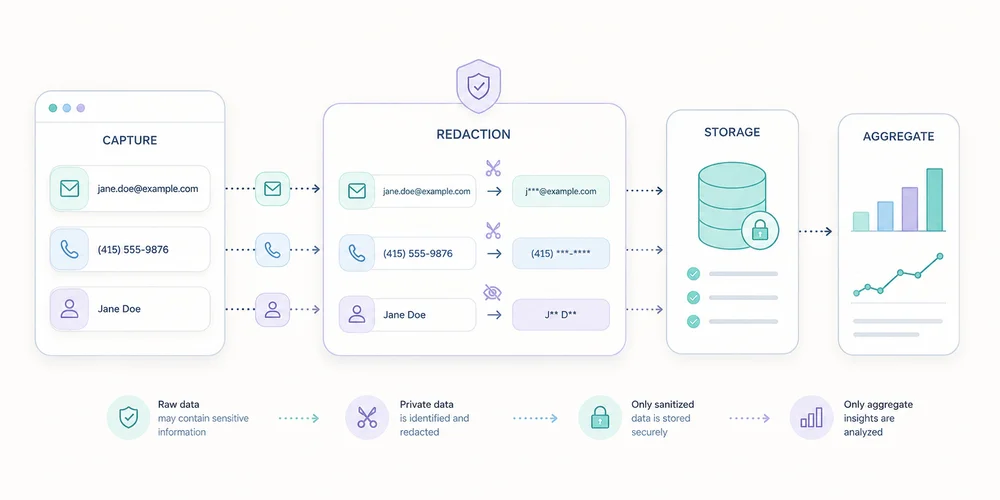
A URL can look harmless while carrying far more information than the page path. https://example.com/confirmation? email=alice@example.com& order_id=84721& utm_source=newsletter& session_token=abc123If analytics collects the full URL, those values may appear in events, logs, exports, screenshots and shared reports. The problem often starts before the analytics platform: the application placed excessive information in the address. A privacy-first approach applies two controls:do not put personal or sensitive information in URLs; send analytics only the parameters that have an explicit purpose.Filtering is not a single patch. It is defence in depth. Why query parameters need their own policy The part after ? is the query string. It contains key-value pairs separated by &. Parameters can be used to:attribute a campaign; paginate or sort a list; select language; prefill a form; identify a resource; carry a token; manage an experiment; preserve a search filter.Browsers, servers, CDNs, monitoring systems and third-party scripts can all observe parts of a URL. OWASP notes that sensitive values in query strings can appear in browser history, logs, intermediary systems and sometimes referrer data, even over HTTPS. HTTPS protects transport between endpoints. It does not hide the URL from authorised systems that process it. Prefer an allowlist to an endless blocklist A blocklist names forbidden parameters: email phone token user_idIt fails when somebody introduces customer_email, invitee, auth or another unknown key. An allowlist names the few parameters justified for analytics: utm_source utm_medium utm_campaign utm_contentEverything else is removed before transmission or storage. This is usually more robust for minimal collection. It also reduces report fragmentation: /products/?sort=price, /products/?sort=name and /products/?session=xyz can map to one stable path when those variants do not answer a business question. Some applications genuinely need functional parameters. The method is not “delete everything after ?” but classify each family. A six-category decision framework 1. Approved campaign parameters Examples: utm_source utm_medium utm_campaign utm_contentThey can help read acquisition when naming is controlled and person-level identifiers are forbidden. The guide to UTM tags, referrers and direct traffic explains the taxonomy. Possible decision:collect a short list; normalise case and values; keep campaign dimensions separate from page path; remove visible parameters after capture when that does not break the journey.2. Functional parameters with no analytics value Examples: sort view page theme currencyThey may be required by the interface without belonging in the page report. Keeping them can generate hundreds of rows. Possible decision:exclude them from the analytics page URL; emit a dedicated event only when a product decision depends on the behaviour; keep a reduced category such as filter_applied, not the free-form value.3. Potentially useful content parameters Examples: lang category plan variantBefore approval, ask:Does the value change a decision? Is there a closed set of valid values? Can it contain free text or an identifier?When the answers are safe, transform it into a controlled dimension. Otherwise remove it. 4. Business identifiers Examples: order_id invoice customer ticket workspaceThey can connect a visit to a case, order or account. Even without a name, linkage can make them personal data. Recommended decision:do not send them to general-purpose analytics; measure an aggregate category or status; handle diagnostics in a separate operational system with appropriate access and retention.5. Personal data and free text Examples: email name phone address search messageFree text is especially risky. Internal search terms can include names, medical issues, addresses or confidential phrases. Recommended decision:prevent the value from entering the URL; remove it from analytics payloads; check logs and third-party tools too; measure only a category or the fact that a search occurred, if needed.6. Secrets and tokens Examples: token code jwt signature password_reset inviteThese values must not be captured. They may grant access to an action or resource. Recommended decision:revisit the journey design; use short-lived, limited-use tokens when a URL is technically necessary; prevent logging; remove the parameter from the address promptly; exclude the page from analytics when controls are unreliable.Filter at several layers Layer 1: the application The best protection is not creating an excessive URL. Do not prefill forms with clear-text email addresses in the query string. Do not place customer IDs in marketing links. Do not copy free-form searches into the page title. This reduces exposure across every system, not only analytics. Layer 2: before the analytics request Build a cleaned representation: const current = new URL(window.location.href); const allowed = new Set([ "utm_source", "utm_medium", "utm_campaign", "utm_content", ]);const clean = new URL(current.origin + current.pathname);for (const [key, value] of current.searchParams) { if (allowed.has(key)) { clean.searchParams.set(key, value.toLowerCase().slice(0, 100)); } }const analyticsPage = clean.pathname; const campaign = Object.fromEntries(clean.searchParams);This illustrates the principle, not a universal implementation. You must also handle repeated keys, validate values, cap length, reject free text, test encoding, account for routing and ensure errors never fall back to the raw URL. Sending page path and campaign dimensions as separate fields is often safer. Layer 3: the collector or proxy Server-side validation protects against browser bugs and old scripts. Reject unknown fields, cap values and log only an error code without copying rejected data. This is important when many sites share an endpoint. Layer 4: the analytics platform Some platforms provide redaction or exclusion. GA4 can redact email patterns and administrator-defined query parameters. Matomo can exclude query parameters from page reports. These settings help, but they do not replace earlier controls. A value may cross a tag manager, log or proxy before being hidden in a report. Layer 5: exports Historical exports can retain values filtered later in the platform. Include warehouses, backups, CSV files and BI connectors in the deletion process. Your data collection summary should distinguish received, transformed, stored and exposed data. Normalise pages without losing useful context A content report should usually group variants of the same resource: /products?sort=price&page=1 /products?sort=name&page=1 /products?utm_source=newsletter /products?session=abcThe primary page dimension can remain: /productsUseful context can be separate: campaign_source=newsletter sort_used=trueThis creates readable reports and avoids high-cardinality dimensions. When the query defines the content Some applications use ?article=42 or ?category=security as the resource identifier. Removing it without replacement would merge distinct pages. Options include:migrating to stable paths such as /articles/42; deriving a controlled, non-personal content dimension.Do not preserve the raw identifier automatically. First assess whether it links to a person or case. SEO cleanup and analytics cleanup differ SEO teams may use canonical URLs, redirects, indexing rules and consistent internal links. Analytics teams choose the representation stored in reports. A canonical tag does not stop a script from collecting the full URL. Removing a parameter from analytics does not change search-engine crawling. Document the two decisions separately. A practical test protocol Test 1: parameter corpus Create test URLs with:approved UTM tags; an unknown key; an encoded email; a numeric identifier; a very long value; repeated keys; special characters; a dummy token; free-form search text.Test 2: network observation Inspect the exact browser payload. Search for the dummy sensitive value across every request, not just the primary analytics request. Test 3: logs and storage Check the collector, CDN, application errors and raw data. Absence from the dashboard does not prove the value was never stored. Test 4: reports and exports Inspect page reports, custom dimensions, API output and a representative export. Test 5: failure behaviour Disable a rule, send an unknown key and simulate an invalid payload. The system should fail safely without logging the full URL. Govern the allowlist Maintain a small register:Parameter Status Purpose Allowed values Owner Reviewutm_source Allowed Acquisition Marketing taxonomy Growth Quarterlyutm_medium Allowed Channel Closed list Growth Quarterlylang Derived Content fr, en Product Twice yearlyemail Forbidden None None Engineering Permanenttoken Forbidden Security None Security PermanentEvery new key must answer the same question: which decision justifies collection? For multi-site environments, use one common default allowlist and document every property-specific exception. Conclusion The right filter is not a long list of forbidden words. It is a simple policy:no personal data or secrets in URLs; a short allowlist for useful campaign signals; controlled dimensions for product needs; cleaning before transmission plus server-side validation; tests across network, logs, storage and exports.This improves privacy, security and report clarity at the same time. Measuring fewer URL variants often produces a better view of the pages that matter. FAQ Should analytics remove the entire query string? It is a sound default for the page dimension, but some applications use parameters to define content. Derive a controlled dimension instead of storing the raw URL. Can UTM tags contain an email address? No. Email addresses in URLs can spread across many systems. Use campaign categories, never person-level identifiers. Is GA4 redaction enough? It reduces specific risks inside GA4 but may not cover logs, other tags, proxies or exports. Filter as early as possible and verify every layer. Can a hashed identifier stay in the URL? Hashing does not automatically make data anonymous. If it can distinguish, link or recover a person, it may remain personal data and should not be transmitted without a justified design. How should internal search terms be handled? Avoid sending free text. Measure search usage, a controlled category or aggregate statistics after assessing the need. SourcesOWASP, Information exposure through query strings in URL MDN, URLSearchParams Google Analytics, Data redaction Matomo, Excluding URL query parameters from tracked URLs Regulation (EU) 2016/679, Article 25 and Article 5 principles EDPB, Guidelines on data protection by design and by default