- 20 Apr, 2026
A minimal analytics tracking plan for SMBs: 12 events are enough to run a website
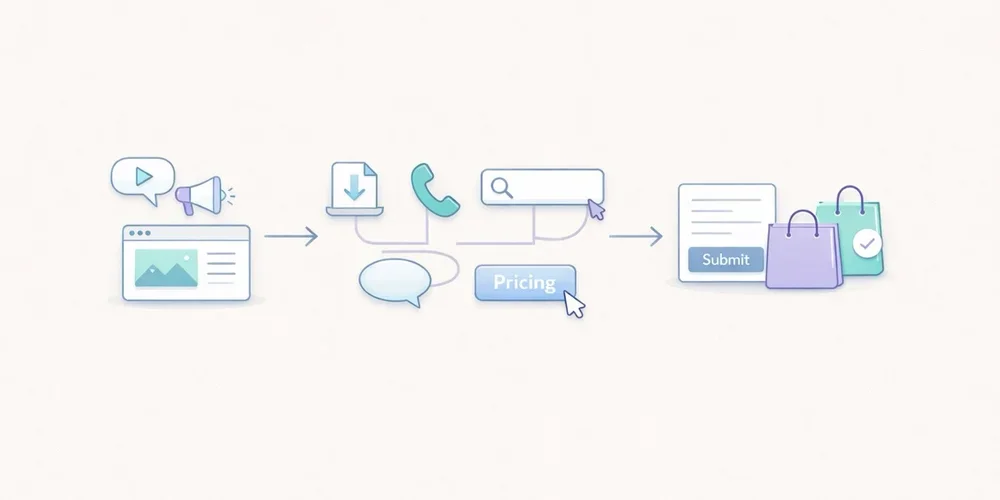
For years, many teams approached analytics tracking as an endless checklist. Track everything, name everything, enrich everything, and hope that one day someone will actually use the data. In practice, that usually creates the opposite result. The tracking plan grows too wide, the event list becomes messy, parameters get harder to read, and the dashboard stops helping people make decisions. The tool collects more, but the team understands less. For an SMB, a B2B website, a lead generation site, or a small SaaS property, the right logic is usually much simpler: measure less, but measure what helps you act. That is what a minimal tracking plan is for. It does not try to describe every micro-interaction. It tries to answer a few useful questions:where traffic comes from; which pages attract attention; which pieces of content create intent; which actions suggest progress; which actions count as real conversions.This article offers a practical framework with 12 events at most. It is not a universal truth. It is a robust starting point for teams that want analytics to stay readable, governable, and useful. A tracking plan is not a technical inventory, it is a decision framework The first mistake is to start from the tool. You open the documentation, discover dozens of recommended events, and then try to squeeze all of them into the site. That is the wrong direction. A good tracking plan starts with the decisions the team needs to make. For example:Which pages actually support acquisition? Which content drives lead generation? Which calls to action work? Where do visitors drop off? Which signals deserve a monthly review, and which ones are just curiosity?Until those questions are clear, adding more events does not help much. Google Analytics 4 explicitly separates automatically collected events, recommended events, and custom events. The key point is not that many options exist. The key point is that a team does not need all of those options to get useful analytics. The same is true with tools such as Matomo and Plausible. They can track actions beyond pageviews. That capability is valuable. It becomes counterproductive when it pushes teams to document every movement on the site. What a minimal tracking plan should cover For SMBs, a lean tracking plan should cover five areas. 1. Core audience reading Before adding events, you still need the basics:pageviews; landing pages; sources or referrers; campaigns when they are actively used; main conversions.In other words, event tracking should not compensate for a weak audience dashboard. If your reporting does not already explain which pages attract qualified traffic, twenty extra events will not fix that. 2. Intent signals Not every visitor converts right away. You need a few intermediate signals: a strategic CTA click, a file download, internal search, a demo request, the start of signup, and similar actions. These signals help you read progression. They should not become an artificial funnel for its own sake. 3. Real conversions A minimal plan should identify what actually matters for the site:form submissions; booked meetings; trial starts; confirmed purchases; validated signups.If an action does not influence any decision, it probably does not need to exist as an event. 4. Obvious friction points The goal is not to replay every session. The goal is to see where intent gets lost. Repeated internal searches, clicks to pricing with no follow-up action, or checkout starts without completed purchases can already be enough to reveal a problem. 5. Tracking governance A tracking plan without governance drifts quickly. You should know:why the event exists; who asked for it; where it fires; which parameters are actually useful; when it can be removed.This is often the difference between a clean setup and an accumulative one. The 12 events that are enough in most cases Here is a simple model. Not every team will need all 12. Many can start with 6 to 8. 1. form_submit This is the most universal event. It covers contact forms, quote requests, demo forms, and inbound lead forms. Why track it: it captures explicit intent. Useful parameters:form_name page_type2. demo_request If your B2B site offers demos, it is worth distinguishing that action from a generic form. It often reflects stronger intent. Why track it: it separates general contact from more qualified demand. Useful parameter:placement3. newsletter_signup This is usually secondary compared to commercial intent, but it can still be a strong content signal. Why track it: it measures a lighter conversion that is useful for content teams. Useful parameters:placement content_type4. account_signup For SaaS products or member areas, the start of signup nearly always deserves dedicated tracking. Why track it: it shows the move from visit to account creation. Useful parameters:plan_type placement5. trial_start If a trial exists, it should be tracked separately from a simple signup. Volume may be lower, but the signal is much closer to revenue. Why track it: it brings analytics closer to the real pipeline. Useful parameter:plan_type6. purchase_complete For ecommerce sites or SaaS products with direct subscription, this is the most important end-state event. Why track it: it anchors the setup in real conversion rather than vague intent. Useful parameters:plan_type billing_cycle7. phone_click On many local business, consulting, services, and B2B sites, the phone is still a conversion path. Why track it: not every conversion goes through a form. Useful parameter:placement8. email_click The same applies to mailto links. On some sites, this matters more than another decorative click on a product page. Why track it: it shows direct contact intent. Useful parameter:placement9. file_download White papers, brochures, product sheets, or PDF documentation can indicate serious intent, as long as you stay selective. Why track it: it helps identify the assets that generate tangible engagement. Useful parameters:file_name content_type10. outbound_click Not every outbound click deserves tracking. But some external links are strategic: Calendly, payment platforms, partner portals, marketplaces, or core documentation. Why track it: it explains useful exits from your site. Useful parameters:destination_type placement11. search_submit If your site includes internal search, it is often one of the most revealing signals. Visitors are telling you what they are looking for. Why track it: it reveals the gap between site architecture and user intent. Useful parameters:query_group results_stateImportant: avoid sending raw search terms if that creates unnecessarily sensitive collection. Grouping or aggregation is often the better choice. 12. checkout_start or pricing_cta_click The twelfth event depends on the type of website. For ecommerce: track checkout_start. For B2B sites without direct purchase: track pricing_cta_click or another major commercial CTA. Why track it: it captures the shift from interest to active intent. Useful parameters:placement offer_typeThe real discipline: limit parameters A bad tracking plan does not only contain too many events. It also contains too many properties attached to each event. A simple rule works well here: only keep parameters that change how you read performance. For example:placement can help compare a CTA in the header and footer; plan_type can help separate free, starter, and pro; form_name can help if several forms exist.By contrast, many parameters create little value:the exact button text; the full URL when it is already visible elsewhere; casing variations and naming inconsistencies; redundant details that mostly complicate analysis.Plausible, for example, lets you attach custom properties to events. That is useful. But technical possibility is not the same as analytical necessity. The more you enrich, the more you have to read and maintain later. A simple naming convention beats a complex framework For a minimal plan, the following convention is enough:event names in English; clear action verbs; no spaces; no near-duplicates; stable meaning over time.Good examples:form_submit trial_start file_download phone_clickAvoid names like:CTA Final Hero Demo contactFormSuccessNew btn_click_v2 conversion_importantThe rule is simple: the name should still make sense six months later, even to someone who was not part of the original implementation. What not to track first A minimal plan also means accepting what not to measure. Do not start by tracking:every scroll; every navigation click; every accordion open; every hover; every visual button variation; every video interaction if nobody uses that data; every micro-step of a long form unless a proven problem exists.This data can feel reassuring because it looks detailed. In reality, it often creates noise. The recommended implementation order To avoid turning tracking into an endless project, deploy in three waves. Wave 1: main conversions Start with:form_submit demo_request purchase_complete trial_startNot every team will have all four, but every team should start with the events closest to value. Wave 2: intent signals Then add:phone_click email_click file_download checkout_start or pricing_cta_clickThat is often enough to read the useful middle of the journey. Wave 3: orientation signals Only then, add if needed:search_submit newsletter_signup account_signup outbound_clickThis sequence keeps tracking under control. First document what supports decision-making, then what improves interpretation. A simple example of a minimal tracking table This documentation format is enough for most SMBs:Event Trigger Why track it Parametersform_submit successful form submission measure inbound leads form_name, page_typedemo_request demo click or confirmed request isolate strong commercial intent placementnewsletter_signup confirmed signup measure content-driven conversions placement, content_typeaccount_signup signup started or completed read visit → account progression plan_type, placementtrial_start trial activated track the signal closest to revenue plan_typepurchase_complete purchase or subscription confirmed measure the final conversion plan_type, billing_cyclephone_click click on phone link capture non-form conversions placementemail_click click on mailto link follow direct contact intent placementfile_download file download triggered measure interest in key assets file_name, content_typeoutbound_click click to a strategic external domain understand useful exits destination_type, placementsearch_submit internal search submitted read user intent query_group, results_statecheckout_start or pricing_cta_click checkout started or key pricing CTA clicked identify the shift to action placement, offer_typePrivacy matters, even in a minimal setup This point matters. A minimal tracking plan is not automatically a legally simple one. The CNIL makes clear that audience measurement can, under certain conditions, fall within a specific regime, but the analysis still depends on purposes, configuration, and actual data use. Once you move into broader marketing use cases, acquisition logic, or richer reuse, the compliance analysis changes. In practical terms, that means two things:keep the tracking plan proportionate; clearly separate useful audience measurement from broader marketing needs.In other words, a good tracking plan is not just lean. It is also explainable. What to keep in mind For SMBs, a good tracking plan is not trying to impress anyone. It is trying to remain usable. In most cases, 12 events are more than enough, and often 6 to 8 are enough to start well. The key is not to build an ambitious taxonomy. The key is to answer a few simple questions every month:what attracts qualified traffic; what creates clear intent; what actually converts; where progress gets lost; which data the team truly understands and uses.If your tracking plan becomes more complex than your decisions, it is probably already too heavy. FAQ Should we implement all 12 events on day one? No. Most teams should start with the 4 to 8 events closest to real conversions, then expand only when a clear use case appears. Why keep event names in English on a non-English site? Because it often makes maintenance, technical consistency, and future transcreation easier. The important thing is not the language itself, but stable naming. Is a button click enough to count as a conversion? Not always. A click can be a useful intent signal, but it does not replace a real conversion such as a submitted form, an activated trial, or a confirmed purchase. Can campaigns and UTM data fit in a minimal setup? Yes, but acquisition reporting and event tracking are not the same thing. Campaign data can be useful, but it does not justify an inflated event taxonomy on its own. How do we know an event should be removed? If nobody looks at it, if it drives no decision, if it duplicates another signal, or if nobody on the team can explain why it exists, it probably deserves to go. SourcesCNIL, Cookies: solutions for audience measurement tools: https://www.cnil.fr/fr/cookies-solutions-pour-les-outils-de-mesure-daudience CNIL, Recommendation on cookies and other trackers, consolidated 2026 edition: https://www.cnil.fr/sites/default/files/2026-01/recommandation_cookies_consolidee.pdf Google Analytics, Analytics - Recommended events: https://developers.google.com/analytics/devguides/collection/ga4/reference/events Google Analytics, Set up events: https://developers.google.com/analytics/devguides/collection/ga4/events Google Analytics, Set up event parameters: https://developers.google.com/analytics/devguides/collection/ga4/event-parameters Matomo, JavaScript Tracking Client Guide: https://developer.matomo.org/guides/tracking-javascript-guide Matomo, Event Tracking User Guide: https://matomo.org/guide/reports/event-tracking/ Plausible, Custom event goals: https://plausible.io/docs/custom-event-goals Plausible, Custom properties for events: https://plausible.io/docs/custom-props/for-custom-events Plausible, Goal conversions: https://plausible.io/docs/goal-conversions
Read article →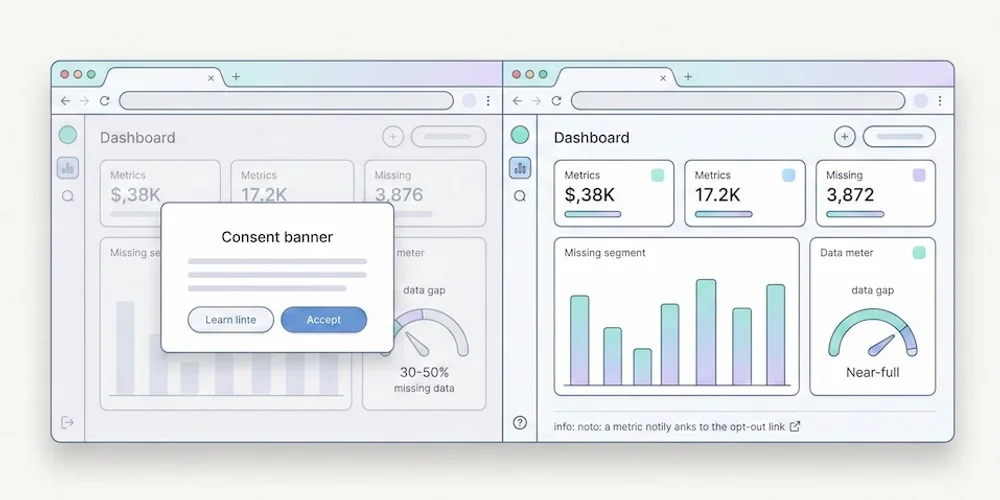
- 13 Apr, 2026
GDPR audience measurement: the CNIL framework to understand before choosing a tool
Audience measurement is no longer just a tooling decision. It is a governance decision. An SMB may legitimately want to understand pages, sources and simple conversions without turning its website into a heavy marketing stack. That is a reasonable goal. The mistake is to turn a privacy-first product choice into a blanket legal promise. The CNIL framework is more specific. It describes conditions under which strictly limited audience measurement can, in some cases, be implemented with a lighter consent burden. That position depends on the real purpose, configuration, retention period, absence of cross-use, provider role and visitor information. The useful question is therefore not "which tool removes all legal work?". The useful question is: does my actual setup remain within a documented, minimal and verifiable audience-measurement perimeter? What the CNIL framework says The CNIL explains that traffic and performance statistics can be necessary for operating a website or application. It therefore describes a limited perimeter for audience-measurement trackers, provided the purpose stays strictly focused on the site or app audience and is carried out for the publisher's exclusive account. The framework excludes uses that combine the data with other processing, send non-anonymous data to third parties, or follow a person globally across several websites or applications. The CNIL also recommends informing users, limiting tracker lifetime, capping retention for collected information and periodically reviewing those periods. It provides a self-assessment tool to help vendors document their analysis. That nuance matters. Self-assessment is not certification, and it does not prejudge what the CNIL could conclude during an investigation. Site publishers still need a cautious, documented reading of their setup. The criteria that should guide the choice Before choosing an analytics solution, check these points first. 1. Strictly limited purpose Collection should help understand traffic, performance, content viewed or navigation issues. If the same tool is used for retargeting, advertising activation, profiling or CRM enrichment, the setup no longer fits a minimal audience-measurement perimeter. 2. No vendor reuse The provider should process data for your account. Reuse for the provider's own services, advertising, global benchmarks or loosely governed product improvement increases risk. 3. No cross-site tracking An identifier shared across several publishers or domains to follow global browsing behavior is incompatible with minimal audience measurement. 4. Statistical data and limited retention The logic should remain aggregated and proportionate. Retention periods should be limited and reviewed. Raw or pseudonymized records should not become a permanent marketing archive. 5. Clear visitor information Even when a lighter collection setup is possible, visitors still need clear information. The privacy policy should explain what is collected, why, for how long, by whom and how rights can be exercised. Strict and Extended: a useful product separation For privacy-first analytics, separating a minimal mode from an enriched mode is clearer than offering one vague switch. Strict should cover the core needs: page views, readable sources when available without enrichment, volumes, trends and simple conversions. It should minimize fields and avoid data that is not necessary for the stated purpose. Extended should be explicit. It can support richer needs: detailed UTM campaigns, advanced events, goals, technical context, segmentation or multi-site analysis. Those uses can be legitimate, but they should be treated as configuration choices, not as the silent default. This distinction helps product teams, DPOs, marketers and clients talk about the same operational reality. The checklist before publishing Before presenting your analytics setup as launch-ready, document at least:the exact measurement purpose; the fields collected in Strict; the fields added in Extended; retention periods; absence of cross-use with other processing; potential transfers and contractual basis; the updated privacy policy; the internal or vendor analysis based on CNIL sources; the profile-change procedure; the owner who approves collection changes.This documentation does not replace legal review, but it prevents marketing copy from becoming operational debt. What Pomelo should promise publicly The strongest position is not an absolute claim. It is a controlled product promise:cookieless by default; minimal collection; clear documentation of collected fields; explicit Extended configuration when teams need richer detail.That is more durable than a slogan. European SMBs, B2B SaaS teams and multi-site digital teams need analytics that is readable, governable and stable over time. Sources Sources checked on May 9, 2026.CNIL, Cookies and audience measurement solutions CNIL, audience-measurement self-assessment tool, July 2025 Article 82 of the French Data Protection Act
- 06 Apr, 2026
Why your Search Console impressions may drop in April 2026 without your SEO getting worse
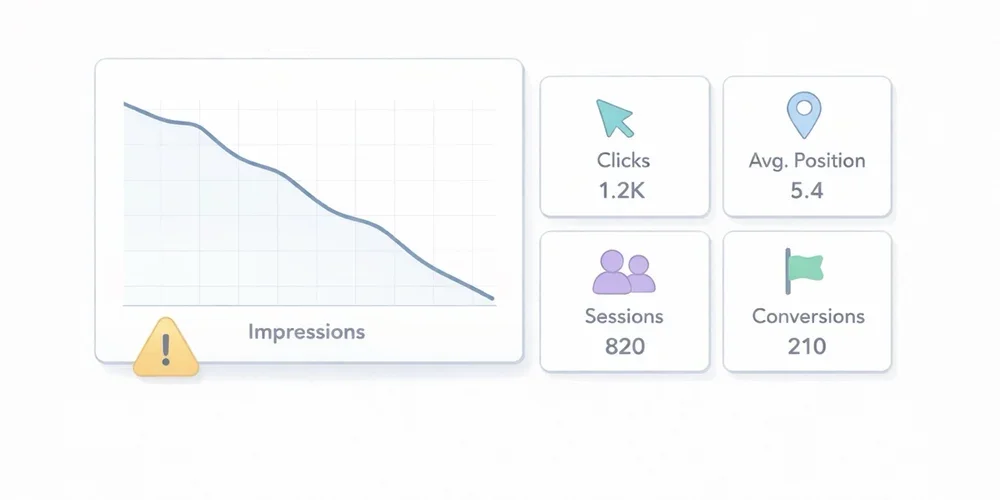
In April 2026, Google added and then updated an official note on the Search Console data anomalies page. The message is simple, but its consequences can create a lot of false alarms in SEO dashboards: a logging issue prevented Search Console from accurately reporting impressions from May 13, 2025 until April 27, 2026. Google now says the issue has been resolved. In practice, many teams will see impressions drop in Search Console without seeing an equivalent drop in real-world search visibility. And because the interface also shows average CTR and average position, correcting impression counts can move several metrics at once even when actual SEO performance has not materially changed. For a small or midsize business, a marketing team, or an agency, this is exactly the kind of moment when bad diagnosis becomes expensive. You think you are seeing a ranking problem, you trigger an emergency review, you rewrite pages that were fine, and only later realize the original signal was partly a measurement artifact. This article has a simple goal: explain what Google actually announced, clarify which metrics deserve more trust after this correction, and give you a more resilient way to read your SEO data. What Google actually said The note Google published on April 3, 2026 highlights four important points. First, this is a logging issue in Search Console. Google is not saying that a ranking change or search delivery issue affected the live search results. It is saying that impression reporting inside the tool was not being recorded accurately. Second, Google dates the start of the issue to May 13, 2025. That matters because it means recent historical reporting for many properties may have been affected for almost a year. Third, Google now says the issue has been resolved. The operational reading is therefore to compare periods before and after April 27, 2026 carefully, rather than looking for an immediate SEO cause behind every impression break. Fourth, Google states that only impressions and related metrics, such as CTR and average position, were affected. Clicks were not affected by the error. This is probably the most useful operational takeaway. If clicks remain the most reliable signal, then the correct response to falling impressions is not panic. It is a change in analytical priorities. Why lower impressions do not automatically mean worse SEO In Search Console, an impression reflects that your property was shown in Google Search according to the tool’s reporting rules. The Performance report also includes clicks, average CTR, and average position. The key point is this: if impressions were overstated or logged incorrectly and are now being corrected, a visible drop in the chart may simply reflect a return to more accurate measurement. It does not automatically mean your pages are being shown less often in Google Search. That is especially true if, at the same time:clicks remain stable; average position shows no break confirmed by clicks; organic Google traffic in your analytics tool does not break down; SEO-driven conversions do not show a clear structural drop.In other words, you need to separate measurement correction from performance deterioration. That distinction matters because many teams have learned to treat impressions as a universal leading indicator. In this case, Google explicitly says the issue affected impression logging, not clicks. If your reporting logic is built around impressions without context, you can easily mistake a reporting fix for an SEO problem. The average CTR trap Average CTR deserves extra caution. In Search Console, CTR is calculated from clicks and impressions. If Google corrects impressions downward while clicks remain unchanged, CTR can rise mechanically. That means a higher CTR will not necessarily signal better snippets, stronger intent alignment, or better SEO execution. It may simply reflect the corrected denominator. This is where automated dashboards can tell a very persuasive but very false story:impressions are down; CTR is up; therefore traffic must be more qualified.That conclusion may be completely wrong. Around the resolution period, CTR should be treated as a derived metric that needs context, not as immediate proof of improvement or decline. Which metrics to trust first When one metric becomes unstable, the right move is to anchor analysis in the most robust signals. In this situation, here is the reading order I recommend. 1. Search Console clicks Because Google says clicks were not affected, they become the primary anchor. Review them at several levels:whole property; strategic directories; key pages; comparable groups of pages.You are not looking for one odd day. You are looking for a real break in trend. 2. Average position, with nuance Google says average position is one of the impression-related metrics that was affected. Do not treat it as a perfectly stable independent signal. It is still useful context, but it should be read alongside clicks, pages, and queries. Operationally, use it to answer a simple question: are you seeing a real decline confirmed by clicks and critical pages, or only an impression change tied to the reporting correction? 3. Google organic traffic in your analytics tool Search Console measures what happens before the click in Google Search. Your analytics tool measures what happens after the visit reaches your site. Those are different views, which is exactly why they are complementary. If Search Console shows lower impressions while your Google organic traffic remains stable in analytics, that is a strong argument against the idea of a real SEO drop. For most marketing teams, this is the most useful cross-check. A reporting correction upstream does not necessarily create any business impact downstream. 4. Organic conversions For many businesses, this is the real red line. If forms, trials, demo requests, downloads, or revenue attributed to organic search remain stable, you should avoid overreacting to a single impression series. Conversely, if clicks, organic traffic, and conversions all decline together, you probably do have a real issue worth investigating. The right way to read after the resolution Here is a simple process that is strong enough for an SMB or an agency. Step 1: freeze fast conclusions about impressions Around the corrected period, avoid statements like:“Our visibility is collapsing” “Google is showing us less” “The content we published in January is underperforming” “The redesign broke SEO”Those conclusions may turn out to be true, but impressions alone are no longer enough to support them cleanly. Step 2: extend comparison windows A 7-day versus 7-day comparison becomes more fragile when a metric has just been corrected. Prefer:28 days versus 28 days; rolling 8-week views; calendar months if your volume supports it.The goal is to reduce noise and avoid reacting to a purely technical movement. Step 3: segment before you interpret Review separate views for:business-critical pages; blog content; documentation; branded versus non-branded traffic; important countries or devices if volume is large enough.A broad measurement issue does not always appear identically across every segment. And a real SEO issue often leaves a more localized signature. Step 4: reconcile Search Console and analytics Build a simple cross-check:Search Console clicks Google organic sessions Organic conversions Average position on critical page setsIf the four lines tell the same story, you can act with confidence. If only the impression line diverges, caution is warranted. Step 5: document the anomaly in reports If you work with teammates or clients, add a note to dashboards and monthly reports. One sentence is enough:In April 2026, Google reported a logging issue affecting Search Console impressions from May 13, 2025 until April 27, 2026. According to Google, only impressions and related metrics such as CTR and average position were affected; clicks were not. Impression changes around this period should be interpreted carefully.This small note can prevent a surprising amount of confusion. What not to do When data moves, the classic mistake is to act too fast. These are the reflexes to avoid. Do not rewrite titles and meta descriptions at scale after the first drop in impressions Yes, snippets can influence CTR. But in the current context, if the drop comes from a reporting correction, you may be changing pages that were never the problem. Do not launch an emergency technical audit without converging evidence A technical audit makes sense if several signals deteriorate together, or if you also see indexing, coverage, crawl, or site quality issues. An isolated impression drop is not enough. Do not over-interpret short-term winners and losers During a correction period, weekly top gainers and losers can become misleading. A page that “lost” impressions may not have lost actual search visibility. Do not confuse reporting trend with business trend This is probably the most important point. To manage a website, you need to separate:a metric that describes potential exposure; a metric that describes actual visits; a metric that describes useful action.Impressions matter, but they do not fill a sales pipeline on their own. What this news reminds us about SEO measurement This story is useful beyond the Google announcement itself. It highlights three broader principles. 1. No reporting tool is raw reality Search Console is extremely valuable, but it is still a reporting system with its own rules, aggregations, limits, and occasional anomalies. Numbers always need context. 2. Good reporting should survive an anomaly in a single tool If your whole SEO diagnosis depends on one impression chart, your reading is too fragile. A resilient setup should at least cross-check visibility, traffic, and business outcomes. 3. Teams should favor metrics that support decisions This is simple but often forgotten: out of all the available metrics, which ones actually help you decide what to do next? In this case, clicks, organic sessions, and conversions are often more decision-useful than raw impressions. What I recommend to teams, agencies, and SMBs right now Here is the short version. After this resolution, keep using Search Console, but do not treat impressions as the only alert metric for the affected periods. Move clicks to the top of the stack, keep average position as context, and always validate the diagnosis with analytics and conversions. For an SMB, the best posture is not to ignore Search Console. It is to put Search Console back in its proper place inside a simpler measurement system. Search Console tells you how Google exposes your pages. Your analytics tool tells you what visitors actually do after the click. Both matter, but they do not answer the same question. If you want a more stable acquisition view, this is also a good moment to review your SEO dashboards and limit executive reporting to the metrics that clearly support decisions. For a broader take on choosing a readable analytics setup, you can also read our guide: Google Analytics, Matomo or privacy-first analytics? The complete guide for 2026. Conclusion The impression drop many sites will notice in April 2026 should not be read automatically as an SEO decline. Google itself reported a logging issue affecting Search Console impressions from May 13, 2025 until April 27, 2026, now marked as resolved. In that context, the right response is not panic. It is a more disciplined reading model:clicks first; average position as context; organic traffic and conversions to validate real impact.In SEO, as in analytics, the biggest risk is not always poor performance. Sometimes it is poor diagnosis. FAQ Why are my Search Console impressions suddenly dropping in April 2026? Because Google reported in April 2026 that a logging issue had affected impression reporting from May 13, 2025 until April 27, 2026. Its resolution can produce a visible drop in impressions without reflecting a real SEO decline. Are Search Console clicks reliable during this correction? According to Google, yes. The official note says clicks were not affected by the error. That makes clicks the most useful metric to prioritize during this period. My CTR is increasing while impressions are falling. Is that good news? Not necessarily. Because CTR is calculated from clicks and impressions, a lower impression count with stable clicks can increase CTR mechanically. That is not automatic evidence of improvement. Should I change my SEO pages right away? Not based on impressions alone. Before making changes, also review clicks, average position, organic traffic in your analytics tool, and SEO-driven conversions. What is the best way to track real business impact? Cross-check Search Console with your analytics setup. If clicks, Google organic sessions, and conversions remain stable, you are more likely looking at a reporting correction than a real SEO problem. Sources Sources checked on May 10, 2026.Google Search Console Help, Data anomalies in Search Console Google Search Console Help, What are impressions, position, and clicks? Google Search Console Help, Performance report (Search results) Google Search Central, Using Search Console and Google Analytics Data for SEO
- 30 Mar, 2026
CNIL sanctions: what analytics teams should learn before launch
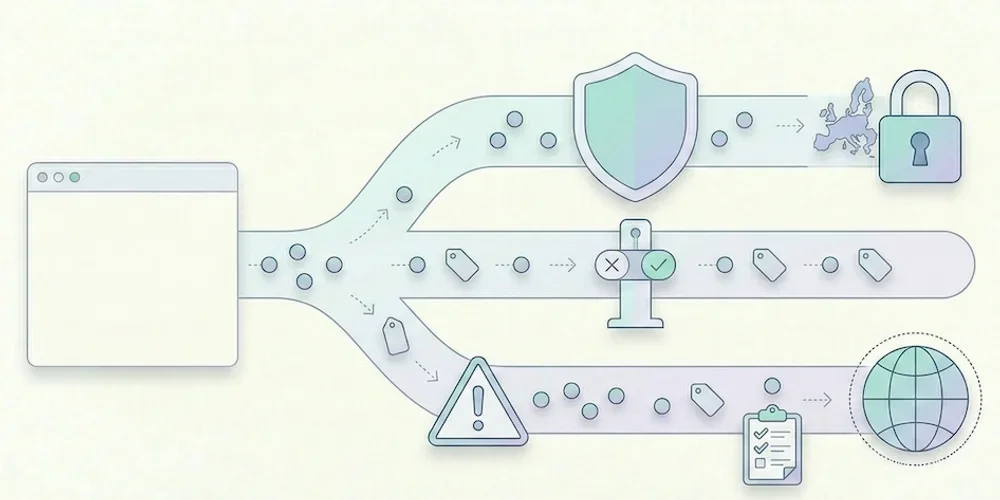
CNIL sanction decisions are useful because they show patterns, not just headline amounts. For analytics teams, the lesson is clear: risk rarely comes from measuring traffic in itself. It comes from unclear purposes, tracking before a valid choice, excessive collection, weak information, poor retention and provider relationships that nobody has reviewed. This article does not try to predict a fine. It gives product, marketing and legal teams a launch checklist grounded in the CNIL's public sanction list and cookie guidance. The recurring analytics risks 1. Tracking starts too early If advertising, personalization or advanced tracking fires before the visitor's valid choice is recorded, the compliance issue is immediate. Teams should verify scripts in the browser, not only in a tag manager diagram. 2. The purpose is too broad "Analytics" can hide several purposes: audience measurement, ad attribution, retargeting, product analytics, support, personalization and CRM enrichment. These purposes do not carry the same risk or consent analysis. They must be separated in configuration and documentation. 3. Data is kept too long Retention is a recurring sanction theme across CNIL decisions. Analytics teams should define retention for raw events, derived reports, exports and backups. The answer cannot be "as long as the tool allows". 4. Provider roles are unclear The site publisher remains responsible for understanding what the provider does. Review data-processing terms, hosting, transfers, sub-processors and reuse clauses before launch. 5. The public explanation is vague A privacy policy that only says "we use cookies to improve the experience" is not enough for a modern analytics stack. Explain the tool, purpose, data categories, retention and choice mechanism in concrete terms. How to reduce risk before launch Run this practical check:open a clean browser profile and inspect which scripts fire before any choice; map each tag to a purpose and owner; remove tags nobody can justify; separate minimal audience reporting from richer marketing tracking; document retention and export rules; review provider terms and transfer mechanisms; update privacy copy with actual tool names; keep evidence of the test in the release checklist.For Pomelo, this means keeping the public promise conservative: cookieless by default, minimal collection, clear documentation, Strict first and Extended by explicit configuration. Why this matters for SMEs SMEs often assume enforcement only targets large platforms. The CNIL sanction list shows that smaller organizations can also be sanctioned, including through simplified procedures. The amounts differ, but the operational lesson is the same: a small team still needs traceability, minimization and a clean release process. Good analytics governance is not bureaucracy. It prevents last-minute launches from becoming privacy incidents. Sources Sources checked on May 9, 2026.CNIL, public list of sanctions, updated April 14, 2026 CNIL, Cookies and other trackers CNIL, Cookies and audience measurement solutions
- 23 Mar, 2026
GDPR analytics checklist: 10 checks before installing a tracking tool
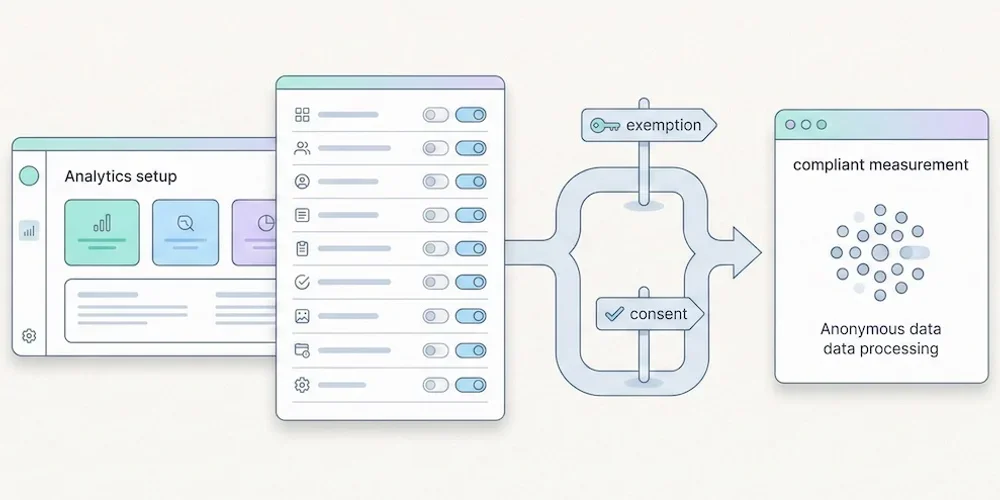
Installing analytics is easy. Governing analytics is harder. A script can be live in five minutes, but the team still needs to know what it collects, why it collects it, how long the data stays available and which choices are presented to visitors. Use this checklist before adding or changing a measurement tool. It is not legal advice. It is a practical review framework for product, marketing, engineering and privacy stakeholders. 1. Define the purpose Write the purpose in one sentence. "Understand audience and site performance" is not the same as advertising attribution, retargeting, product behavior analysis or CRM enrichment. Separate the purposes before discussing tools. 2. Split baseline and enriched collection Define what belongs in minimal audience reporting and what belongs in enriched tracking. Campaign parameters, detailed events, goals, technical context and multi-site segmentation should be deliberate configuration choices. 3. List the fields collected Review the payload, not only the dashboard. Check URL, referrer, user agent, language, screen data, campaign parameters, identifiers, events and custom properties. Remove fields that do not serve the stated purpose. 4. Check tracker timing Use a clean browser profile and inspect which scripts fire before any visitor choice is recorded. Do this on the homepage, landing pages, forms, checkout or signup flows and authenticated areas. 5. Set retention rules Define retention for raw events, aggregated reports, exports and backups. Long retention should be justified by a real operational need, not by a vendor default. 6. Review provider terms Confirm the provider role, hosting location, sub-processors, transfers, support access and reuse clauses. Keep the current data-processing agreement with the launch record. 7. Update public information Your privacy policy should name the tool, describe the purpose, list the main data categories, explain retention and point to the relevant choice or objection mechanism. 8. Test Strict and Extended behavior If your product separates Strict and Extended collection, verify both modes in the browser and in storage. Strict should not persist enriched fields. Extended should be explicit and documented. 9. Control access and exports Analytics data often spreads through CSV exports, screenshots and shared dashboards. Restrict access to people who need it and define how exports are handled. 10. Keep evidence Save the browser test, payload review, provider links, privacy-policy update and release owner in your launch checklist. Evidence matters when decisions are challenged later. Pomelo launch reading For Pomelo, this checklist translates into a simple doctrine: Strict by default, Extended by configuration, no profile mutation from reports, and clear dashboard explanations when data availability changes with collection mode. SourcesCNIL, Cookies and other trackers: https://www.cnil.fr/fr/cookies-et-autres-traceurs CNIL, Cookies and audience measurement solutions: https://www.cnil.fr/fr/cookies-solutions-pour-les-outils-de-mesure-daudience EDPB, Guidelines 05/2020 on consent under Regulation 2016/679: https://www.edpb.europa.eu/our-work-tools/our-documents/guidelines/guidelines-052020-consent-under-regulation-2016679_en EDPB, Guidelines 07/2020 on controller and processor concepts: https://www.edpb.europa.eu/our-work-tools/our-documents/guidelines/guidelines-072020-concepts-controller-and-processor-gdpr_en