Google Analytics alternative: when a lighter GA4 replacement makes sense (2026)
- 10 Nov, 2026
A Google Analytics alternative makes sense when GA4 gives you far more than you use and costs you more than you expected: setup time, consent management, reports nobody reads. It does not make sense for everyone. If your team lives inside Google Ads, builds audiences from behavioral data or has analysts who rely on deep exploration, GA4 remains a serious tool, and it is free at standard level.
This article helps you decide which side you are on, and how to move if you leave.
The short version
Leave GA4 if you run a handful of sites, your team reads five or six numbers a month, and the main friction is configuration, consent handling and a dashboard that is hard to share.
Stay on GA4 if paid acquisition on Google Ads is central, you need cross-channel audiences, or you already have a working tracking plan and analysts who use it.
Run both for a while if you are unsure. A lighter tool next to GA4 for a month shows quickly which numbers your team actually uses.
Why teams look for a GA4 alternative
- Complexity. GA4 is event-based and flexible, but a simple question such as “which pages bring qualified visits?” often needs custom exploration.
- Privacy and transfers. In 2022 the CNIL, the French data protection authority, found that using Google Analytics could involve transfers of data to the United States without sufficient safeguards, and issued formal notices to site operators. The legal context has evolved since, so check the current position with your data protection contact rather than relying on a single decision.
- Consent dependence. GA4 sets identifiers, so measurement typically depends on consent, and refusals leave gaps in the data.
- Reporting habits. Many small teams export GA4 data to spreadsheets just to get a readable monthly report.
Comparison table
| Criterion | GA4 | Lightweight privacy-first tools (in general) | Pomelo Analytics |
|---|---|---|---|
| Price model | Free standard tier; paid tier for large enterprises | Usually paid subscriptions by volume, some free entry plans | Free, Starter and Pro plans (see below) |
| Depth of analysis | Very deep: explorations, audiences, funnels | Focused: pages, sources, goals, events | Direct reading: pages, sources, actions, goals, performance |
| Google Ads integration | Native | Limited or none | None; not an advertising tool |
| Collection model | Cookies and identifiers by default | Often cookieless | No measurement cookie, no cross-site tracking, aggregated statistics |
| Consent dependence | Typically depends on consent | Varies by tool and configuration | Audience measurement designed around regulators’ criteria; the Campaigns option requires consent |
| Multi-site, multi-user | Accounts and properties, steep learning curve | Varies | Several sites in one workspace, 1 member on Free, 3 included on Starter, unlimited on Pro |
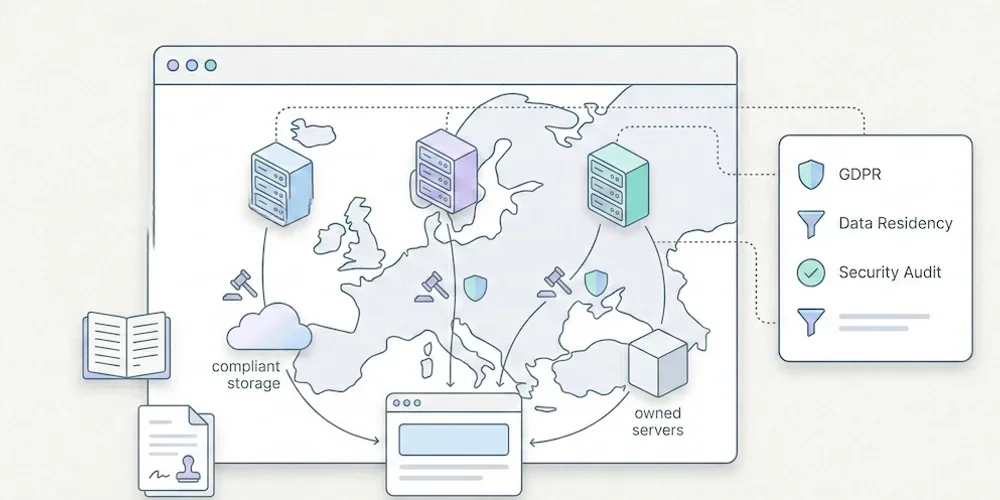
| Self-hosting | No | Some tools offer it | Hosted for you in Europe (AWS Stockholm) |
Migration checklist
- List the questions you answer today. Keep the ten reports someone opened in the last quarter. Drop the rest.
- Write a minimal tracking plan. Pages, sources, three to five key events, and a naming convention. Our analytics migration checklist goes into detail.
- Standardize UTM parameters before switching, so sources stay comparable.
- Accept the history break. Event definitions and session logic differ between tools. Export the GA4 reports you need for year-over-year comparisons and archive them.
- Check what you lose. Audiences, Google Ads conversion imports, BigQuery exports and Search Console-style integrations may not carry over.
- Run both in parallel for two to four weeks. Expect different numbers; compare trends, not absolutes.
- Update your privacy notice and consent setup once you know what remains on the site. Other trackers on your pages still affect the analysis.
- Retrain reporting habits. Share one dashboard link instead of a monthly spreadsheet.
If Matomo is on your shortlist, see our Matomo alternative guide and the broader GA, Matomo or lightweight analytics guide. For the SEO side of the decision, read do you need Google Analytics for SEO. To understand consent in this context, see the CNIL audience measurement framework.
Why Pomelo Analytics
If you leave GA4 for clarity rather than depth, Pomelo Analytics, the tool we build, is designed for you. Its idea is simple: measure right. Not more data, but numbers you can trust and read at a glance.
- Numbers you can trust. Every key metric is explained in the interface. Counts are exact; from 1 to 9 visits, Pomelo shows ”< 10” rather than false precision, and an unknown value never appears as zero.
- A fair collection. Audience measurement with no measurement cookie and no cross-site tracking: the IP address is not kept in measurement data, and statistics are aggregated. The Campaigns option adds channels, UTM and conversions by source, with your visitors’ consent.
- All your sites in one view. One workspace for every site, with the right people and the right access.
- A fair price. Plans follow your scale (sites, events, members, history), starting with a free plan. Data hosted in Europe, on AWS Stockholm.
Pomelo is built for European SMBs, B2B SaaS and digital teams that run several sites together. Access opens gradually: join the Pomelo Analytics waitlist.
Sources
Links checked on November 10, 2026.